I'm looking for a script that can show images behind menu scenes. But it isn't as simple as it sounds.
I've come here to post as a last resort.
I've tried to work with Luna, but it makes a lot of my scripts incompatible, or certain things just didn't work right alongside Luna, and considering I'd only be using that for main/pause/camp menus and not battle, it really was a LOT more than I needed. The complexity of the enormous set of scripts and the preknowledge of coding and syntax isn't something I'm looking for, nor do I have the time to learn, being how I'm already extremely past my deadline.
I would have LOVED to work with the Monogatari menu script from Moghunter, especially with that totally awesome ESC/pause/camp menu, but I had issues with adding some custom scenes to the menu, not to mention the item menu, which unfortunately limited my options to one long list, rather than the categorized item list that is Yanfly's. Same goes to the Skill Menu, which is also categorized.
I tried Galv's Menu Theme script, and I couldn't figure out how to add new scenes to the options of applicable backgrounds, instead of just what came with the engine, like the base item scene or the base skills scene. Maybe I was too tired, I can't remember. There's also an issue with a custom time script suddenly disappearing once that script was installed.
There's more that I've tried, I just can't remember most of them. I usually delete them right after I've realized they won't work out for me personally.
I'm not looking to work just with the base engine's menus/scenes. I'm looking for compatibility with custom scripts out there. CSCA scripts, specifically
Achievements and
Crafting.
Yanfly's Settings menu. As of right now, I'm pretty certain those are the only "custom" things I need to work with, most of Moghunter's scripts have the custom image background option already built in...
(edited for links to the above scripts, as well as removing Venka's Bestiary from the list. I forgot there was options for background images as well as turning down the opacity on the windowskin, probably out of exhaustion I forgot about that, and I wanted to own up to it instead of simply deleting that bit out.)
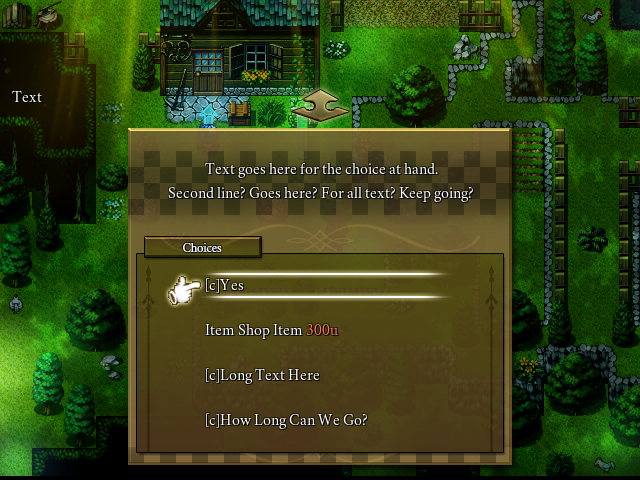
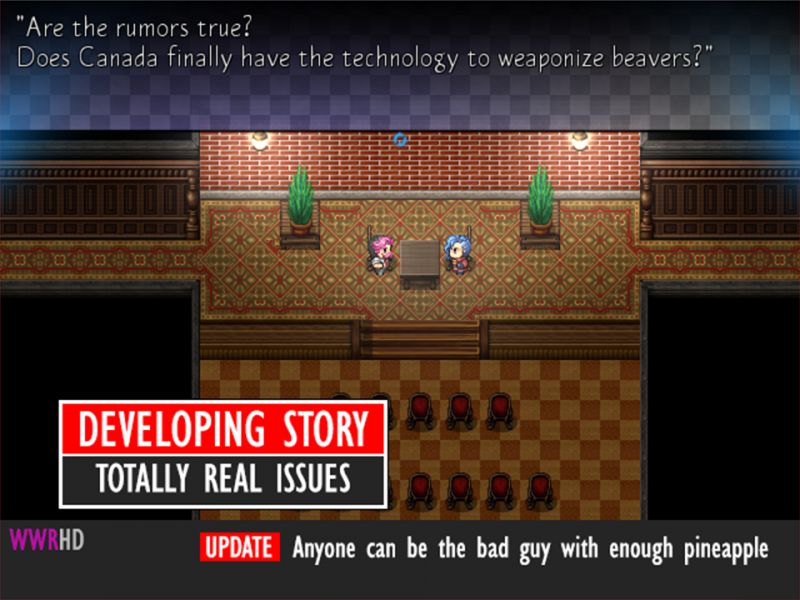
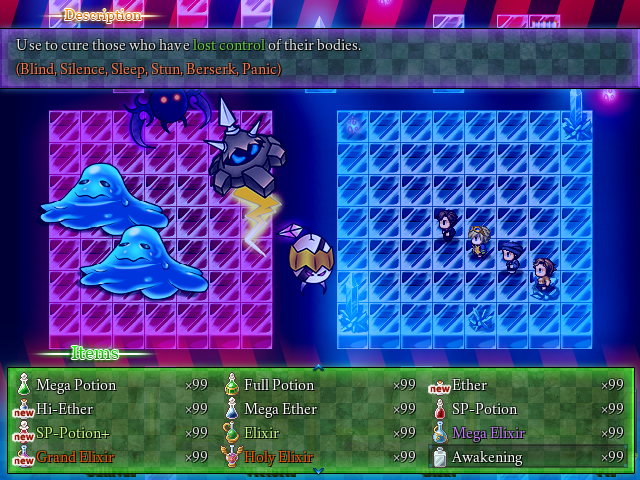
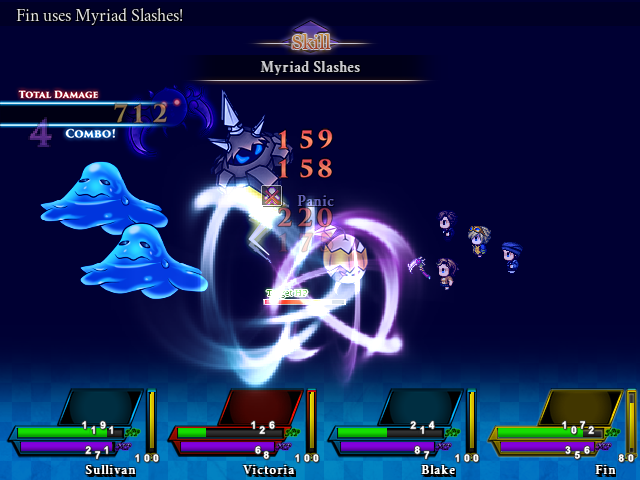
Windowskins can only do so much for me. I want to give my game a full attention to detail. I've done up everything else, from the battle menus to the quest journal, music players, choice menus, and so much more. I don't want the game's designs to look like I gave up halfway through, you know? Windowskins can sometimes look almost copy-and-paste, and it ends up repetitive after a while.
After spending, on and off, a few days looking myself for something that could work out in my favor, I've come up rather...well...not empty handed, just, handfuls of scripts I can only half use, or will be what I want but will alter something I don't want, or work up to a certain point...so I've come to the Great Forums of RPG Maker, to hopefully gain some peace of mind knowing that there is a ray of hope out there for me and my project.
Just for kicks, by the way, here's some of the stuff I've done for the game. You might see why using Windowskins won't really work for too long with this project.
Protected download Protected download Protected download
(please ignore that floating egg, btw.)
Protected download






 Lexar 1TB Professional Go Portable SSD
Compact portable SSD for fast file transfers, mobile video, and creator storage.
View on Amazon
Lexar 1TB Professional Go Portable SSD
Compact portable SSD for fast file transfers, mobile video, and creator storage.
View on Amazon