

Changing a font color in a Plugin
BMM_Archive · July 15, 2026

Original Source
- Original title: Changing a font color in a Plugin
- Original author: Random Panda
- Original date: August 20, 2016
- Source thread: https://forums.rpgmakerweb.com/threads/changing-a-font-color-in-a-plugin.67123/
- Source forum path: Game Development Engines > RPG Maker Javascript Plugins > Learning Javascript
Summary
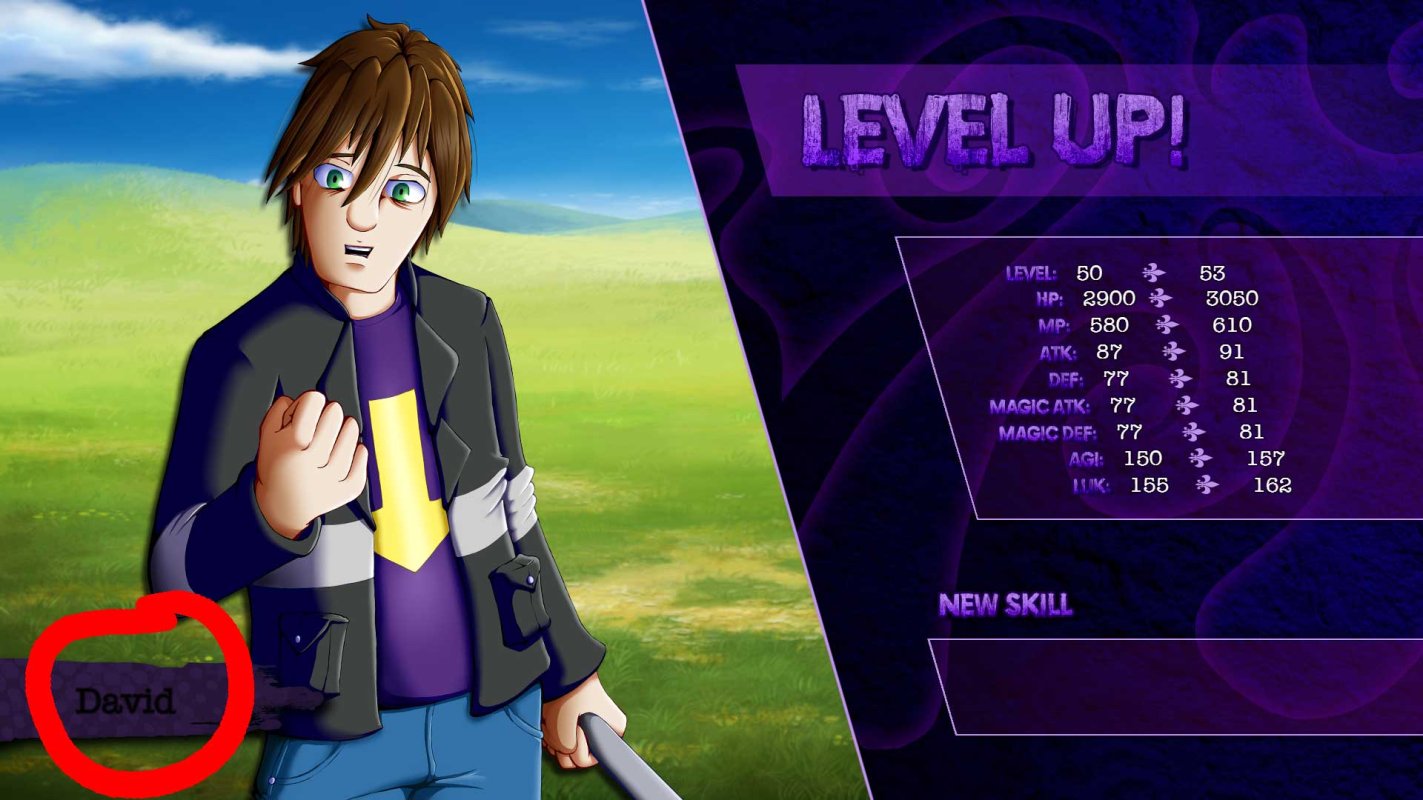
Hello, I'm trying to change a small section of a plugin. I would like to make the font displayed in this part a different color. I had some help changing the Font size last night and hopfully you guys can help me here as well. My knowledge of coding is somewhere between noob and intermediate ( i know enough to understand how it works, but I don't necessarily know what to write when I need to make it do something). If anyone can help with any ideas, advice, or relevant...
Archived First Post
BattleResult.prototype.createActorName = function() {
this._name = new Sprite(new Bitmap(140,60));
this._name.opacity = 0;
this._name.bitmap.textColor = 6;
this._name.bitmap.fontSize = 48;
this._name.bitmap.drawText(this._actor._name,0,0,140,60);
this._name.x = Moghunter.bresult_name_x;
this._name.y = Moghunter.bresult_name_y;
this.addChild(this._name);
};
Downloads / Referenced Files
RPG Maker Web attachments are mirrored locally when available. Other external links remain hosted by their original creator or third-party service.
- Local mirror: 27629-0ea8625b69c4b67623053aee31f99fa8.jpg
SHA-256:67bfe51e5e7847e1a0f75253bfaee4a7477b6f28a42ccba3b893310dd821b4d9
Original attachment URL: https://forums.rpgmakerweb.com/attachments/untitled-1-jpg.45669/
Referenced Images / Attachments
Creator Claims / Removal
If you are the original creator and want this listing reassigned, edited, or removed, join BMMPlay and contact the moderators with proof that matches the original RPG Maker Web profile, linked GitHub, itch.io page, or another public creator identity.
Replies (0)
No replies yet.
Topic Summary
Loading summary...