Tags on actors that are personas
You can specify which actor is a persona by simply adding the following tag:
<Persona>
By adding the tag bellow:
<User: actor_id[, actor_id[, ...]]>
on a persona actor you can specify the users that can equip the specific
persona. Remember that for the <User: ...> tag to work the actor must be a
persona. Also, you can specify as many persona users as you want in the list.
For convenience, you can set the default users of a persona that doesn't have
that tag through the options module.
Personas can't learn an infinite number of skills. You can specify the
maximum number of skills a persona can learn by using the following tag:
<Max skills: number>
The default number of maximum skills for all personas is set to 4, but you can
change it through the options module! Lastly, a persona has the ability to evolve
into a stronger one when it reaches a specific arcana rank! You can specify the
rank of the arcana at which the persona will evolve with the following tag:
<Evolve at: rank>
and the persona to which it will evolve to with the following one:
<Evolve to: persona_name>
Tags on actors that use personas
You can specify that a specific actor can use ONLY one (which will be
automatically equipped) by using the following tag:
<Persona: actor_id>
Also, to specify which persona will be equipped in Battle test on a specific
ctor, you can use the following tag:
<Battletest persona: actor_id>
Tags on classes (Arcana)
You can specify which classes represent an arcana by adding the tag
bellow:
<Arcana>
Each arcana's current rank is stored in a game variable. Those variables
can be set for each Arcana separately by adding the following tag:
<Rank variable: variable_id>
Of course, you can set the maximum rank of each arcana by adding the
tag bellow on each arcana:
<Max rank: rank>
The default maximum rank is set to 10, but can be changed through the
options module. As in the original game, each arcana has its own social link(s).
You can specify who is or are those links by adding the following tags
to specify by actor id:
<Social links actors: actor_id[,actor_id[,...]]>
and to specify by variable id (in which actor ids are stored):
<Social links actors: actor_id[,actor_id[,...]]>
As far as naming those social links and their description goes, you can
use the tag bellow to specify the name of the social link:
<Social target: name>
and the one bellow to specify its description:
<Description: description>
You can specify the description of an actor's social link by adding
this tag:
<Social description: description>
Tags on enemies
There is only one tag that is used on enemies and it specifies the card
that an enemy can drop:
<Card drop: card_name, chance>
The chance is specified by a floating number and not a percentage, for
example using the tag bellow on an enemy, has a 30% chance to drop the
Ghoul card:
<Card drop: Ghoul, 0.3>
Add persona to party
You can add a persona to your party by calling the following script (by id):
$game_party.add_persona_by_id(actor_id)
or by using the following one (by name)
$game_party.add_persona_by_name("actor_name")
It is important to remember that you cannot have duplicate personas in
your party! Also, for developing purposes a message box will be displayed
if you try adding an actor as a persona that is not actually a persona!
a persona or if you misstype a name by accident!
Personas can also be acquired through the Shuffle Time that happens after
a battle and if the enemy troop has dropped any cards. You can learn
more about Shuffle Time by going to the back of the room.
If you want to equip the persona when it's added to the party, then you can add a true flag after the actor's id or name:
$game_party.add_persona_by_id(actor_id, true)
or
$game_party.add_persona_by_name("actor_name", true)
Remove social link through variable
If you have specified someone as a social link of an arcana via
variables (see Tags on class (Arcanas)) you can remove a social
link by setting the specific variable's value to -1. Do remember
that if you have specified that social link through the actor social
link tag, then even if you remove that actor they will still be a
social link. Social links specified via actor ids cannot be removed!
Increase/Decrease arcana rank
You can increase an arcana's rank by making the following script
call:
$game_player.arcana_rank_up(arcana_name)
You can also decrease an arcana's rank by making the following
script call:
$game_player.arcana_rank_down(arcana_name)
The minimum arcana rank can be set though the persona module!
For convenience you can use the script call bellow to increase the
arcana's rank by
multiple ranks:
$game_party.arcana_rank_up_by(arcana_name, ranks)
The same can be done to decrease the arcana's rank by multiple ranks
by making the following script call:
$game_party.arcana_rank_down_by(arcana_name, ranks)
Persona in party or equipped
You can check if a persona is in the party by using the following
script call:
$game_party.persona_in_party(persona_name)
You can check if a persona is currently equipped by simply calling
the following script:
$game_party.persona_equipped(persona_name)
Also, you can check if a persona is equipped by a specific actor
with the following script call:
$game_party.persona_equipped_by(actor_id, persona_name)
Shuffle Time
Shuffle Time happens after battle and gives the player a chance to
receive new Persona cards. Shuffle Time happens only if the enemies have
dropped at least two cards. Of course, you can change this number
through the options module. There are three types of cards in Shuffle
Time:
Persona cards,
Blank cards and
Penalty cards.
When a Blank card is picked, nothing happens whereas when a Penalty
card is picked, the player gains no battle rewards! There are also
two different shuffle methods:
Rotating card either horizontally, diagonally or a combination
of both and
Memory match, where player matches two cards and has at most
five attempts.
You can change the maximum number of tries the player has through
the options module! Also, you can force the next Shuffle Time method
to be a specific one (among the available) by setting the value of
the variable with ID 1 to the method you want. For example "Horizontal"
if you want the next Shuffle Time method to be Horizontal or "Matching"
if you want it to be the Matching one. Of course, you can change which
variable you want to specify the method, though the options module.
Lastly, you can call the shuffle scene with whichever cards you want
by firstly setting the variable with ID 2 to a script call with a
list of persona names like this:
["name_1", "name_2", ...]
and then by calling the scene with the following command:
$game_system.shuffle_time
It is important to remember that you cannot have duplicate personas
in your party! Additionally, a message box will be displayed if you
try running Shuffle Time without setting the list of cards to be included!
You can access the result of the last shuffle time by simply calling
the following script command:
$game_system.shuffle_result
Fusion
Fusion is the system in which two or more personas are combined
together to create a new persona. You can use the following tag
bellow on a persona to specify which personas need to be fused to
create that one:
<Fusion parents: actor_id1, actor_id2>
For example, if you use the following tag on Himiko:
<Fusion parents: 13, 14>
then when you try fusing Andras with Forneus, the fusion will result
to... Himiko.
Additionally, you can specify arcana rank and player level
requirements to specific fusion children. To apply a minimum
arcana rank requirement for a specific persona you use the following
tag:
<Arcana rank: rank>
To apply a minimum player level requirement for a specific persona
you use the following tag:
<Player level: level>
You can also have a persona of a specific arcana have a different class!
This can be done just by setting its nickname to the arcana you want!
Don't forget to use the following tag to hide its nickname in the status window!
<Hide status nickname>
You can also fuse three personas together to create special
ones too! To specify the parents of a "special" persona you can
use the following tag:
<Special fusion: actor_id1, actor_id2, actor_id3>
Last but not least! To call the persona fusion scene you use the
following script call:
$game_system.fuse_personas(2)
For the special fusion scene you use the following script call:
$game_system.fuse_personas(3)
You can now use `.csv` files to
- Setup a table with all the fusions and results, along with any conditions that need to be met for them to be available.
- Setup a table specifying results for normal and special fusions, exactly how it's setup in the original personas.
For more info, check
github, the demo and the options file.
Persona and user parameters
Personas can be equiped through the main menu command called
"Persona". Personas add percentages of their parameters and
stats to the actor they're equiped on. The default percentage
is set to 100%, but can be changed through the persona options
module. You can also change the percentage of the user's parameters
that are added to the end result. The default percentage is also
set to 100% and can be changed though the options module too.








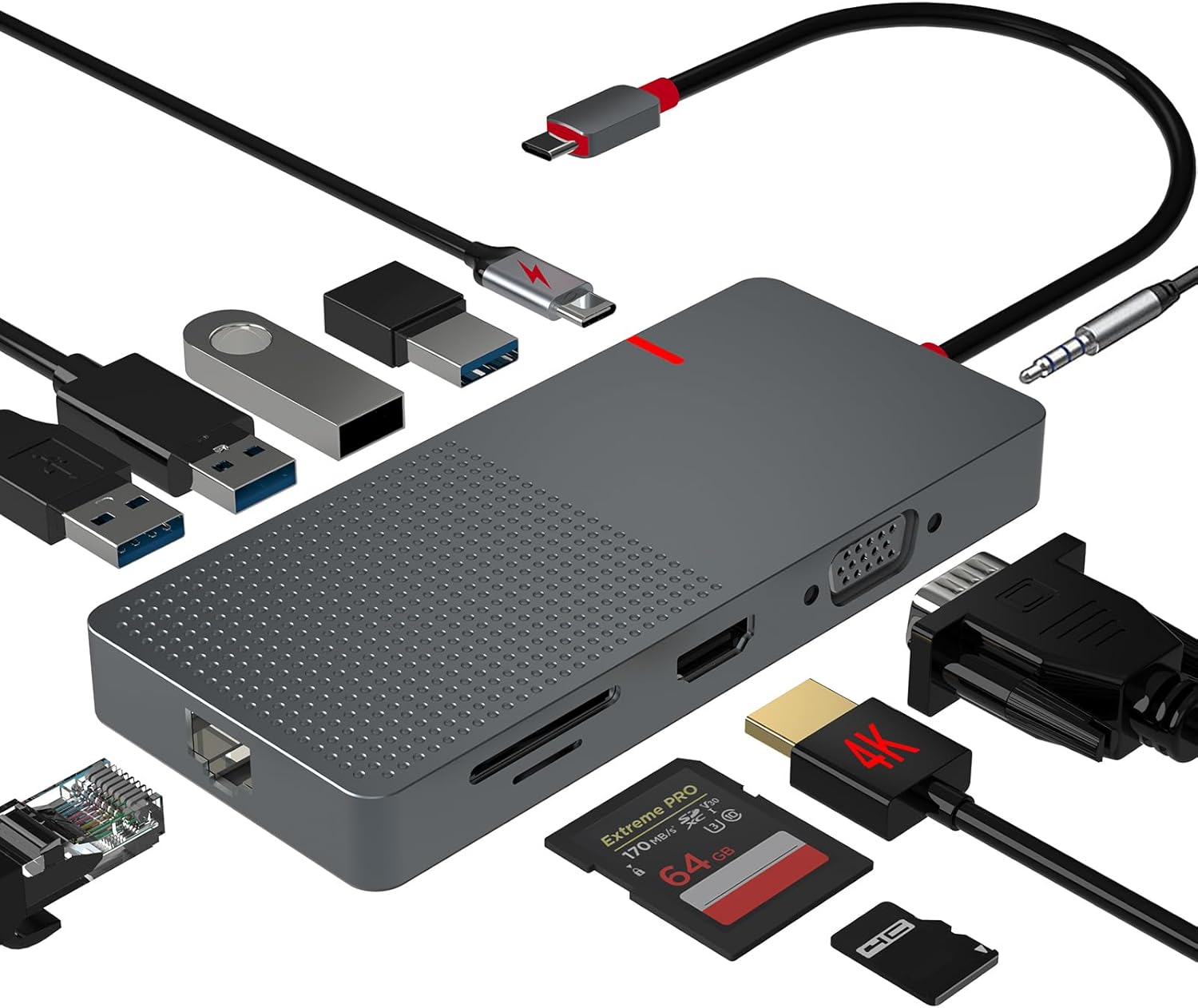 ANYPLUS USB C Docking Station Dual Monitor
Multiport USB-C dock for dual-monitor laptop desks and cleaner cable management.
View on Amazon
ANYPLUS USB C Docking Station Dual Monitor
Multiport USB-C dock for dual-monitor laptop desks and cleaner cable management.
View on Amazon