


VXACEToolbar Addon for Falcao's ABS - v1.6 (30/10/2016)
BMM_Archive · July 15, 2026

Preserved forum archive. This topic stores the original first post and locally mirrored RPG Maker Web attachments when available. It is posted by the BMMPlay archive account, not by the original creator.
Original Source
- Original title: Toolbar Addon for Falcao's ABS - v1.6 (30/10/2016)
- Original author: Sixth
- Original date: September 26, 2015
- Source thread: https://forums.rpgmakerweb.com/threads/toolbar-addon-for-falcaos-abs-v1-6-30-10-2016.45148/
- Source forum path: Game Development Engines > Ruby Game System (RGSS) Scripts > RGSS3 Scripts (RMVX Ace)
Summary
- Script: - Requirements: The obvious requirement is Falcao's ABS, of course. The other one is made by Cidiomar, and can be found here:
Archived First Post
- Script:
- Requirements:
The obvious requirement is Falcao's ABS, of course.
The other one is made by Cidiomar, and can be found here:
http://himeworks.com/redirect.php?type=demo&name=image_collision_detection (Thanks Tsukihime for the upload!)
This is used because I did not like the tile based placement for the on-map toolbar, but I still wanted to keep that opacity fading effect when the player is below the toolbar. With this script, I could make that quickly and efficiently.
Simply put the script at the top of your custom script list and copy the dll into your game's System folder, and you are good to go!
- Resources:
- Screenshots:

Just an example, you can set it up however you like!
- Demo:
Nop, won't happen, sorry!
- Author's Notes:
You should feed your kittens well!
- Requirements:
The obvious requirement is Falcao's ABS, of course.
The other one is made by Cidiomar, and can be found here:
http://himeworks.com/redirect.php?type=demo&name=image_collision_detection (Thanks Tsukihime for the upload!)
This is used because I did not like the tile based placement for the on-map toolbar, but I still wanted to keep that opacity fading effect when the player is below the toolbar. With this script, I could make that quickly and efficiently.
Simply put the script at the top of your custom script list and copy the dll into your game's System folder, and you are good to go!
- Resources:
The script is set up to use these images, so if you want to test the script quickly without editing, you can get these sample images and hop right to it.
Cooldown mask image:

Toolbar Background:
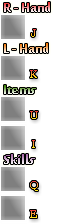
Cooldown mask image:
Toolbar Background:
- Screenshots:
Just an example, you can set it up however you like!
- Demo:
Nop, won't happen, sorry!
- Author's Notes:
You should feed your kittens well!
Downloads / Referenced Files
Log in to download
Log in, then follow the RPG Maker Developers Group to see these download links.
Log in to downloadReferenced Images / Attachments
Creator Claims / Removal
If you are the original creator and want this listing reassigned, edited, or removed, join BMMPlay and contact the moderators with proof that matches the original RPG Maker Web profile, linked GitHub, itch.io page, or another public creator identity.
Replies (0)
No replies yet.
0
replies
6
views
Topic Summary
Loading summary...

