Preserved forum archive. This topic stores the original first post and locally mirrored RPG Maker Web attachments when available. It is posted by the BMMPlay archive account, not by the original creator.
Original Source
Original title: How to change Y position of text box
Source forum path: Game Development Engines > Legacy Engine Support > RPG Maker XP Support
Summary
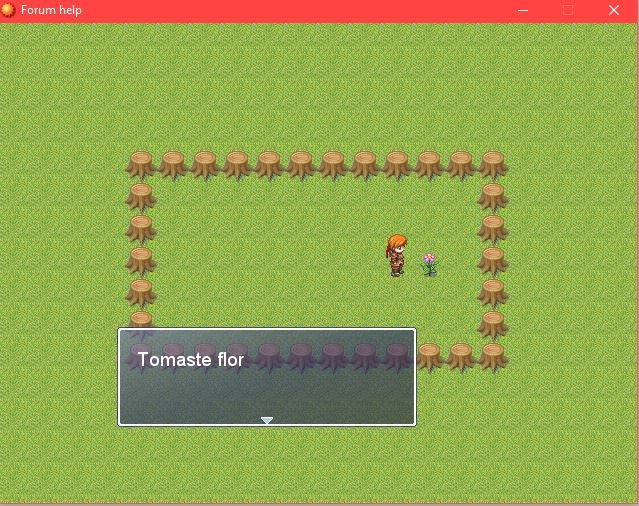
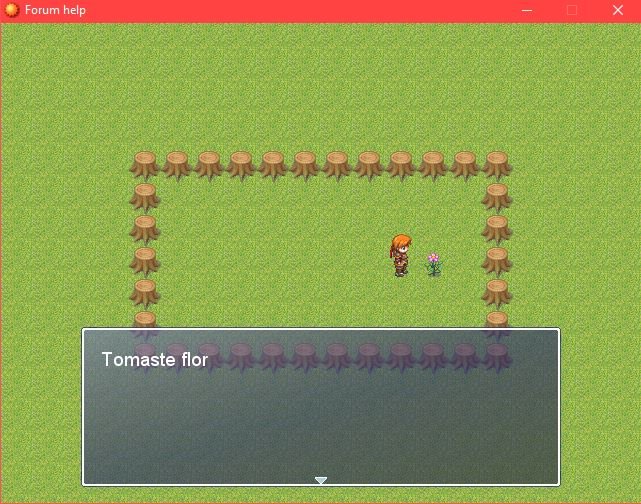
I have been playing around with the window script. I was able to change both the box's lenght and width and even its position on the x axis, but it doesn't seem to register changes in its Y position. Is this possible? { "lightbox_close": "Close", "lightbox_next": "Next",
Archived First Post
I have been playing around with the window script. I was able to change both the box's lenght and width and even its position on the x axis, but it doesn't seem to register changes in its Y position. Is this possible?
Downloads / Referenced Files
RPG Maker Web attachments are mirrored locally when available. Other external links remain hosted by their original creator or third-party service.
Local mirror:27393-5ba36ece06991d9be2fde373992ba3e0.jpg SHA-256: 04036923bc40505ea01e33aa68c48b2a57f8e99d94a99f8ea4c656db59573b43 Original attachment URL: https://forums.rpgmakerweb.com/attachments/floruro4-jpg.45348/
Local mirror:27394-eb72e9f13ad87e43ffa741e7d44b5bd3.jpg SHA-256: 96cb4e057f28669bf07b3e94f6534e7971f788b0fa3eb15ec1da288a771a1b69 Original attachment URL: https://forums.rpgmakerweb.com/attachments/floruro2-jpg.45349/
Referenced Images / Attachments
floruro4.JPGfloruro2.JPG
Creator Claims / Removal
If you are the original creator and want this listing reassigned, edited, or removed, join BMMPlay and contact the moderators with proof that matches the original RPG Maker Web profile, linked GitHub, itch.io page, or another public creator identity.