

Fixing resource issue with old files upon program re-installation?
BMM_Archive · July 15, 2026

Original Source
- Original title: Fixing resource issue with old files upon program re-installation?
- Original author: Wixelt
- Original date: April 30, 2016
- Source thread: https://forums.rpgmakerweb.com/threads/fixing-resource-issue-with-old-files-upon-program-re-installation.61163/
- Source forum path: Game Development Engines > Legacy Engine Support > RPG Maker XP Support
Summary
Hello, Recently, I attempt to reinstall RPG Maker XP after having reset my laptop. I managed to go through all of the regular steps, and after inputting my product code, loaded it up succesfully. To check it was working, I created a couple of new game files, and all of the game assets appeared to be accessible as normal. Then I went to load up some of my old files. And everything was blank. All of the maps looked grey, the graphics menu to the left was empty, and when...
Archived First Post
Recently, I attempt to reinstall RPG Maker XP after having reset my laptop. I managed to go through all of the regular steps, and after inputting my product code, loaded it up succesfully. To check it was working, I created a couple of new game files, and all of the game assets appeared to be accessible as normal.
Then I went to load up some of my old files. And everything was blank.
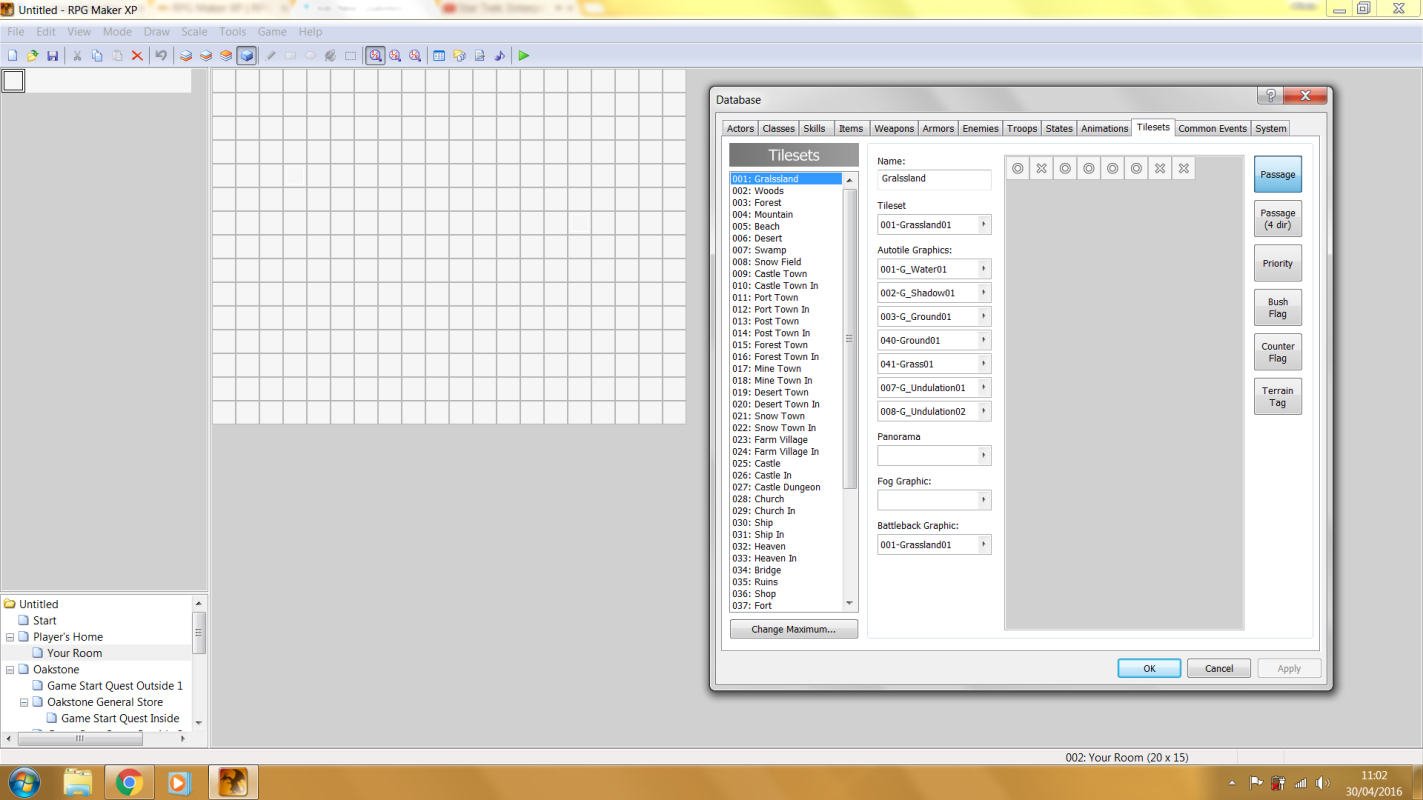
All of the maps looked grey, the graphics menu to the left was empty, and when I checked the database, there was literally nothing there aside from any custom assets i'd put there myself. In short, my old saves weren't able to find the default assets.
I'd like to know if there's a simple solution to this that i'm missing, or if my old files are done for.
Thank you for you time,
Wixelt
Downloads / Referenced Files
RPG Maker Web attachments are mirrored locally when available. Other external links remain hosted by their original creator or third-party service.
- Local mirror: 22139-379c093b433151e4cd137778bcb5dbb0.png
SHA-256:0720d7d1f0c9c393730e5ffd9d62c9a7e002a6673d8f3ed8b58c9ab47e7732b1
Original attachment URL: https://forums.rpgmakerweb.com/attachments/untitled-png.37305/
Referenced Images / Attachments
Creator Claims / Removal
If you are the original creator and want this listing reassigned, edited, or removed, join BMMPlay and contact the moderators with proof that matches the original RPG Maker Web profile, linked GitHub, itch.io page, or another public creator identity.
Replies (0)
No replies yet.
Topic Summary
Loading summary...