Hi everyone, I'm Holy87, an italian developer that uses RPG Maker since 2000.
In those years I've made a lot of scripts useful to many features, and ultimately I decided to translate them in english to be used for international scripters. At this time I have translated only a few number of my scripts, but in the next days you'll se more. If you want see all my published script for international use, please see my
Resource Showcase blog.
Generic Map Bars
v1.2
Description
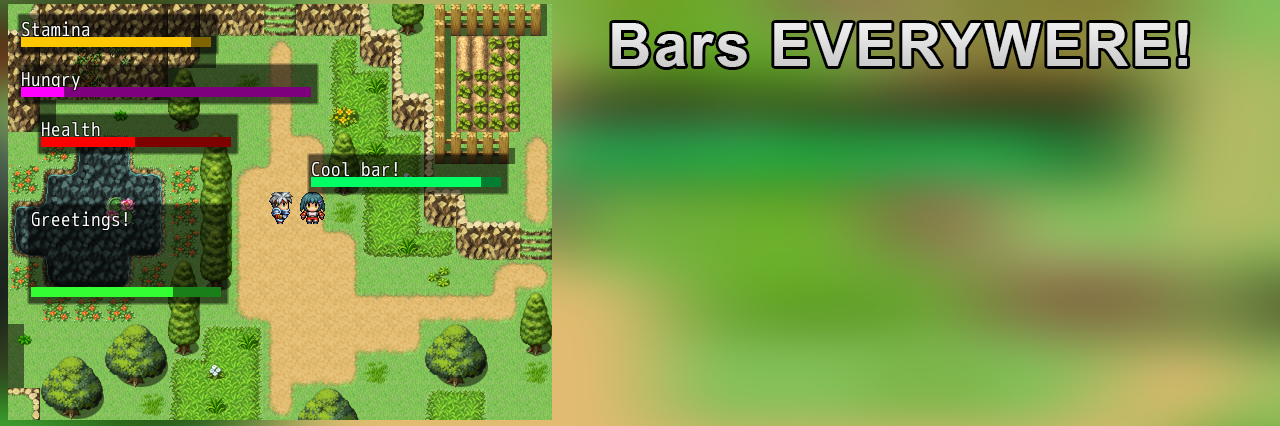
This script allows you to show a gauge on the map that indicates all you want. You can also flash and shake it, change size, color and position.
Instructions
Paste this script under Materials and before the Main. You can set the bar's description with a SCRIPT CALL:
- set_bar("Text"), for the bar title (like Life, Mana etc...) when setted, you can use the command to show the bar like this:
- show_bar. You can set the bar value with a number between 0 and 100, calling the script
- set_bar_value(x), where x is the value to close the windows when you don't need it anymore:
- hide_bar
More options are showed inside the script.
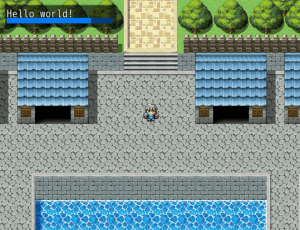
For example, a call script like this:
I've for result:
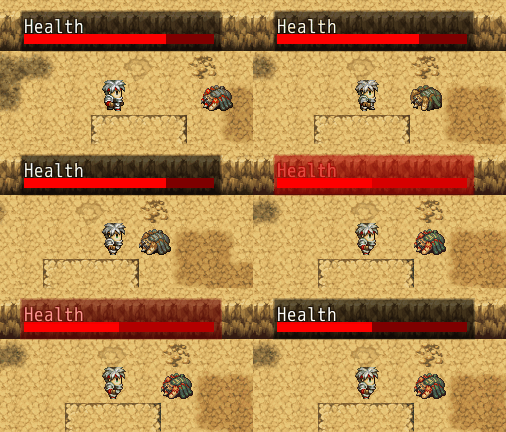
You can also make effects like this
Copyright
Creative Commons-BY. Everyone can distribute, edit and use this script in free and commercial games. Credit required.
Download
Download from Pastebin
Blog pageCreative Commons-BY. Everyone can distribute, edit and use this script in free and commercial games. Credit required. Download Download from Pastebin




 PlayStation DualSense Wireless Controller - White
Extra DualSense controller for couch co-op, backup play, or PC and mobile sessions.
View on Amazon
PlayStation DualSense Wireless Controller - White
Extra DualSense controller for couch co-op, backup play, or PC and mobile sessions.
View on Amazon