

Help with Manual Android Build issue: "Crosswalk library not installed"
BMM_Archive · July 15, 2026

Original Source
- Original title: Help with Manual Android Build issue: "Crosswalk library not installed"
- Original author: Tyrael79
- Original date: March 13, 2016
- Source thread: https://forums.rpgmakerweb.com/threads/help-with-manual-android-build-issue-crosswalk-library-not-installed.58544/
- Source forum path: Game Development Engines > RPG Maker Javascript Plugins > RPG Maker Mobile Deployment
Summary
Hi Guys, I'm having huge issues with the manual method of building an android app. I can get the app working successfully with Intel XKD, however the time it takes to upload the project, build it, then re-download is a nightmare, especially when there is just a super small quick change that needs to be made. Not only takes forever but is eating up all my monthly allocation of downloads. So it's not a viable long term solution. The issue I'm running into when I do a manual build, is when I...
Archived First Post
I'm having huge issues with the manual method of building an android app. I can get the app working successfully with Intel XKD, however the time it takes to upload the project, build it, then re-download is a nightmare, especially when there is just a super small quick change that needs to be made. Not only takes forever but is eating up all my monthly allocation of downloads. So it's not a viable long term solution.
The issue I'm running into when I do a manual build, is when I run the app after installing it on my device I get an error "Crosswalk library not installed". Even if I install the crosswalk library manually on my phone it still does not work.
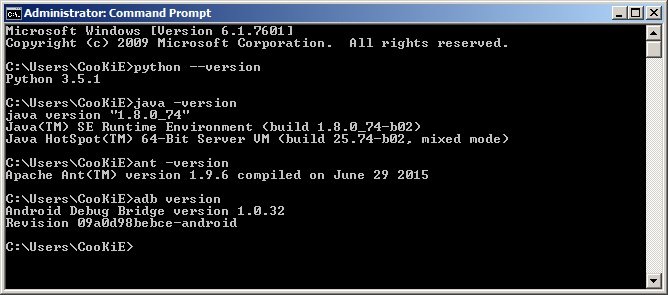
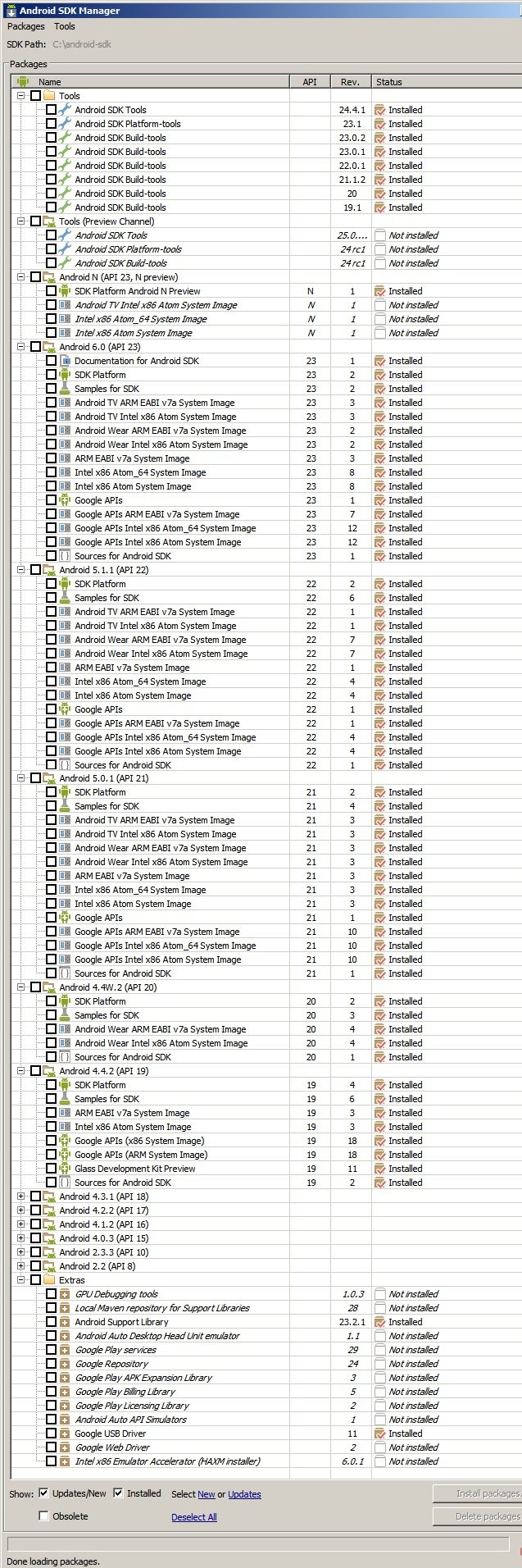
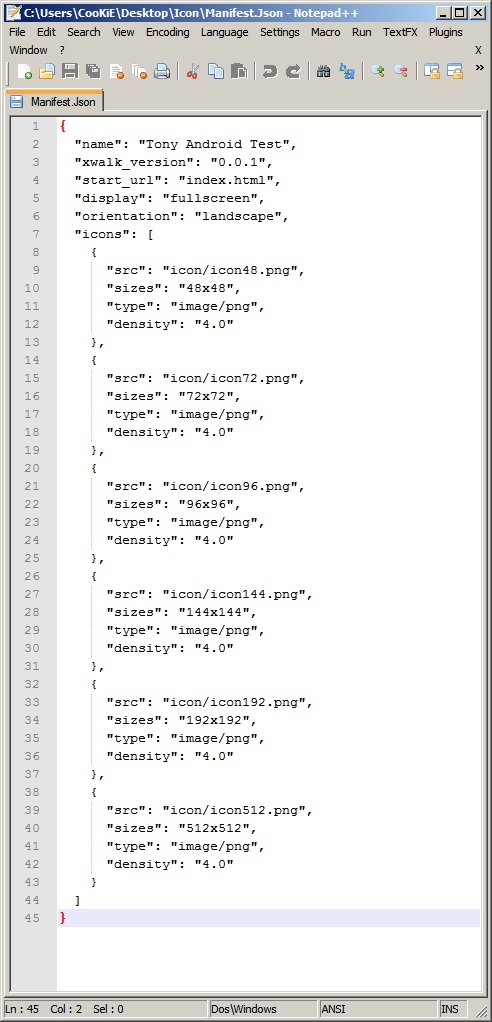
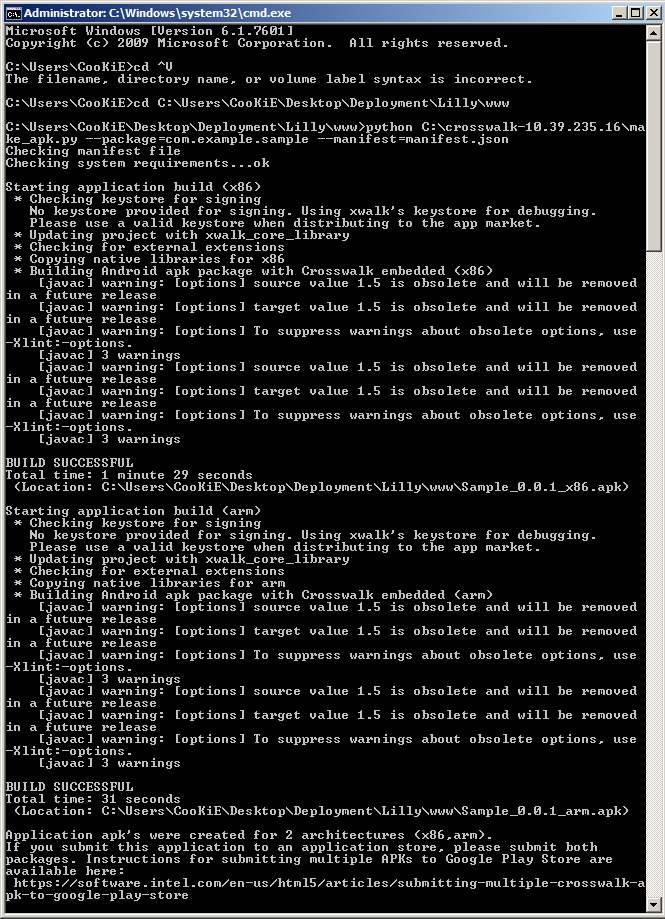
Im hoping that I've just not installed something that's required for the build so I'm putting screenshots of everything up here. Hopefully someone can see something that I've not installed correctly or give advice on what I need to do to get the manual build working.
Thanks in advance
Downloads / Referenced Files
RPG Maker Web attachments are mirrored locally when available. Other external links remain hosted by their original creator or third-party service.
- Local mirror: 19536-68a04fb5d5d5019c42f35ca5609809f6.jpg
SHA-256:4c9a3e08e02a1f2f86fb90e884bb1053688acf01aa7653eb8c9a5101de66e103
Original attachment URL: https://forums.rpgmakerweb.com/attachments/versions-jpg.33445/ - Local mirror: 19537-c9b9311b10555cb1b39d64a2ff8edcf5.jpg
SHA-256:31fb223b5a2200ac7c168c874905fbd94c2a31f311b679e402c2beb061a2eccf
Original attachment URL: https://forums.rpgmakerweb.com/attachments/sdk-packages-jpg.33446/ - Local mirror: 19538-d17632aaf1cc7e00d582fa0b16245541.jpg
SHA-256:62f18c2f926fb097ab489ecaa72520ca9f6ae03f36816971af19ee798af6d9eb
Original attachment URL: https://forums.rpgmakerweb.com/attachments/manifest-jpg.33447/ - Local mirror: 19539-e00ea31e9e85ab424c21401203066182.jpg
SHA-256:3d0c6ddaa62fd59b2f8419a7c3ae165473fb10c232e110d5361e01ea36d48e9e
Original attachment URL: https://forums.rpgmakerweb.com/attachments/compiled-jpg.33448/
Referenced Images / Attachments
Creator Claims / Removal
If you are the original creator and want this listing reassigned, edited, or removed, join BMMPlay and contact the moderators with proof that matches the original RPG Maker Web profile, linked GitHub, itch.io page, or another public creator identity.
Replies (0)
No replies yet.
Topic Summary
Loading summary...