

MZ CommandInput/Window_TextInput
BMM_Archive · July 15, 2026

BMM_Archive
Preserved forum archive. This topic stores the original first post and locally mirrored RPG Maker Web attachments when available. It is posted by the BMMPlay archive account, not by the original creator.
Original Source
- Original title: MZ CommandInput/Window_TextInput
- Original author: darkkitten
- Original date: August 25, 2020
- Source thread: https://forums.rpgmakerweb.com/threads/commandinput-window_textinput.125996/
- Source forum path: Game Development Engines > RPG Maker Javascript Plugins > JS Plugins In Development
Summary
I created this script for MV awhile back, it allows you to open an input window and save it to a variable, check against a variable, or whatever you wanted, There's still a lot of work on this version, but its mostly in place and it works for now. Changelog: Spoiler 2.0.0
Archived First Post
I created this script for MV awhile back, it allows you to open an input window and save it to a variable, check against a variable, or whatever you wanted, There's still a lot of work on this version, but its mostly in place and it works for now.
Changelog:
Images:
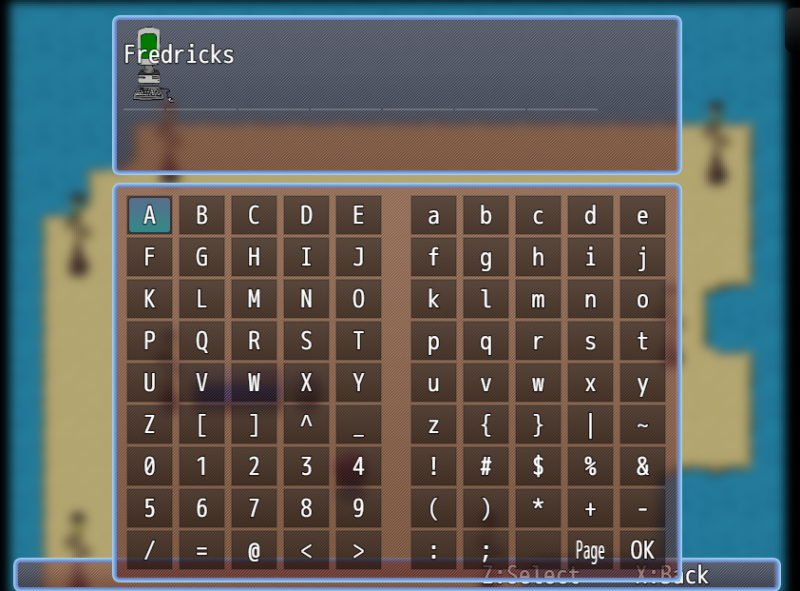
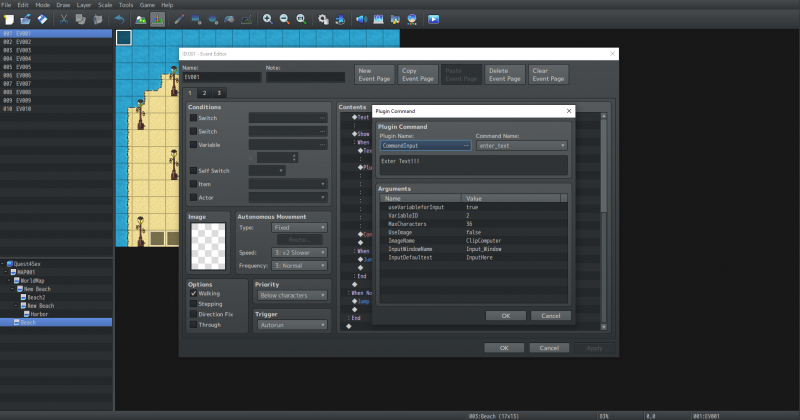
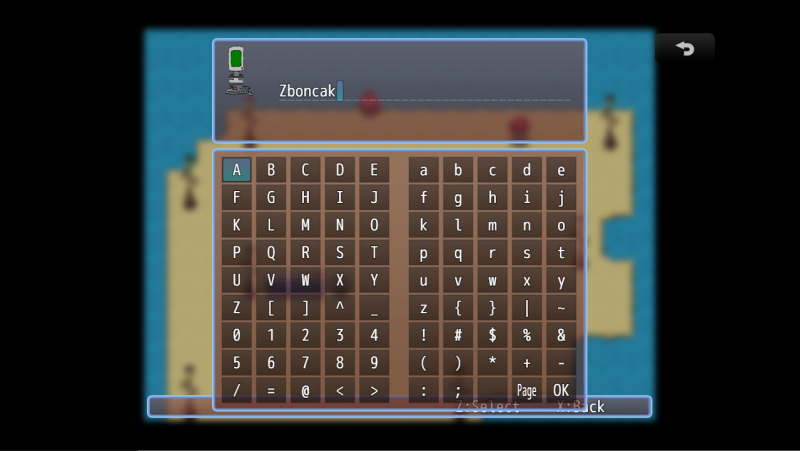
Download the script here
Make sure whatever image you use ClipComputer.png or whatever is in your img/pictures folder.
Changelog:
2.0.0
I went with 2.x because 1.x was for MV, this is the inital commit for MZ
2.0.1
Began working on fixing Text alignment, and underline spacing
2.0.2
Shortly after I release 2.0.1 I found the fix for the Underline and Text alignment!
I went with 2.x because 1.x was for MV, this is the inital commit for MZ
2.0.1
Began working on fixing Text alignment, and underline spacing
2.0.2
Shortly after I release 2.0.1 I found the fix for the Underline and Text alignment!
Images:
Download the script here
Make sure whatever image you use ClipComputer.png or whatever is in your img/pictures folder.
Downloads / Referenced Files
RPG Maker Web attachments are mirrored locally when available. Other external links remain hosted by their original creator or third-party service.
- Local mirror: 136206-e8298c8ae9a42de8e40b83e0704eb68f.png
SHA-256:63125dfaf89d6ab6e3a08616b97a892f89f454c40680828eb4baf4c8e8135740
Original attachment URL: https://forums.rpgmakerweb.com/attachments/inputwindow-png.157126/ - Local mirror: 136207-3741b4651e75c7ce77da894cf9189053.png
SHA-256:e82f6e8af0d597654d46006b37ab03a150fcde4a83f15172c1a01b819f81db07
Original attachment URL: https://forums.rpgmakerweb.com/attachments/plugincommand-png.157127/ - Local mirror: 136840-ea2b7dc78311538a3dea3a7655574aa1.png
SHA-256:186f2f652e2942956d6d50bbdde543961b2ab20a90bda71f1571826943e7bfed
Original attachment URL: https://forums.rpgmakerweb.com/attachments/newalignment-png.157760/ - Source: here
Referenced Images / Attachments
Creator Claims / Removal
If you are the original creator and want this listing reassigned, edited, or removed, join BMMPlay and contact the moderators with proof that matches the original RPG Maker Web profile, linked GitHub, itch.io page, or another public creator identity.
Replies (0)
No replies yet.
0
replies
29
views
Topic Summary
Loading summary...