

Custom RPG Maker XP Magic Key Encryption with DRGSS Help
BMM_Archive · July 15, 2026

Original Source
- Original title: Custom RPG Maker XP Magic Key Encryption with DRGSS Help
- Original author: Dylanrockin
- Original date: November 15, 2015
- Source thread: https://forums.rpgmakerweb.com/threads/custom-rpg-maker-xp-magic-key-encryption-with-drgss-help.50575/
- Source forum path: Game Development Engines > Activation Issues
Summary
I am sure a lot of us are familiar with this method of game encryption, with custom Magic Key's correct? Well, I am having a problem with having my game launch upon completing all these steps, and with me having one other question in regards to this topic. 1. I go to the offset specified in the post below, and I change the hex codes to my own set of 8 letters, which by the way, I am not quite sure what the text post means by making my...
Archived First Post
1. I go to the offset specified in the post below, and I change the hex codes to my own set of 8 letters, which by the way, I am not quite sure what the text post means by making my own Magic Code in those offsets, since there are only 4 or so letters that I can type in hex.
2. Once I do that, I start using Asprotect, which, is really complicated and I am not quite sure how it works, exactly. There are not many tutorials out there that explain how to repackage an unpacked RGSS102E.dll, and I am not sure what I do wrong. The screenshots below will show you what I did:
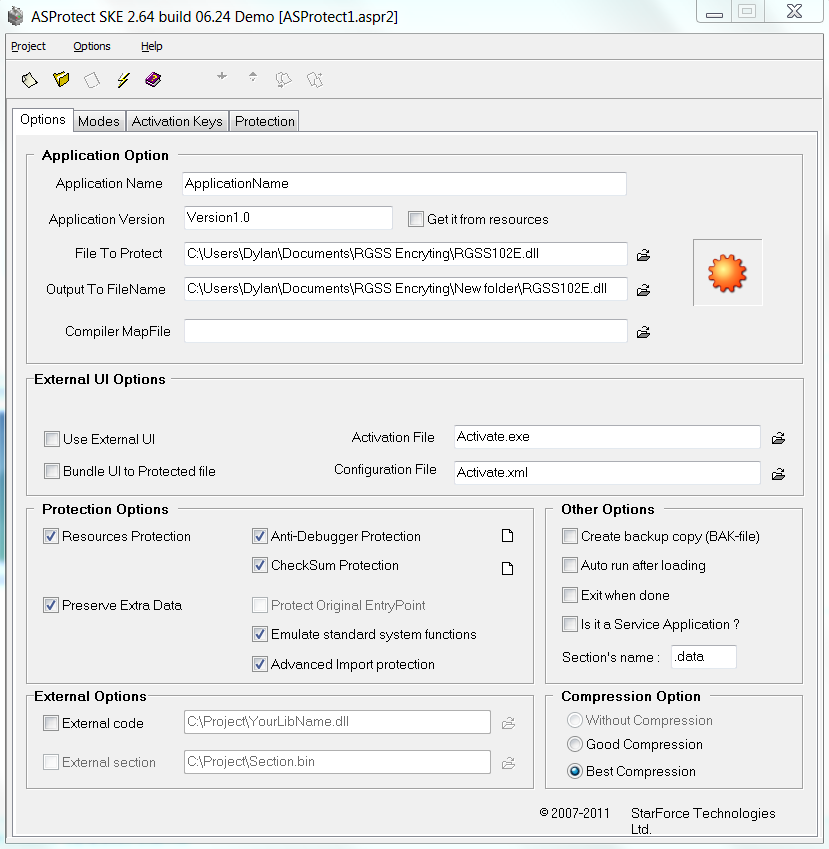
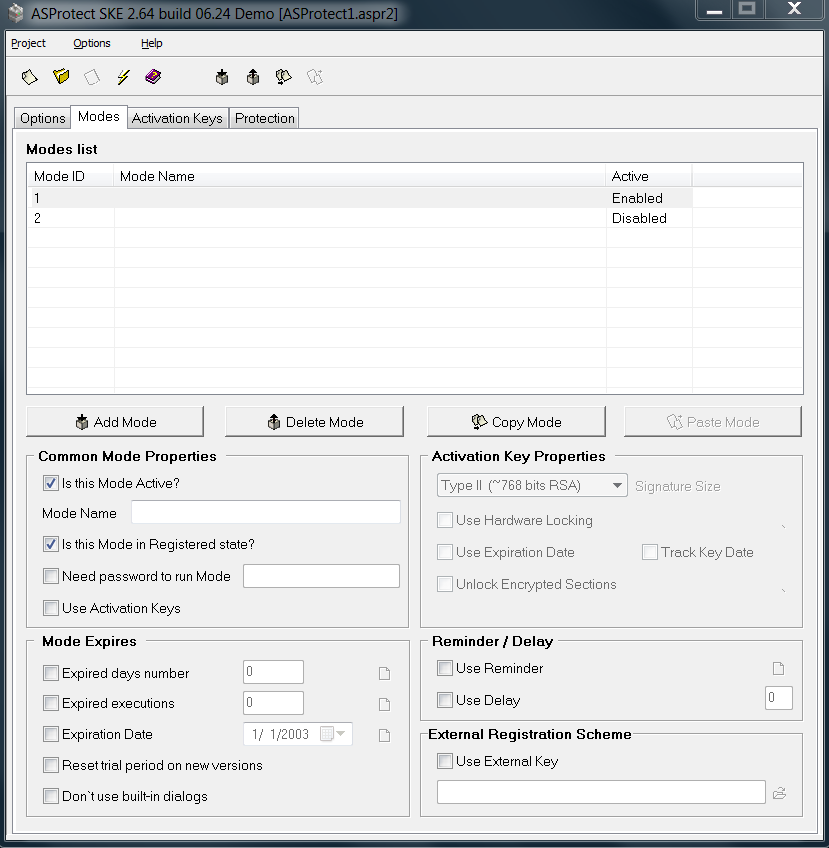
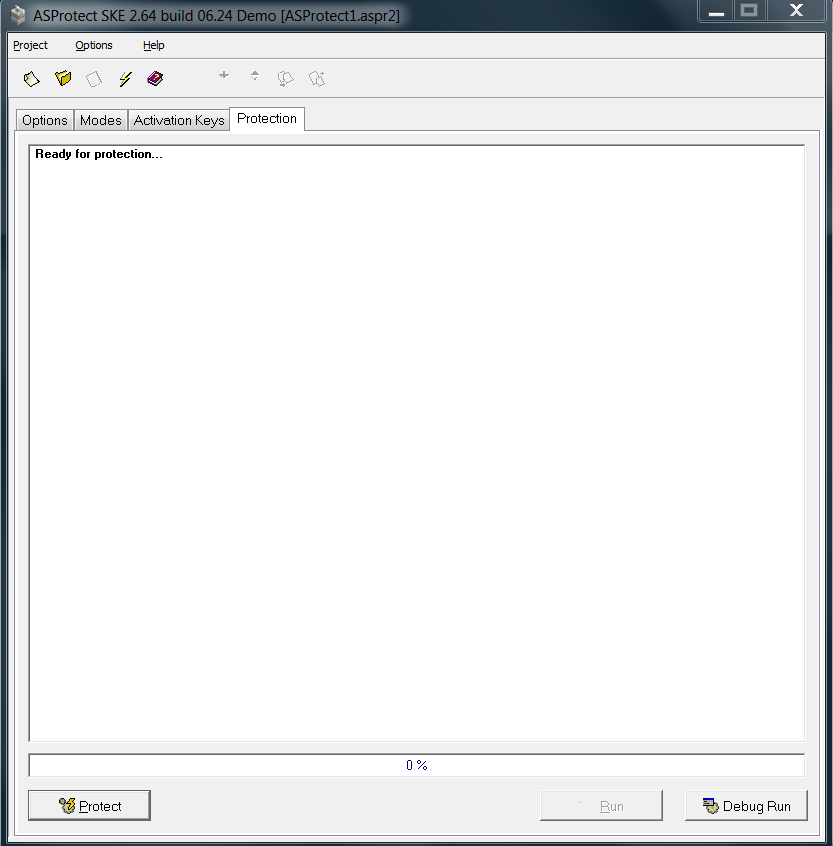
Again, I am not sure what I did in #2 was right, and I would love to know how to use Asprotect correctly, since there is a HUGE lack of good tutorials on how to use it, based on this tutorial below.
3. I use DRGSS, and I type in my "8 letters that I used as my Magic Key," and I encrypt my game. Once it is encrypted, I run my game, and it says that it failed to locate the Archive... Which, I can only assume is because I screwed up badly in regards to this guide on how to secure my game.
For RPG Maker XP and RPG Maker VX
Parts:
I - Knowing your encryption
II - Encryption
III - The Drawback
IV - Credits
I: Knowing your encryption
It's always good to know about your encryption to know what it does and why it works. This encryption is based on vgvgf's DRGSS encryption and is much, much stronger than RPG Maker's encryption. It uses your own personal magic key, plus checksum protection, debugging detection, and several other safety features for your game. In essence, this is really what protects the game (after the tutorial) because it locks away your magic key, and without a magic key no rgssad extractor will be able to open it.
II: Encryption
First, you'll need the following:
DRGSS - http://vgvgf.com.ar/varios/drgss/DRGSS-v1.1.exe
ASProtect SKE - http://www.aspack.com/
FRHED - http://frhed.sourceforge.net/en/
RGSS102E Unpacked (IF YOU ARE USING RPG Maker XP) - http://www.fileden.com/files/2007/2/10/757733/RMXP%20Others/RGSS102E-uncompressed.rar
RGSS202E Unpacked (IF YOU ARE USING RPG Maker VX) - http://www.fileden.com/files/2007/2/10/757733/RMXP%20Public/RGSS202E.rar
WARNING: ASPROTECT SKE COSTS $194.65 (USD)
NOTE: I DO NOT OWN THE ASPROTECT COMPANY SO DON'T COMPLAIN TO ME ABOUT THE PRICE
Once you get what you need then follow these easy steps, they should take less than 10 minutes to finish: (Note: Depends on your game size and experience with computers)
Step 1) Using FRHED go to offset: (CTRL + G)
39628 - If your using the unpacked RGSS102E.dll
43063 - If your using the unpacked RGSS202E.dll
And modify the offsets (EF AC DA ED) to your own magic key. Note that it is written backwards, so write your own magic key (make one up) in reverse typing. (ie ABC = CBA) REMEMBER YOUR MAGIC KEY THAT YOU JUST MADE UP BECAUSE YOU'LL NEED IT LATER.
Step 2) Use ASProtect SKE to pack your new RGSS102E (Or RGSS202E if you're using RMVX) DLL and KEEP IT IN YOUR GAME FOLDER. If you want to encrypt Game.exe you can too, it won't affect gameplay so it's really optional but provides additional protection for your game)
Step 3) Open up your game using DRGSS and compress. MAKE SURE YOU WRITE YOUR MAGIC KEY IN THE MAGIC KEY SPACE. This time you can write your magic key in normally (ie ABC AND NOT CBA)
Step 4) Play the game.
III: The Drawback
The main drawback is the price of ASProtect SKE. Although you can encrypt your games and have all of the encryption features without purchasing ASProtect SKE it will show a message saying your game is protected by ASProtect SKE. If you don't mind them having that small copyright at the start of your game, don't buy ASProtect SKE. If you do mind having a popup message at the beginning of your game, then buy ASProtect SKE. Either way works.
IV: Credits
vgvgf - DRGSS, original encryption concept, and unpacking the RGSS DLLs for use
ASProtect Company - Providing a wonderful packer/cryptor
Features Mentioned
- II: Encryption
- First, you'll need the following:
- DRGSS - http://vgvgf.com.ar/varios/drgss/DRGSS-v1.1.exe
- ASProtect SKE - http://www.aspack.com/
- FRHED - http://frhed.sourceforge.net/en/
- RGSS102E Unpacked (IF YOU ARE USING RPG Maker XP) - http://www.fileden.com/files/2007/2/10/757733/RMXP%20Others/RGSS102E-uncompressed.rar
- RGSS202E Unpacked (IF YOU ARE USING RPG Maker VX) - http://www.fileden.com/files/2007/2/10/757733/RMXP%20Public/RGSS202E.rar
- WARNING: ASPROTECT SKE COSTS $194.65 (USD)
- NOTE: I DO NOT OWN THE ASPROTECT COMPANY SO DON'T COMPLAIN TO ME ABOUT THE PRICE
- Once you get what you need then follow these easy steps, they should take less than 10 minutes to finish: (Note: Depends on your game size and experience with computers)
- Step 1) Using FRHED go to offset: (CTRL + G)
- 39628 - If your using the unpacked RGSS102E.dll
- 43063 - If your using the unpacked RGSS202E.dll
- And modify the offsets (EF AC DA ED) to your own magic key. Note that it is written backwards, so write your own magic key (make one up) in reverse typing. (ie ABC = CBA) REMEMBER YOUR MAGIC KEY THAT YOU JUST MADE UP BECAUSE YOU'LL NEED IT LATER.
- Step 2) Use ASProtect SKE to pack your new RGSS102E (Or RGSS202E if you're using RMVX) DLL and KEEP IT IN YOUR GAME FOLDER. If you want to encrypt Game.exe you can too, it won't affect gameplay so it's really optional but provides additional protection for your game)
- Step 3) Open up your game using DRGSS and compress. MAKE SURE YOU WRITE YOUR MAGIC KEY IN THE MAGIC KEY SPACE. This time you can write your magic key in normally (ie ABC AND NOT CBA)
- Step 4) Play the game.
- III: The Drawback
Downloads / Referenced Files
RPG Maker Web attachments are mirrored locally when available. Other external links remain hosted by their original creator or third-party service.
- Download: http://www.fileden.com/files/2007/2/10/757733/RMXP%20Others/RGSS102E-uncompressed.rar
- Download: http://www.fileden.com/files/2007/2/10/757733/RMXP%20Public/RGSS202E.rar
License / Terms Note
IV - Credits I: Knowing your encryption
Referenced Images / Attachments
Creator Claims / Removal
If you are the original creator and want this listing reassigned, edited, or removed, join BMMPlay and contact the moderators with proof that matches the original RPG Maker Web profile, linked GitHub, itch.io page, or another public creator identity.
Replies (0)
No replies yet.
Topic Summary
Loading summary...