

Special Overlay Effects
BMM_Archive · July 15, 2026

Original Source
- Original title: Special Overlay Effects
- Original author: James Westbrook
- Original date: March 15, 2016
- Source thread: https://forums.rpgmakerweb.com/threads/special-overlay-effects.58684/
- Source forum path: Game Development Engines > RPG Maker Javascript Plugins > JS Plugins In Development
Summary
I can't think of a good way to word the title; but I am trying to figure out if it is possible to make a plugin like this(I intend to make it, but I am not sure where to start) So in my game, each character views the world differently: one sees scary hallucinations, some see it as normal, one has bad eyesight and can only see moving things, there are more but the list would be too long. Normally to accomplish this, I would have to alter each tileset,...
Archived First Post
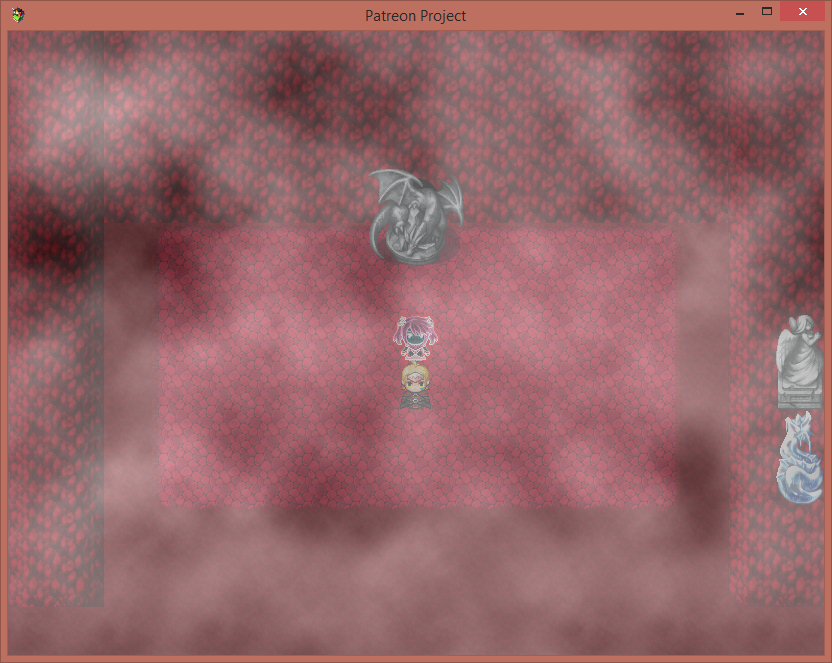
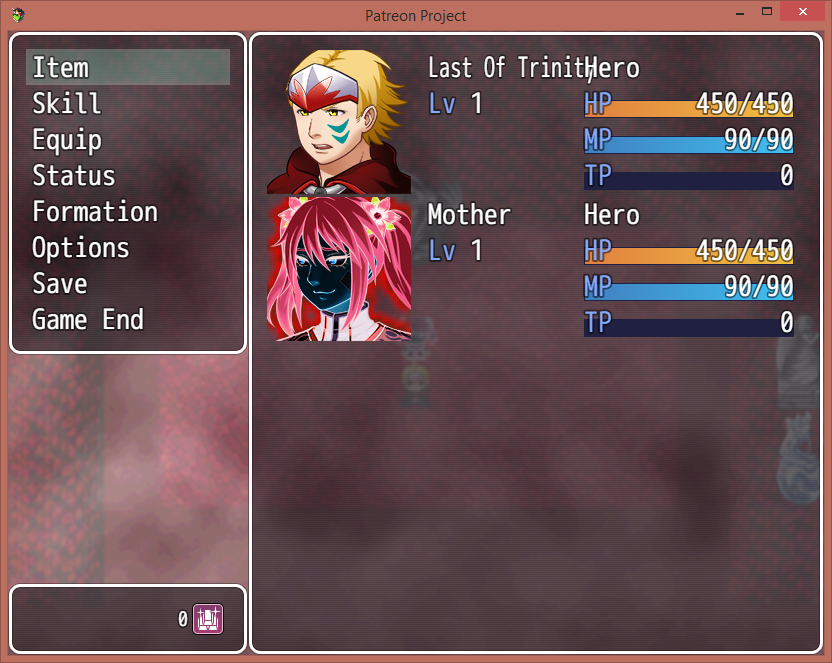
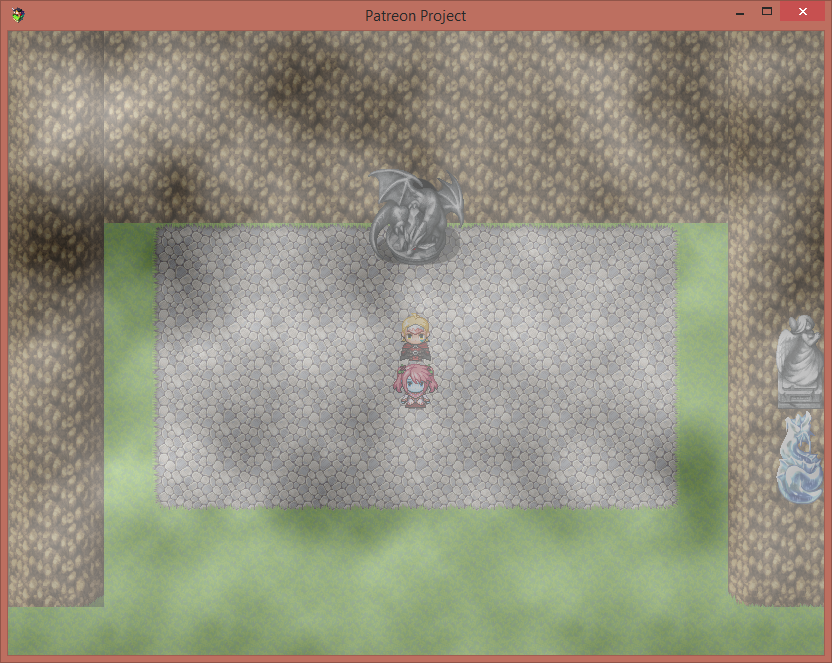
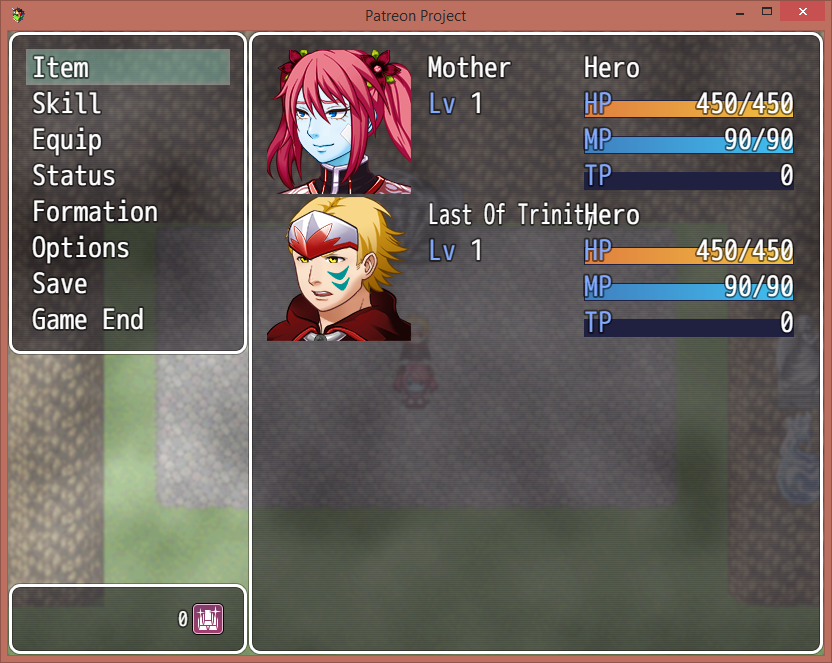
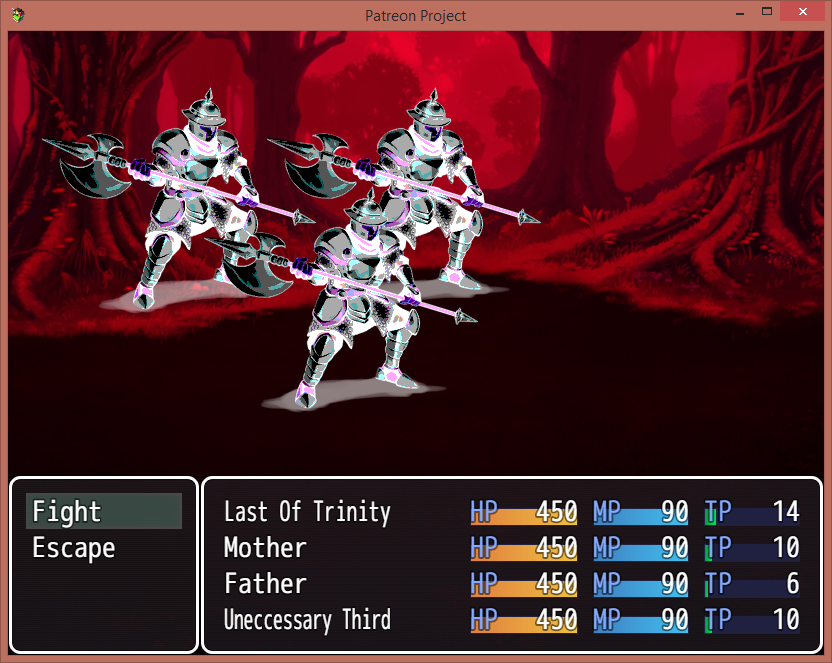
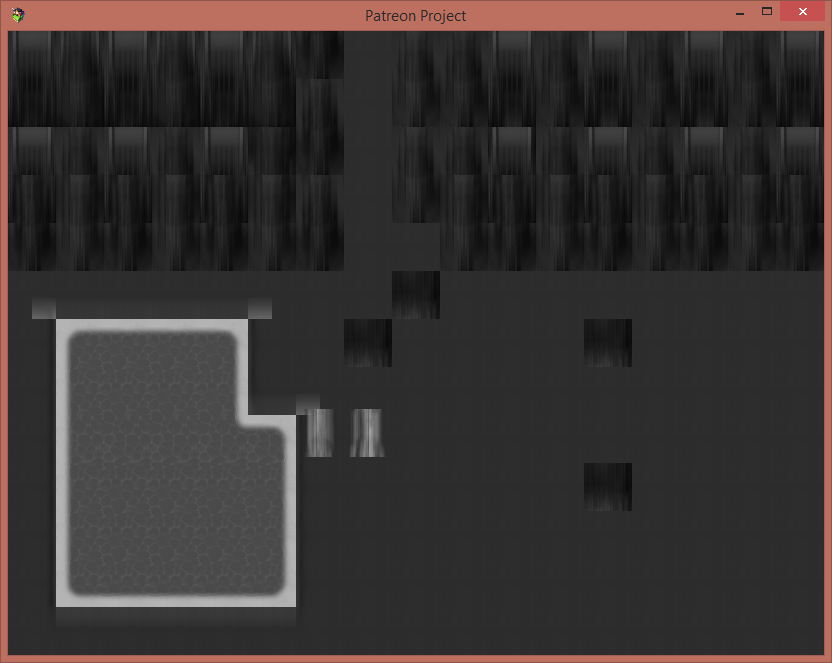
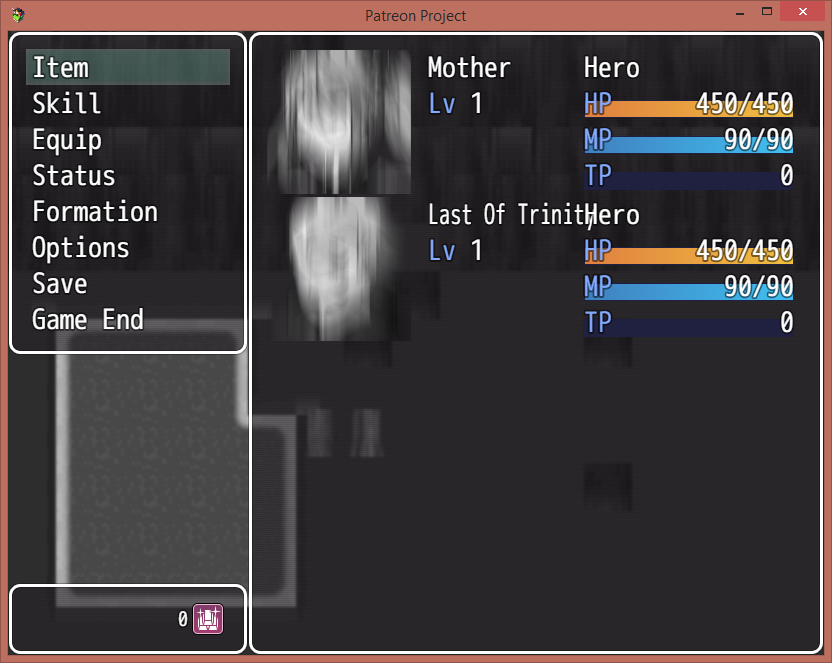
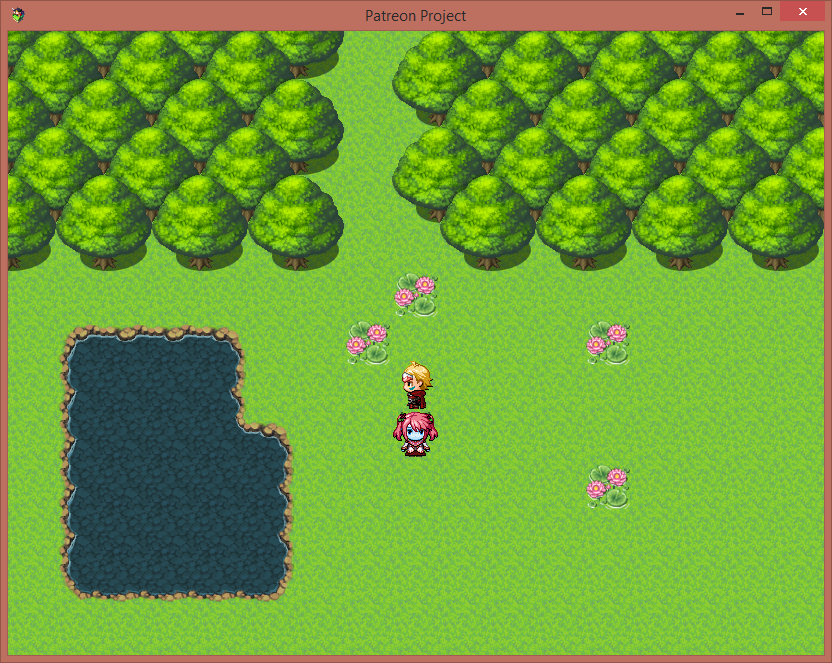
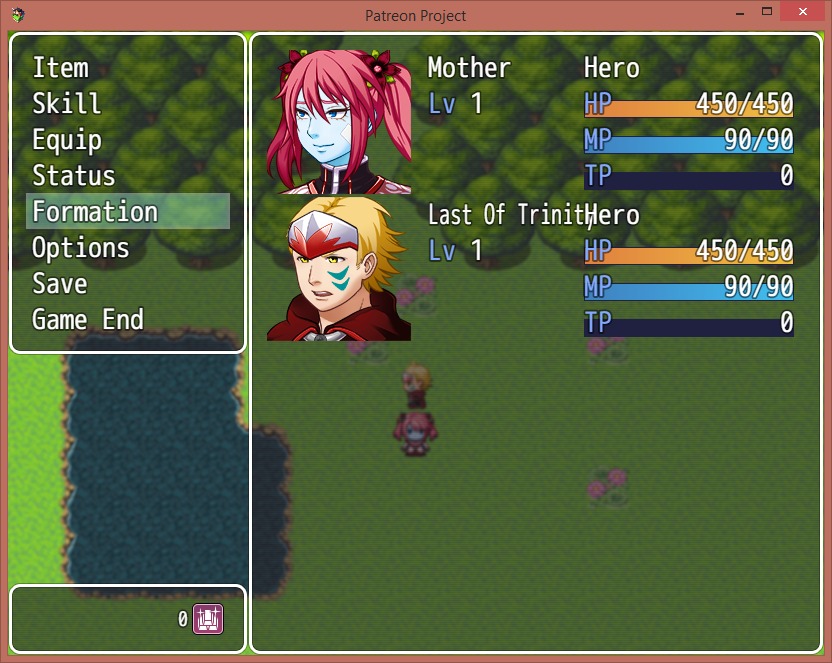
So in my game, each character views the world differently: one sees scary hallucinations, some see it as normal, one has bad eyesight and can only see moving things, there are more but the list would be too long.
Normally to accomplish this, I would have to alter each tileset, face set, sprite, battler, battler background, and probably more that I cannot think of! The only issue is the game would require more than 4X the amount of space needed to make up for extra tilesets, facesets, sprites, ect needed for each character. An idea me and a friend have is perphaps there is a way to apply overlay effects like in photoshop(for example, in the red ones I made a new layer, clip masked it to tileset layer, filled it with red, and changed its layer settings to multiply. In the blurred one I just lowered the saturation and blurred it) that we can somehow apply in RPG maker itself to avoid needing 4X the space.
Would anyone know of a way of accomplishing this using a plugin? (also is what i am saying making any sense?)
I know enough general coding in javascript to get this done if I have guidance, and my knowledge helps me understand how RPG Maker works, but I need more practice before I become efficient at using it.
Downloads / Referenced Files
RPG Maker Web attachments are mirrored locally when available. Other external links remain hosted by their original creator or third-party service.
- Local mirror: 19646-3727cb20edd9d1fc07c71d045b9b48a4.png
SHA-256:fb1c2810806eac7c165b7b918672c0012865cf36e9ad042613714a6921d13817
Original attachment URL: https://forums.rpgmakerweb.com/attachments/screenshot-2016-03-14-19-55-57-png.33576/ - Local mirror: 19647-225ab76b4c81bd9683cd02e06c220652.png
SHA-256:58c117e98e4dbe8245ce6e5c2386976bca8bede2705964a26ba4ca04df28801b
Original attachment URL: https://forums.rpgmakerweb.com/attachments/screenshot-2016-03-14-19-55-58-png.33577/ - Local mirror: 19648-d717a6198f861ab2eeaf0e0398199f09.png
SHA-256:2309bd809941ab976e42564c9042ac5124b73b474589f020f9fdecb97fa60902
Original attachment URL: https://forums.rpgmakerweb.com/attachments/screenshot-2016-03-14-19-56-03-png.33578/ - Local mirror: 19649-7f31bbc3a587db7b69c17e6ab8ad786a.png
SHA-256:d0b250f0c3f5cf16515a0fc06b92f76d9f1fcdd4a5d620325b60c1c67ab4baf2
Original attachment URL: https://forums.rpgmakerweb.com/attachments/screenshot-2016-03-14-19-56-04-png.33579/ - Local mirror: 19650-f8c920b64be9625b08798f5d16375bd0.png
SHA-256:993703c96c8fd3002a4089049d86f2187b4886bfa125cfec92f665333d3d358d
Original attachment URL: https://forums.rpgmakerweb.com/attachments/screenshot-2016-03-14-20-52-48-png.33580/ - Local mirror: 19651-834851a7c3142b2f5842cf3588282367.png
SHA-256:f2912b42205f2e37179250a1779e14dc4047690b54e2f07d5f109adc87419735
Original attachment URL: https://forums.rpgmakerweb.com/attachments/screenshot-2016-03-14-21-10-51-png.33581/ - Local mirror: 19652-c294904c02536596df2d3d746a32114f.png
SHA-256:10175413427b47b27a27059ec2a25e4f01b88de83995ef5dbd1b9f04c932655b
Original attachment URL: https://forums.rpgmakerweb.com/attachments/screenshot-2016-03-14-21-10-53-png.33582/ - Local mirror: 19653-3ff5bd81b3ac9b1212ad7745cdb43b26.png
SHA-256:5666be3045d210cb4ea773ea292b6f59ed72f78017ccd1344143884bd980870e
Original attachment URL: https://forums.rpgmakerweb.com/attachments/screenshot-2016-03-14-20-56-59-png.33583/ - Local mirror: 19654-c91002295cca956fe6863758d98b36d6.png
SHA-256:005a5d3e0c9dc092b54eed1b2d1c9ad0988417b79df434d7a7f2e51f3ca0f1e9
Original attachment URL: https://forums.rpgmakerweb.com/attachments/screenshot-2016-03-14-20-57-02-png.33584/
Referenced Images / Attachments
Creator Claims / Removal
If you are the original creator and want this listing reassigned, edited, or removed, join BMMPlay and contact the moderators with proof that matches the original RPG Maker Web profile, linked GitHub, itch.io page, or another public creator identity.
Replies (0)
No replies yet.
Topic Summary
Loading summary...