[CGMZ] Professions By: Casper Gaming Last Update: April 11, 2026 Latest Version: 1.9.1
[CGMZ] Professions
By: Casper Gaming
Last Update: April 11, 2026
Latest Version: 1.9.1
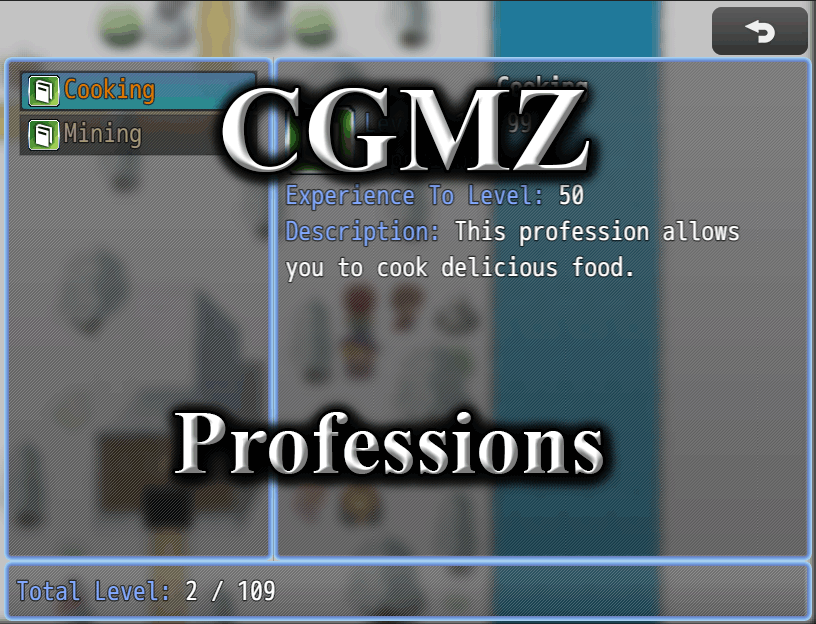
Creates a profession system for your game. Discover/learn professions, gain experience, and level up. Profession data can be used for things like restricting the player from harvesting resources if their level is not high enough, or many other uses.
- Create professions for your player to level up
- Use either an experience curve or hard-code experience for each level
- Hide professions until the player learns them
- Supports both party-wide and per-actor professions
A default profession
Show level up messages when the player levels up
A profession with custom max levels and hard-coded experience per level
A profession specific to the actor Reid
Import into plugin manager and enable the plugin. Some customization options available. Further instructions in plugin.
Online documentation can be found on my
website.
User documentation can be found on the
Casper Gaming Wiki.
Plugin (along with all my other plugins) can be found here:
https://www.caspergaming.com/plugins/cgmz/professions/
To show the level up messages, use my toast manager:
https://www.caspergaming.com/plugins/cgmz/toastmanager/
Requires CGMZ Core plugin:
https://www.caspergaming.com/plugins/cgmz/core/
Also available on Itch.io:
Add a profession system

casper-gaming.itch.io
https://www.caspergaming.com/terms-of-use/
Version 1.0.1
- Added a plugin command to get the profession level
Version 1.0.2
- Added option to display a toast window on discovery of profession
Version 1.1.0
- Added temporary buffs (or debuffs) when using items or plugin command
- Added ability to use text codes in profession descriptions
- Added ability to use custom icon image in place of big icon in display window
- Added option to change label text color
- Added option to use transparent windows
- Added option to use a custom scene background image
- Added plugin command to change description
- New professions are now loaded automatically in saved games without needing to use reinitialize plugin command
Version 1.1.1
- Change to profession buffs to make them more efficient for other plugins
Version 1.1.2
- Fix bug with level up toast having an extra ":" in the string
Version 1.2.0
- Added customization option for display window, now you can drag + drop a parameter to determine what displays and what order it displays in
- Added ability for worn equipment to provide a buff to profession levels
- Documentation update
Version 1.3.0
- Added option to display known recipes from CGMZ Crafting
- Added option to take a screenshot on level up if using CGMZ Screenshots
- Added option to fill space where touch UI buttons would be
- Added option to use different windowskin for each profession window
- Added option to set the list window width
- Added option to display the list window on the right
- Added Spanish Language support
Version 1.4.0
- Professions can now be actor-specific
- Added more control over profession toast sound effects
- Added option to change the alignment of text in the total window
- Toast sound effect data is no longer part of save data
- This plugin no longer crashes when parsing invalid JSON. Instead, it warns you in the dev tool console if it encounters invalid JSON
Version 1.4.1
- Bug fix for actor-specific profession plugin command crash
Version 1.4.2
- Added parameters to change the line gradient color in headers
- Bug fix for discover profession plugin command when actor set to 0
- Icon parameters now use plugin manager icon select ui
- Color parameters now use plugin manager color select ui where possible
Version 1.5.0
- Added option to display custom lines of info and custom headers
- Added option to display undiscovered recipes from [CGMZ] Crafting
- Fix bug with profession image remaining after cancel to category window
- Fix bug with Level Up toast first line not being centered
- Fix bug with invalid JSON in Call Scene default parameters
- Moved some previously saved data out of save data (such as prof icon)
Version 1.6.0
- Added option for floating text on map when receiving exp
- Added balloon icon on level up (map scene only)
- Added animation on level up (map scene only)
- Added window tone, padding, back opacity options for each window
- Added header divider options
- Added [CGMZ] Controls Window integration
- Background image parameter now uses [CGMZ] Scene Backgrounds
- Color converted to text code parameter
- Order with [CGMZ] Toast Manager no longer important
- All text should now support text codes
Version 1.6.1
- Added custom space option for display window
- Added category column parameter
- Display window should now respond to font size changes
- Fix bug with extra quotation mark in total string
- Fix bug with scroll being slightly off with custom padding
Version 1.6.2
- Added [CGMZ] Window Backgrounds integration
- Added [CGMZ] Window Settings integration
- Fix bug with calling profession scene with only 1 actor visible
Version 1.7.0
- Custom picture now supports any image folder
- Toast Manager integration now uses preset system
- Description parameter changed to multiline_string type
Version 1.7.1
- Added customization of the string shown in the list window
Version 1.8.0
- Added profession specific level up and discover toast options
- Moved exp curve data out of save data
Version 1.9.0
- Added video display item on profession info window
Version 1.9.1
- Added support for automatic space after label from [CGMZ] Core






 Amazon Fire TV 50-Inch 4-Series 4K UHD Smart TV
4K smart TV with Fire TV built in for streaming, games, and living room viewing.
View on Amazon
Amazon Fire TV 50-Inch 4-Series 4K UHD Smart TV
4K smart TV with Fire TV built in for streaming, games, and living room viewing.
View on Amazon