

Silvers Minimap
BMM_Archive · July 15, 2026

BMM_Archive
Preserved forum archive. This topic stores the original first post and locally mirrored RPG Maker Web attachments when available. It is posted by the BMMPlay archive account, not by the original creator.
Original Source
- Original title: Silvers Minimap
- Original author: SilverDash
- Original date: November 18, 2015
- Source thread: https://forums.rpgmakerweb.com/threads/silvers-minimap.50886/
- Source forum path: Game Development Engines > RPG Maker Javascript Plugins > JS Plugins In Development
Summary
Plugin reached v1.00. From now on follow this topic instead: http://forums.rpgmakerweb.com/index.php?/topic/51307-silvers-advanced-minimap/ Spoiler Minimap v. 0.91 Author: Silver
Archived First Post
Plugin reached v1.00. From now on follow this topic instead: http://forums.rpgmakerweb.com/index.php?/topic/51307-silvers-advanced-minimap/


Minimap v. 0.91
Author: Silver
Features:
- Shows a minimap based on a mapshot or a custom image of the map
- Optional: Renders the actual active/live player graphic onto the minimap
- Optional: Blinking player icon
- Optional: Only shows the map(s) when the party possesses a specific item
- Minimap can be aligned on all 4 sides of the screen, with custom positions
- Automatically attempts to load a minimap for each map
- Supports POI's through plugin command (for advanced users)
- Has plugin commands to control the minimap a bit
- Supports skipping frames for all maps or for specific maps to increase performance for supersized maps
- Supports map-notetags
- Optional: Maintain aspect ratio
- Optional: has leading zeros in minimap image names
- The minimap now properly fades out when the screen fades out
- Realtime events on the minimap. This is it's best feature. It can (among others) show moving events on the minimap as well!
- Has 2 map-modes: Autofit and Scroll
- Has some debugging options
- Suports manual scrolling. This can be enabled/disabled through a parameter and map-notetags
- There is a global-zoom parameter which can be overriden by each map through a map-notetag
- Supports a minimap overlay
- No known conflicts with other scripts
Planned Features:
- Enlarge minimap (by buttonpress or via menu) to go fullscreen and allow the player to scroll it.
- Custom minimap size per map using map notetags
- Adding POI's through icons with less plugin command arguments compared to regular POI's (but regular POI's support all graphics).
- Add optional option to teleport to poi's.
Known Bugs:
- Walking on grass causes the player blip to become invisible.
- Pressing the scroll buttons when not on the gamemap or just not having a minimap will cause a crash. Already fixed in the new version but it's not ready yet for release.
Screenshot(s):
http://s21.postimg.org/40vkofao7/mmsample2.png
http://s21.postimg.org/q1bx51tc7/mmsample3.png
http://postimg.org/image/lq5x8rys9/
http://s22.postimg.org/guuhx8wpt/minimap_oddsize.png
TLDR Instructions for experienced people:
Copy the attached files to:
/img/minimap/Overlay.png
/img/minimap/DebugGrid01.png
/img/system/Window_Minimap.png
Place mapshots in the /img/minimap/ directory and rename them 001.png, 002.png etc. (matching the id of your map)
Regular Instructions:
1. Make a mapshot of your map or paint your own map. I personally use: http://forums.rpgmakerweb.com/index.php?/topic/49711-orange-mapshot/ but this one probably works too: http://forums.rpgmakerweb.com/index.php?/topic/49684-mrp-mapexporter-export-your-full-size-maps-11-as-png-files/?hl=mapshot
2. Make sure the mapshot is a png file (not a jpg!).
3. Rename the mapshot to the map-id and make it (by default) 3 numbers total.
Example for map id 1: 001.png
Example for map id 16: 016.png
4. Place the mapshots in <project folder>/img/minimap/
Example: D:\MyAwesomeGame\img\minimap\001.png
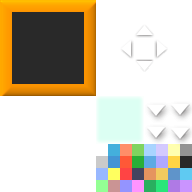
5. Place the Window_Minimap.png (see attachment) in your <project>/img/system/ folder. You can obviously also use your own.
6. Copy the Overlay.png to <project folder>/img/minimap/ (or just disable the overlay in the parameters).
- You also may want to set the last parameter (Debug Mode) to false to get rid of the console messages.
- For info on the plugin commands, doubleclick this plugin and press [Help...].
- To enable the debug grid you'll have to place the DebugGrid01.png in the <project folder>/img/minimap/ folder.
Script:
http://pastebin.com/sNYrQyB6
FAQ:
Q: My map sometimes automatically switches to Autofit-mode instead of Scroll-mode. Why?
A: When the map zoom is so small or when the minimap-area is simply so big that the entire map fits into the minimap anyway, then there is no reason to scroll at all because you can see the entire map w/o scrolling.
Q: The console is outputting debug messages? Help?
A: Set the parameter Debug Mode to false.
Q: Your screenshots do match the minimap entirely
A: Yeah that's my lazy fault. I often don't make new mapshots after changing the level and then I upload them here and they will mismatch. It will obviously not affectyour project at all.
Author: Silver
Features:
- Shows a minimap based on a mapshot or a custom image of the map
- Optional: Renders the actual active/live player graphic onto the minimap
- Optional: Blinking player icon
- Optional: Only shows the map(s) when the party possesses a specific item
- Minimap can be aligned on all 4 sides of the screen, with custom positions
- Automatically attempts to load a minimap for each map
- Supports POI's through plugin command (for advanced users)
- Has plugin commands to control the minimap a bit
- Supports skipping frames for all maps or for specific maps to increase performance for supersized maps
- Supports map-notetags
- Optional: Maintain aspect ratio
- Optional: has leading zeros in minimap image names
- The minimap now properly fades out when the screen fades out
- Realtime events on the minimap. This is it's best feature. It can (among others) show moving events on the minimap as well!
- Has 2 map-modes: Autofit and Scroll
- Has some debugging options
- Suports manual scrolling. This can be enabled/disabled through a parameter and map-notetags
- There is a global-zoom parameter which can be overriden by each map through a map-notetag
- Supports a minimap overlay
- No known conflicts with other scripts
Planned Features:
- Enlarge minimap (by buttonpress or via menu) to go fullscreen and allow the player to scroll it.
- Custom minimap size per map using map notetags
- Adding POI's through icons with less plugin command arguments compared to regular POI's (but regular POI's support all graphics).
- Add optional option to teleport to poi's.
Known Bugs:
- Walking on grass causes the player blip to become invisible.
- Pressing the scroll buttons when not on the gamemap or just not having a minimap will cause a crash. Already fixed in the new version but it's not ready yet for release.
Screenshot(s):
http://s21.postimg.org/40vkofao7/mmsample2.png
http://s21.postimg.org/q1bx51tc7/mmsample3.png
http://postimg.org/image/lq5x8rys9/
http://s22.postimg.org/guuhx8wpt/minimap_oddsize.png
TLDR Instructions for experienced people:
Copy the attached files to:
/img/minimap/Overlay.png
/img/minimap/DebugGrid01.png
/img/system/Window_Minimap.png
Place mapshots in the /img/minimap/ directory and rename them 001.png, 002.png etc. (matching the id of your map)
Regular Instructions:
1. Make a mapshot of your map or paint your own map. I personally use: http://forums.rpgmakerweb.com/index.php?/topic/49711-orange-mapshot/ but this one probably works too: http://forums.rpgmakerweb.com/index.php?/topic/49684-mrp-mapexporter-export-your-full-size-maps-11-as-png-files/?hl=mapshot
2. Make sure the mapshot is a png file (not a jpg!).
3. Rename the mapshot to the map-id and make it (by default) 3 numbers total.
Example for map id 1: 001.png
Example for map id 16: 016.png
4. Place the mapshots in <project folder>/img/minimap/
Example: D:\MyAwesomeGame\img\minimap\001.png
5. Place the Window_Minimap.png (see attachment) in your <project>/img/system/ folder. You can obviously also use your own.
6. Copy the Overlay.png to <project folder>/img/minimap/ (or just disable the overlay in the parameters).
- You also may want to set the last parameter (Debug Mode) to false to get rid of the console messages.
- For info on the plugin commands, doubleclick this plugin and press [Help...].
- To enable the debug grid you'll have to place the DebugGrid01.png in the <project folder>/img/minimap/ folder.
Script:
http://pastebin.com/sNYrQyB6
FAQ:
Q: My map sometimes automatically switches to Autofit-mode instead of Scroll-mode. Why?
A: When the map zoom is so small or when the minimap-area is simply so big that the entire map fits into the minimap anyway, then there is no reason to scroll at all because you can see the entire map w/o scrolling.
Q: The console is outputting debug messages? Help?
A: Set the parameter Debug Mode to false.
Q: Your screenshots do match the minimap entirely
A: Yeah that's my lazy fault. I often don't make new mapshots after changing the level and then I upload them here and they will mismatch. It will obviously not affectyour project at all.
Features Mentioned
- Shows a minimap based on a mapshot or a custom image of the map
- Optional: Renders the actual active/live player graphic onto the minimap
- Optional: Blinking player icon
- Optional: Only shows the map(s) when the party possesses a specific item
- Minimap can be aligned on all 4 sides of the screen, with custom positions
- Automatically attempts to load a minimap for each map
- Supports POI's through plugin command (for advanced users)
- Has plugin commands to control the minimap a bit
- Supports skipping frames for all maps or for specific maps to increase performance for supersized maps
- Supports map-notetags
- Optional: Maintain aspect ratio
- Optional: has leading zeros in minimap image names
- The minimap now properly fades out when the screen fades out
- Realtime events on the minimap. This is it's best feature. It can (among others) show moving events on the minimap as well!
- Has 2 map-modes: Autofit and Scroll
- Has some debugging options
- Suports manual scrolling. This can be enabled/disabled through a parameter and map-notetags
- There is a global-zoom parameter which can be overriden by each map through a map-notetag
Downloads / Referenced Files
RPG Maker Web attachments are mirrored locally when available. Other external links remain hosted by their original creator or third-party service.
- Local mirror: 14774-b24327cc7462eca7fd6a46a12dfb7796.png
SHA-256:626ecce19539bef5440b1c90fab407530ec47fdf80c82fcd8c58cc05c88dd43e
Original attachment URL: https://forums.rpgmakerweb.com/attachments/window_minimap-png.26242/ - Local mirror: 14881-2138d8d088b17376fca3ebe04ec925a5.png
SHA-256:55e9699abb6947dcb185b75f5a88a4872b425e2f1a0b5b55b48ef12f334a17d1
Original attachment URL: https://forums.rpgmakerweb.com/attachments/debuggrid01-png.26405/ - Local mirror: 14882-88dbaf8dfd3d41a27a2f95abbbbd35bc.png
SHA-256:d805d92e07ba8e57638f5e5f627ad206dbde0d2ad0c2e1f9d2833d57ce5ffb38
Original attachment URL: https://forums.rpgmakerweb.com/attachments/overlay-png.26406/
Referenced Images / Attachments
Creator Claims / Removal
If you are the original creator and want this listing reassigned, edited, or removed, join BMMPlay and contact the moderators with proof that matches the original RPG Maker Web profile, linked GitHub, itch.io page, or another public creator identity.
Replies (0)
No replies yet.
0
replies
20
views
Topic Summary
Loading summary...