[CGMZ] Game End Window By: Casper Gaming Last Update: November 23, 2025 Latest Version: 1.5.0
[CGMZ] Game End Window
By: Casper Gaming
Last Update: November 23, 2025
Latest Version: 1.5.0
Use this plugin to easily manage the command window in the game end scene. It allows you to re-arrange commands or use JavaScript to add custom commands which are capable of calling custom plugin scenes or functions.
- Add custom commands to the Game End window
- Uses JavaScript so any custom command can do anything with JS
- Some customization options for game end window text
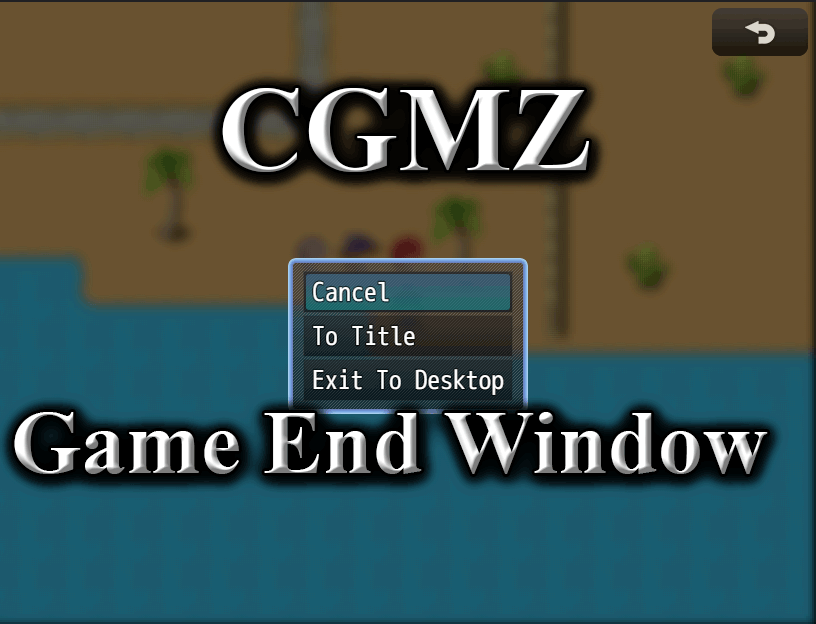
Game End Window with some custom options
Import into plugin manager and enable the plugin. Some customization options available. Further instructions in plugin.
Online documentation can be found on my
website.
User documentation can be found on the
Casper Gaming Wiki.
Plugin (along with all my other plugins) can be found here:
https://www.caspergaming.com/plugins/cgmz/gameendwindow/
Requires CGMZ Core plugin:
https://www.caspergaming.com/plugins/cgmz/core/
Also available on Itch.io:
Provides more control over the Game End scene

casper-gaming.itch.io
https://www.caspergaming.com/terms-of-use/
Version 1.1.0
- Added option to use text codes in command text
Version 1.1.1
- Added Spanish language help documentation
- This plugin no longer crashes when invalid JSON detected
Version 1.2.0
- Added separate icons to commands
- Added command background image option
- Removed text code option
Version 1.2.1
- Added window x/y parameters
- Added integration with [CGMZ] Scene Backgrounds
- Added integration with [CGMZ] Window Backgrounds
- Added integration with [CGMZ] Controls Window
Version 1.3.0
- Added Show and Enable JS parameters for commands
- Added integration with [CGMZ] Window Settings
Version 1.4.0
- Added on select parameter options for command name, icon, image
Version 1.5.0
- Added pictures to represent commands




 UGREEN Nexode 200W GaN USB-C Wall Charger
High-output four-port USB-C charger for laptops, tablets, phones, and travel kits.
View on Amazon
UGREEN Nexode 200W GaN USB-C Wall Charger
High-output four-port USB-C charger for laptops, tablets, phones, and travel kits.
View on Amazon