Preserved forum archive. This topic stores the original first post and locally mirrored RPG Maker Web attachments when available. It is posted by the BMMPlay archive account, not by the original creator.
Original Source
- Original title: Eli Global Text - Use escape characters in any window
- Original author: Eliaquim
- Original date: October 20, 2020
- Source thread: https://forums.rpgmakerweb.com/threads/eli-global-text-use-escape-characters-in-any-window.128906/
- Source forum path: Game Development Engines > RPG Maker Javascript Plugins > JS Plugin Releases (RMMZ)
Summary
{ "lightbox_close": "Close", "lightbox_next": "Next", "lightbox_previous": "Previous",
Archived First Post
Author: Hakuen Studio
Introduction
Sometimes you may want to customize your windows a little. It can often be the case that you want to change the colors of the texts, add icons, or even variable values.
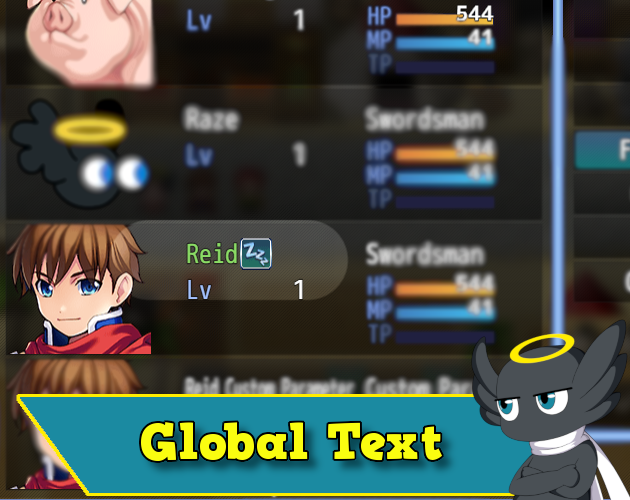
With this plugin, you can easily customize your texts in the windows using escape codes as in the message box!
Features
• Use escape codes in any window!
How to use
You can use Auto mode on plugin parameters, and all text will be converted automatically.
If you set to Manual mode, you have to choose a tag of your choice in the plugin parameters.
Then, just type the tag as the first letter in any text.
Example:
-Actor name
§\c[3]Harold
*NOTE¹: Not all codes can work outside the message box, such as waiting for frames or opening the gold window.
*NOTE²: Using escape codes in centralized texts, in horizontal windows (like the item category) ends up decentralizing them. I don't know how to fix this(without overwriting a lot of the default code), I made a few attempts and you can try to enable it in the plugin parameters. But I can't guarantee that someday I'll make a repair that works wonderfully.
If you want to keep text-centered, try to use spaces for now, or leave them for good.
*NOTE³: There are some windows that I do not add the global text functionality because it messes with the text.
Window_Shop, Window_ItemList, Window_NumberInput, Window_SkillList.
If you set to Manual mode, you have to choose a tag of your choice in the plugin parameters.
Then, just type the tag as the first letter in any text.
Example:
-Actor name
§\c[3]Harold
*NOTE¹: Not all codes can work outside the message box, such as waiting for frames or opening the gold window.
*NOTE²: Using escape codes in centralized texts, in horizontal windows (like the item category) ends up decentralizing them. I don't know how to fix this(without overwriting a lot of the default code), I made a few attempts and you can try to enable it in the plugin parameters. But I can't guarantee that someday I'll make a repair that works wonderfully.
If you want to keep text-centered, try to use spaces for now, or leave them for good.
*NOTE³: There are some windows that I do not add the global text functionality because it messes with the text.
Window_Shop, Window_ItemList, Window_NumberInput, Window_SkillList.
Screenshot
Terms of Use
Update Log
Hakuen Studio Global Text for RPG Maker MZ by Hakuen Studio
Use escape codes on every Window!
hakuenstudio.itch.io
Features Mentioned
- Use escape codes in any window!
Downloads / Referenced Files
Log in to download
Log in, then follow the RPG Maker Developers Group to see these download links.
Log in to downloadLicense / Terms Note
Terms of Use Update Log Hakuen Studio Global Text for RPG Maker MZ by Hakuen Studio Use escape codes on every Window!
Referenced Images / Attachments
Creator Claims / Removal
If you are the original creator and want this listing reassigned, edited, or removed, join BMMPlay and contact the moderators with proof that matches the original RPG Maker Web profile, linked GitHub, itch.io page, or another public creator identity.
Replies (0)
No replies yet.
0
replies
1
view
Topic Summary
Loading summary...