MZTreasure Chest (plugin) - customizable chests with random loot (MZ, MV)
BMM Archive · July 15, 2026
Preserved forum archive. This topic stores the original first post and locally mirrored RPG Maker Web attachments when available. It is posted by the BMMPlay archive account, not by the original creator.
Original Source
- Original title: Treasure Chest (plugin) - customizable chests with random loot (MZ, MV)
- Original author: Pheonix KageDesu
- Original date: December 26, 2024
- Source thread: https://forums.rpgmakerweb.com/threads/treasure-chest-plugin-customizable-chests-with-random-loot-mz-mv.174181/
- Source forum path: Game Development Engines > RPG Maker Javascript Plugins > JS Plugin Releases (RMMZ)
Summary
Treasure Chest Pheonix KageDesu { "lightbox_close": "Close",
Archived First Post
Treasure Chest
Pheonix KageDesu
Pheonix KageDesu
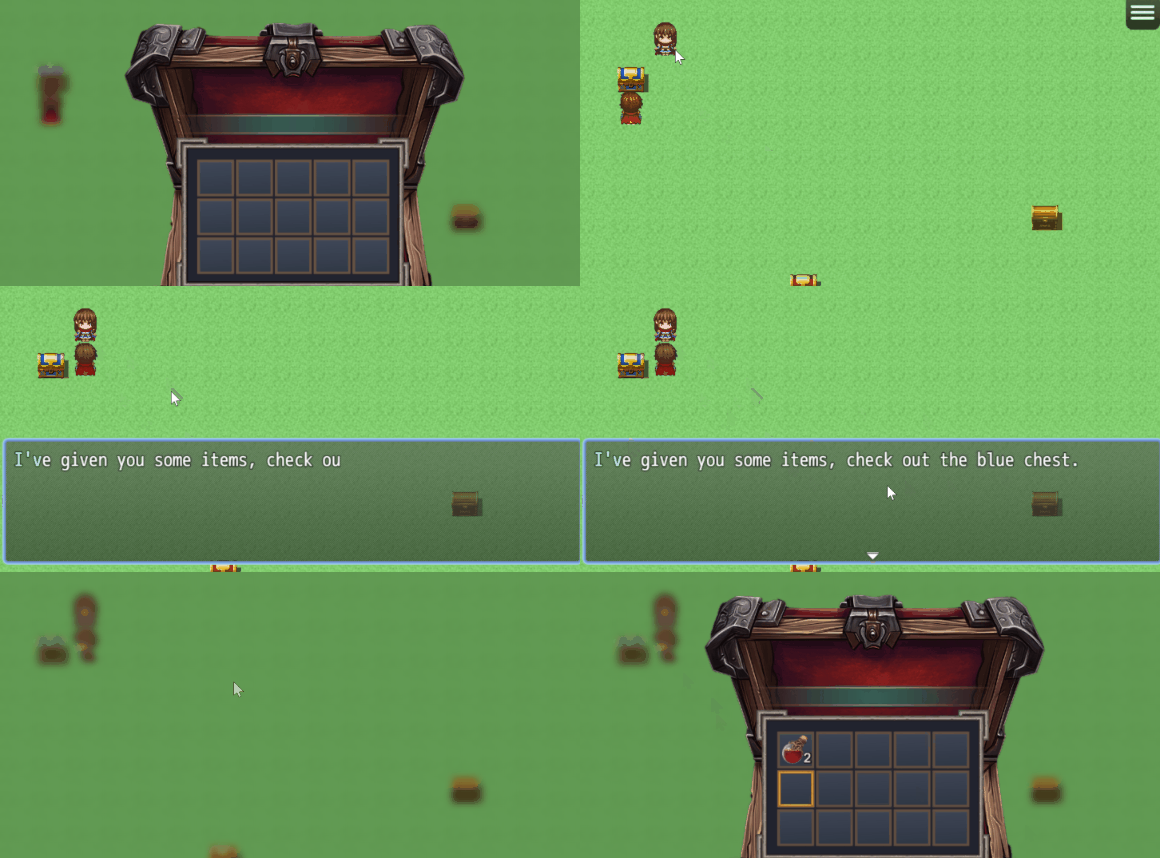
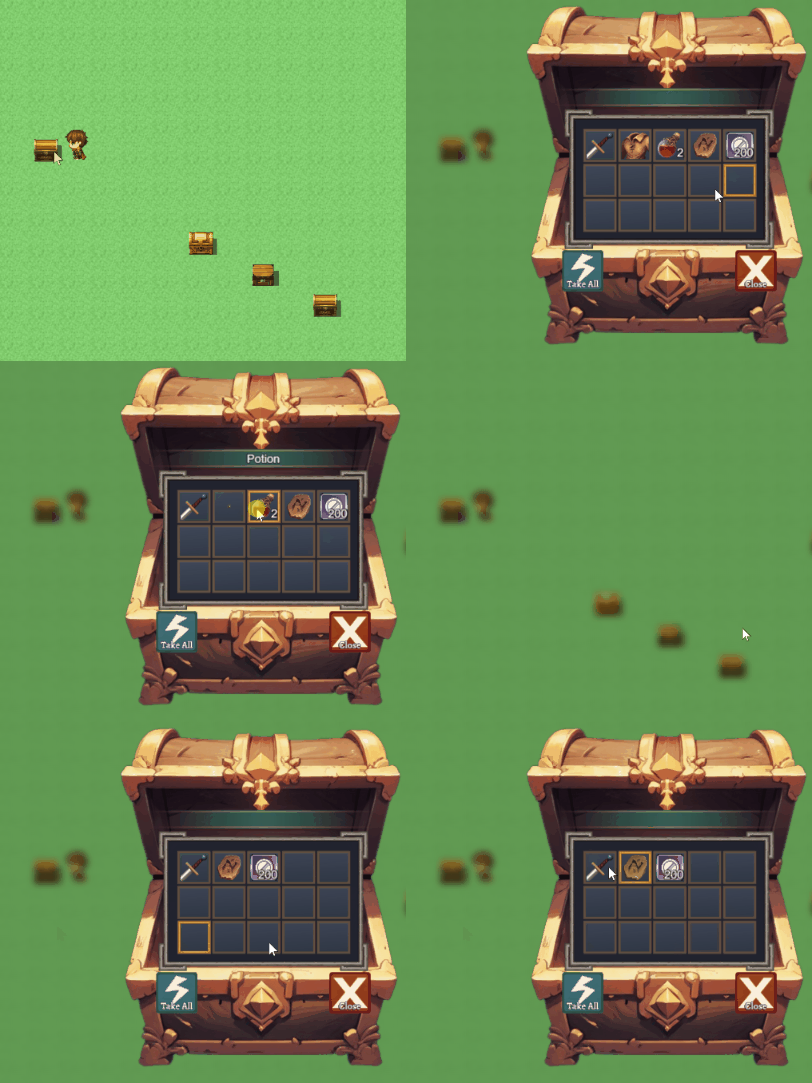
Create chests with different looks
Convenient setup. Plugin command or script calls
Setting up the chance and conditions for an item to appear in the chest (make the loot random)
Add items to existing chests on the map.
The chest remembers the remaining items, it can be opened again and the items will be there.
Features
- Create treasure chest events that can be opened by players.
- Configure chest contents: random items, weapons, armors, and gold.
- Set background images for different chests.
- Store and retrieve chest contents.
- Use script calls to manage chest contents and states.
- Plugin commands for creating and removing chests.
- Customizable item images and sound effects.
- Visual customization using modern NUI system.
How to Use:
All actual plugin instructions and commands are listed in the plugin guide, link you will find in the help section
Plugin have Demo Projects for MV and MZ
Plugin webpage (more screenshots and info)
Download:
Plugin without AI generated images
Don't panic! The generated AI images were only for screenshots purposes. I have deleted them from the plugin files, you can rest easy. I hope you can forgive me for such a crime as generate image using AI.
Terms of Use:
Creative Commons 4.0 Attribution, Share Alike, Non-Commercial
(Attribution Non-Commercial Share Alike, cc by-nc-sa)
You can use plugin in non-commercial project for free
For using plugin in commercial projects you should obtain PRO version
Features Mentioned
- Create treasure chest events that can be opened by players.
- Configure chest contents: random items, weapons, armors, and gold.
- Set background images for different chests.
- Store and retrieve chest contents.
- Use script calls to manage chest contents and states.
- Plugin commands for creating and removing chests.
- Customizable item images and sound effects.
- Visual customization using modern NUI system.
- How to Use:
- All actual plugin instructions and commands are listed in the plugin guide, link you will find in the help section
- Plugin have Demo Projects for MV and MZ
- Plugin webpage (more screenshots and info)
- Download:
- Plugin without AI generated images
- Don't panic! The generated AI images were only for screenshots purposes. I have deleted them from the plugin files, you can rest easy. I hope you can forgive me for such a crime as generate image using AI.
- Terms of Use:
- Creative Commons 4.0 Attribution, Share Alike, Non-Commercial
- (Attribution Non-Commercial Share Alike, cc by-nc-sa)
Downloads / Referenced Files
Log in to download
Log in, then follow the RPG Maker Developers Group to see these download links.
Log in to downloadLicense / Terms Note
Terms of Use: Creative Commons 4.0 Attribution, Share Alike, Non-Commercial (Attribution Non-Commercial Share Alike, cc by-nc-sa) You can use plugin in non-commercial project for free

Referenced Images / Attachments
Creator Claims / Removal
If you are the original creator and want this listing reassigned, edited, or removed, join BMMPlay and contact the moderators with proof that matches the original RPG Maker Web profile, linked GitHub, itch.io page, or another public creator identity.
Replies (0)
No replies yet.
0
replies
1
view
Topic Summary
Loading summary...