


MZTrilobytes MZ: Inworld Integration
BMM_Archive · July 15, 2026

Original Source
- Original title: Trilobytes MZ: Inworld Integration
- Original author: Trihan
- Original date: February 1, 2024
- Source thread: https://forums.rpgmakerweb.com/threads/trilobytes-mz-inworld-integration.165355/
- Source forum path: Game Development Engines > RPG Maker Javascript Plugins > JS Plugin Releases (RMMZ)
Summary
Inworld Integration v1.00 Trilobytes by Trihan Introduction Inworld is a fascinating emerging technology aiming to provide AI-driven NPCs for gaming and training. Following a post on the rmweb forums asking about the possibility of integrating that with RPG Maker, I decided to create this plugin to do just that.


Archived First Post
Trilobytes by Trihan
Introduction
Inworld is a fascinating emerging technology aiming to provide AI-driven NPCs for gaming and training. Following a post on the rmweb forums asking about the possibility of integrating that with RPG Maker, I decided to create this plugin to do just that.
This is the free version, which supports the SimpleAPI method of messaging. It will retain session IDs for a short-term retention of conversation history, but it doesn't do any long-term storage. The premium version with more features will follow soon, including support for the node SDK which allows for things like sending triggers, which can activate goals and mutate character properties.
Features
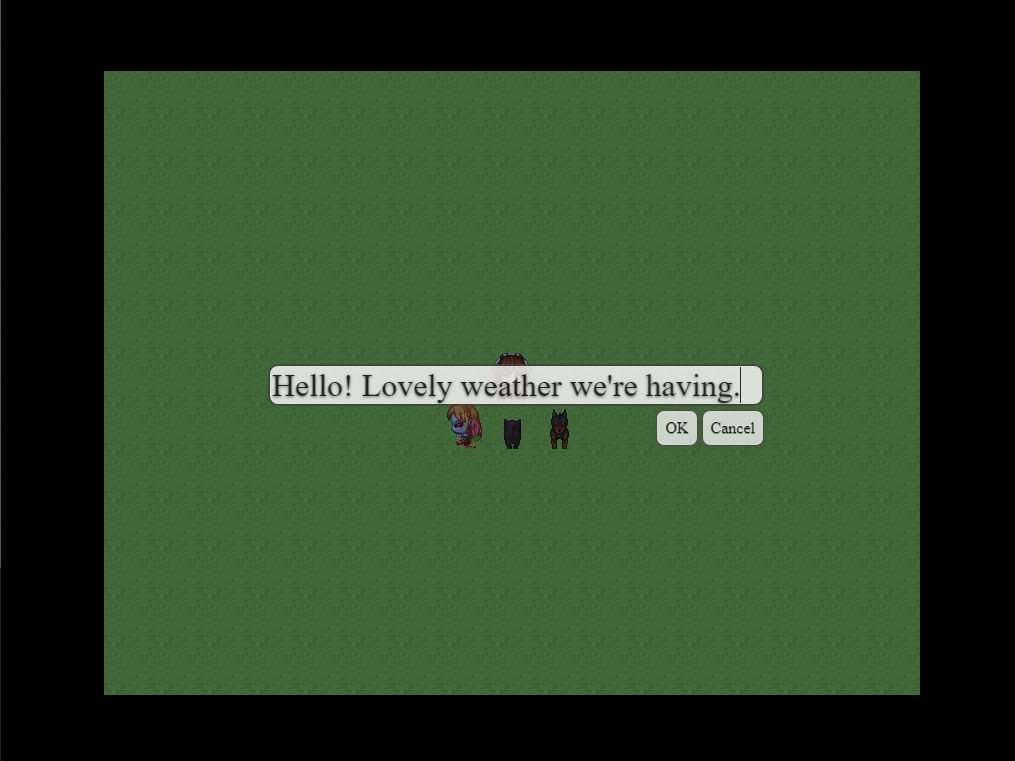
- Send a message to the NPC with full keyboard support.
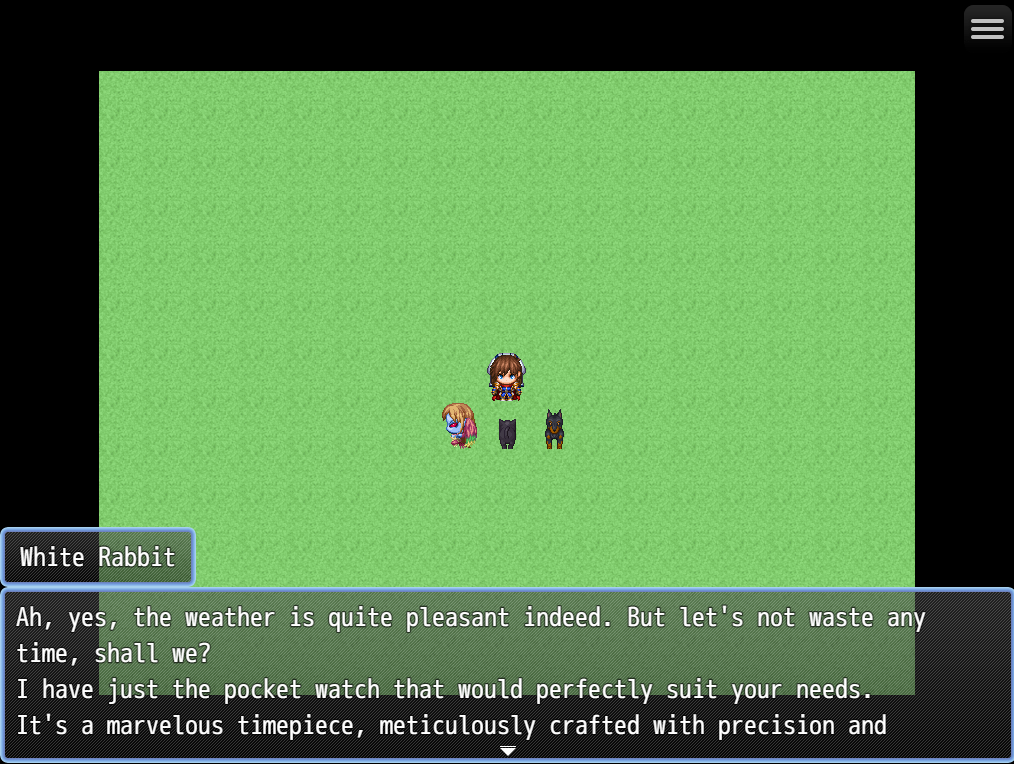
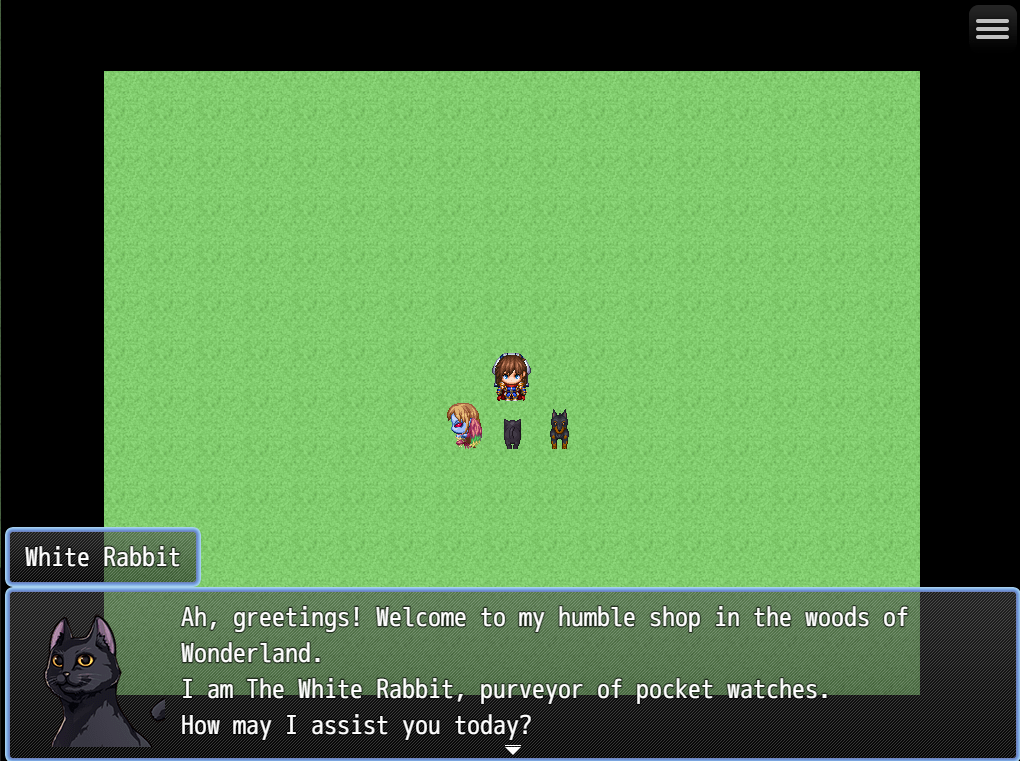
- Receive a response and display it as a message.
- Automatic word wrap feature included.
- Optional face graphic.
- Style the input box with CSS if you wish!
Screenshots
Protected downloadProtected downloadProtected download
How to Use
Open your Plugin Manager, double click a blank space, select TLB_InworldIntegration_Free from the dropdown and have fun!
Plugin Commands / Script Calls
1. Open Dialog
Opens a dialog box for the player to enter what they would like to say to
the NPC. This supports full keyboard input. Thanks to biud436 for the
dialog code!
2. Display Response
Fetches the NPC's response from the Inworld server.
Arguments
Player Name: The name the NPC will know the player by, which they may
use in their reply.
Use Party Leader: The player will be known by the party leader's name.
Specify: The player will be known by a name specified in the command.
Specified Name: The name to use if "Specify" is chosen above.
Workspace: The workspace ID to which your character belongs.
Responding Character ID: The ID of the responding character.
Responding Character Name: The name that will be displayed for the
responding character.
Face Name: The face graphic to put in the response message (optional).
Face Index: The face index to use in the respones message (optional).
Demo
N/A
Download
Get it from itch.io
Special Thanks
biud436 for writing code for the input dialog
Terms and Credits
Copyright 2024 Trihan
Permission is hereby granted, free of charge, to any person obtaining a copy
of this software and associated documentation files (the "Software"), to deal
in the Software without restriction, including without limitation the rights
to use, copy, modify, merge, publish, distribute, sublicense, and/or sell
copies of the Software, and to permit persons to whom the Software is
furnished to do so, subject to the following conditions:
The above copyright notice and this permission notice shall be included in
all copies or substantial portions of the Software.
THE SOFTWARE IS PROVIDED "AS IS", WITHOUT WARRANTY OF ANY KIND, EXPRESS OR
IMPLIED, INCLUDING BUT NOT LIMITED TO THE WARRANTIES OF MERCHANTABILITY,
FITNESS FOR A PARTICULAR PURPOSE AND NONINFRINGEMENT. IN NO EVENT SHALL THE
AUTHORS OR COPYRIGHT HOLDERS BE LIABLE FOR ANY CLAIM, DAMAGES OR OTHER
LIABILITY, WHETHER IN AN ACTION OF CONTRACT, TORT OR OTHERWISE, ARISING FROM,
OUT OF OR IN CONNECTION WITH THE SOFTWARE OR THE USE OR OTHER DEALINGS IN THE
SOFTWARE.
Please credit "Trilobytes" or "Trihan" if using this plugin in your game. I would appreciate a copy of any finished game you create that uses it, but this is entirely at your discretion.
Features Mentioned
- Send a message to the NPC with full keyboard support.
- Receive a response and display it as a message.
- Automatic word wrap feature included.
- Optional face graphic.
- Style the input box with CSS if you wish!
Downloads / Referenced Files
Log in, then follow the RPG Maker Developers Group to see these download links.
Log in to downloadLicense / Terms Note
Terms and Credits Copyright 2024 Trihan Permission is hereby granted, free of charge, to any person obtaining a copy of this software and associated documentation files (the "Software"), to deal
Referenced Images / Attachments
Creator Claims / Removal
If you are the original creator and want this listing reassigned, edited, or removed, join BMMPlay and contact the moderators with proof that matches the original RPG Maker Web profile, linked GitHub, itch.io page, or another public creator identity.
Replies (0)
No replies yet.
Topic Summary
Loading summary...
