public

Rpg Maker Developers Group

Simple enough for a child, powerful enough for a developer

2 Followers

Day and night sistem without scripts!

BMM Archive · July 15, 2026

Preserved forum archive. This topic stores the original first post and locally mirrored RPG Maker Web attachments when available. It is posted by the BMMPlay archive account, not by the original creator.

Original Source

  • Original title: Day and night sistem without scripts!
  • Original author: XxXhelazz
  • Original date: September 15, 2016
  • Source thread: https://forums.rpgmakerweb.com/threads/day-and-night-sistem-without-scripts.68353/
  • Source forum path: Game Development Engines > RPG Maker Tutorials > RMVXAce Tutorials

Summary

Hello eveybody. I'm XxXhelazz  and today I will show you how to make day and night in rpg maker vx ace (in fact you can do this in every rpg maker engine) without any script! Requeriments: Have rpg maker engine. Have these switches: Day, night, afternoon and first day. Difficult level: Intermediate First step: You will make a commont event in a field. The event name will be "first day". This event must be a pararell process one. 

Archived First Post

Hello eveybody. I'm XxXhelazz  and today I will show you how to make day and night in rpg maker vx ace (in fact you can do this in every rpg maker engine) without any script!


Requeriments: Have rpg maker engine. Have these switches: Day, night, afternoon and first day.


Difficult level: Intermediate


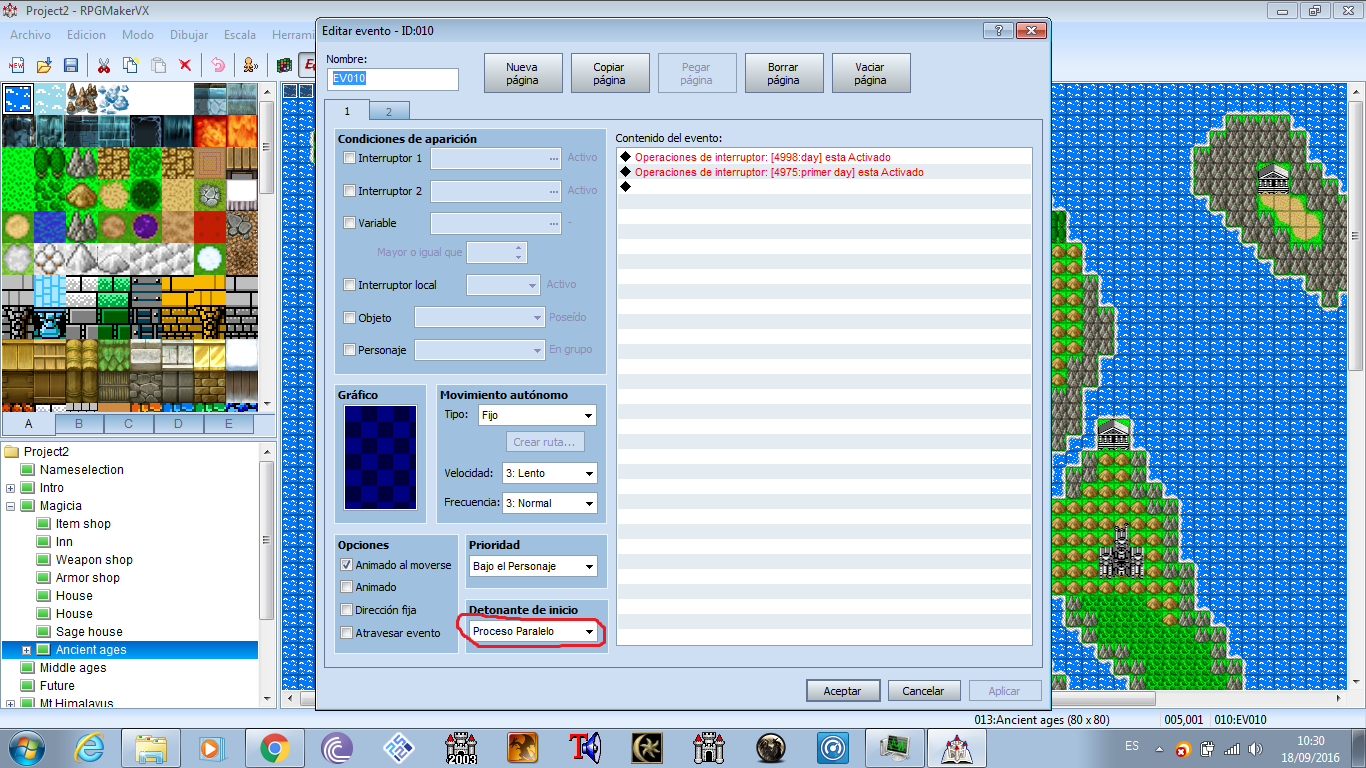
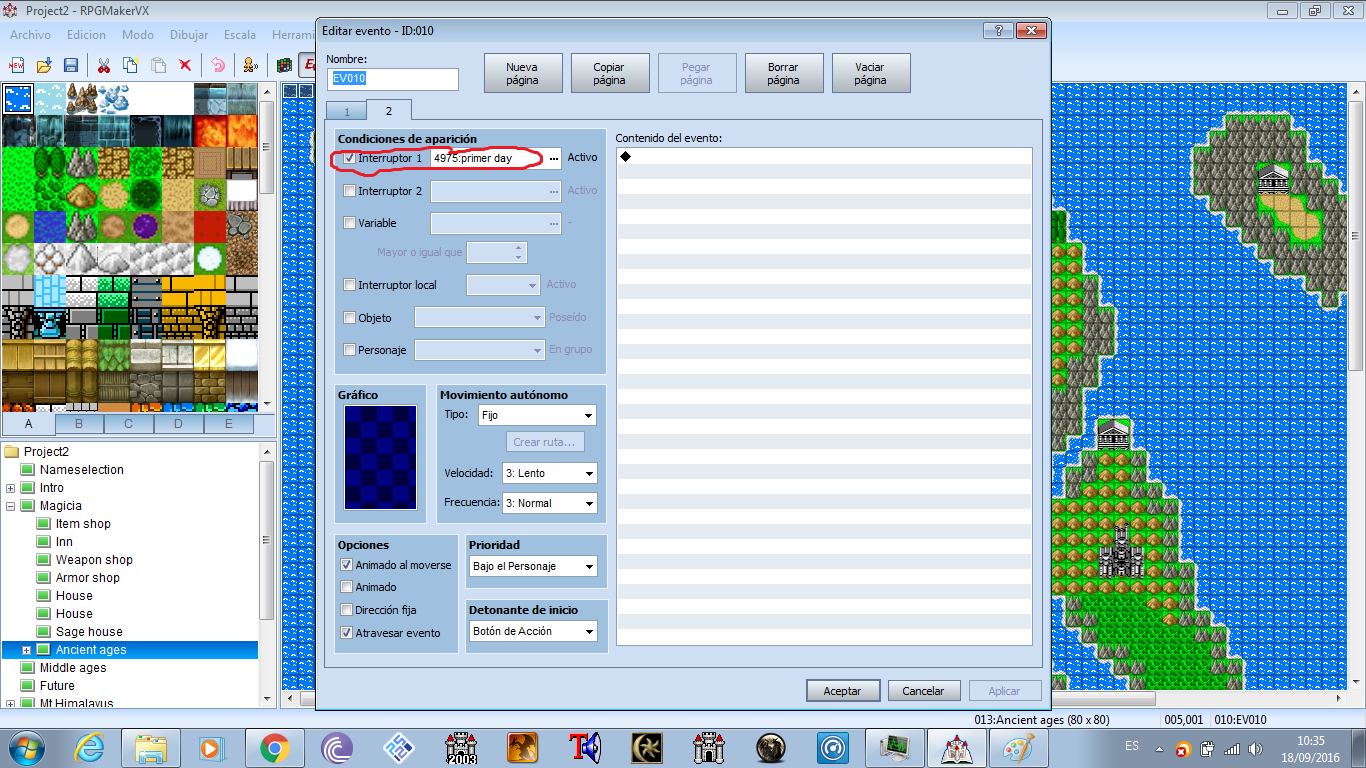
First step: You will make a commont event in a field. The event name will be "first day". This event must be a pararell process one. 
The event will trigger a switch called "day" and the same event will trigger a switch called "first day".


Now let's make a second event page. In conditions of aparition we will include the switch called "first day" and we will desactivate the event.


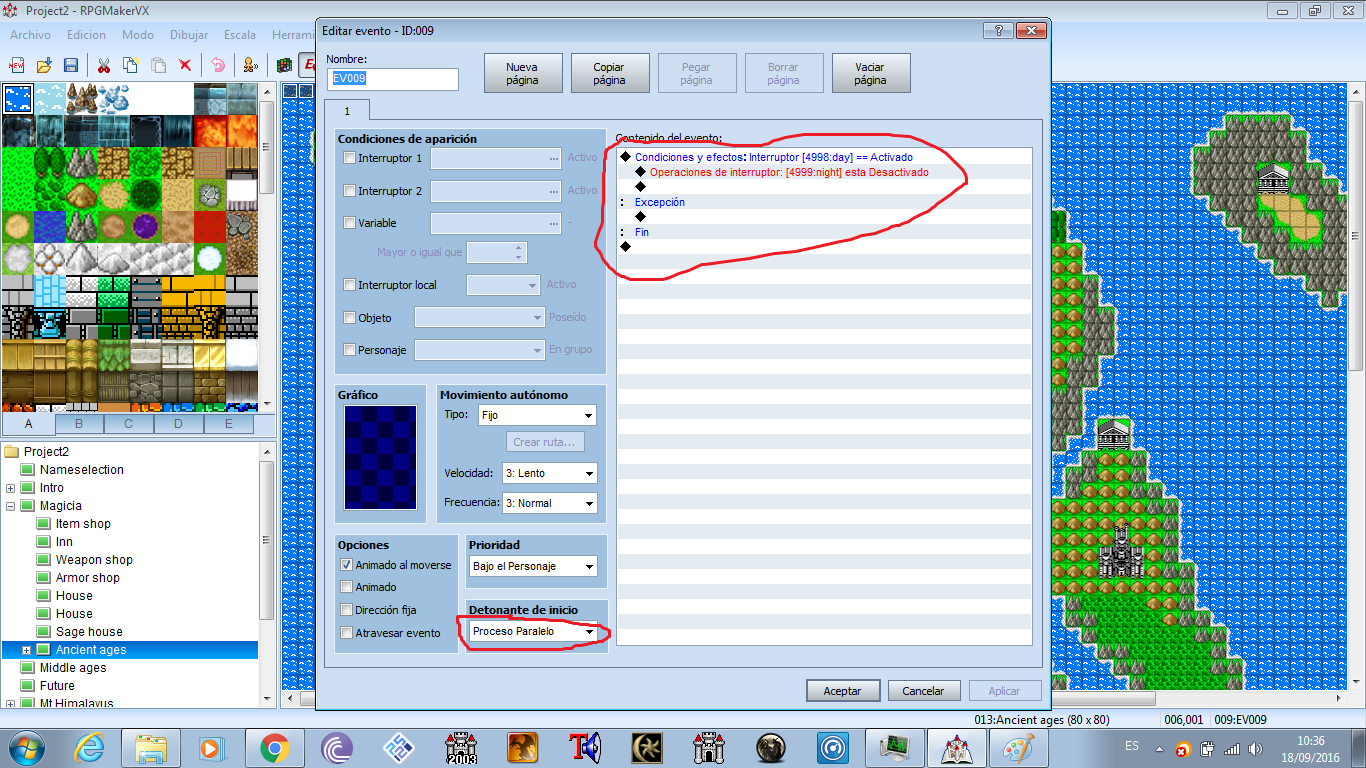
Second step: We will make a new event. We must call it day. The event will be in paralell process.


We will make a new conditional brand: If switch day is on, switch night will be off. The event 
will have nothing in exeption.


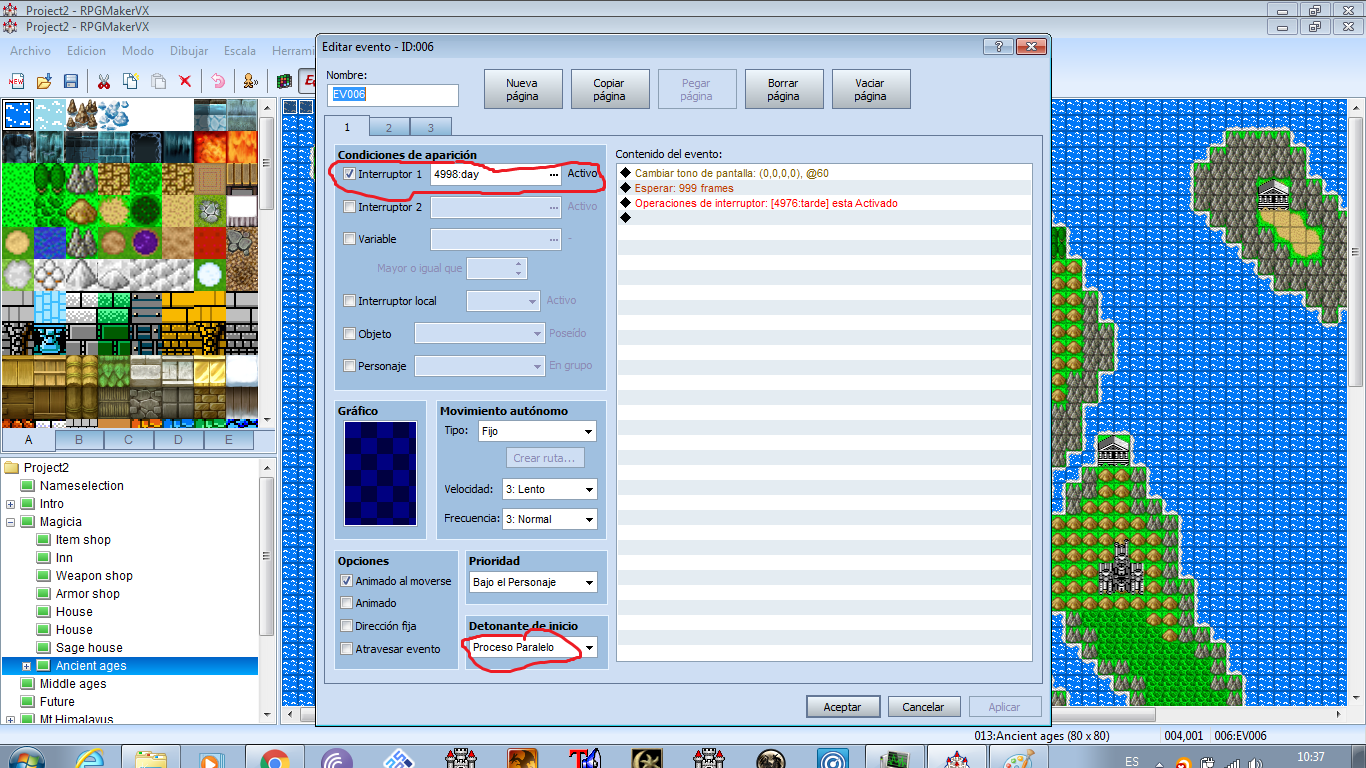
Third step: Ths will be the last field event. It will be a Paralell process. In aparition conditions we will put the switch day.


The event will have this:


Change screen tone (0,0,0,0)
We will wait 999 frames.


We will trigger a switch called afternoon.


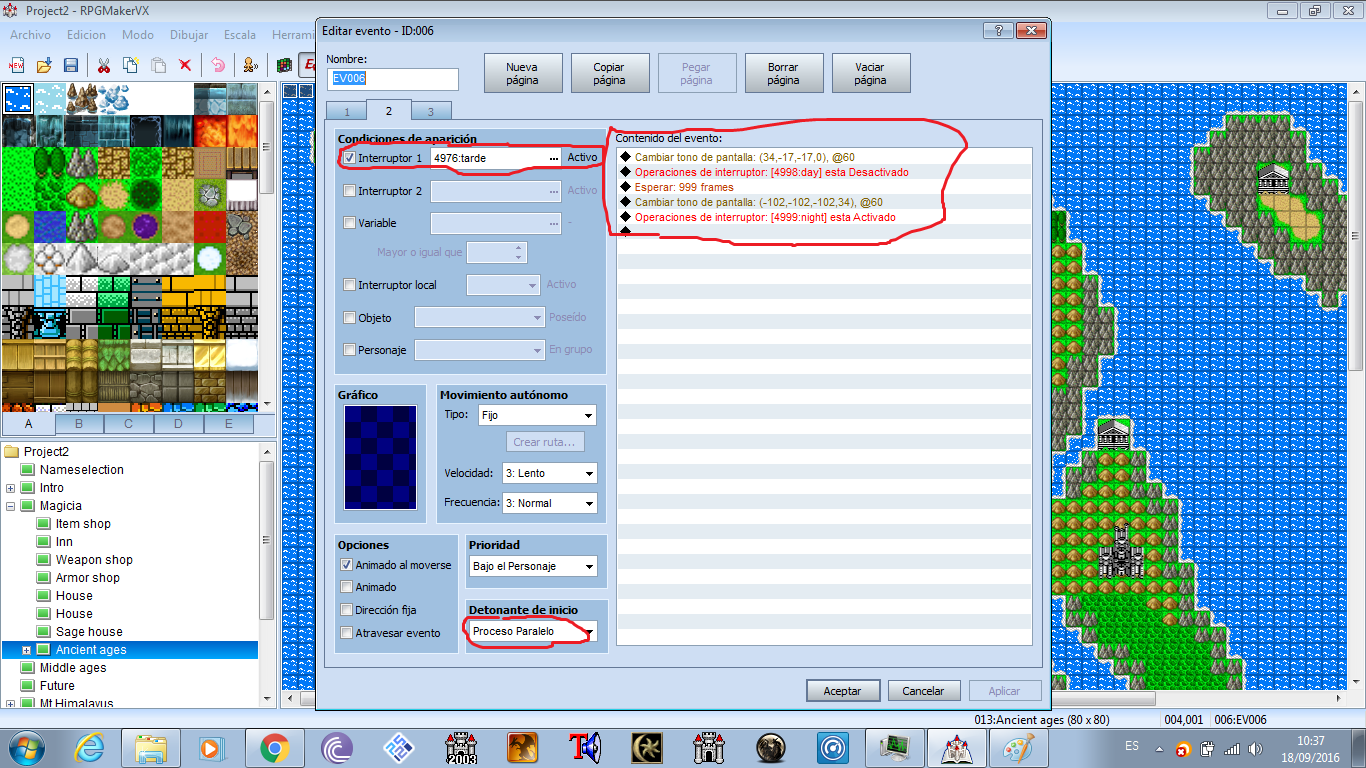
Now another event page. In apparition conditions we will put the switch afternoon. The event commands will be:


Change screen tone (34,-17,-17,0)
After this we will put off the switch called Day.
We will wait 999frames
We will change the screen tone to (-102,-102,-102,34)
We will trigger the swtich called night.


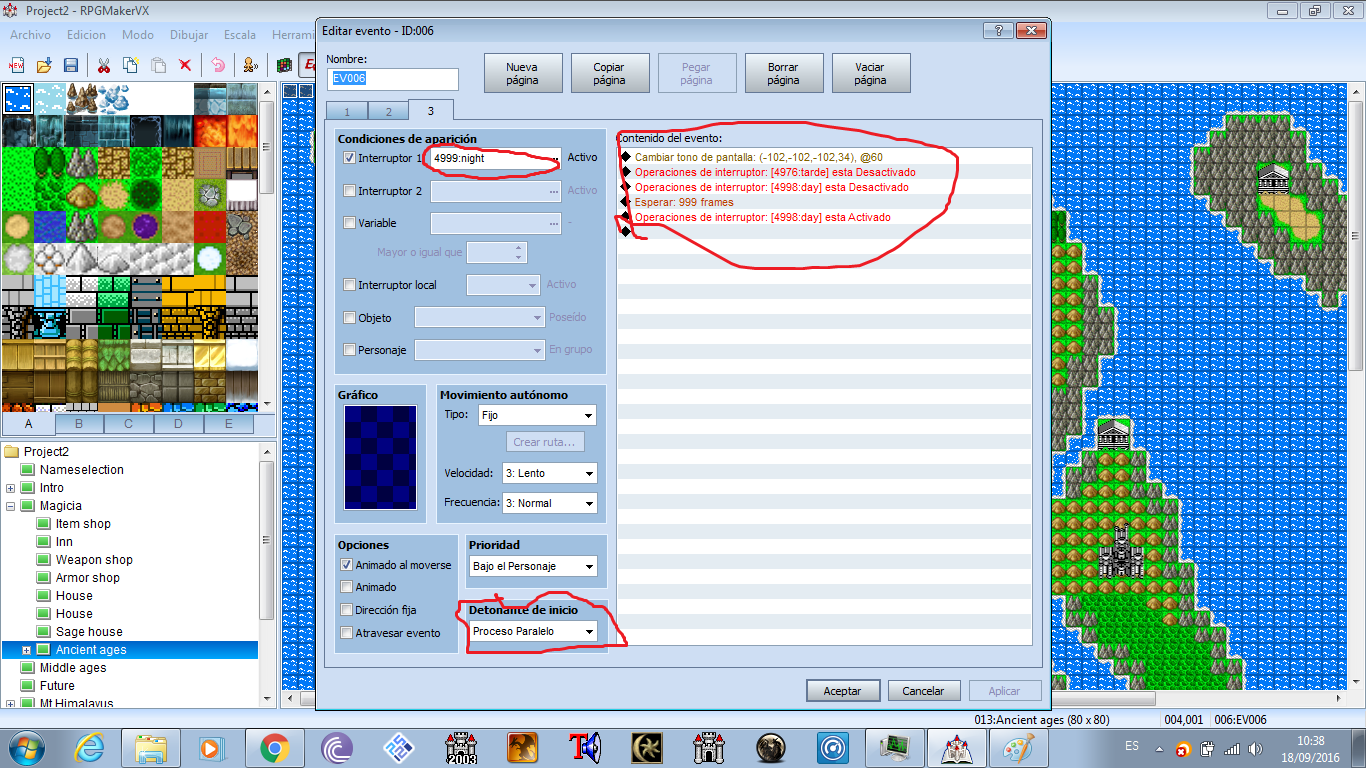
Now we will create another event page.


In apparition conditions we will put night.


Now we will put off afternoon
We will wait 999 frames
And we will trigger day.


Now this make more sense, right?


PD: The rpg maker I'm using is in spanish but I think you will understand it perfectly


Protected download


Protected download


Protected download


Protected download


Protected download


Protected download


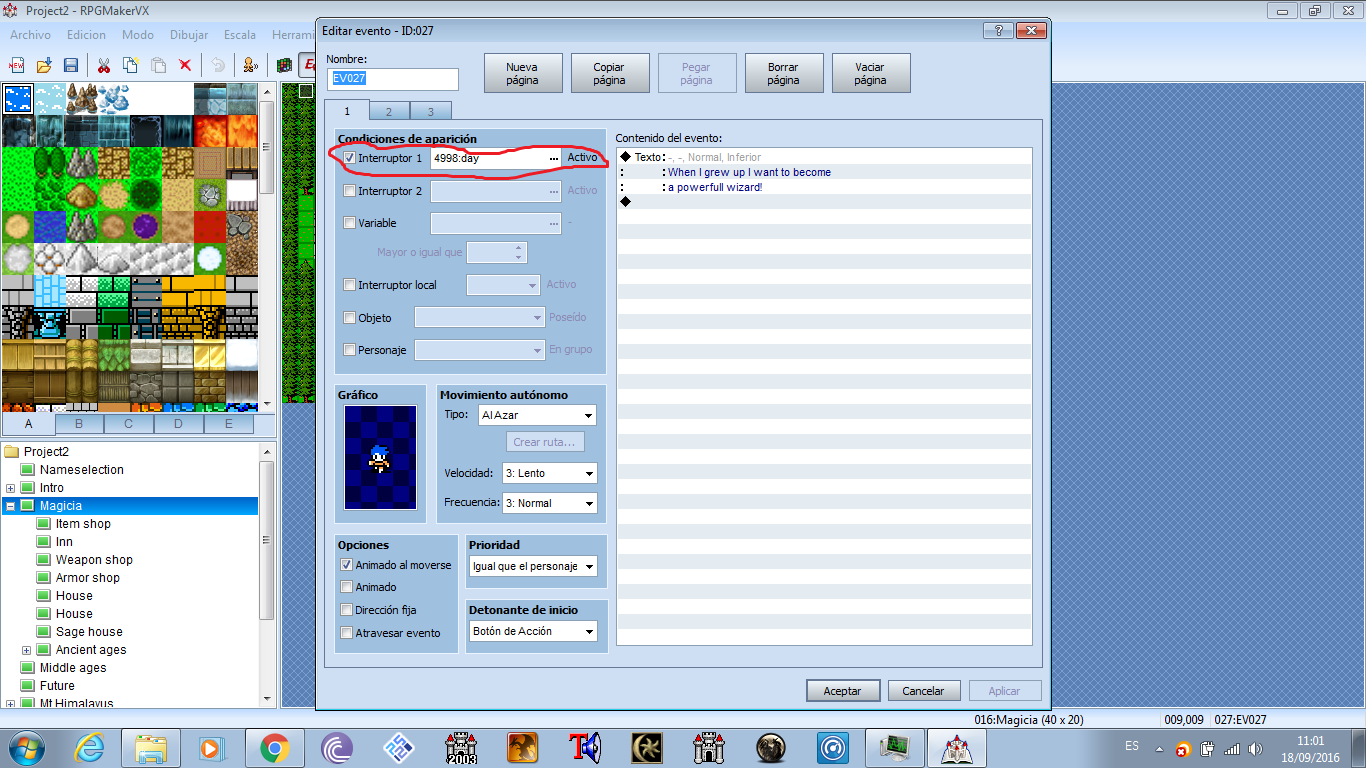
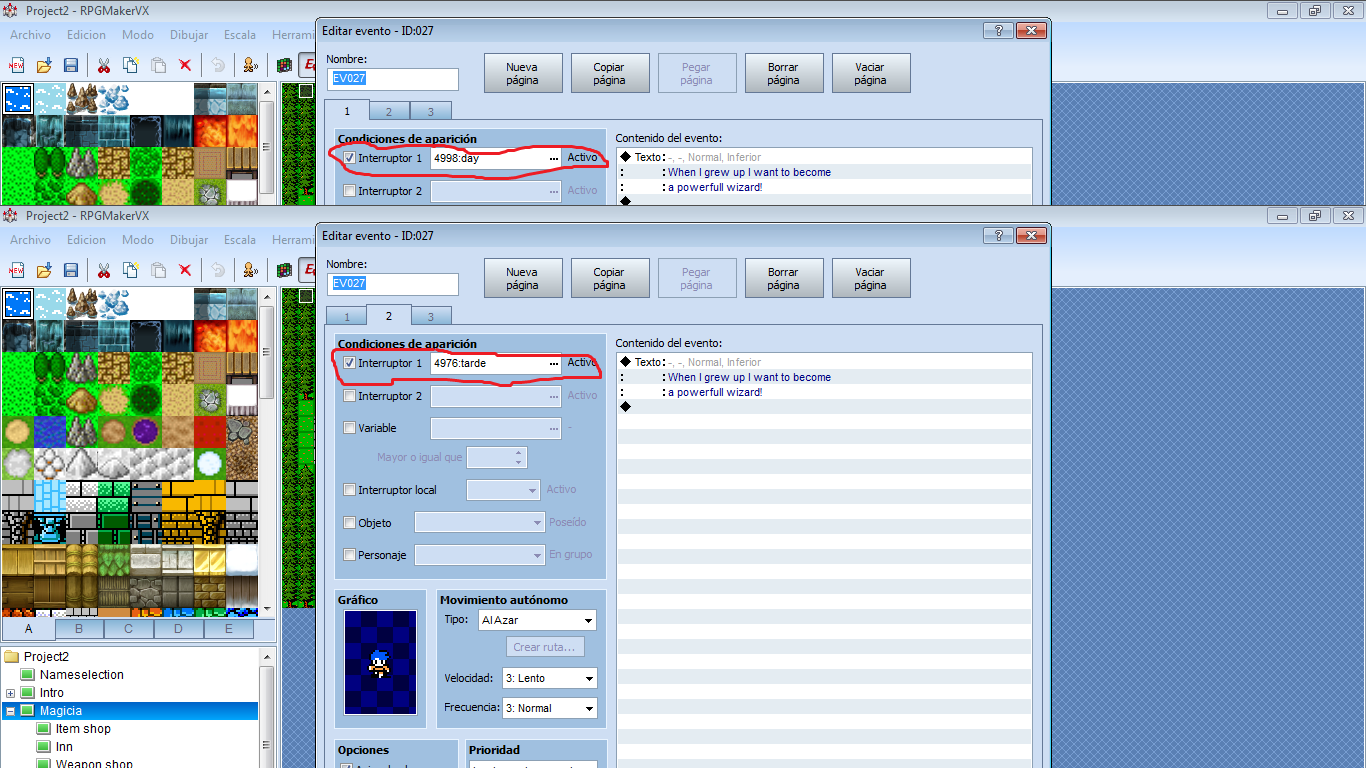
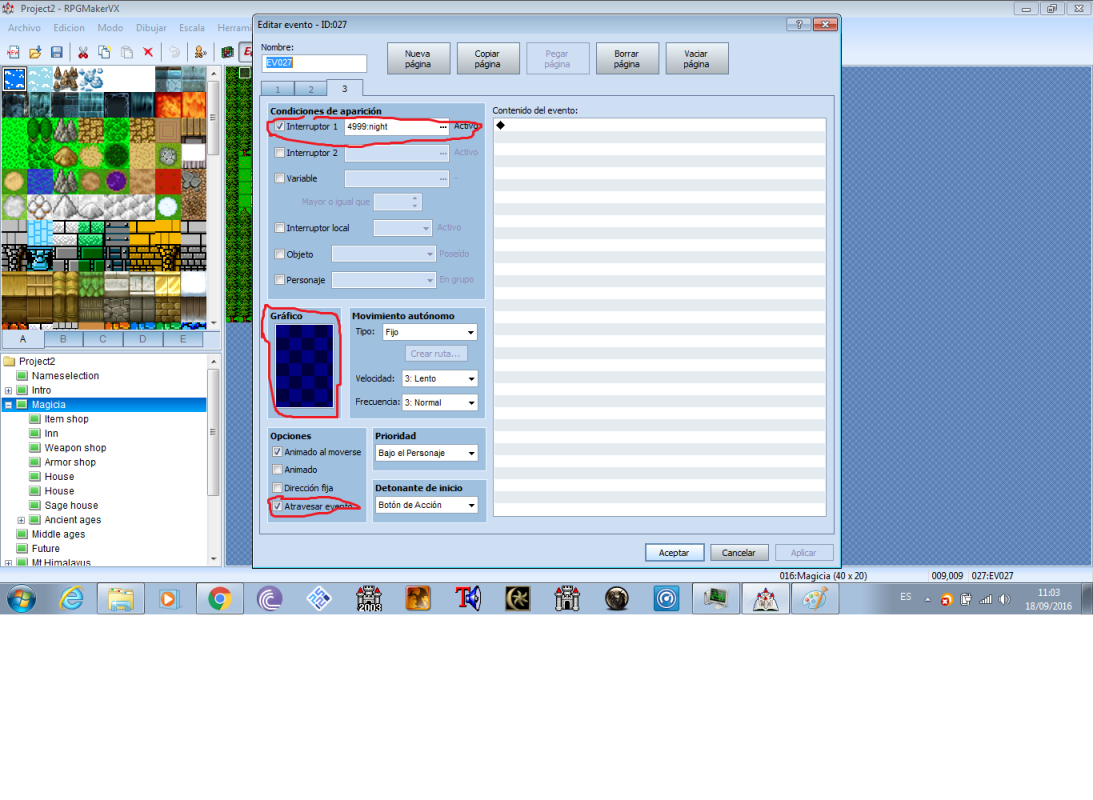
Now here's coming the boring part.


We have the field day and night but the npc are normal, so we will change them.


We must have a town or normal npc in the field or something xD


We Will go to a npc and we will do this:


Protected download


Protected download

Protected download

Downloads / Referenced Files

Log in to download

Log in, then follow the RPG Maker Developers Group to see these download links.

Log in to download
Referenced Images / Attachments

dayandnight1.png
dayandnight1.png
dayandnight2.png
dayandnight2.png
dayandnight3.png
dayandnight3.png
dayandnight4.png
dayandnight4.png
dayandnight5.png
dayandnight5.png
dayandnight6.png
dayandnight6.png
npc1.png
npc1.png
npc2.png
npc2.png
npc3.png
npc3.png
Creator Claims / Removal

If you are the original creator and want this listing reassigned, edited, or removed, join BMMPlay and contact the moderators with proof that matches the original RPG Maker Web profile, linked GitHub, itch.io page, or another public creator identity.

#039#rpg-maker-archive#vxace-tutorials

Replies (0)

No replies yet.

0 replies 1 view

Log in to reply.

User Avatar