


MZUnlimited Create Window Rpg maker MZ
BMM_Archive · July 15, 2026

Preserved forum archive. This topic stores the original first post and locally mirrored RPG Maker Web attachments when available. It is posted by the BMMPlay archive account, not by the original creator.
Original Source
- Original title: Unlimited Create Window Rpg maker MZ
- Original author: palatkorn
- Original date: November 19, 2024
- Source thread: https://forums.rpgmakerweb.com/threads/unlimited-create-window-rpg-maker-mz.173327/
- Source forum path: Game Development Engines > RPG Maker Javascript Plugins > JS Plugin Releases (RMMZ)
Summary
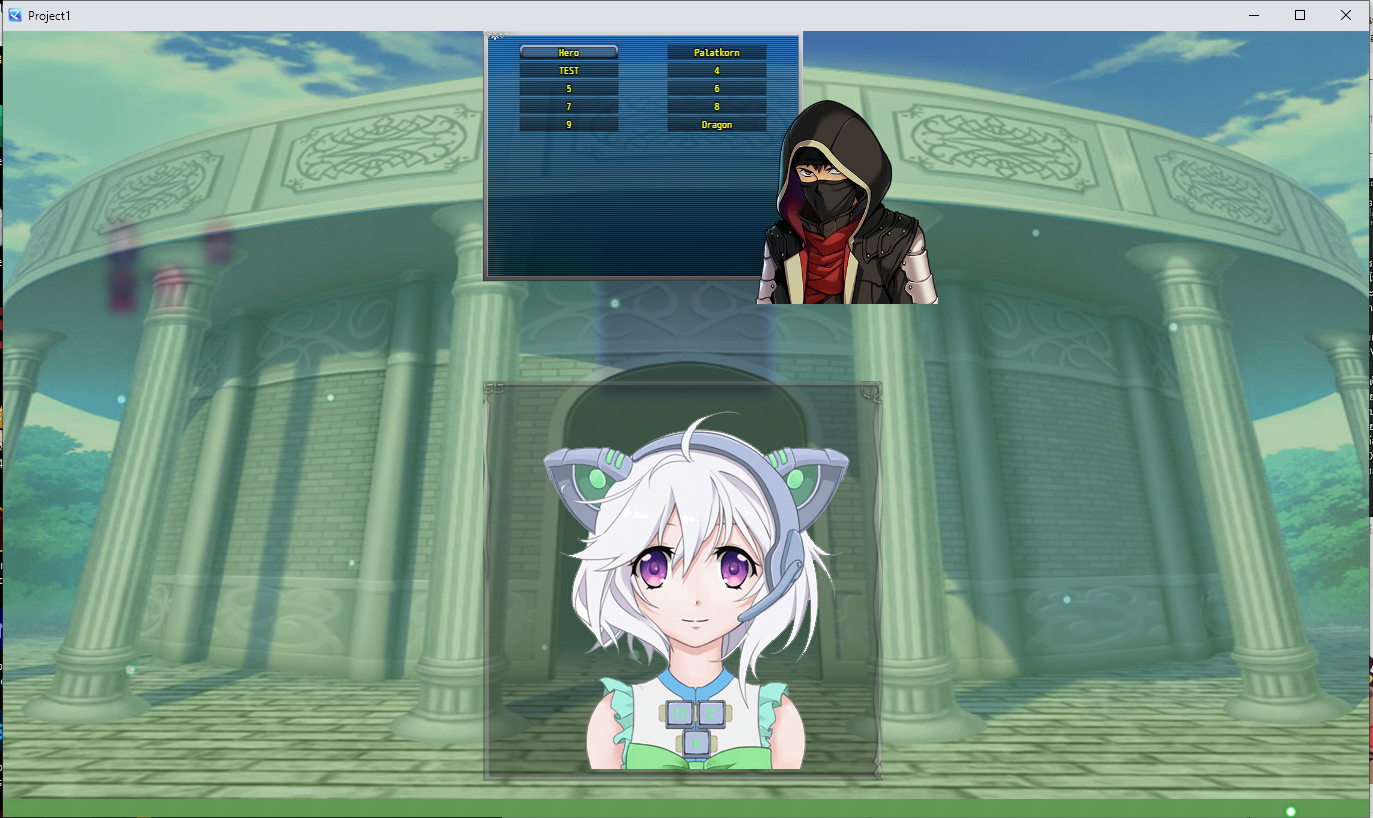
target MZ only. You can change the window within the game in any scene, at any time. Yes, it works easily, just set it up like this. or want to customize And yes, it has animated windows.
Archived First Post
target MZ only.
You can change the window within the game in any scene, at any time.
Yes, it works easily, just set it up like this.
or want to customize And yes, it has animated windows.
In there, make it look like you're talking to an NPC.
The settings might be a bit long, but for easy copying and pasting, you can copy the settings to other places. Then change a little
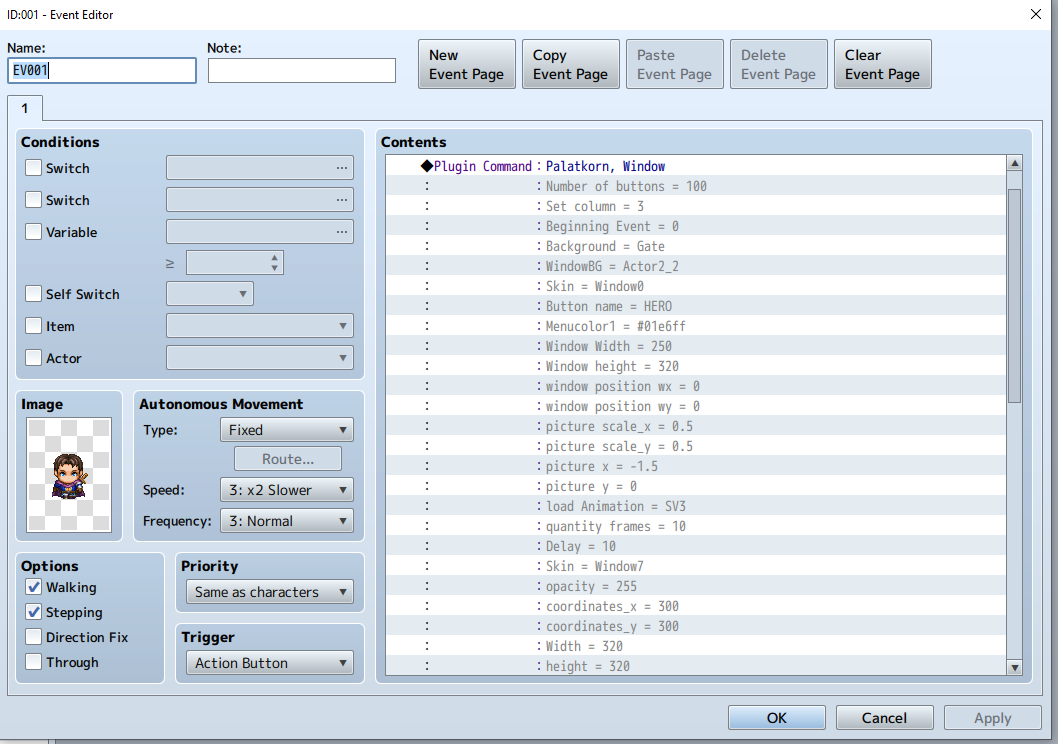
Version 1.3
Change the name according to the common event you named it.
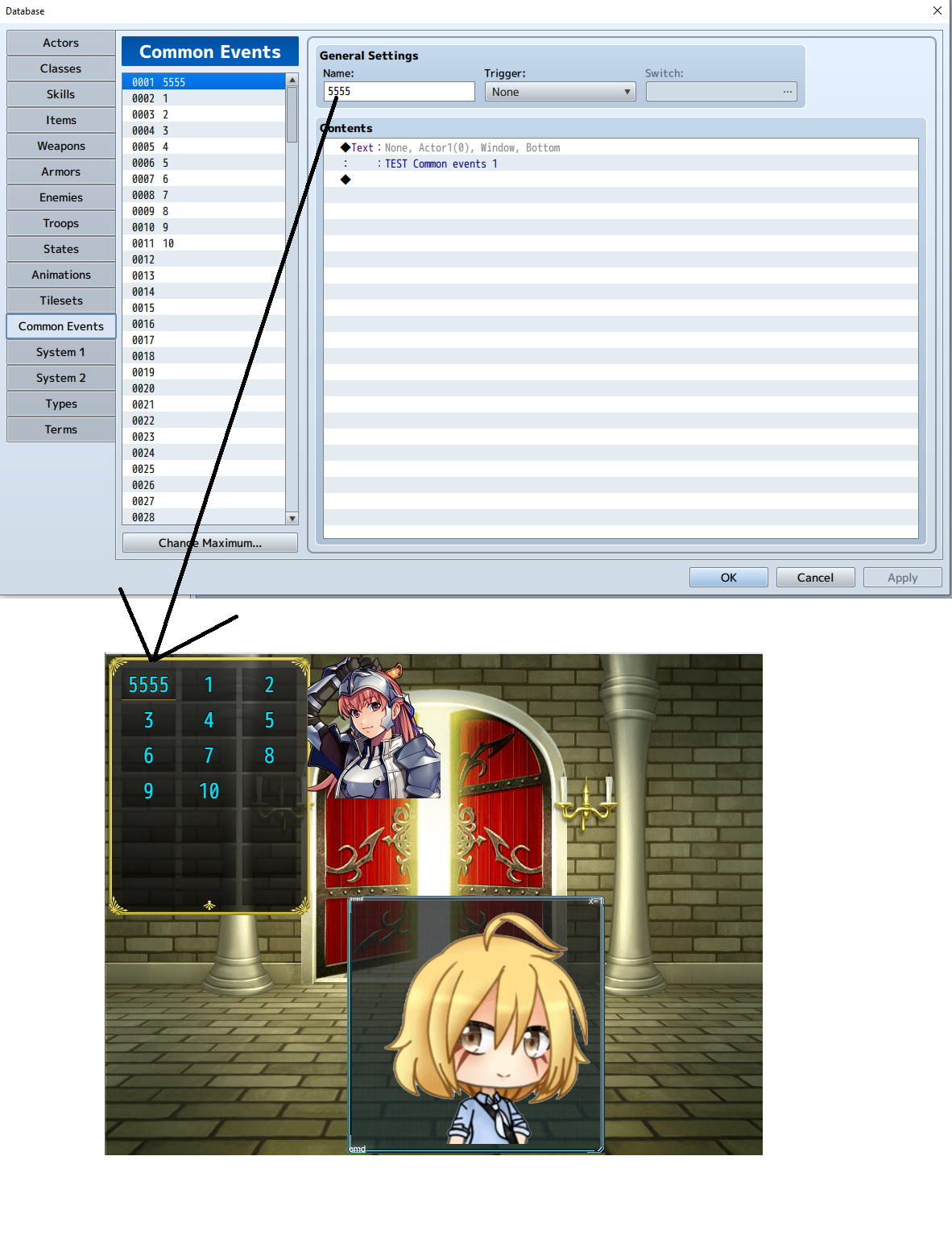
Version 1.4 added
Freely customizable
fonts size Opacity Expand Button Width spacing button Height distance button freely
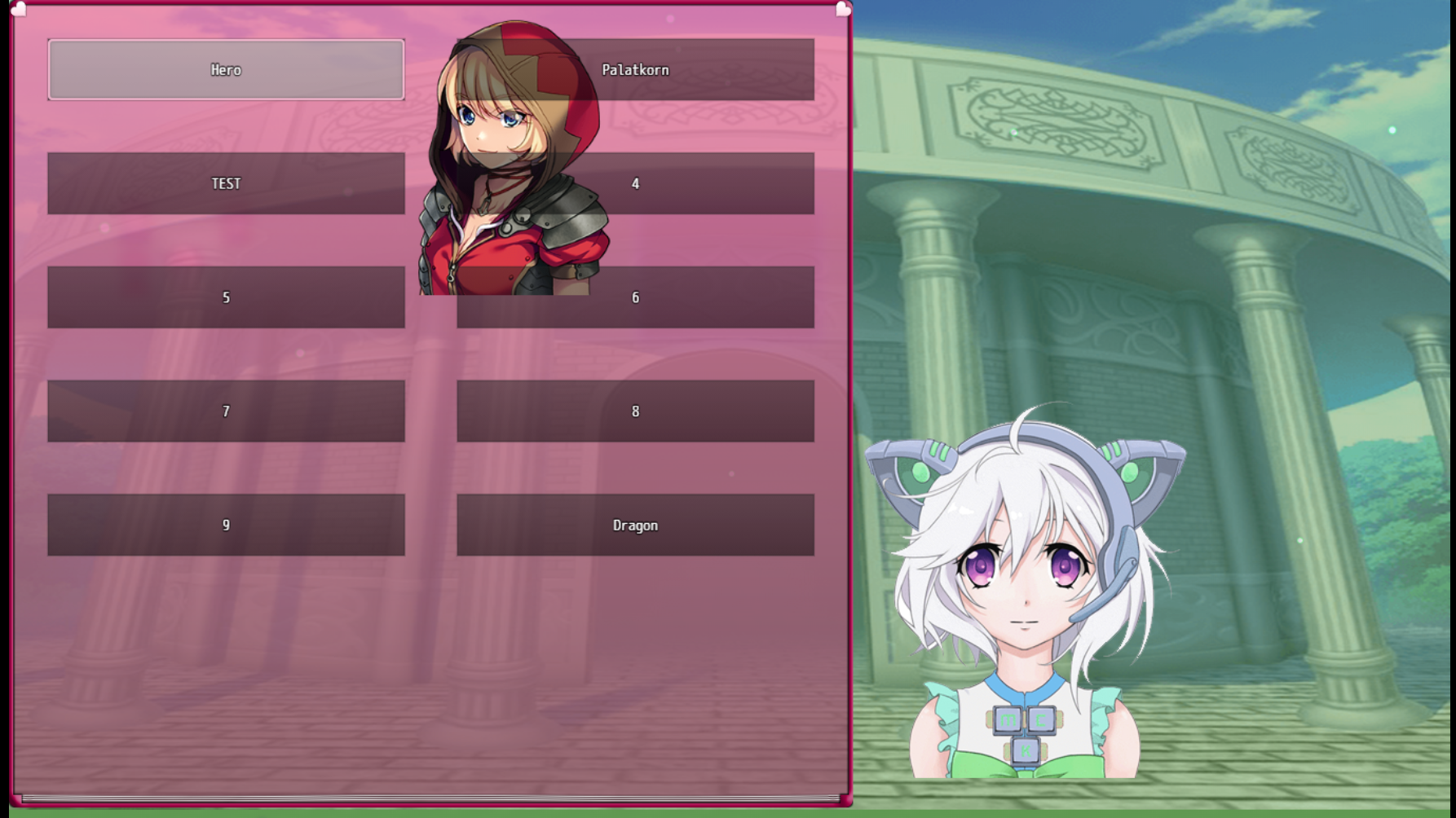
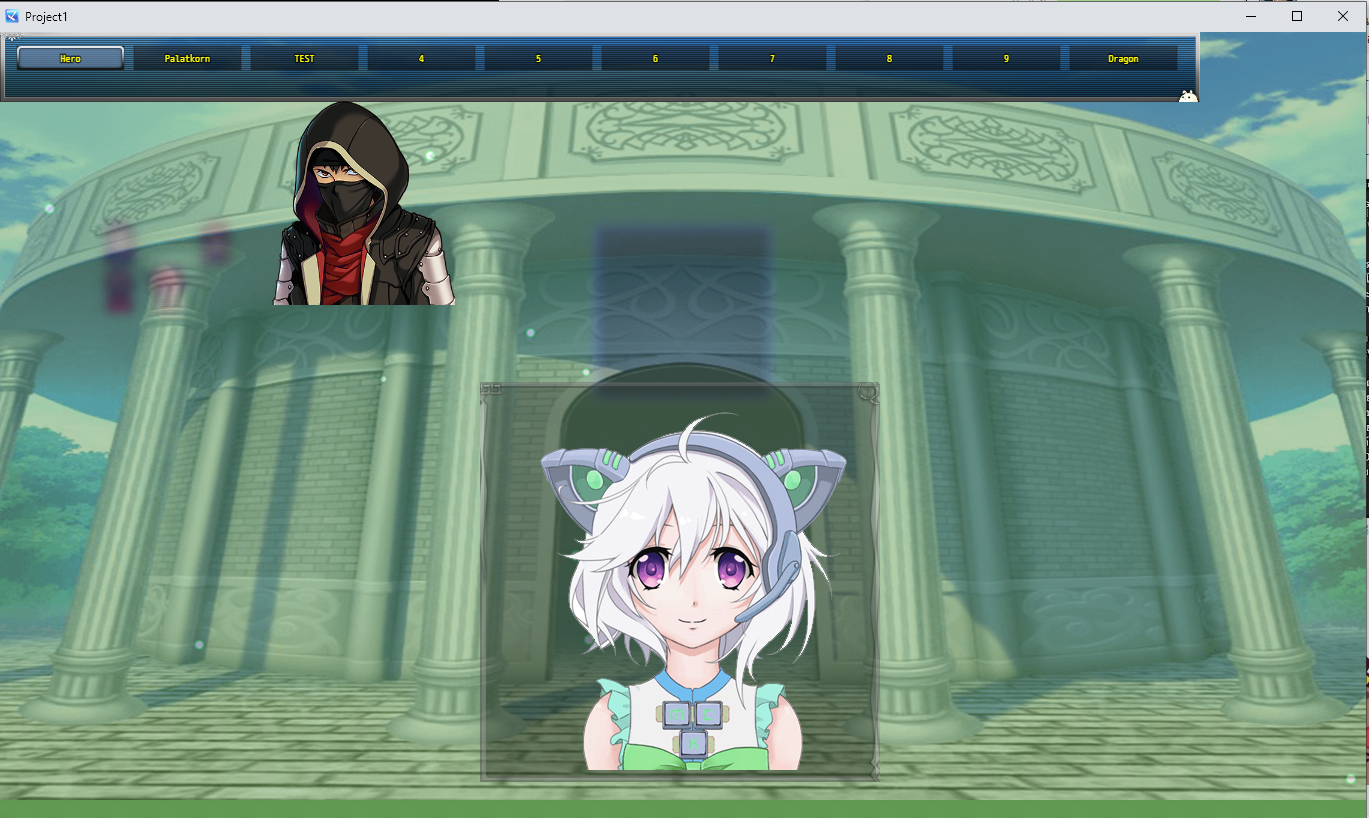
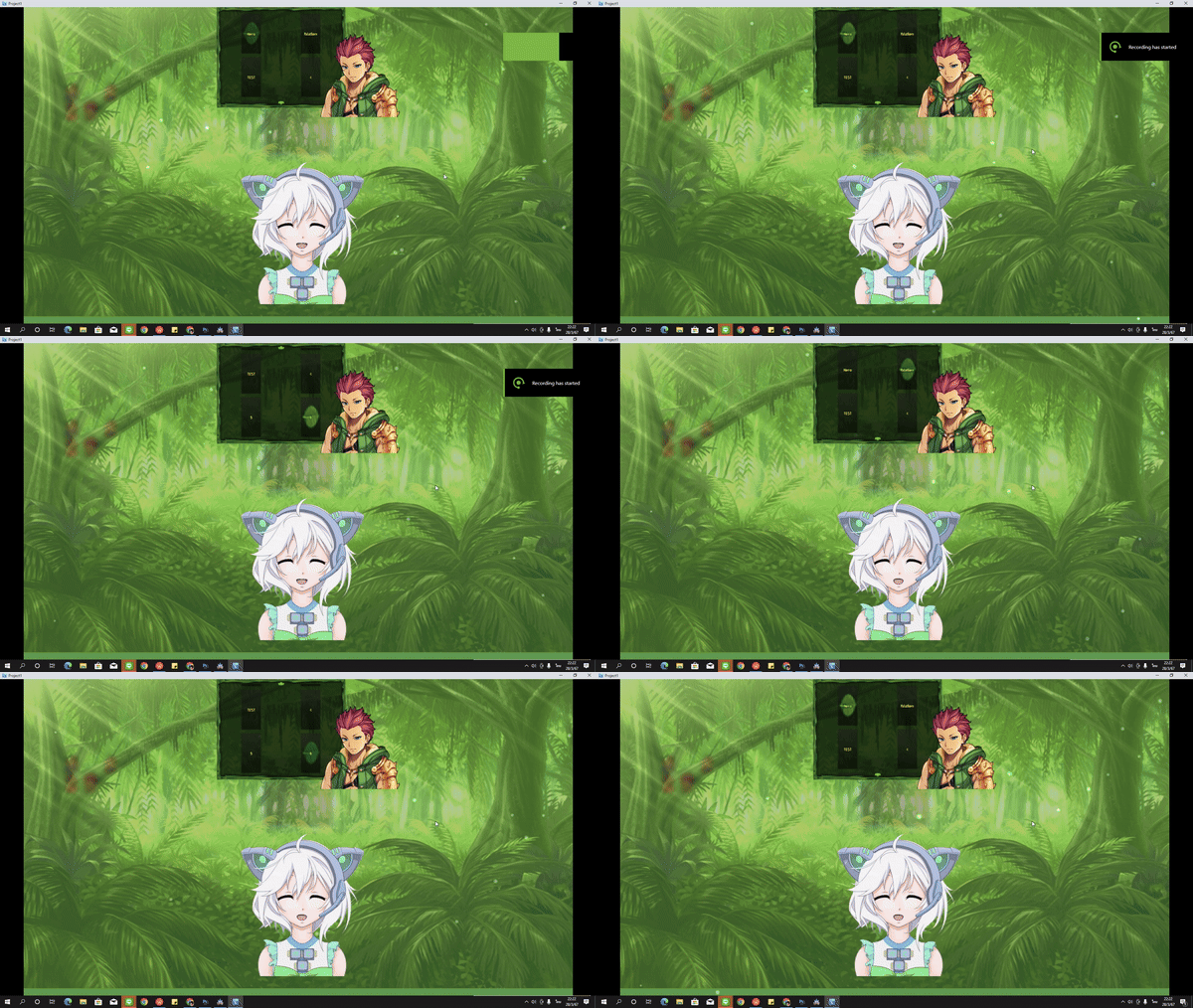
Add a back arrow button for people who want to press back.
And people don't want it because it's necessary and not necessary.
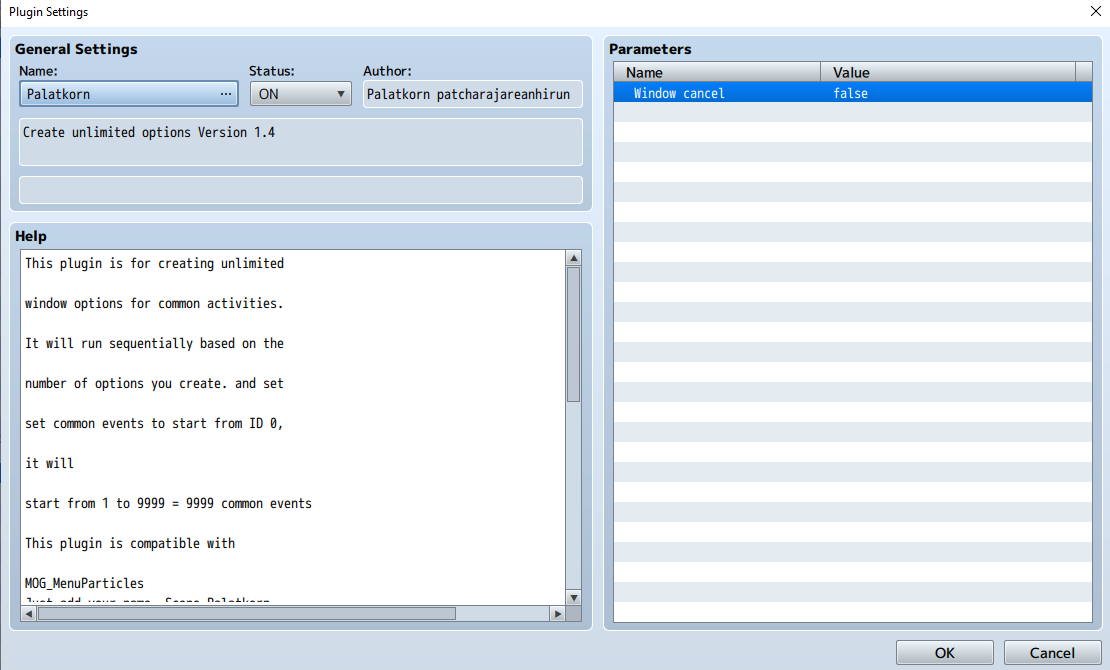
*This plugin is for creating unlimited
*window options for common activities.
*It will run sequentially based on the
*number of options you create. and set
*set common events to start from ID 0,
*it will
*start from 1 to 9999 = 9999 common events
This plugin is compatible with
MOG_MenuParticles
Just add your name Scene_Palatkorn
and every one of his plugins
Can be used in commercial games
I ask you to specify "Palatkorn"
in your game credits only
fonts size
opacity
Expand Button
Width spacing button
Height distance button
Version 1.3
Change the name according to the common event you named it.
Version 1.2
Add BGM sound to the scene
Edited all options to work fine.
Add a point to turn off unnecessary buttons so that they are gray and cannot be pressed. Set them to start at 50 and end anywhere, for example, close from 60-70.
Download
You can change the window within the game in any scene, at any time.
Yes, it works easily, just set it up like this.
or want to customize And yes, it has animated windows.
In there, make it look like you're talking to an NPC.
The settings might be a bit long, but for easy copying and pasting, you can copy the settings to other places. Then change a little
Version 1.3
Change the name according to the common event you named it.
Version 1.4 added
Freely customizable
fonts size Opacity Expand Button Width spacing button Height distance button freely
Add a back arrow button for people who want to press back.
And people don't want it because it's necessary and not necessary.
*This plugin is for creating unlimited
*window options for common activities.
*It will run sequentially based on the
*number of options you create. and set
*set common events to start from ID 0,
*it will
*start from 1 to 9999 = 9999 common events
This plugin is compatible with
MOG_MenuParticles
Just add your name Scene_Palatkorn
and every one of his plugins
Terms of use
No duplication or distribution is permitted.Can be used in commercial games
I ask you to specify "Palatkorn"
in your game credits only
Various corrections
Version 1.4 addedfonts size
opacity
Expand Button
Width spacing button
Height distance button
Version 1.3
Change the name according to the common event you named it.
Version 1.2
Add BGM sound to the scene
Edited all options to work fine.
Add a point to turn off unnecessary buttons so that they are gray and cannot be pressed. Set them to start at 50 and end anywhere, for example, close from 60-70.
Download
Downloads / Referenced Files
Log in to download
Log in, then follow the RPG Maker Developers Group to see these download links.
Log in to downloadLicense / Terms Note
Terms of useNo duplication or distribution is permitted. Can be used in commercial games I ask you to specify "Palatkorn" in your game credits only
Referenced Images / Attachments
Creator Claims / Removal
If you are the original creator and want this listing reassigned, edited, or removed, join BMMPlay and contact the moderators with proof that matches the original RPG Maker Web profile, linked GitHub, itch.io page, or another public creator identity.
Replies (0)
No replies yet.
0
replies
15
views
Topic Summary
Loading summary...

