Author: Hakuen Studio
Introduction
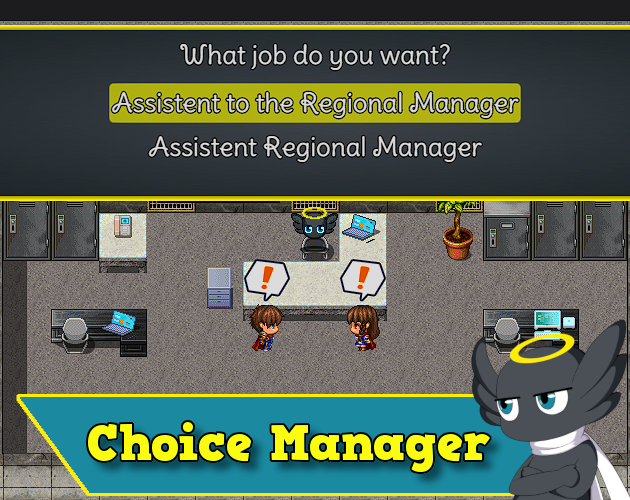
RPG Maker's choice system is cool. But it could be so much better!
This plugin gives more flexibility to the default functionality of the choices, as well as extends them by implementing new features!
Features
Free Features:
- Increase the number of choices.
- Shuffle the choices.
- Changes the number of columns in the choice window.
- Activate, deactivate, show, and hide choices with regular switches or self-switches. Via plugin command or escape codes.
- Set specific texts for disabled choices.
- Show/Move the window to any position using easing animations!
- Choices inside the message window.
- Stores the chosen choice index in a variable.
- Stores the text of the chosen choice in a variable.
- Put a delay on frames to allow confirmation of a choice as soon as the window opens.
- Change Choice Window Skin.
- Change text/cursor color on selected choice.
- Define texts for the help window in each choice (Requires EliMZ_HelpWindows).
- Set Choice text alignment. (Requires EliMZ_MessageActions)
Pro Features:
- Attach pictures to choices!
- Auto set picture movement for selected, unselected, and chosen pictures!
- Choose to erase all pictures or erase only the Unchosen ones when the choice closes!
- Custom Width/Height for each choice
- Run a common event for each choice.
- Turn on a specific switch for each choice.
- Turn on a switch each time a new choice is selected.
- Use background images for choices.
- Optionally remove the dark rectangle background.
- Put a time limit(countdown) for the player to confirm a choice.
- Show/hide the cursor.
- Invisible choice window.
Maybe Future features:
- Choices with multiple lines. (PRO)
- Attach events to choices! (PRO)
- Individual choice windows (PRO)
- Nested Choice Windows (PRO)
Screenshots
How To Use
Terms of Use
Implement improvements in the choice system.

hakuenstudio.itch.io
Terms of Use Hakuen Studio Choice Manager for RPG Maker MZ by Hakuen Studio Implement improvements in the choice system. hakuenstudio.itch.io






 Blue Compass Premium Tube-Style Broadcast Boom Arm
Desktop boom arm with cable management for podcast, stream, and voice recording setups.
View on Amazon
Blue Compass Premium Tube-Style Broadcast Boom Arm
Desktop boom arm with cable management for podcast, stream, and voice recording setups.
View on Amazon

