Puppet Knight's - Draw Actor Extras
RPG MAKER MZ
PUPPET KNIGHT
Intro:
This plugin is a collection of functions to enhance how devs draw icons and sideview battler sprites in their projects.
Features:
3 functions:
drawActorStats
drawResizedIconsAndText
drawSVbattler
Terms of Use:
Free for commercial or non commercial projects. Just be sure to credit "Puppet Knight".
Welcome to update/alter any code as needed to fit the needs of your project.
Draw Actor Stats:
Draws the Base Parameters of the Actor with Icons instead of text like "ATK" or "DEF" in a neat organized set of two columns. Additionally, plugin parameters allow users to choose which Icons will accompany what parameters.
Draw Resized Icons and Text:
A bit more flexible, this function allows users to define what Icons and What text specifically they wish to draw on the screen. Depending on the sizes chosen for the icon and font. A centering argument is included to let users decide where the icon is placed in relation the the text.
Everything with an Icon above uses this function to be drawn out ^_^
Users can also choose to draw an array of Icons. S spacing will automatically be provided between the Icons drawn. If using variables that may result in any of the Icon's Index being 0, the icon will simply not be drawn and it will move onto the next icon in the array.
Draw Sideview Battler:
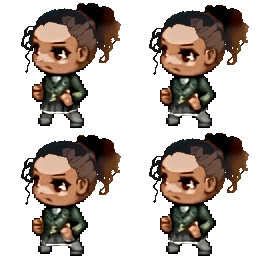
What I consider to be the most amazing part of this plugin, I've added an easy way to draw animated SV battlers directly into menu scenes. Users specify which Actors SV image they will be using, designate an array of the frame to run through, and can even change the output size of the animation to fit their menu needs.
Resulting in some really cool things ^_^
Future Updates to Include (hopefully):
- SVbattler - Looking for a way to allow SV Battlers to be drawn above
or below existing objects without erasing the rectangle around them.
- Improve/Implement ability to have multiple uses of
this._actor on the same scenes
if different Actors are using them.
Plugin can be found on the itch page!
Puppet Knight's Itch.io Page
Provides Extra Functions for Drawing Actor Info and Images

puppet-knight.itch.io
Terms of Use: Free for commercial or non commercial projects. Just be sure to credit "Puppet Knight". Welcome to update/alter any code as needed to fit the needs of your project. Draw Actor Stats:






 PDP AIRLITE Wired Stereo Gaming Headset for PlayStation
Lightweight wired headset option for party chat, multiplayer, and everyday gaming.
View on Amazon
PDP AIRLITE Wired Stereo Gaming Headset for PlayStation
Lightweight wired headset option for party chat, multiplayer, and everyday gaming.
View on Amazon