License: Free for personal or commercial use. Context: When the developer needs to create several teleportation points on the same map, doing this task through events becomes a repetitive and impractical task. Description: This script causes the player to be transferred to enter a land marked as a specific region.
Protected download
License: Free for personal or commercial use.
Context: When the developer needs to create several teleportation points on the same map, doing this task through events becomes a repetitive and impractical task.
Description: This script causes the player to be transferred to enter a land marked as a specific region.
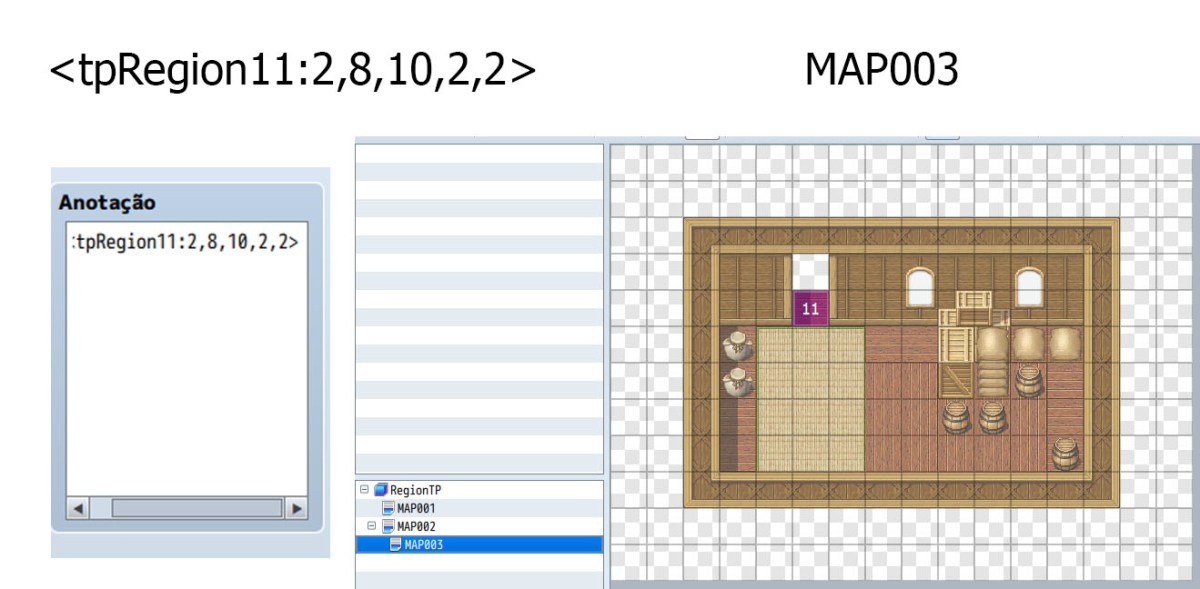
How to use this script: In each map where there is one or more teleportation regions, the developer must insert a tag in the "Note" field for that map.
<tpRegionID:mapId, x,y,direction,fadeType>
- <tpRegion is the tag suffix
- ID is the region number
- mapId is the map number
- x is a horizontal coordinate of the map to which the player will be transferred;
- y is a vertical coordinate of the map to which the player will be transferred;
- direction is the direction the player will be looking at: 2 = low; 4 = left; 6 = right; 8 = above;
- fadeType is the transition type (can be 0, 1 or 2)
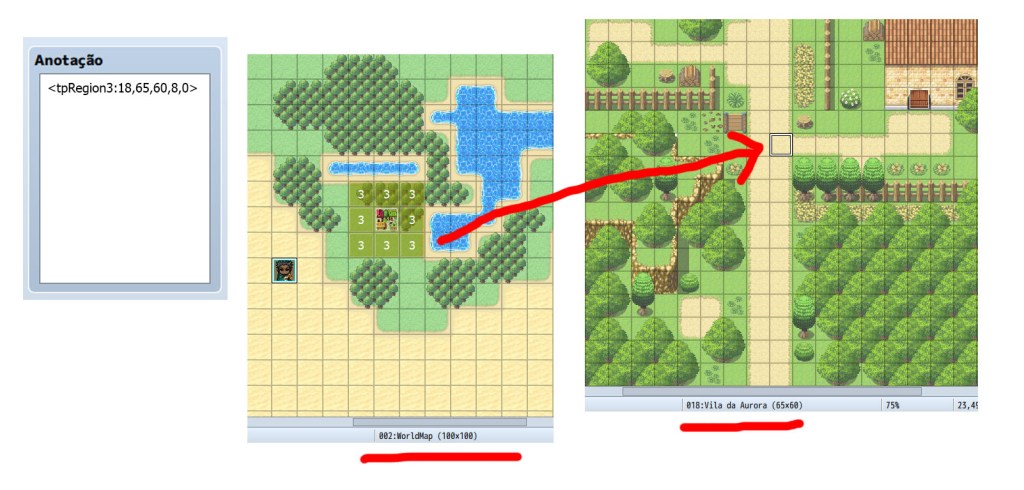
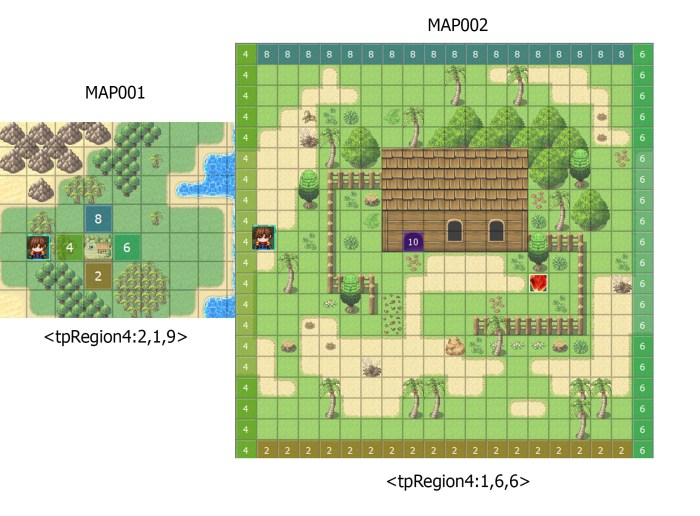
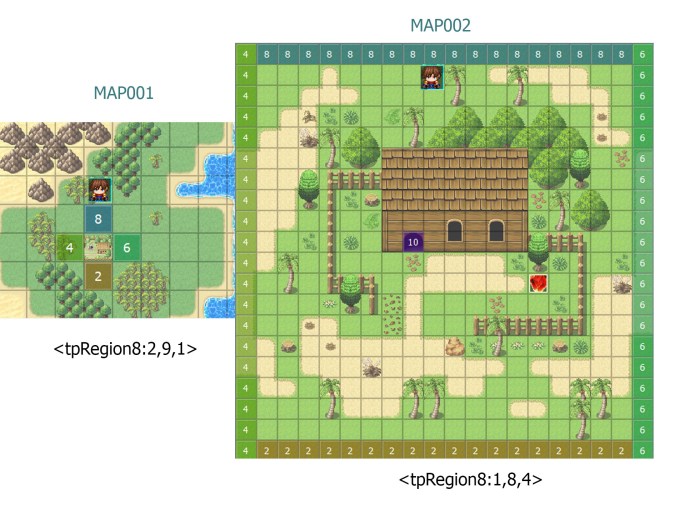
Example: Teleport the player from the MAP001 map to the MAP018 map at x = 65 and y = 60 coordinates, facing upwards, with transition 0 as soon as they reach a terrain marked as region 3;
<tpRegion3:18, 65,60,8,0>
You can suppress the direction and type of fading by making the label shorter. In this case, the player's direction after teleportation will be maintained at the table he had before and the fade will be the one set as default in the plugin settings.
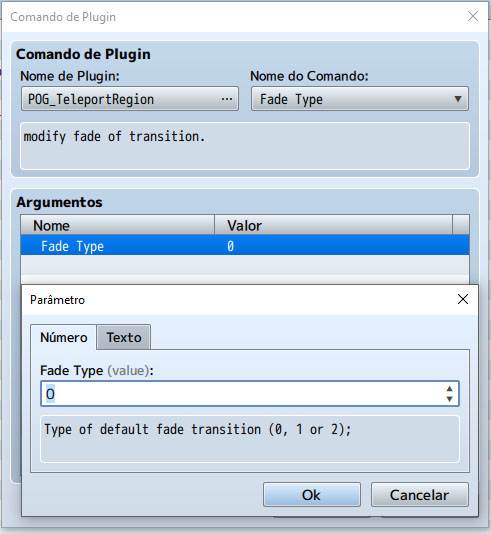
If you want to change the default fade type for the plug-in, you can use the plugin command.
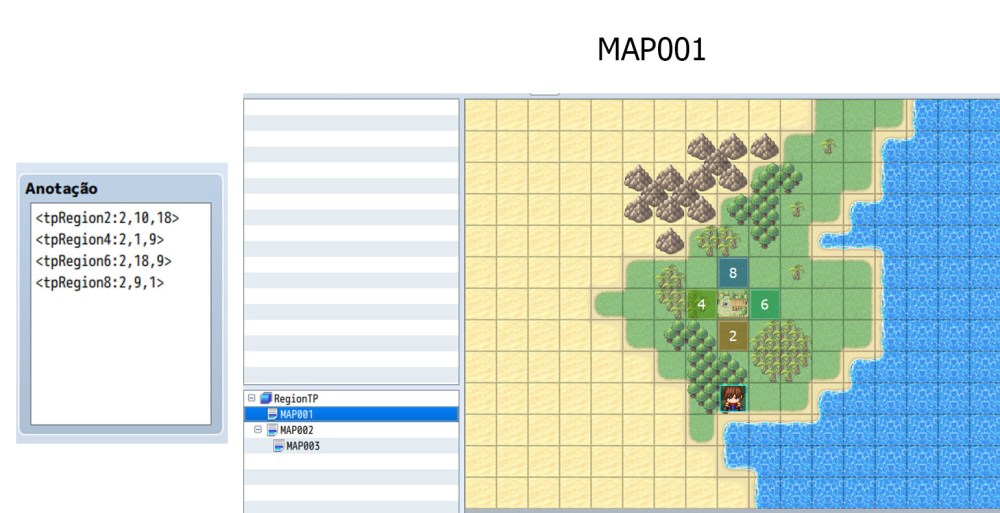
Example of shorter tags, where the direction and type of fading are omitted.
In this example, the teleportation defined for region 10 has the direction of the player.
<tpRegion10:3,5,5,2>
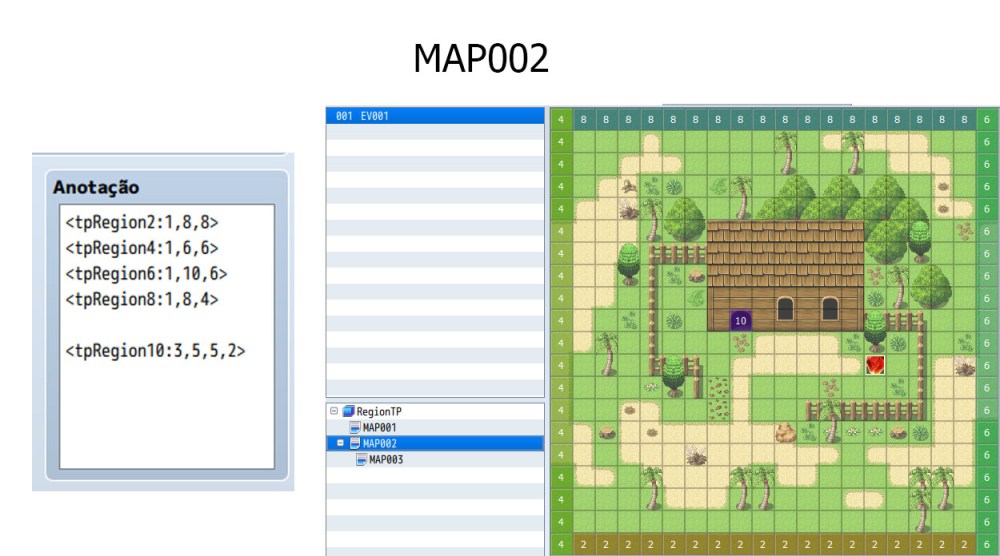
In this other example, in addition to the direction, the tag also includes the type of fade.
More Examples:
License: Free for personal or commercial use. Context: When the developer needs to create several teleportation points on the same map, doing this task through events becomes a repetitive and impractical task. Description: This script causes the player to be transferred to enter a land marked as a specific region. How to use this script: In each map where there is one or more teleportation regions, the developer must insert a tag in the "Note" field for that map.





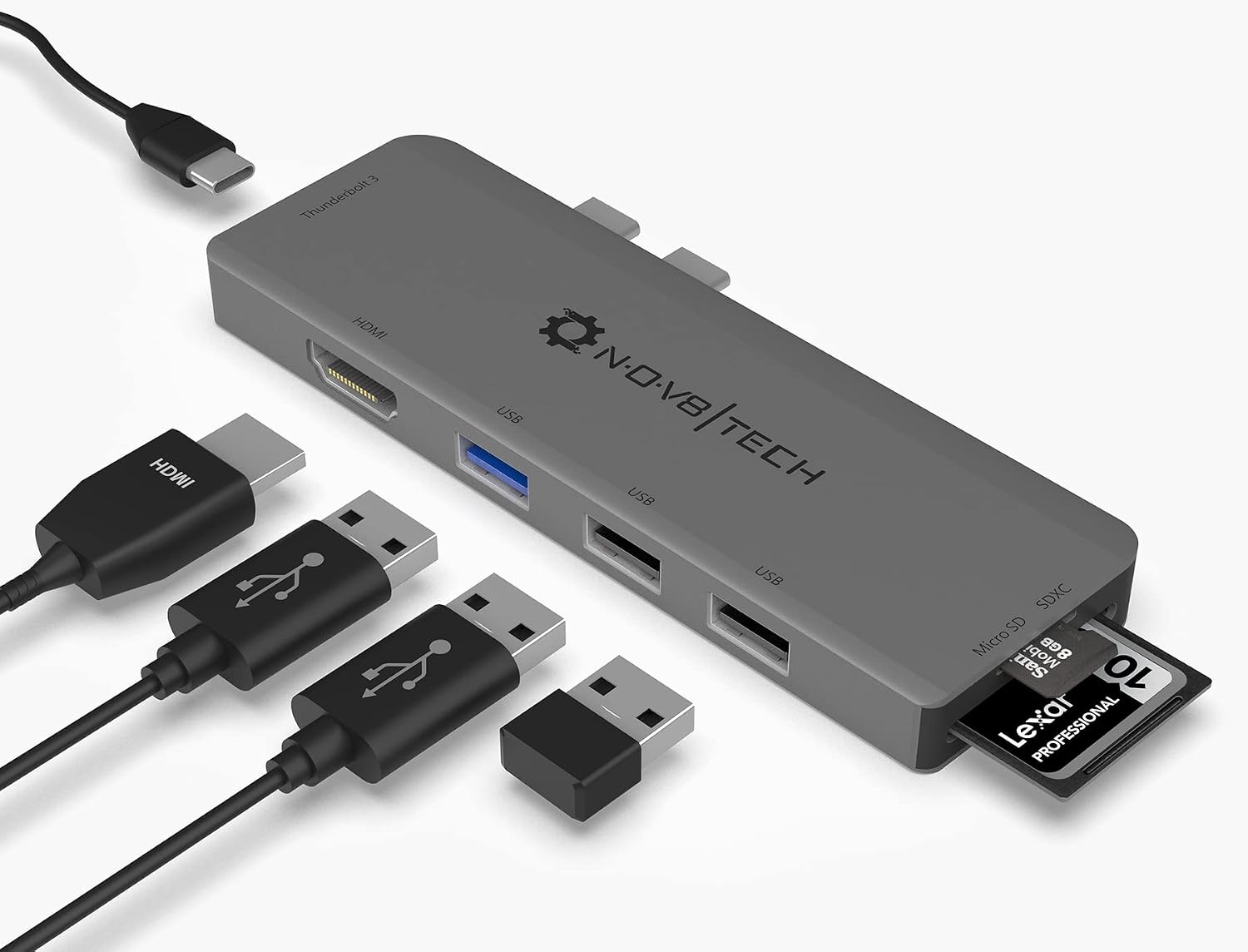 7-in-2 USB-C Multiport Adapter for MacBook Pro and Air
Slim USB-C hub for HDMI, USB, card access, and everyday laptop expansion.
View on Amazon
7-in-2 USB-C Multiport Adapter for MacBook Pro and Air
Slim USB-C hub for HDMI, USB, card access, and everyday laptop expansion.
View on Amazon