Author: Hakuen Studio Introduction This plugin aims to replicate the feature of retro games in the title screen where you have to "Press Start" before starting the game. • Choose an image to use for the press start feature.
Author: Hakuen Studio
Introduction
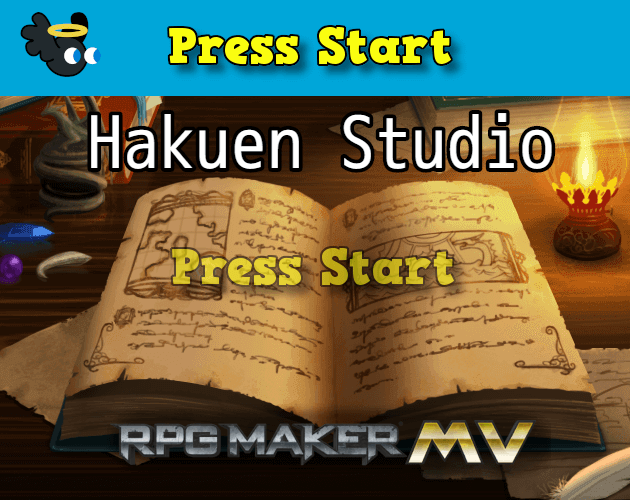
This plugin aims to replicate the feature of retro games in the title screen where you have to "Press Start" before starting the game.
Features
• Choose an image to use for the press start feature.
• Choose predefined positions or custom ones.
• Choose how quickly the opacity will change.
• Choose what button you will press on the press start feature.
• Choose an MV/MZ animation to play when you press the button.
• Optionally choose a delay for the 'Press Start' to be gone after you press the button.
• Can use it not only in the title screen but also on the scene map for event title screens.
How to use
The plugin parameters are self-explanatory.
You can use it on the title screen(by default) or if you want to use it in Scene Map, you have to use the plugin command.
For MV you can use the script call:
Eli.PressStart.createMapSprite()
Put an image of your preference in the img/system.
Here is a list of the default keys of RPG Maker(Keyboard/Gamepad):
- "tab", ■ Keyboard: tab
- "ok", ■ Keyboard: enter, space, Z ■ Gamepad: A
- "shift", ■ Keyboard: shift ■ Gamepad: X
- "control", ■ Keyboard: control, alt
- "escape", ■ Keyboard: escape, numpad0, insert, x
- "pageup", ■ Keyboard: Q, pageup ■ Gamepad: LB
- "pagedown", ■ Keyboard: W, pagedown ■ Gamepad: RB
- "left", ■ Keyboard: left arrow, numpad4 ■ Gamepad: D-pad left
- "up", ■ Keyboard: up arrow, numpad8 ■ Gamepad: D-pad up
- "right", ■ Keyboard: right arrow, numpad6 ■ Gamepad: D-pad right
- "down", ■ Keyboard: down arrow, numpad2 ■ Gamepad: D-pad down
- "debug" ■ Keyboard: F9
- "cancel" ■ Gamepad: B
- "menu" ■ Gamepad: Y
Terms of Use
Update Log
A plugin that replicates the feeling f the retro game's title screens!

hakuenstudio.itch.io
Terms of Use Update Log Eli Press Start for RPG Maker MV-MZ by Hakuen Studio A plugin that replicates the feeling f the retro game's title screens!






 SPEEDLINK Competition Pro Extra USB Joystick
Retro USB arcade joystick for classic PC and Android gaming sessions.
View on Amazon
SPEEDLINK Competition Pro Extra USB Joystick
Retro USB arcade joystick for classic PC and Android gaming sessions.
View on Amazon