





public

Rpg Maker Developers Group

Simple enough for a child, powerful enough for a developer

2 Followers

MZRPG MAKER MZ Plugin: "OnlineTextMZ"

BMM Archive · July 15, 2026

Preserved forum archive. This topic stores the original first post and locally mirrored RPG Maker Web attachments when available. It is posted by the BMMPlay archive account, not by the original creator.

Original Source

  • Original title: RPG MAKER MZ Plugin: "OnlineTextMZ"
  • Original author: Undermax
  • Original date: August 30, 2023
  • Source thread: https://forums.rpgmakerweb.com/threads/rpg-maker-mz-plugin-onlinetextmz.160775/
  • Source forum path: Game Development Engines > RPG Maker Javascript Plugins > JS Plugin Releases (RMMZ)

Summary

{ "lightbox_close": "Close", "lightbox_next": "Next", "lightbox_previous": "Previous",

Archived First Post

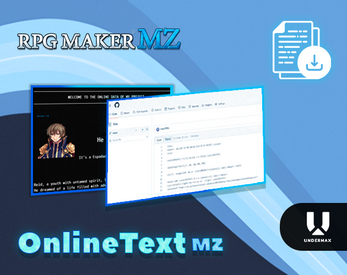
1pshns.png

OnlineTextMZ​

This plugin will allow you to obtain information from a text from a RAW URL and embed it into your game, enabling you to use that information as you wish.


Features​

  • Very useful if you want to, for example, implement an online news system for your game, or update news. The changes you make on a website will modify what the player sees in the game, trigger events, or anything else you can think of.

    This information can be viewed live with a special window or save the information in a variable.

How to Use​

How to install the plugin?

Place the file:

OnlineTextMZ.js or OnlineTextMZDEMO.js (Depending on your case)

In the plugins folder. Activate the plugin from the editor.

Call the plugin with the Command: Plugin Call in the event editor.

You can get and Test the Plugin on my Itchio page:

MY ITCHIO PAGE!

You can try the DEMO version for free!

Developed by Maxii1996 | Undermax Games

Features Mentioned

  • Very useful if you want to, for example, implement an online news system for your game, or update news. The changes you make on a website will modify what the player sees in the game, trigger events, or anything else you can think of.
  • This information can be viewed live with a special window or save the information in a variable.
  • How to Use​How to install the plugin?
  • Place the file:
  • OnlineTextMZ.js or OnlineTextMZDEMO.js (Depending on your case)
  • In the plugins folder. Activate the plugin from the editor.
  • Call the plugin with the Command: Plugin Call in the event editor.
  • You can get and Test the Plugin on my Itchio page:
  • MY ITCHIO PAGE!
  • You can try the DEMO version for free!
  • Developed by Maxii1996 | Undermax Games

Downloads / Referenced Files

Log in to download

Log in, then follow the RPG Maker Developers Group to see these download links.

Log in to download

Referenced Images / Attachments

1pshns.png
1pshns.png
Creator Claims / Removal

If you are the original creator and want this listing reassigned, edited, or removed, join BMMPlay and contact the moderators with proof that matches the original RPG Maker Web profile, linked GitHub, itch.io page, or another public creator identity.

#rmmz#plugin-archive

Replies (0)

No replies yet.

0 replies 1 view

Log in to reply.

User Avatar