


MZCT_Bolt's Sprite Extras (v1.50)
BMM_Archive · July 15, 2026

Preserved forum archive. This topic stores the original first post and locally mirrored RPG Maker Web attachments when available. It is posted by the BMMPlay archive account, not by the original creator.
Original Source
- Original title: CT_Bolt's Sprite Extras (v1.50)
- Original author: ct_bolt
- Original date: August 21, 2020
- Source thread: https://forums.rpgmakerweb.com/threads/ct_bolts-sprite-extras-v1-50.125621/
- Source forum path: Game Development Engines > RPG Maker Javascript Plugins > JS Plugin Releases (RMMZ)
Summary
CT_Bolt's Sprite Extras By: CT_Bolt Last Update: 8/25/2020 Latest Version: 1.50
Archived First Post
CT_Bolt's Sprite Extras
By: CT_Bolt
Last Update: 8/25/2020
Latest Version: 1.50
Introduction
This plugin provides extra sprite features. Currently only for event sprites.
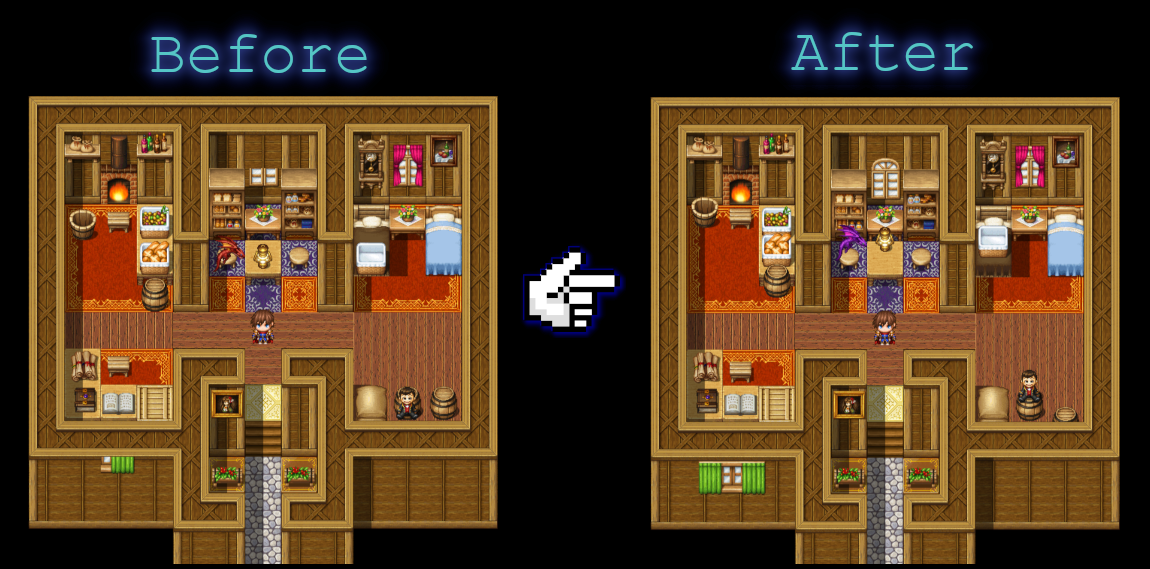
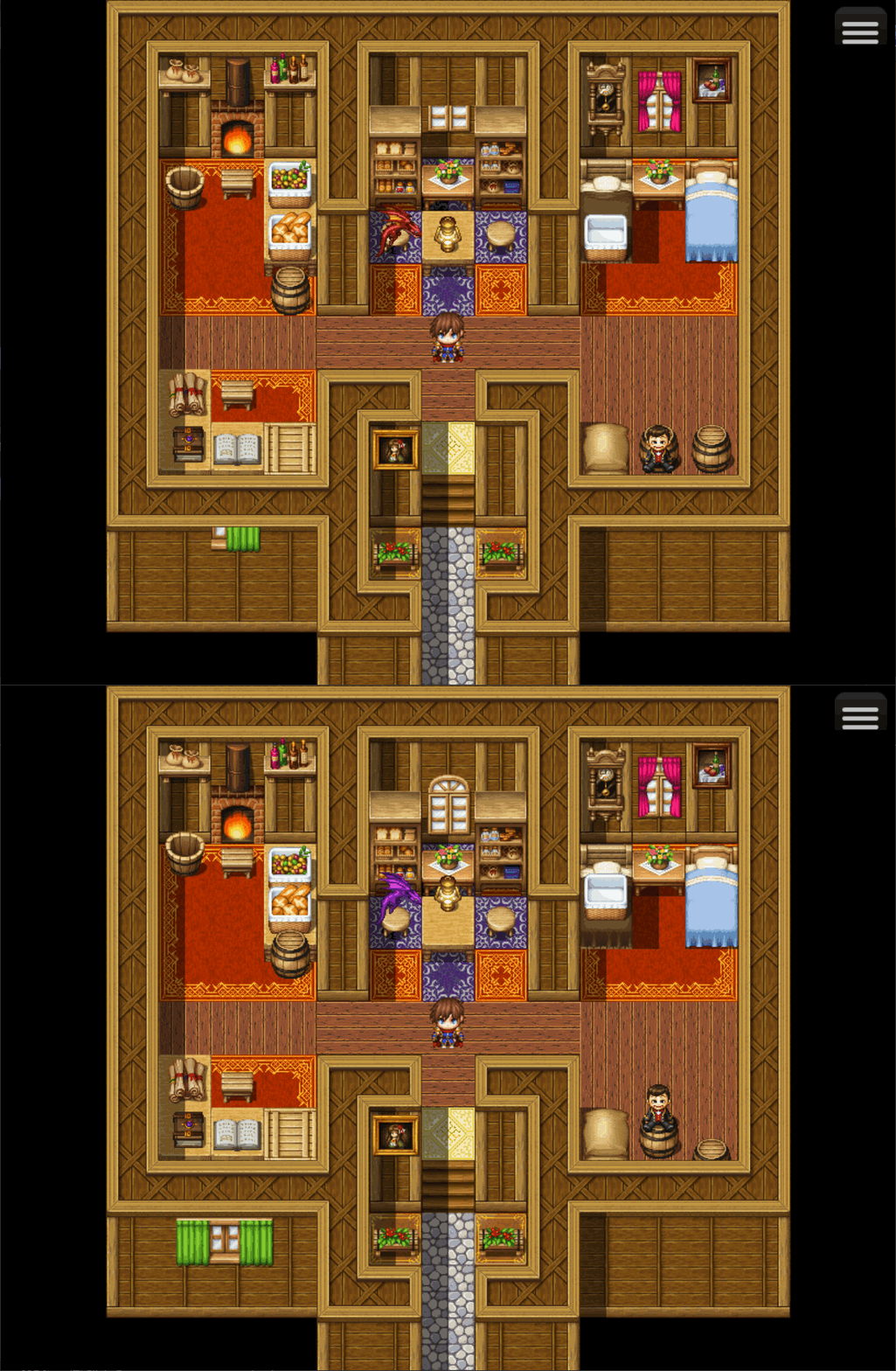
Features
How to Use
Import into plugin manager and enable the plugin.
Use notetags and/or plugin commands to adjust event sprite settings.
Plugin
Link to Master Project (includes v1.50 Sprite Extras):
Credit & Terms
Free for commercial or non commercial use.
If used please credit me as CT_Bolt. Not mandatory just appreciated though.
Version History
By: CT_Bolt
Last Update: 8/25/2020
Latest Version: 1.50
Introduction
This plugin provides extra sprite features. Currently only for event sprites.
Features
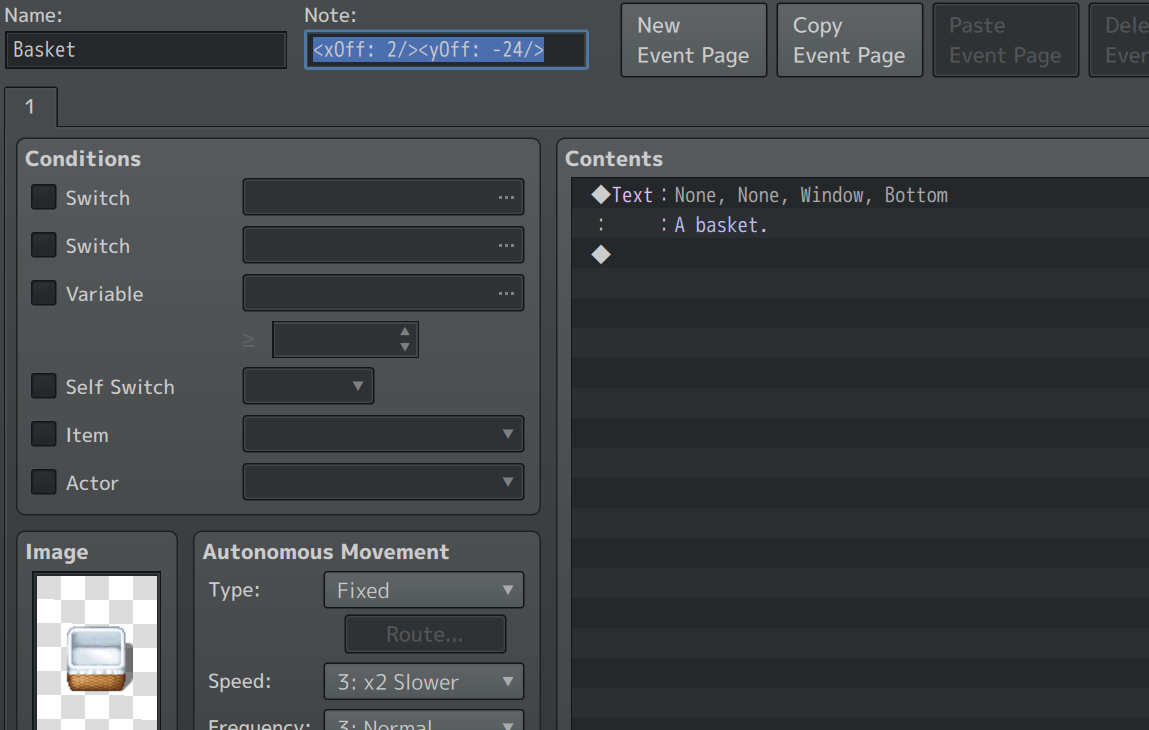
Event Notetags:
- Set X Offset: <xOff: javascript/>
- Set Y Offset: <yOff: javascript/>
- Set Hue: <hue: javascript/>
- Set SourceX: <srcX: javascript/>
- Set SourceY: <srcY: javascript/>
- Set Frame Width: <frameW: javascript/>
- Set Frame Height: <frameH: javascript/>
- Set Mirror: <mirror:type:javascript/>
Examples: - <mirror:type:2/>
- <xOff: -24/><yOff:24/>
- <xOff:-4/>
- <yOff:18/>
- <hue: -180/>
- <hue: 45/>
- <xOff:-12/><yOff:26/><srcX:sx-48/><srcY:sy-48/><frameW:96/><frameH:96/>
- <yOff:-18/>
- <xOff: $gameVariables.value(1)/><yOff: $gameVariables.value(2) || -24/>
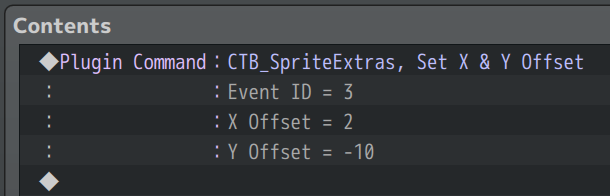
Plugin Commands:
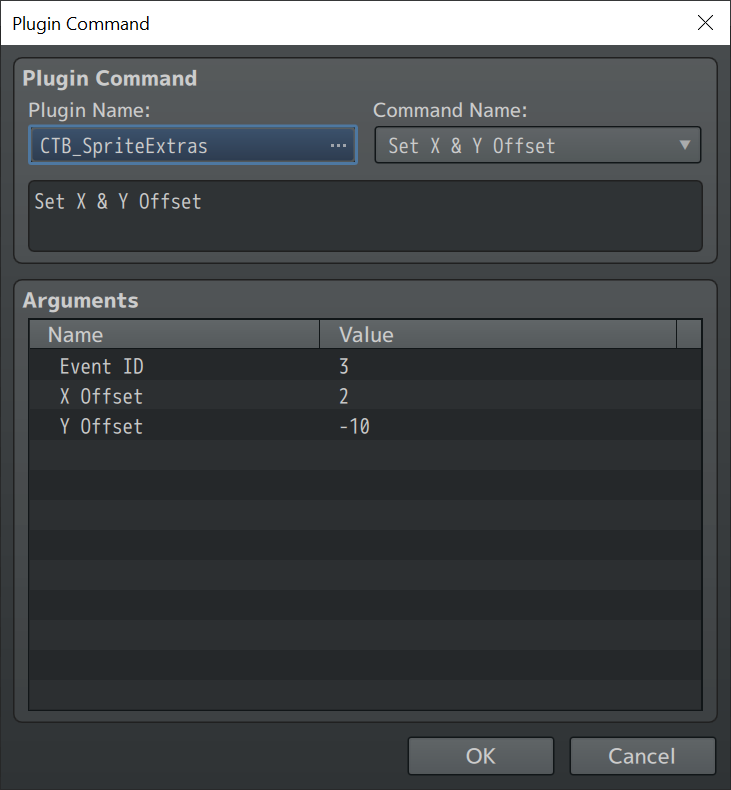
- Set X & Y Offset
How to Use
Import into plugin manager and enable the plugin.
Use notetags and/or plugin commands to adjust event sprite settings.
Plugin
Link to Master Project (includes v1.50 Sprite Extras):
[RMMZ] Master Demo (Plugins) by CT_Bolt
All my RPG Maker MZ plugins in one demo project. (currently outdated)
ct-bolt.itch.io
Credit & Terms
Free for commercial or non commercial use.
If used please credit me as CT_Bolt. Not mandatory just appreciated though.
Version History
Version 1.00: Initial Release
Version 1.10: Added notetags
Version 1.20 More plugin commands, event notetags, flexibility, etc.
Version 1.30 More notetags
Version 1.40 More notetags/plugin commands
Version 1.50 Added Mirrors
Version 1.10: Added notetags
Version 1.20 More plugin commands, event notetags, flexibility, etc.
Version 1.30 More notetags
Version 1.40 More notetags/plugin commands
Version 1.50 Added Mirrors
Features Mentioned
- Event Notetags:
- Spoiler: Event Notetags
- Set X Offset:
- Set Y Offset:
- Set Hue:
- Set SourceX:
- Set SourceY:
- Set Frame Width:
- Set Frame Height:
- Set Mirror:
- Examples:
- Spoiler: Screenshot (X & Y Offset)
- Plugin Commands:
- Spoiler: Plugin Commands
- Set X & Y Offset
Downloads / Referenced Files
Log in to download
Log in, then follow the RPG Maker Developers Group to see these download links.
Log in to downloadLicense / Terms Note
Credit & Terms Free for commercial or non commercial use. If used please credit me as CT_Bolt. Not mandatory just appreciated though. Version History
Referenced Images / Attachments
Creator Claims / Removal
If you are the original creator and want this listing reassigned, edited, or removed, join BMMPlay and contact the moderators with proof that matches the original RPG Maker Web profile, linked GitHub, itch.io page, or another public creator identity.
Replies (0)
No replies yet.
0
replies
14
views
Topic Summary
Loading summary...

