


MZEli Quit Menu Common Event - Play a common event every time menu closes.
BMM_Archive · July 15, 2026

Preserved forum archive. This topic stores the original first post and locally mirrored RPG Maker Web attachments when available. It is posted by the BMMPlay archive account, not by the original creator.
Original Source
- Original title: Eli Quit Menu Common Event - Play a common event every time menu closes.
- Original author: Eliaquim
- Original date: October 18, 2020
- Source thread: https://forums.rpgmakerweb.com/threads/eli-quit-menu-common-event-play-a-common-event-every-time-menu-closes.128816/
- Source forum path: Game Development Engines > RPG Maker Javascript Plugins > JS Plugin Releases (RMMZ)
Summary
{ "lightbox_close": "Close", "lightbox_next": "Next", "lightbox_previous": "Previous",
Archived First Post

Author: Hakuen Studio
Introduction
You may want to increase a variable or turn on a switch automatically depending on what equipment the actors are using.
Or, to do several things like changing the appearance of the character, increasing speed, and more.
This plugin allows you to do this check as it allows you to run a common event every time the player exits/closes the menu.
Features
- Play a common event when the player quits the menu.
- Choose to play the menu common event after or before all other reserved common events.
Terms of Use
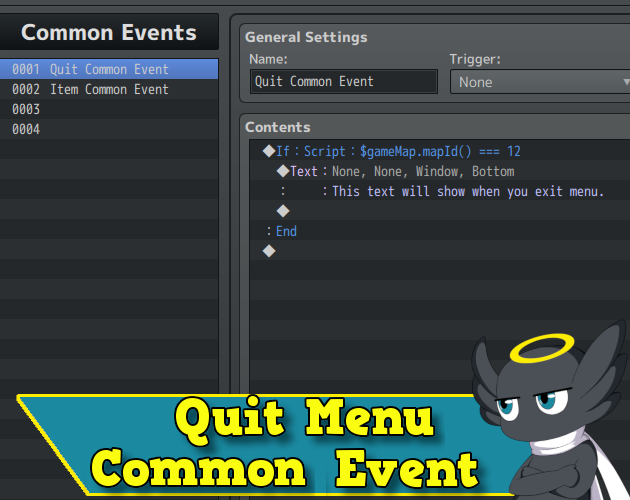
Hakuen Studio Quit Menu Common Event for RPG Maker MZ by Hakuen Studio
Play a common event every time the players close/exits the menu.
 hakuenstudio.itch.io
Features Mentioned
- Play a common event when the player quits the menu.
- Choose to play the menu common event after or before all other reserved common events.
Downloads / Referenced Files
Log in to download
Log in, then follow the RPG Maker Developers Group to see these download links.
Log in to downloadLicense / Terms Note
Terms of Use Hakuen Studio Quit Menu Common Event for RPG Maker MZ by Hakuen Studio Play a common event every time the players close/exits the menu. hakuenstudio.itch.io
Referenced Images / Attachments
Creator Claims / Removal
If you are the original creator and want this listing reassigned, edited, or removed, join BMMPlay and contact the moderators with proof that matches the original RPG Maker Web profile, linked GitHub, itch.io page, or another public creator identity.


Replies (0)
No replies yet.
0
replies
16
views
Topic Summary
Loading summary...
