



public

Rpg Maker Developers Group

Simple enough for a child, powerful enough for a developer

2 Followers

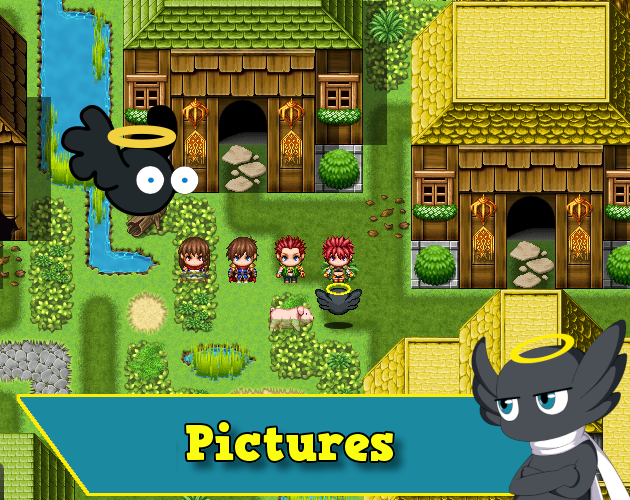
MZEli Pictures - Enhance the default picture event command to do more simple or complex commands.

BMM Archive · July 15, 2026

Preserved forum archive. This topic stores the original first post and locally mirrored RPG Maker Web attachments when available. It is posted by the BMMPlay archive account, not by the original creator.

Original Source

  • Original title: Eli Pictures - Enhance the default picture event command to do more simple or complex commands.
  • Original author: Eliaquim
  • Original date: December 10, 2020
  • Source thread: https://forums.rpgmakerweb.com/threads/eli-pictures-enhance-the-default-picture-event-command-to-do-more-simple-or-complex-commands.130841/
  • Source forum path: Game Development Engines > RPG Maker Javascript Plugins > JS Plugin Releases (RMMZ)

Summary

{ "lightbox_close": "Close", "lightbox_next": "Next", "lightbox_previous": "Previous",

Archived First Post

3pdyrtB.png

Author: Hakuen Studio

Introduction

When using pictures, sometimes you may want to show or move them in a more complex way.
But the only place you can be free is changing/setting the x and y position through variables.

This plugin adds an enhanced show/move pictures command where you can do complex things with all properties!

Features
  • New command for show and move pictures, letting you use formulas and variables for positions, scale, and opacity.
  • New shorter commands for a quick show and move pictures.
  • Fade picture command.
  • Erase more than one picture at once using \v[id] or formulas.
  • More origin points, besides the default Upper Left and Center: Upper Right, Upper Center, Center Left, Center Right, Low Left, Low Center, Low Right.

How to use

Google Docs

Picture Anchors


Screenshots
L5F8bJg.png

0L0MTty.png

TvfH0a6.png

L0kIU4P.png

UOF5pp4.png

uQxvzCo.png


Terms of Use
Update Log

Features Mentioned

  • New command for show and move pictures, letting you use formulas and variables for positions, scale, and opacity.
  • New shorter commands for a quick show and move pictures.
  • Fade picture command.
  • Erase more than one picture at once using \v[id] or formulas.
  • More origin points, besides the default Upper Left and Center: Upper Right, Upper Center, Center Left, Center Right, Low Left, Low Center, Low Right.

Downloads / Referenced Files

Log in to download

Log in, then follow the RPG Maker Developers Group to see these download links.

Log in to download

License / Terms Note

Terms of Use Update Log Hakuen Studio Enhanced Pictures MZ by Hakuen Studio Adds plugin commands to make complex events with pictures!

Referenced Images / Attachments

hakuenstudio.itch.io
Creator Claims / Removal

If you are the original creator and want this listing reassigned, edited, or removed, join BMMPlay and contact the moderators with proof that matches the original RPG Maker Web profile, linked GitHub, itch.io page, or another public creator identity.

#rmmz#plugin-archive

Replies (0)

No replies yet.

0 replies 1 view

Log in to reply.

User Avatar