


MZHints (tooltips) for words in Messages and Items
BMM_Archive · July 15, 2026

Preserved forum archive. This topic stores the original first post and locally mirrored RPG Maker Web attachments when available. It is posted by the BMMPlay archive account, not by the original creator.
Original Source
- Original title: Hints (tooltips) for words in Messages and Items
- Original author: Pheonix KageDesu
- Original date: August 28, 2020
- Source thread: https://forums.rpgmakerweb.com/threads/hints-tooltips-for-words-in-messages-and-items.126322/
- Source forum path: Game Development Engines > RPG Maker Javascript Plugins > JS Plugin Releases (RMMZ)
Summary
Help In Messages Version 1.1 by Pheonix KageDesu {
Archived First Post
Help In Messages
Version 1.1
by Pheonix KageDesu
Version 1.1
by Pheonix KageDesu
Protected download
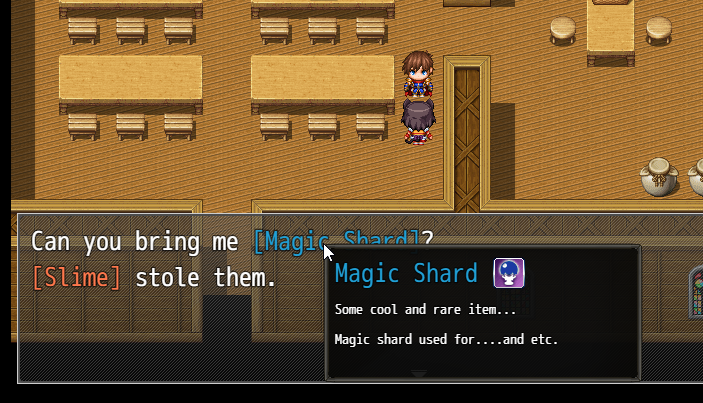
Plugin allows you create tooltips for any word or sentence in messages or for Items \ Skills
 Features:
- You can make word or sentence made easy for understand for player, or adding tooltip for it
- You can customize tooltip window, change window skin
- Extended control characters for better customization of your toolitps
- You can also add tooltips for items, weapons, armors and skills.
- Supports automatic word wrapping mode, no need to constantly use control characters for words
How to Use:
Basic way
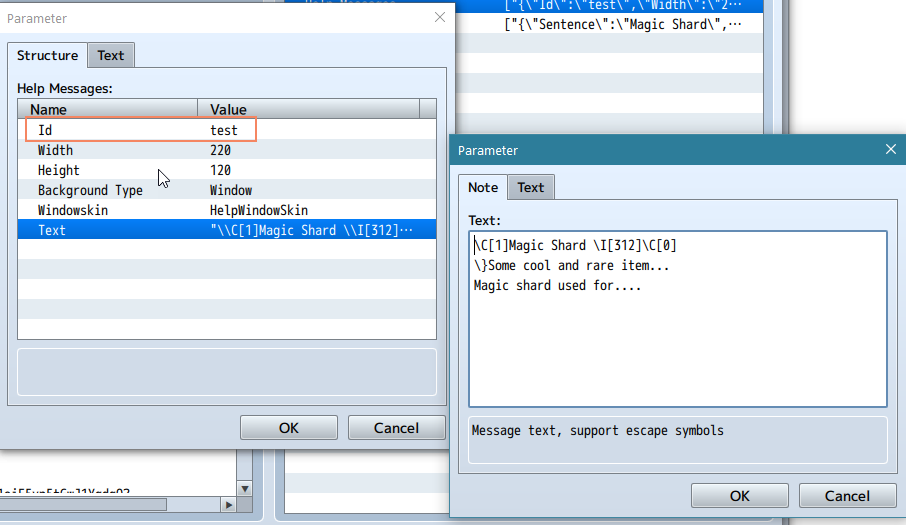
1. In Plugin Parameters create new Help Message with unique Id
Protected download
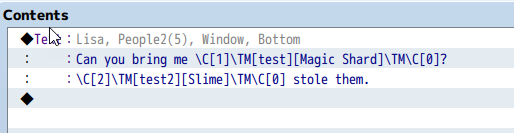
2. Use control-character \TM[Id] for linking created Help Message to any word or sentence in message
\TM[id]your word\TM, where id - your created help message Id
Protected download
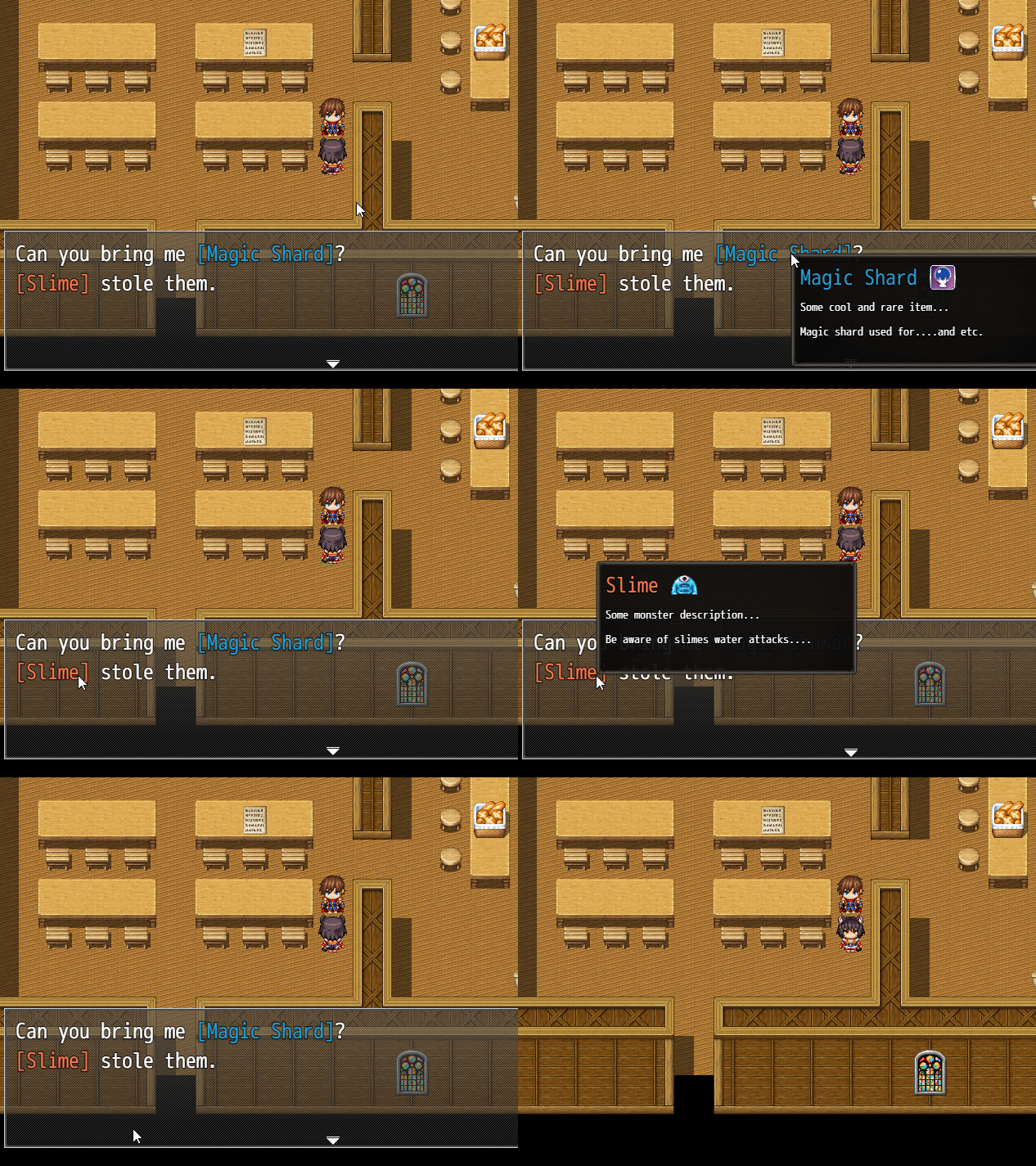
3. Hover word by mouse
Protected download
Using Auto Word Wrap
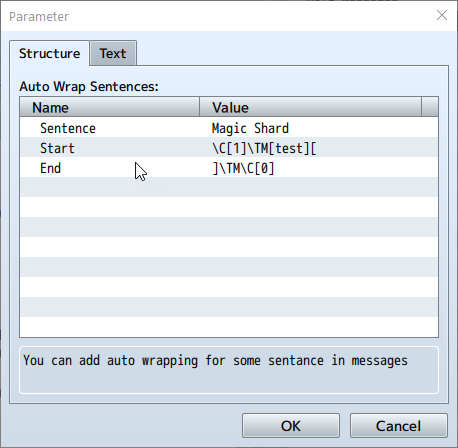
1. In Plugin Parameter create new Auto Wrap Sentence with your word (or sentence)
Protected download
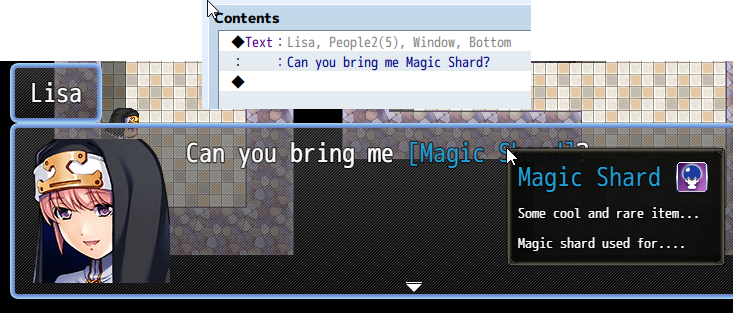
2. Just write your word (sentence) in message like always
Protected download
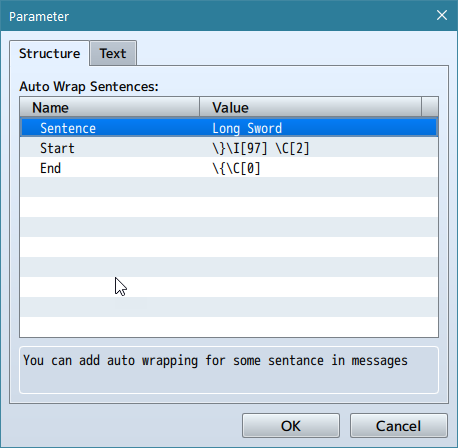
☝You can use Auto Wrap Sentences for any words or sentences and any escape-characters or other things
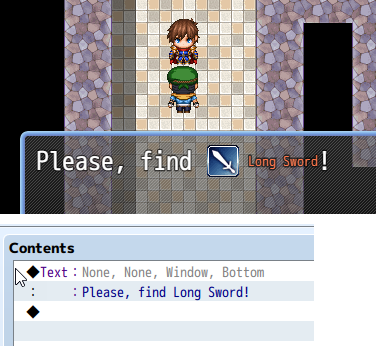
Example: Add icon, color and smaller font for "Long Sword"
Protected download
Protected download
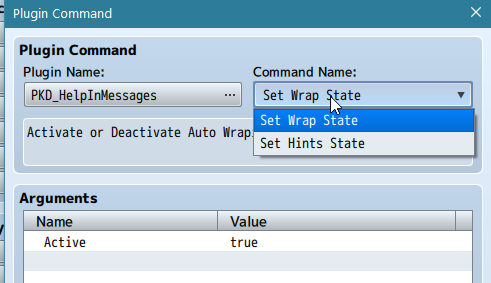
Plugin Commands
Protected download
This two commands allows you Activate or Deactivate Auto Wrapping or Help Hints
! Tested with VisuStella Message Core
Download (1.1):
Demo project for MV: download
Demo project for MZ download
Terms of Use:
Creative Commons 4.0 Attribution, Share Alike, Non-Commercial
(Attribution Non-Commercial Share Alike, cc by-nc-sa)
You can use plugin in non-commercial project for free
About use in commercial projects -> on official plugin webpage
Features Mentioned
- You can make word or sentence made easy for understand for player, or adding tooltip for it
- You can customize tooltip window, change window skin
- Extended control characters for better customization of your toolitps
- You can also add tooltips for items, weapons, armors and skills.
- Supports automatic word wrapping mode, no need to constantly use control characters for words
- How to Use:
- Spoiler: Instructions
- Basic way
- 1. In Plugin Parameters create new Help Message with unique Id
- 2. Use control-character \TM[Id] for linking created Help Message to any word or sentence in message
- \TM[id]your word\TM, where id - your created help message Id
- 3. Hover word by mouse
- Using Auto Word Wrap1. In Plugin Parameter create new Auto Wrap Sentence with your word (or sentence)
- 2. Just write your word (sentence) in message like always
- Example: Add icon, color and smaller font for "Long Sword"
- Plugin Commands
- This two commands allows you Activate or Deactivate Auto Wrapping or Help Hints
Downloads / Referenced Files
Log in to download
Log in, then follow the RPG Maker Developers Group to see these download links.
Log in to downloadLicense / Terms Note
Terms of Use: Creative Commons 4.0 Attribution, Share Alike, Non-Commercial (Attribution Non-Commercial Share Alike, cc by-nc-sa) You can use plugin in non-commercial project for free
Referenced Images / Attachments
Creator Claims / Removal
If you are the original creator and want this listing reassigned, edited, or removed, join BMMPlay and contact the moderators with proof that matches the original RPG Maker Web profile, linked GitHub, itch.io page, or another public creator identity.
Replies (0)
No replies yet.
0
replies
13
views
Topic Summary
Loading summary...

