Hi guys!
So I'm writing my visual novel and testing the "game engine" in a test, simple project.
In my mind that's easy, but something is wrong cause the engine doesn't work as expected.
This test is simple.
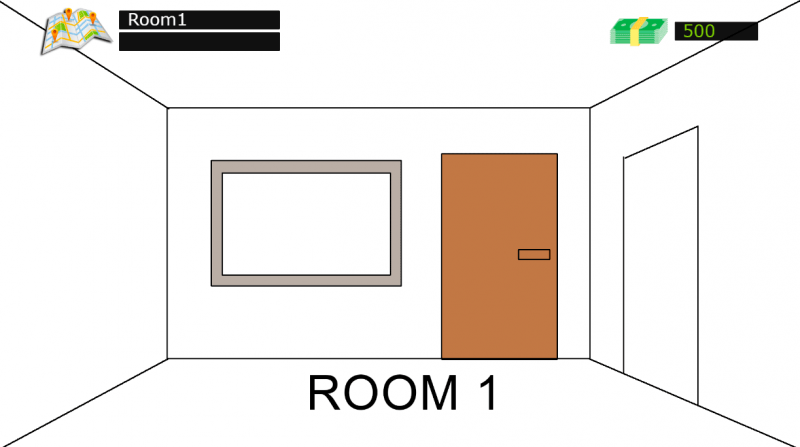
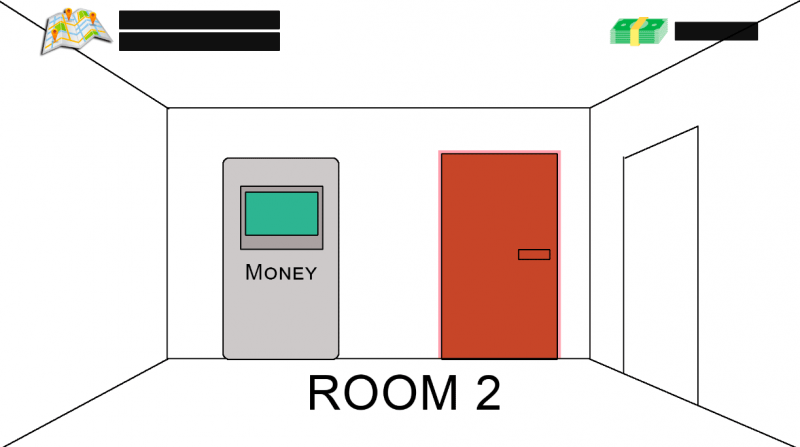
We have 2 rooms, linked each other by a clickable door.
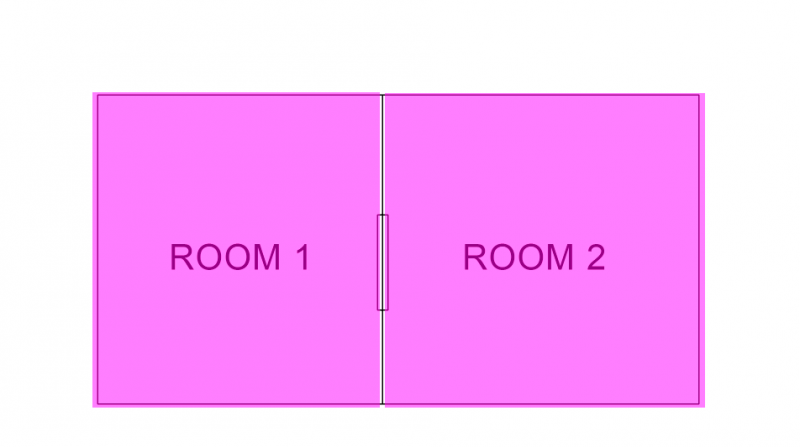
Through a topbar ui, I can open the house map and select the room from there, too.
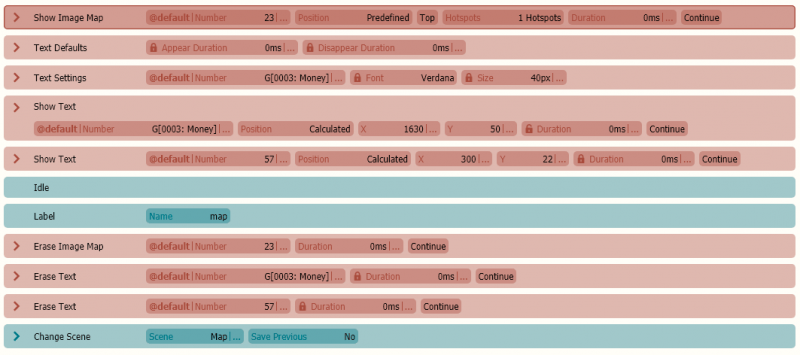
In the topbar I can also see the current location name and the amount of money I collected.
Here the screenshots of room 1, room 2 and map (graphics):
Protected download Protected download Protected download
and this is how I built the whole thing:
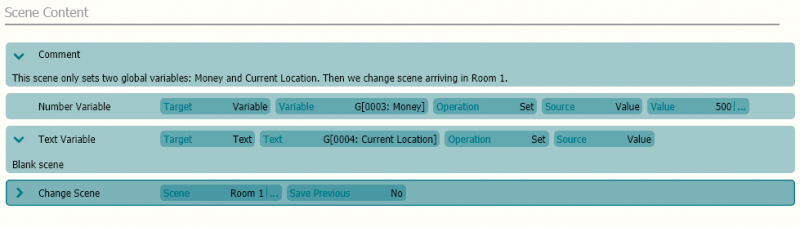
In the
Intro Scene, I set 2 variables: Current Location and Money.
Protected download
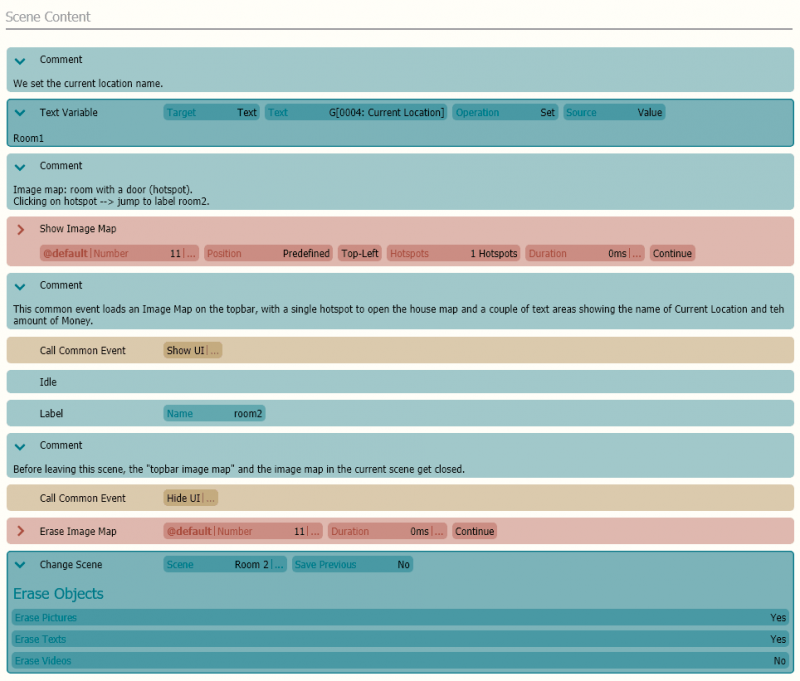
Then we reach the scene for Room 1.
The room is an image map and the topbar ui (see image) is called as common event (image map with texts, similar to the message box of VNM).
So, to reach room 2, we can click on the door OR use the map and click on room 2...but something goes wrong and everything soon starts to behave like a big mess.
Looks like hotspots continue to interfere also with the other scenes.
Room1:
Protected download
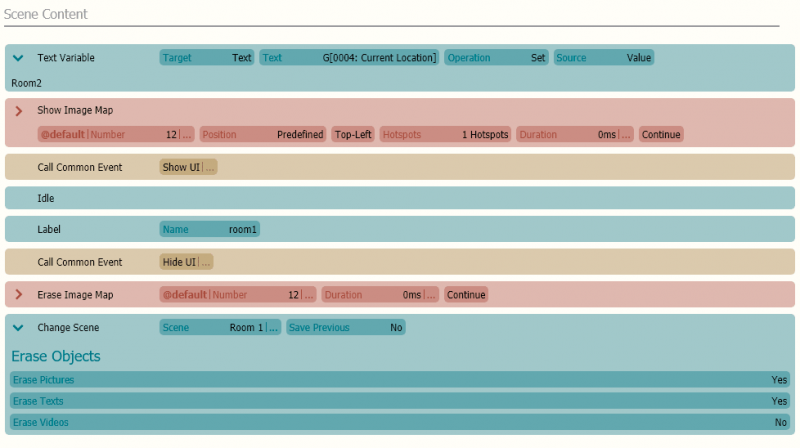
Room 2:
Protected download
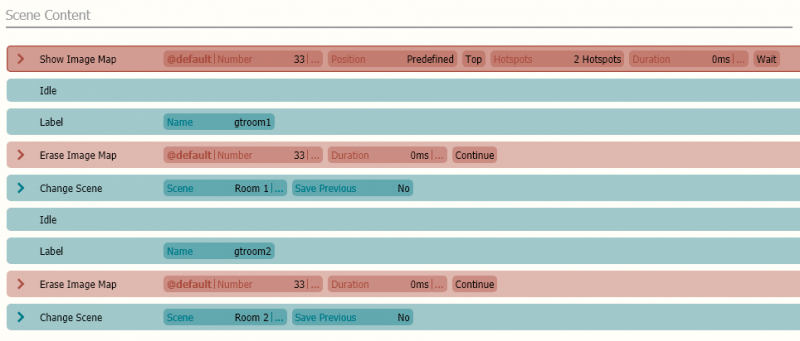
House Map:
Protected download
Common Event "Show UI":
Protected download
Common Event Hide UI:
Protected download
Project files:
https://mega.nz/#!PPRSzabD!_cJpSb8yyUJu-xiyCu7Cq2cs-_qo3pmPcAc0cPc4kYw






 Amazon Fire TV 50-Inch 4-Series 4K UHD Smart TV
4K smart TV with Fire TV built in for streaming, games, and living room viewing.
View on Amazon
Amazon Fire TV 50-Inch 4-Series 4K UHD Smart TV
4K smart TV with Fire TV built in for streaming, games, and living room viewing.
View on Amazon