


Player and events walking behind/under walls
BMM_Archive · July 16, 2026

Preserved forum archive. This topic stores the original first post and locally mirrored RPG Maker Web attachments when available. It is posted by the BMMPlay archive account, not by the original creator.
Original Source
- Original title: Player and events walking behind/under walls
- Original author: mishakoc
- Original date: September 10, 2019
- Source thread: https://forums.rpgmakerweb.com/threads/player-and-events-walking-behind-under-walls.113121/
- Source forum path: Game Development Engines > RPG Maker Tutorials > RMMV Tutorials
Summary
In this tutorial, you will learn how to let player and events walk behind walls and from one room to another without awkward holes in the ceiling. { "lightbox_close": "Close", "lightbox_next": "Next",


Archived First Post
In this tutorial, you will learn how to let player and events walk behind walls and from one room to another without awkward holes in the ceiling.

You will need
Yanfly's Core Engine - required for the two plugins to work
Yanfly's Grid-Free Doodads - don't forget to add Doodads.json to your project as well!!
Yanfly's Region Restrictions
Graphics of walls in the format of doodads.
How it works
Unzip the downloaded folder and place the img folder (which is inside) in your project directory.
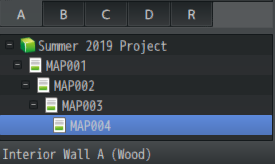
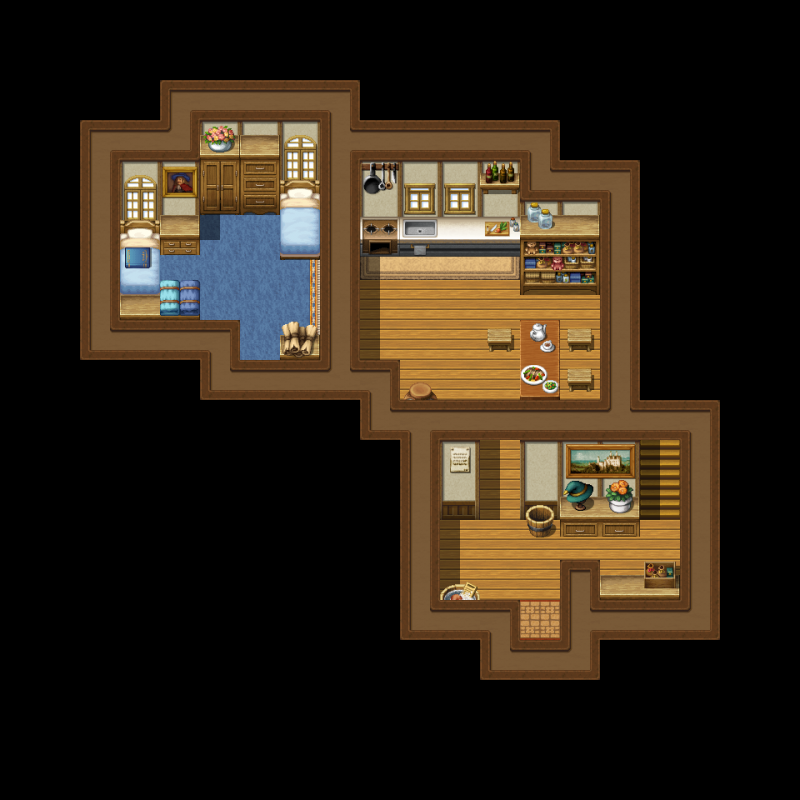
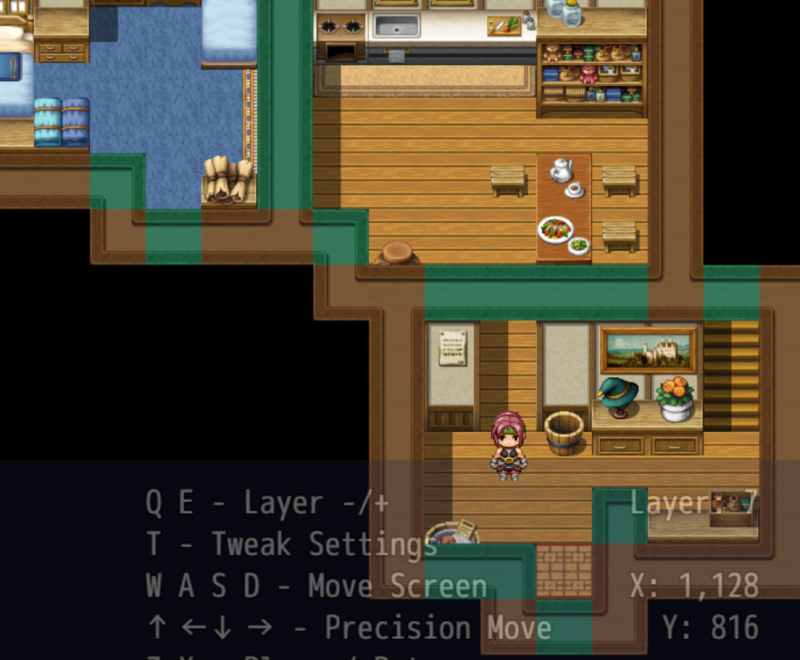
When your room is mapped as you want it, playtest your game. Open the Doodads menu by pressing F10. Click Place Doodads and open the folder Roofs. That's where the doodads are stored. Find the folder with the wall you are using. In this tutorial, we are using Interior Wall A. I changed the color of the doodads so you can actually see where I'm placing it, it won't be turquoise in your game.
Grab one of the doodads so you can place it. There's a couple of things to remember:
Protected download
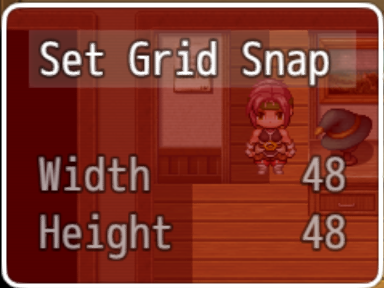
1) You need to set the doodad in a grid - you can do so by pressing key G, then setting grid to snap to 48x48 (you can make the grid snap automatically to 48x48 in the plugin's parameters if you want to).
Protected download
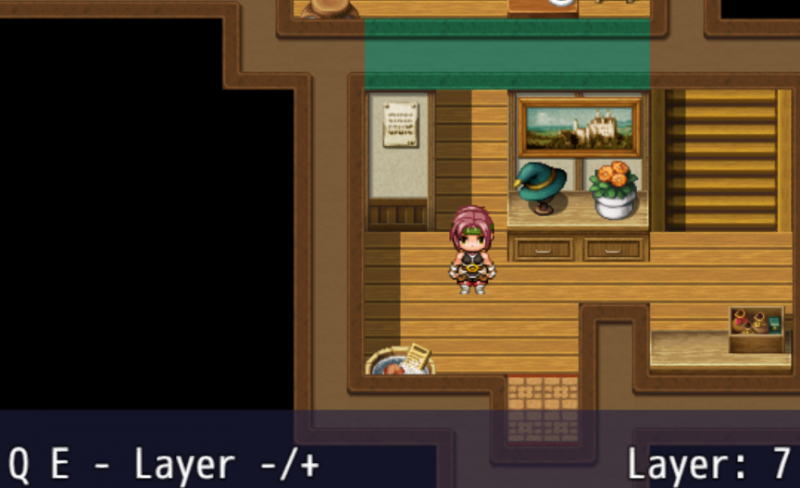
2) You also need to set the layer of the doodad to 6 or higher. I personally use 7 but it's up to you. You can use key E to set the layer higher.
Protected download
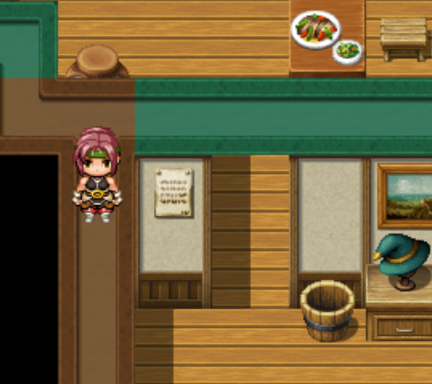
Now you can place the doodad in the desired location. Look at the picture to get an idea. Do this for every single wall tile you want the player to walk behind. Save by clicking Save and Close in the doodads menu.
At this moment you can walk behind the walls. But, there's a problem!
Protected download
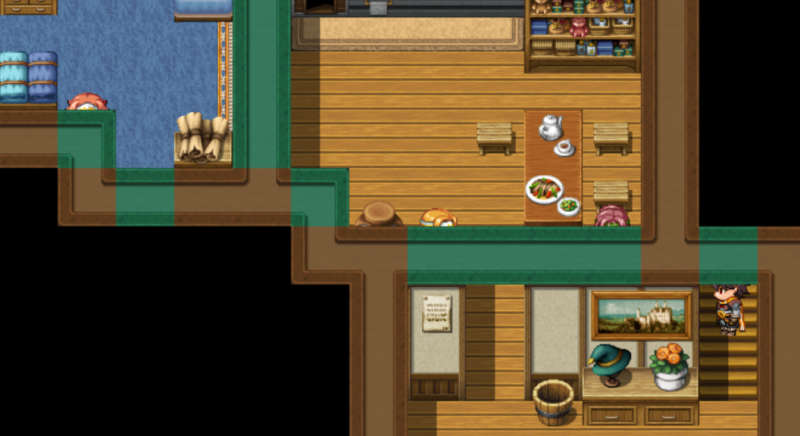
The player can suddenly walk all over the roof. To fix this, we will use region restrictions.
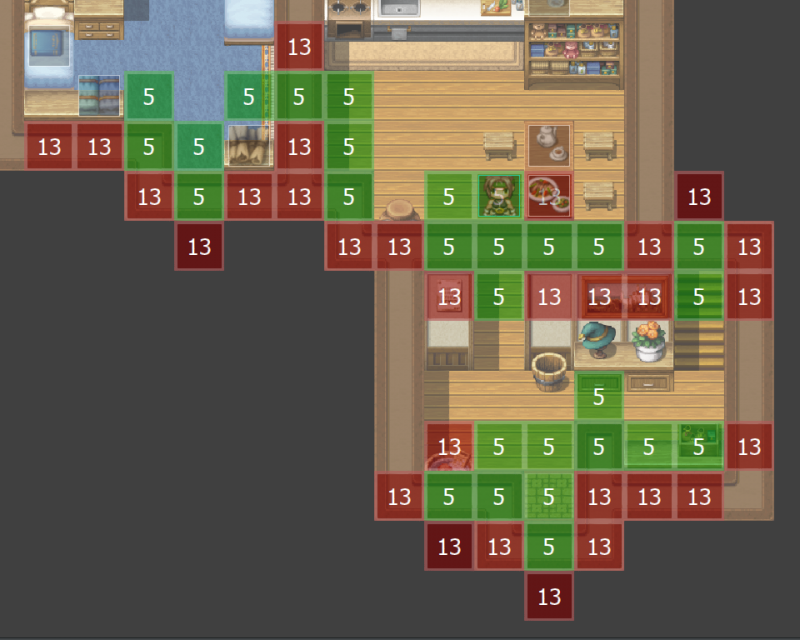
In the Region Restrictions plugin's parameters, you need to set where the events are allowed and not allowed to go - by using the number of a region. In this example, events can walk on the green region 5, but are not able to on the red region 13. You might need to experiment a bit to figure where to place the regions. Protected download
The picture will help you.
Protected download
As you can see, events can walk behind the walls, as well as below the room entrances.
Further tip: if you want to use doors inside, check out Tea's Jams' underpass door frame tiles resource.
You will need
Yanfly's Core Engine - required for the two plugins to work
Yanfly's Grid-Free Doodads - don't forget to add Doodads.json to your project as well!!
Yanfly's Region Restrictions
Graphics of walls in the format of doodads.
If you are using RTP walls, you can grab this pack I made for your convenience.
All of the roof tiles are named the same way as in MV:
Protected download For example, in this tutorial we will use Interior Wall A, so you can find it in the corresponding folder.
All of the roof tiles are named the same way as in MV:
Protected download For example, in this tutorial we will use Interior Wall A, so you can find it in the corresponding folder.
How it works
Unzip the downloaded folder and place the img folder (which is inside) in your project directory.
Protected download
Grab one of the doodads so you can place it. There's a couple of things to remember:
Protected download
1) You need to set the doodad in a grid - you can do so by pressing key G, then setting grid to snap to 48x48 (you can make the grid snap automatically to 48x48 in the plugin's parameters if you want to).
Protected download
2) You also need to set the layer of the doodad to 6 or higher. I personally use 7 but it's up to you. You can use key E to set the layer higher.
Protected download
Now you can place the doodad in the desired location. Look at the picture to get an idea. Do this for every single wall tile you want the player to walk behind. Save by clicking Save and Close in the doodads menu.
At this moment you can walk behind the walls. But, there's a problem!
Protected download
The player can suddenly walk all over the roof. To fix this, we will use region restrictions.
In the Region Restrictions plugin's parameters, you need to set where the events are allowed and not allowed to go - by using the number of a region. In this example, events can walk on the green region 5, but are not able to on the red region 13. You might need to experiment a bit to figure where to place the regions. Protected download
The picture will help you.
Protected download
As you can see, events can walk behind the walls, as well as below the room entrances.
Further tip: if you want to use doors inside, check out Tea's Jams' underpass door frame tiles resource.
Downloads / Referenced Files
Log in to download
Log in, then follow the RPG Maker Developers Group to see these download links.
Log in to downloadReferenced Images / Attachments
Creator Claims / Removal
If you are the original creator and want this listing reassigned, edited, or removed, join BMMPlay and contact the moderators with proof that matches the original RPG Maker Web profile, linked GitHub, itch.io page, or another public creator identity.
Replies (0)
No replies yet.
0
replies
8
views
Topic Summary
Loading summary...
