Hi everyone, this is my first post so hopefully I've done everything right!
So I've seen a fair amount of people ask about the OverpassTile plugin with no real answer to their questions, and this is to clear it all up. If you have no idea what I'm talking about, here's the context: in the DLC folder of your RPG Maker MV files, you'll find a bunch of KADOKAWA plugins. OverpassTile.js is one of these plugins.
First of all,
what does this plugin even do?
It lets you walk over
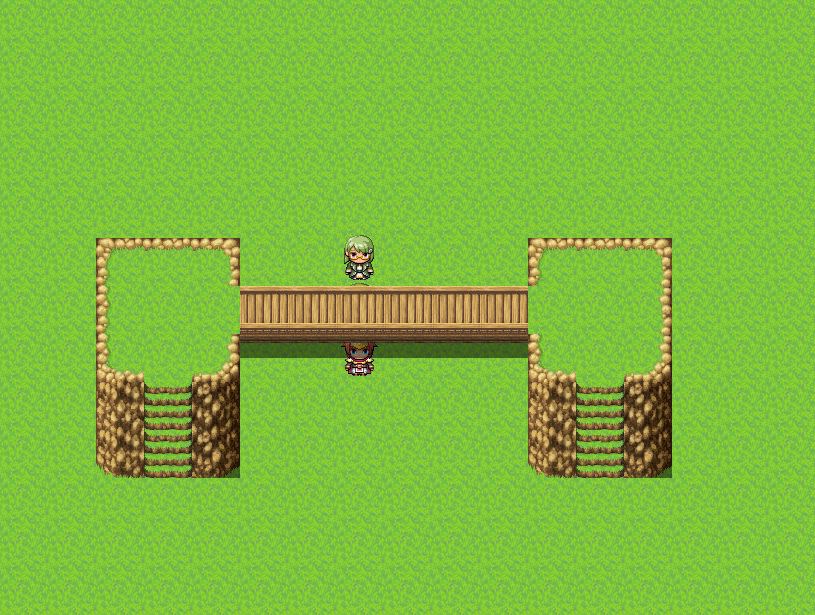
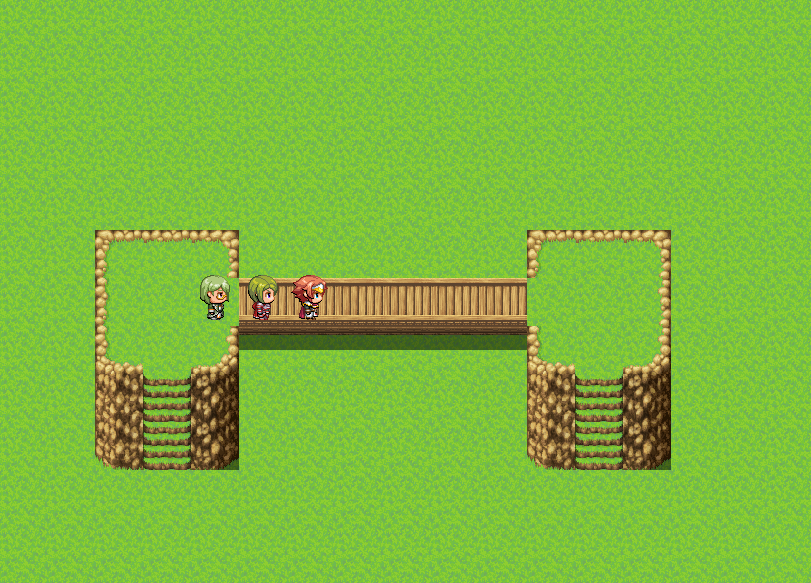
OR under a tile - an easy example to use this on would be a bridge. Typically, because of the tileset passibility, you can only walk over it, not under it. Here's some pictures in case I haven't explained it very well:
UNDER the bridge:
Protected download
OVER the bridge: (in this case, your actor can't walk off the side of the bridge; he/she can only get off at the ends)
Protected download
So wait -
how do you use this plugin?
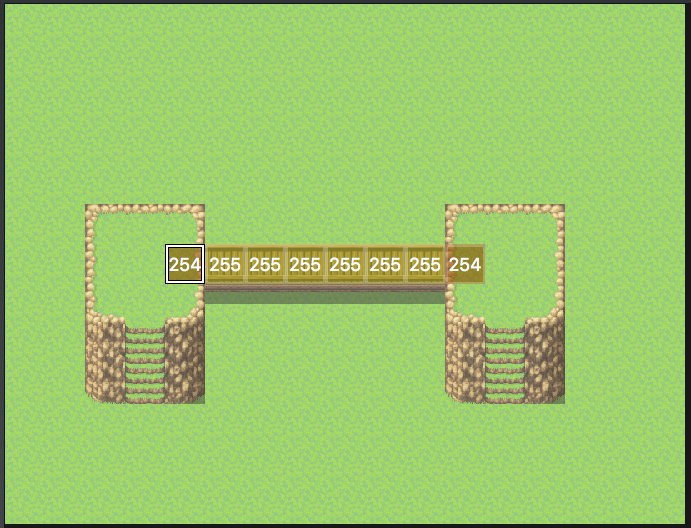
It's simple, really. You just need two region tiles to set this up. By default, tiles 254 and 255 are used, but that is changeable in the parameters. Respectively, they are called the
gateway region tile and the
overpass region tile.
Basically, the
overpass tile is the "bridge" itself (or whatever tile you may be using). The
gateway tile is what lets the game know that the actor is
over or under the "bridge", so these gateway tiles are used on the ends of the bridge. This explanation might be strange to get, so here's another picture of how it's supposed to be set up to get the result from the above pictures^^.
REGION SET UP:
Protected download
There are
some problems with this plugin, though (as warned in the file), but I have
a solution linked further down:
1. collision check is not supported.
2. putting events near the gateways may mess with the checks it needs to make.
This means the following can happen:
1. an event
on top of the bridge can stop your actor from walking
under it even if you're
supposed to be under the bridge.
2. events beside the bridge are still accessible even though you're
on top of the bridge and the event is
off of it.
3. damage floor still applies even if you're
on top of the bridge.
4. bush floor still applies even if you're
on top of the bridge.
I haven't personally tested this far myself, but the link below explains these problems in better detail and
also offers an extension plugin that fixes the collision check.
Link:
http://andrewxeno.github.io/posts/2015/12/22/OverpassTile-Fix/
Hope this post was okay!
aeratheninja-




 SANUS Advanced Full-Motion TV Wall Mount
Full-motion TV mount for flexible viewing angles and a cleaner entertainment wall.
View on Amazon
SANUS Advanced Full-Motion TV Wall Mount
Full-motion TV mount for flexible viewing angles and a cleaner entertainment wall.
View on Amazon