Brief description: I have been making a custom submenu and figured out how to have an event reveal them. Here we will make the main Submenu page, and hide it until a switch is triggered. Here is a video of what we are making Spoiler: video
Brief description: I have been making a custom submenu and figured out how to have an event reveal them.
Here we will make the main Submenu page, and hide it until a switch is triggered.
Here is a video of what we are making
Requirements:
RPG Maker MV
Yanfly Core Engine
Yanfly Main Menu
Images
Tutorial body:
So first thing's first.
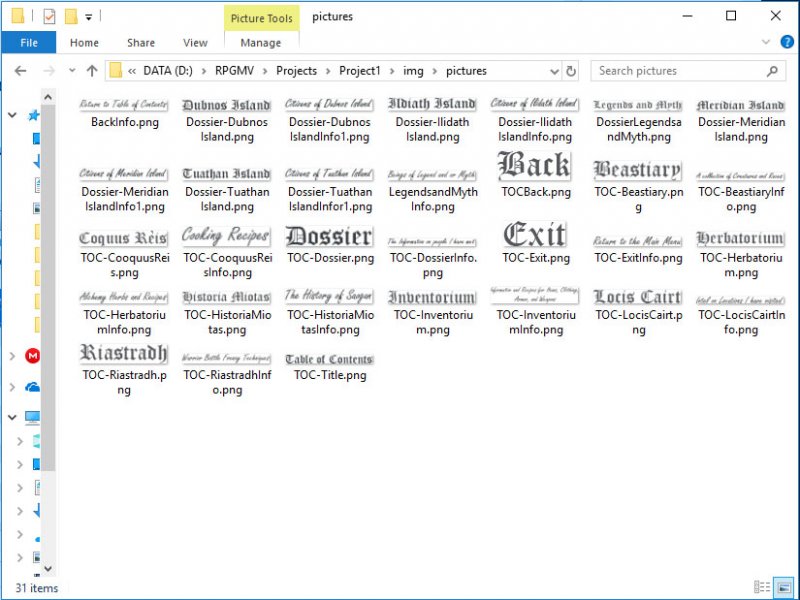
Get whatever images you want (yes make that text an image) put in your Pictures folder. Put the menu background in the parallax folder I use a special naming convention.
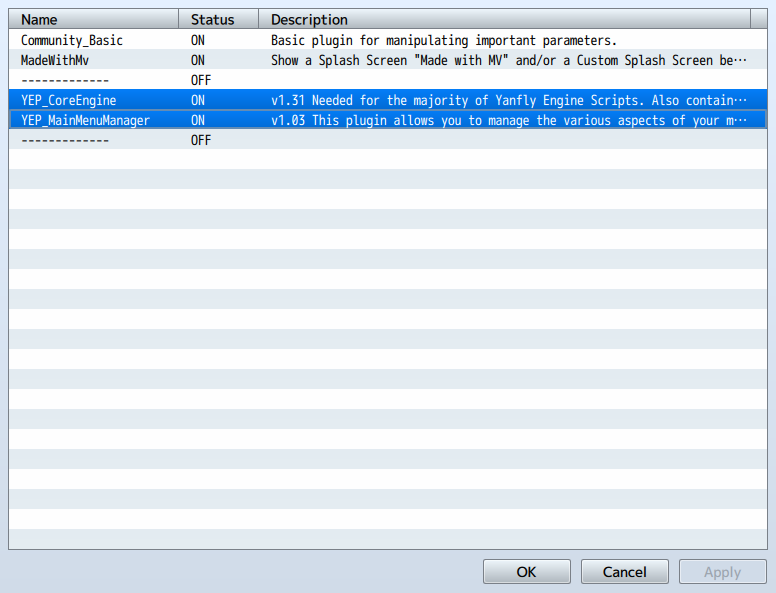
you need to go to plugins and install Yanfy's Plugins in the order below.
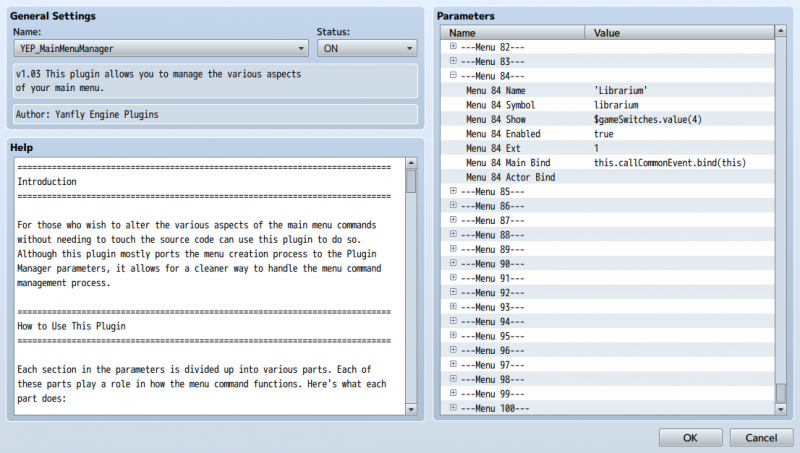
Next, go to Main Menu Manager and type $gameSwitches.value(4) in Menu 84 show (see image below):
NOTE: (4) is my switch. you can select any switch number you want. THIS IS IMPORTANT!!!!!!!!!!!!!!!!!!!!!!!!!!
See Menu 84 EXT? We will be putting our Common event number here.
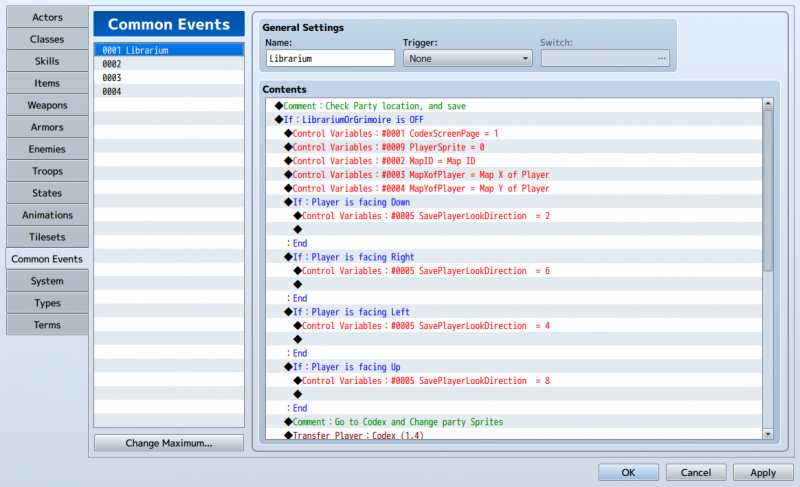
Ok Now we go to Database> Common Events and select an empty slot. I chose Number 1.
Type a name then go back to Yanfly's Main Menu Manager and put the number in the EXT slot.
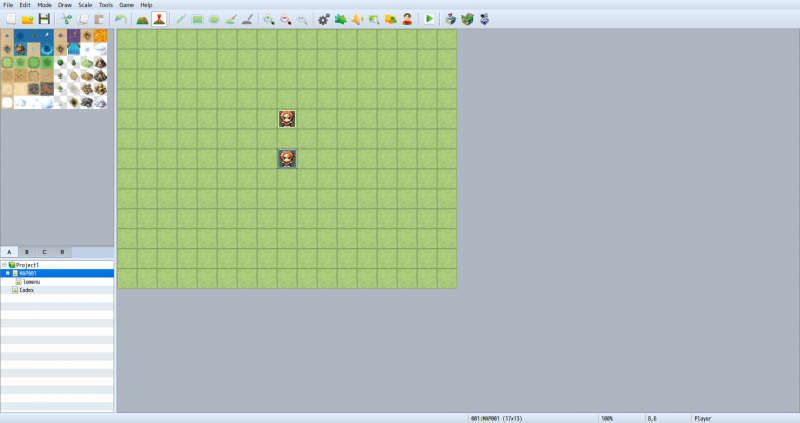
Now let's make the map. Go to Map 001 and rename it Debug. It is good practice so I advise you to do it. Trust me.
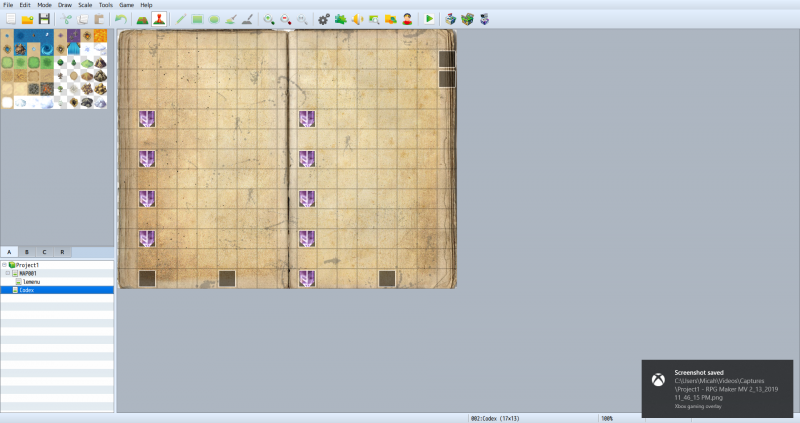
then duplicate that map and name it whatever you want that menu to be. I named mine Codex. (lemenu is a different map ignore it).
Protected download
Protected download
Still with me? Good. ok, let's make the Icons for your menu. Don't worry we will come back to debug.
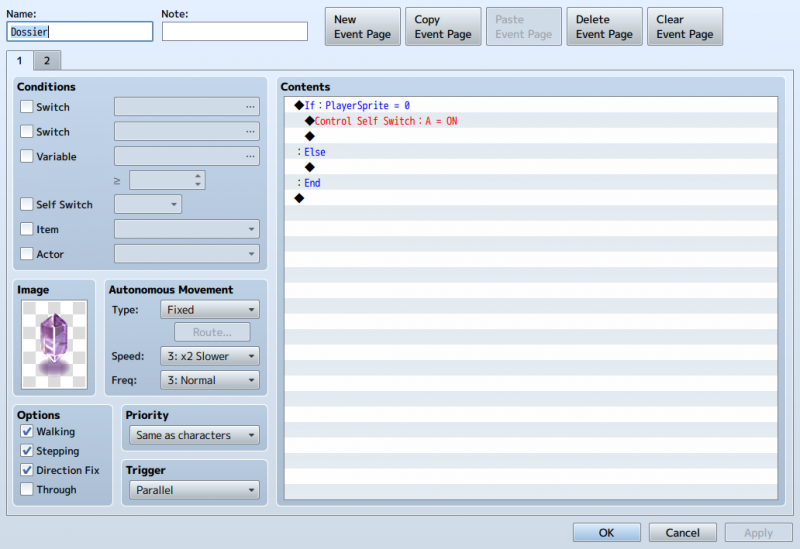
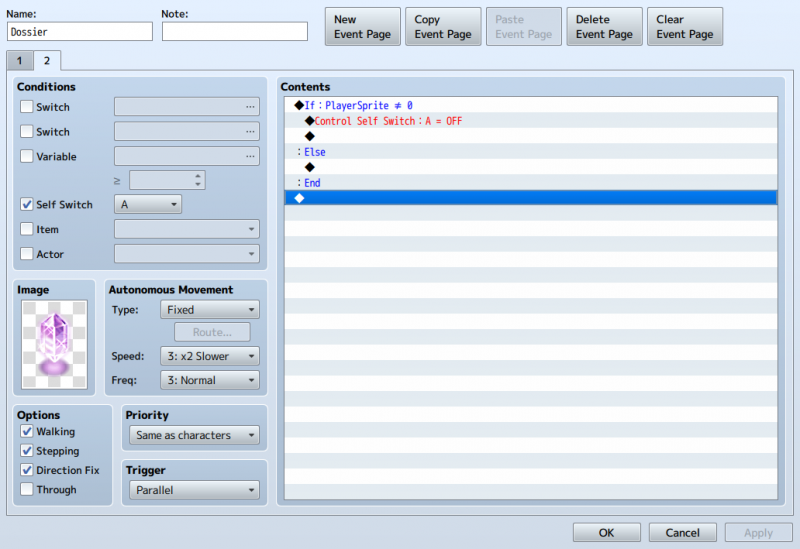
Make an event, name it after the icon you want it to represent. Choose a character, check the options bellow, trigger is parrallel.
We want to make each icon with a
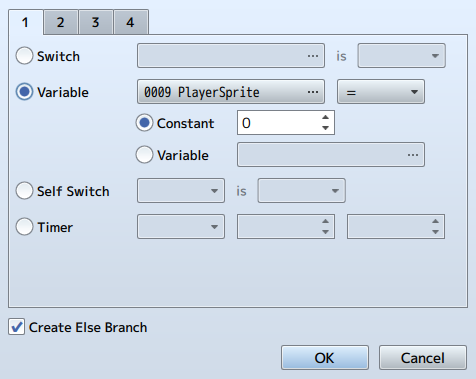
conditional branch to check a variable called
PlayerSprite. Make each variable go +1 starting with 0 per event you make.
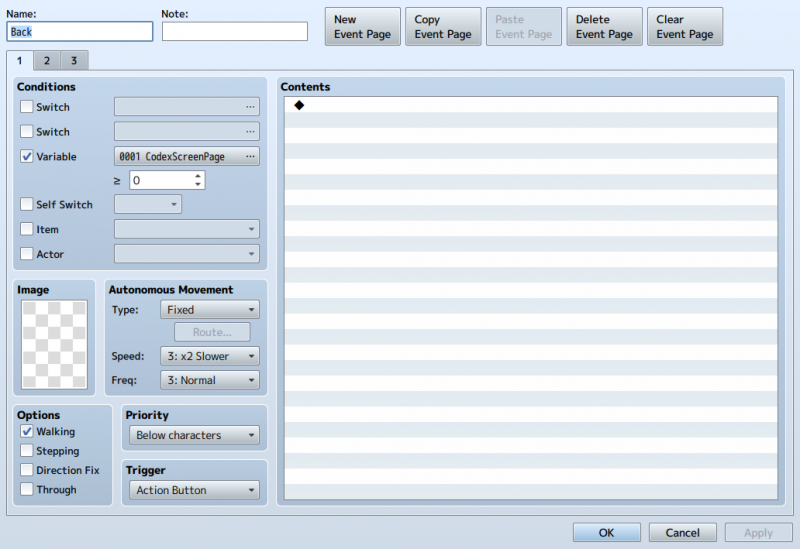
now make a new sheet
Protected download
Translation: If the player is not on top of the icon, we want this page to run.
Protected download
Protected download
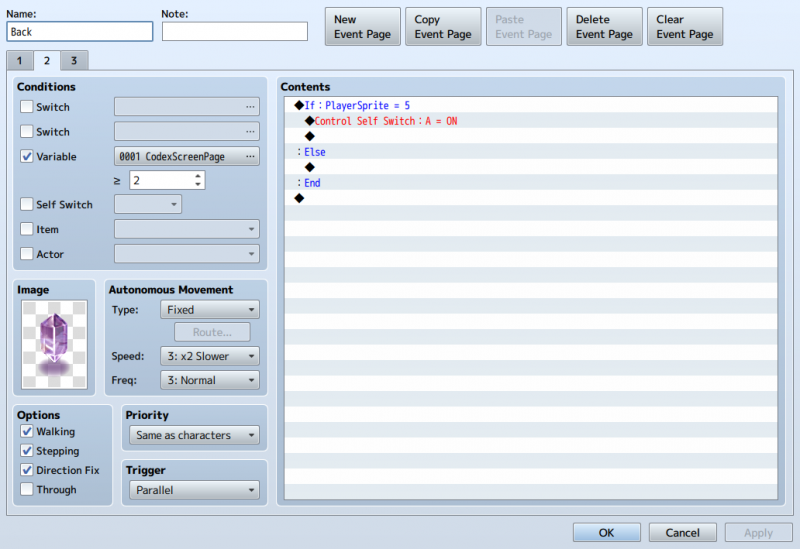
If the player is on top, we want this page to run
IF YOU KNOW YOU NEED AN ICON ON A DIFFERENT PAGE BUT NOT ON ANOTHER MAKE A VARIABLE CALLED "PAGE" AND SEE BELOW:
Protected download
Protected download
Do you really need page 3?
Did you forget to set Priority to below Character? Don't worry, me too! Repeat as need.
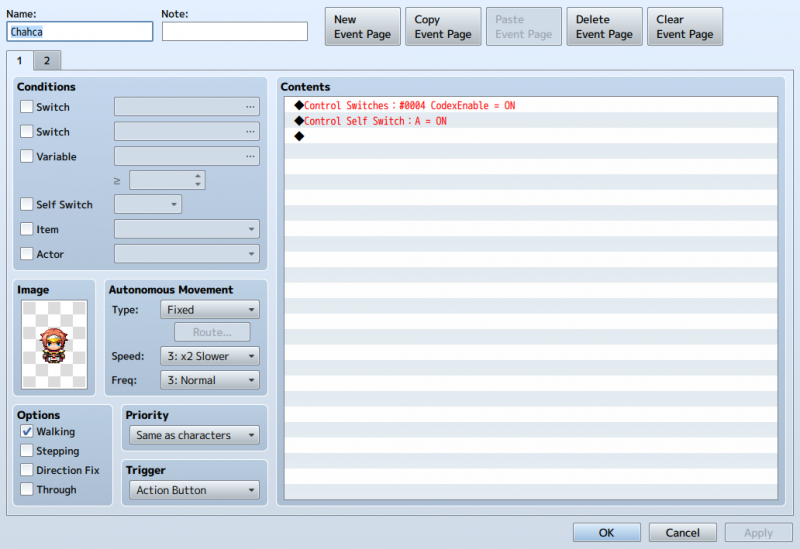
Now go to debug and make an event. Have it control a switch. PUT IN THE SWITCH YOU DESIGNATED IN THE MAIN MENU MANAGER!!!!!!!!!!!!!!!!!!!!!!!!!!!!!!!!!!
Now have it select control switch A, make a new page with the condition control switch A. Put an image in it so you can know it worked.
Now back to the Common Event!
You need to make a switch. Name it whatever you want. follow below:
Protected download
Protected download
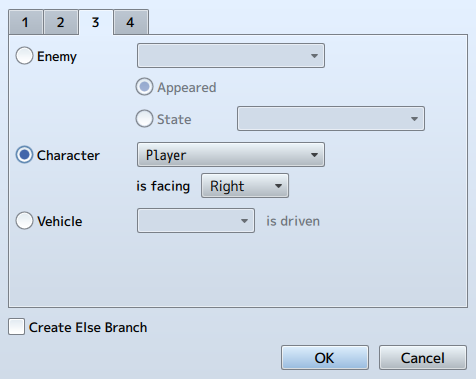
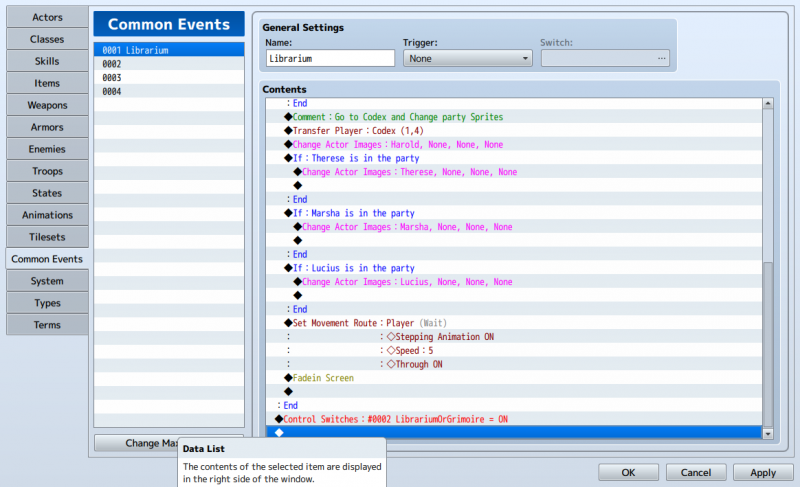
Page three of the condition branch. This will store the player facing in a variable. Variables serve as a memory for the game.
Protected download
See the set Movement? I made this especially for any over loocked Icons. So if you can't move, Check this.
Ok Common Event is done. Go check it out.
You should see your menu with no new additions, interact with the event and it pops up. Now you select it and....YOU CAN"T MOVE! That's ok. Now comes the headache.
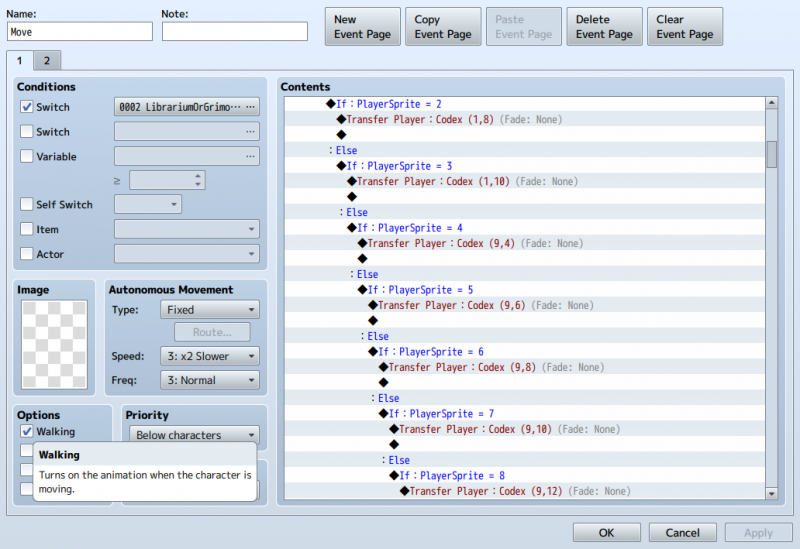
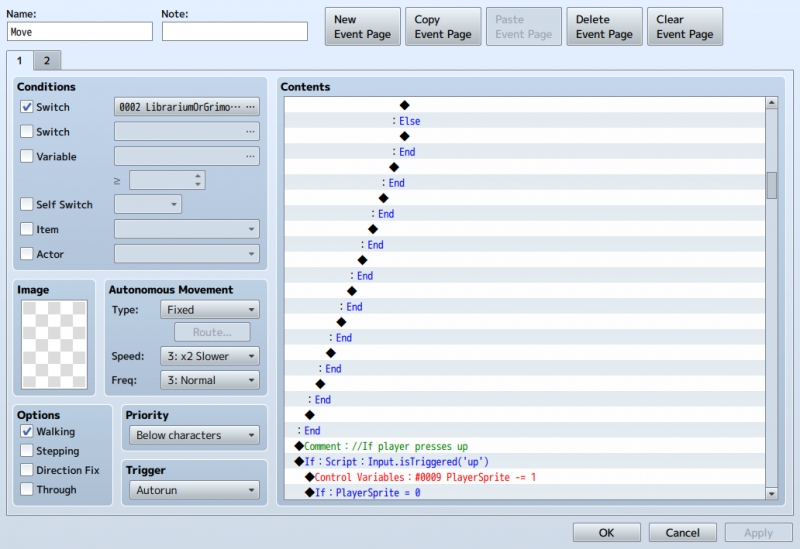
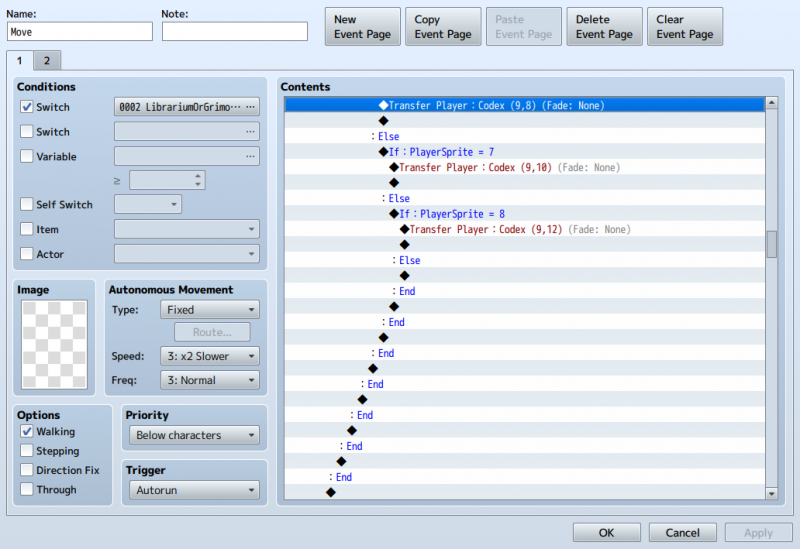
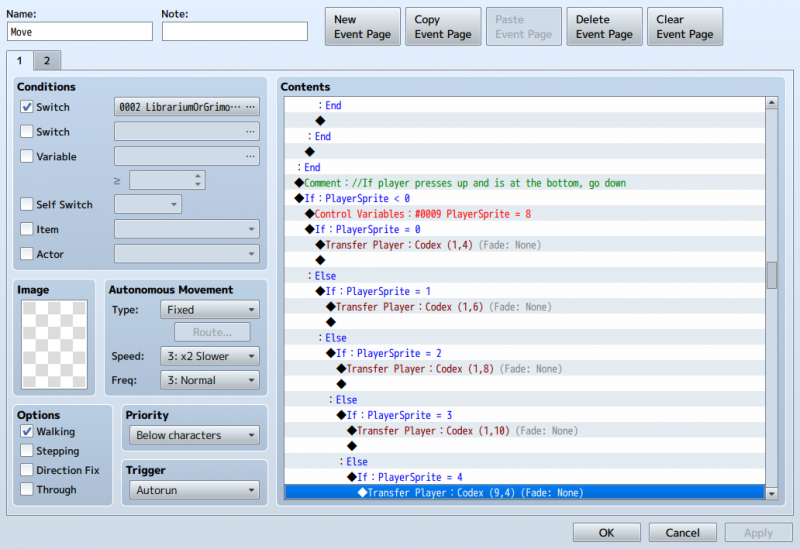
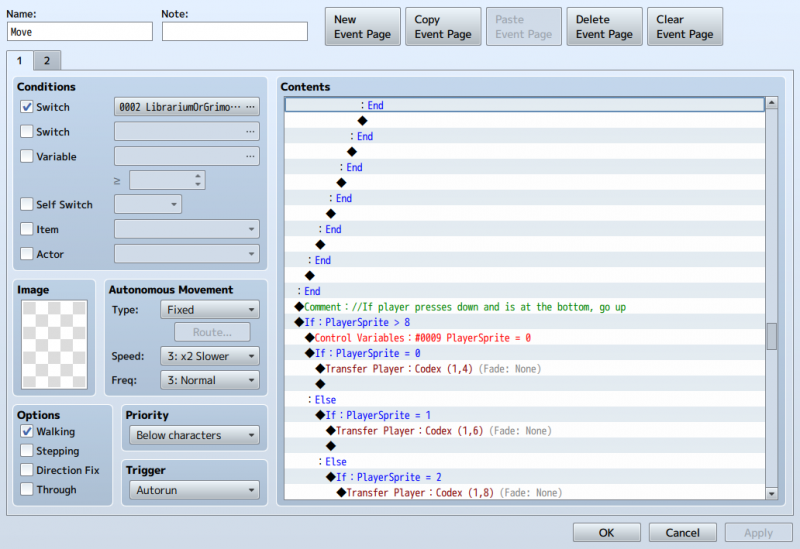
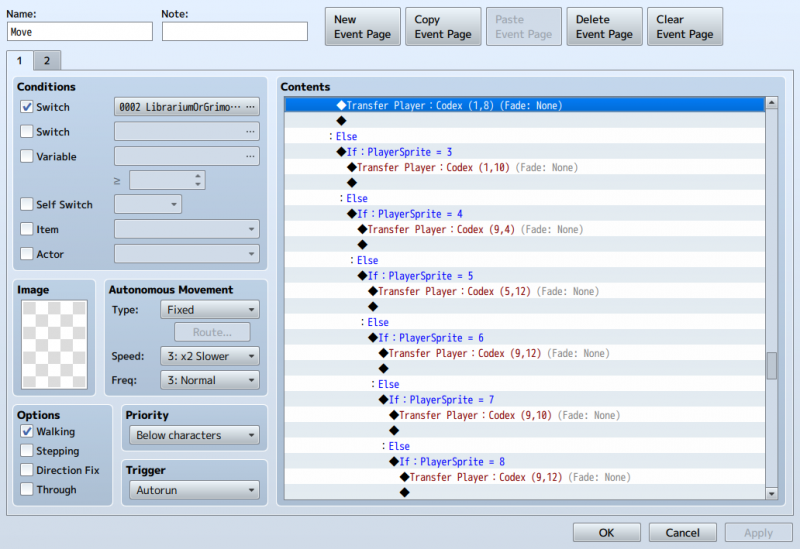
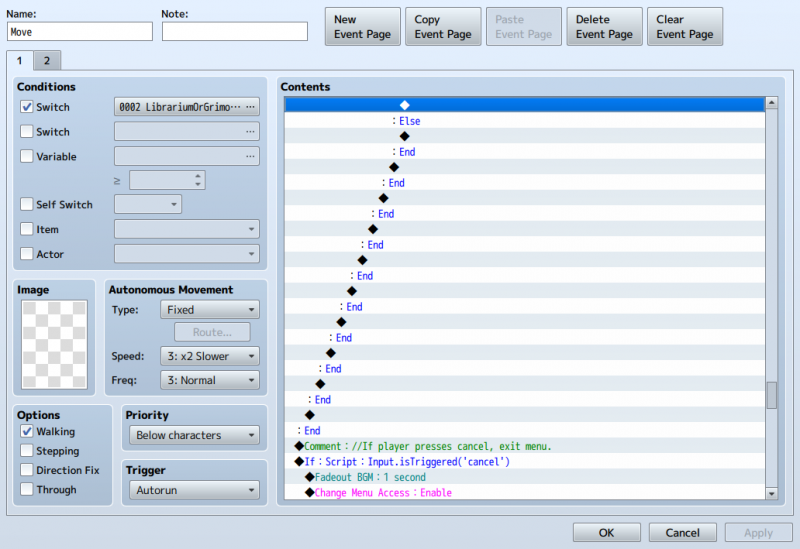
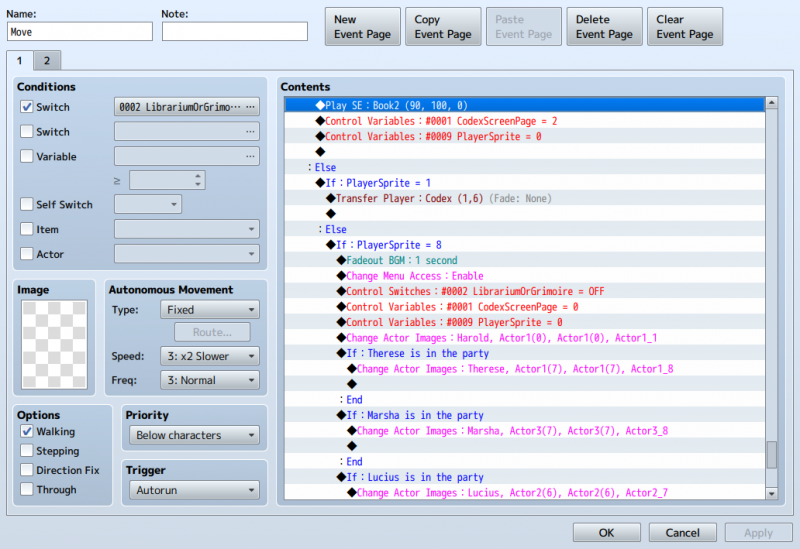
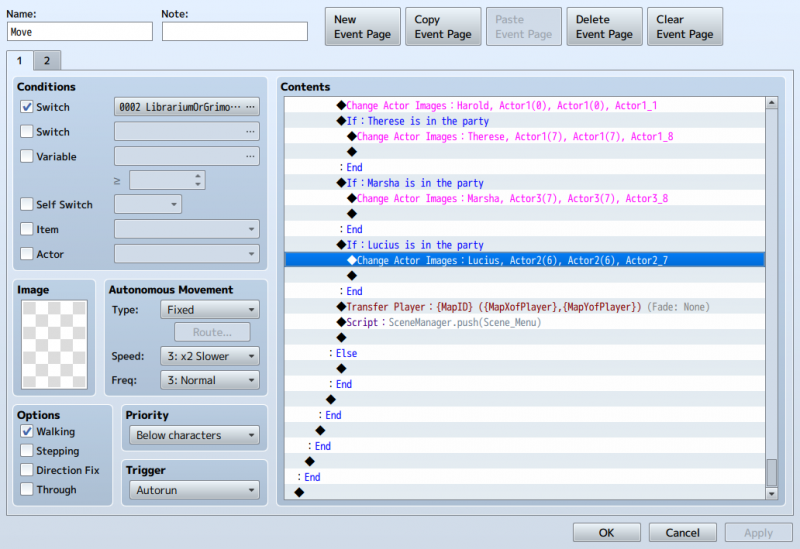
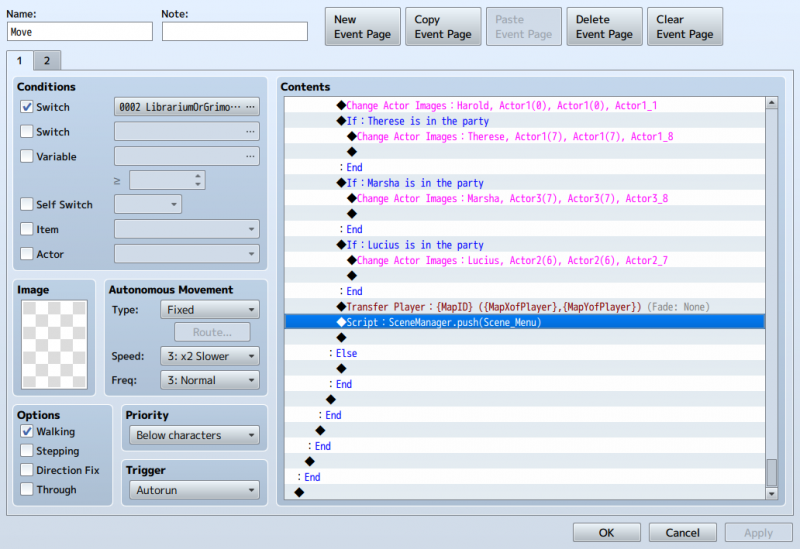
Make an event, set it to Autorun. VERY IMPORTANT OR YOU won't MOVE!!!!!!!!
Follow the pictures. Trust me you want pictures:
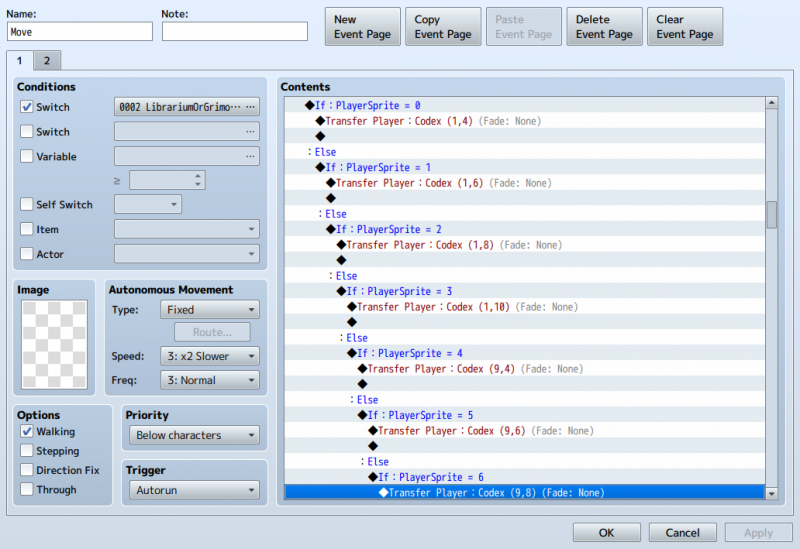
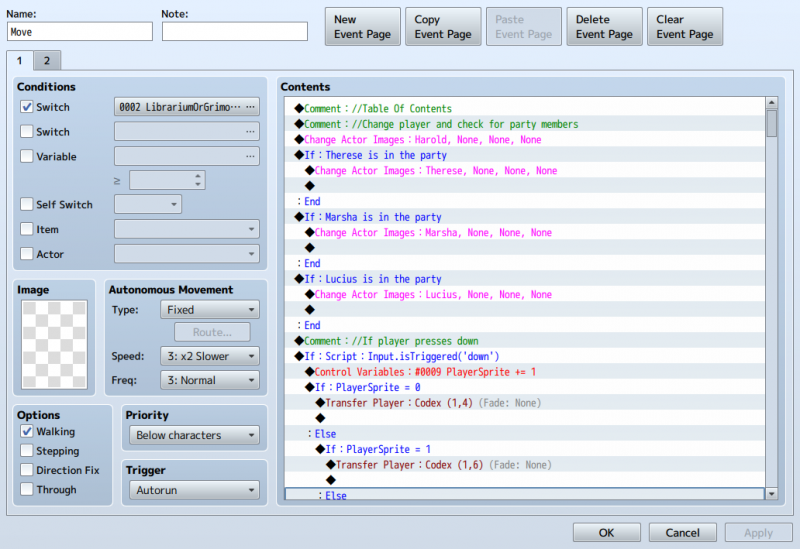
This is how we move. Note after inputing the Script condition, the rest is copyProtected download and paste.
Protected download
Protected download
Protected download
Protected download
Protected download Protected download
Yeah, I hated my self too. Try doing <600 lines of C# code in College. Well lets get too it (there's more)
Protected download Protected download
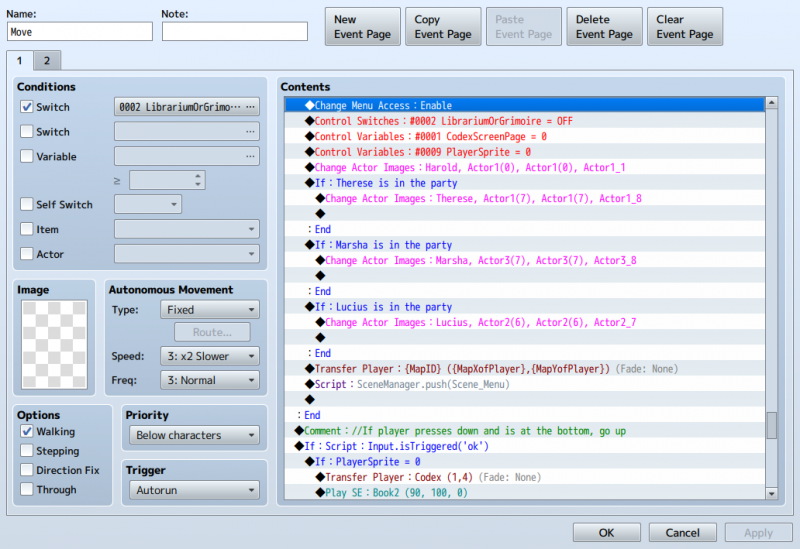
If you press escape:
Protected download
HI! So below:
If you press cancel, or ok at 8 (or whatever number you choose to exit), you need to set the page to 0! VERY IMPORTANT FOR THE NEXT PHASE!
If you press ok at "0" you trigger a second page. THAT WILL BE IN PART 2!
Protected download
Ok THESE ARE IMPORTANT:
Protected download Protected download
NOTE: THAT LAST LINE IS IMPORTANT!!!!!!!!!!!!!!!!!!!!!!!!!!!!!!!!!!!!!!!!!!!!!!!!!!!!!!!!!!!!!!!!!!!!!!!!!!!!
Protected download
Now go test it out. you can move and escape the menu. What? You can't see yourself moving? Do you see the crystals change? No? ok, check your self-switches.
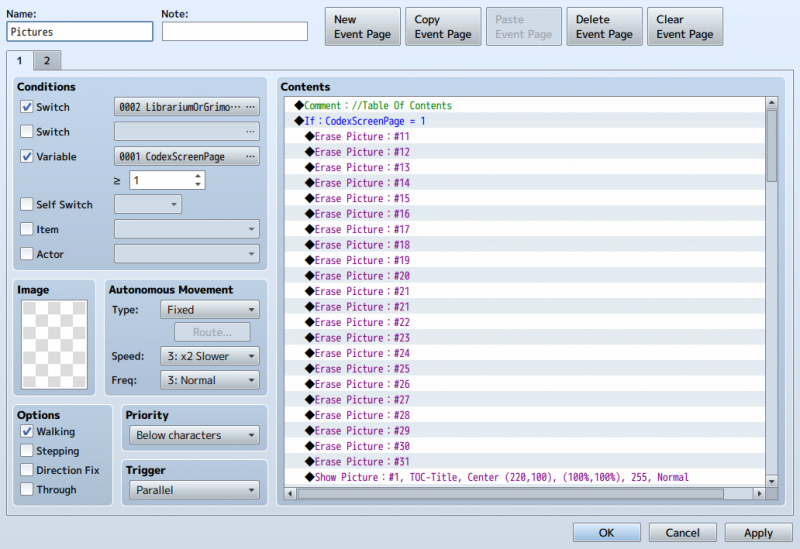
Make a new event , parrallel and follow along:
Erase all Pictures first
Protected download
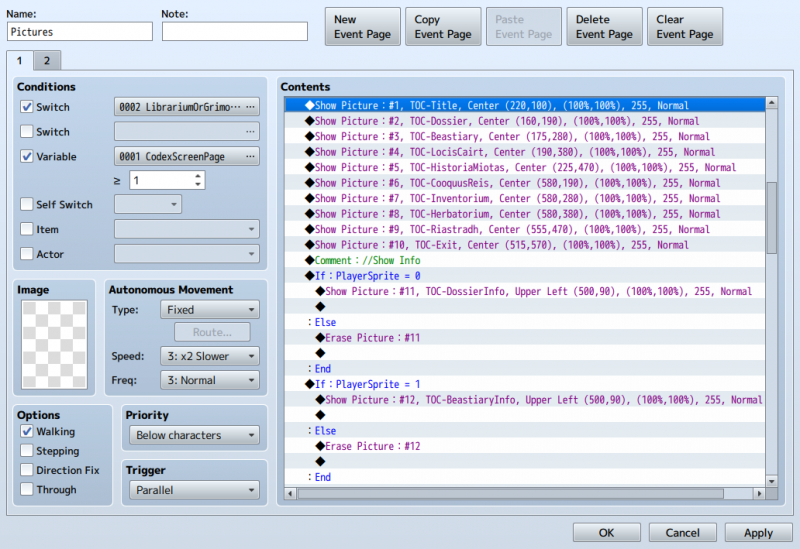
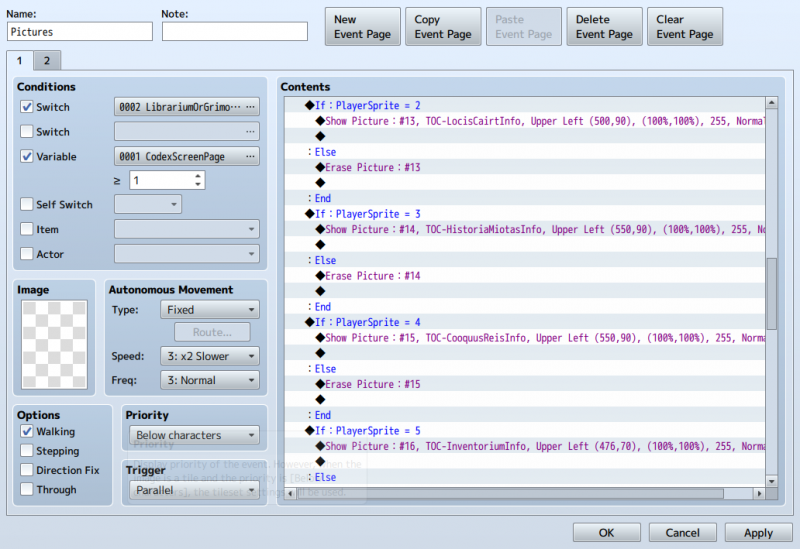
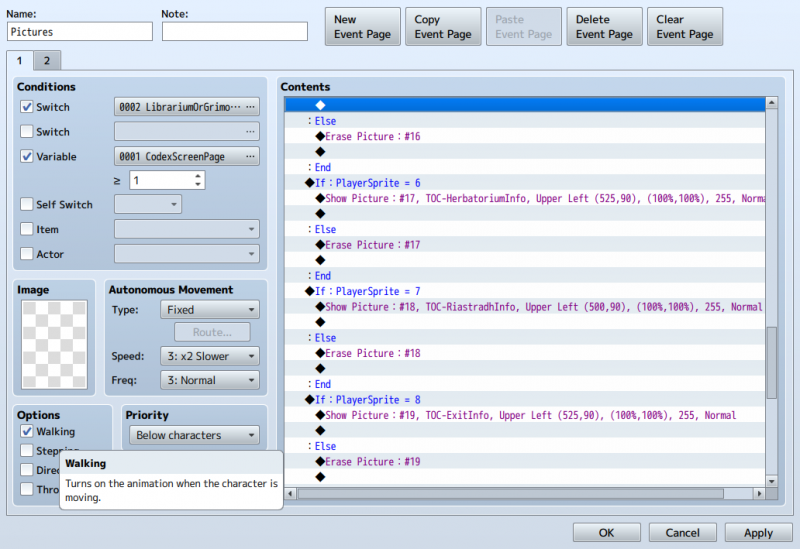
Now we show pictures. the "x" and "y" is resolution, not map coordinates. You are going to have to tweak to your taste.
At Show Info we have a little text image appear and disappear when highlighted.
Protected download Protected download Protected download
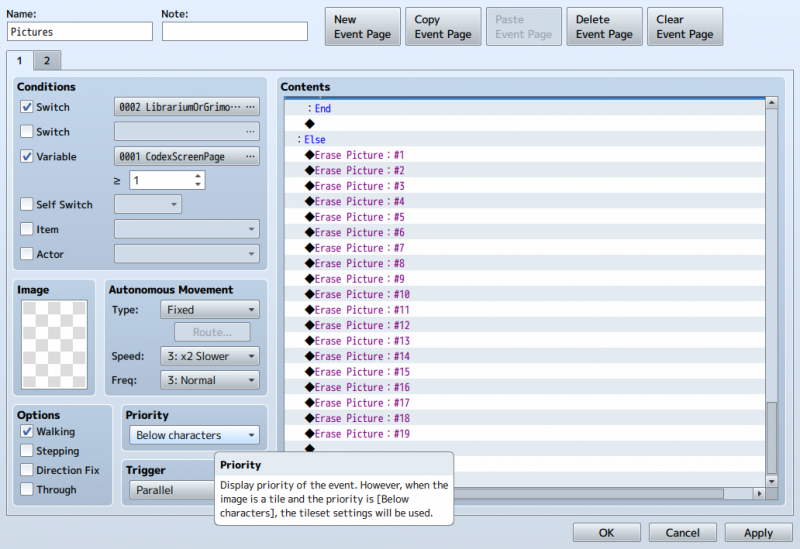
If we are not on page 1, erase all the pictures. (Do it). If you don't it will be on your game map.
Protected download
Wow. What a trip! Ok test it out.should be working. If not double check this tutorial before you ask.
Special Thanks: Drifty at
Driftwood Gaming for his tutorial that helped me understand menu customization.
@Andar for his help with show Images.
Firebatata for the book template
for his AWESOME Plugins
Tags: Providing tags will help members find your tutorial more easil


 OXS 2.0 TV Sound Bar
Compact sound bar pick for boosting TV, movie, and console audio.
View on Amazon
OXS 2.0 TV Sound Bar
Compact sound bar pick for boosting TV, movie, and console audio.
View on Amazon