Preserved forum archive. This topic stores the original first post and locally mirrored RPG Maker Web attachments when available. It is posted by the BMMPlay archive account, not by the original creator.
Original Source
- Original title: Custom Sub Menus pt2 Using variables for pages
- Original author: Pyrathas
- Original date: February 14, 2019
- Source thread: https://forums.rpgmakerweb.com/threads/custom-sub-menus-pt2-using-variables-for-pages.105634/
- Source forum path: Game Development Engines > RPG Maker Tutorials > RMMV Tutorials
Summary
Brief description: I have been making a custom submenu and figured out how to have an event reveal them. In Part 1 Here we will make the second Submenu page. Here is a video of what we are making: Spoiler: video
Archived First Post
Brief description: I have been making a custom submenu and figured out how to have an event reveal them. In Part 1
Here we will make the second Submenu page.
Here is a video of what we are making:
Requirements:
RPG Maker MV
Yanfly Core Engine
Yanfly Main Menu
Images
In Part 1 we made a Submenu to be triggered by an event. Now we will do the final part: Adding a second page:
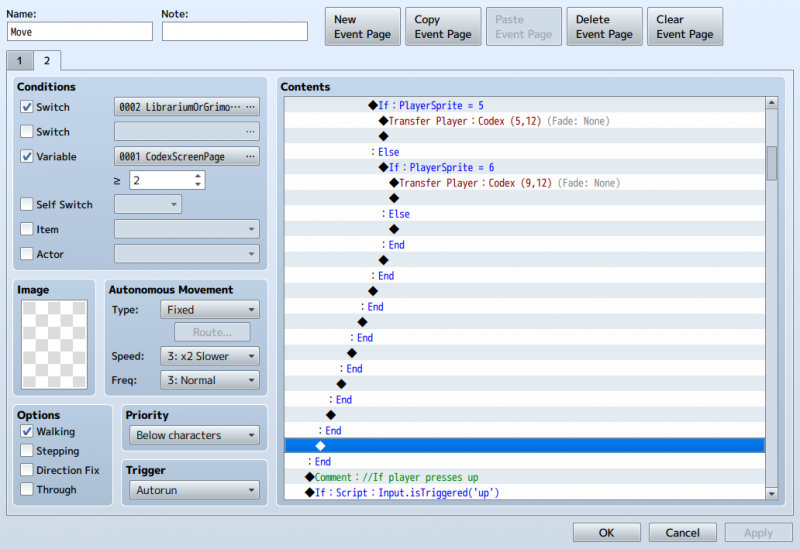
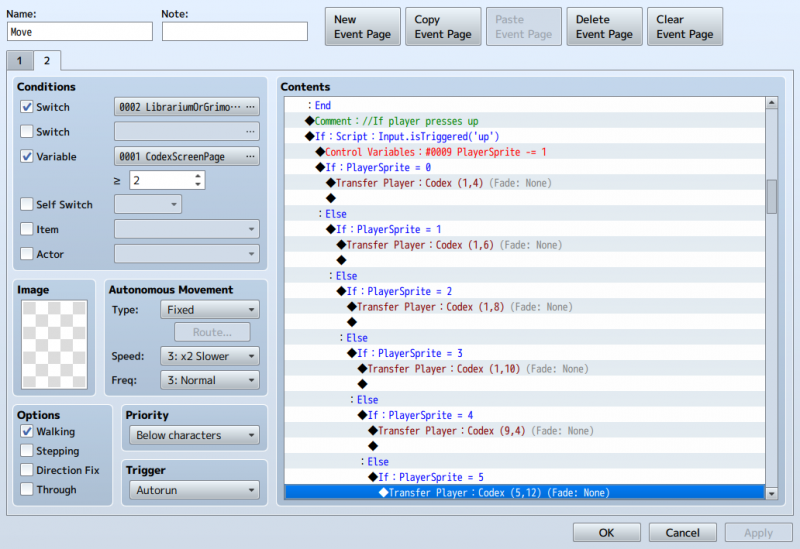
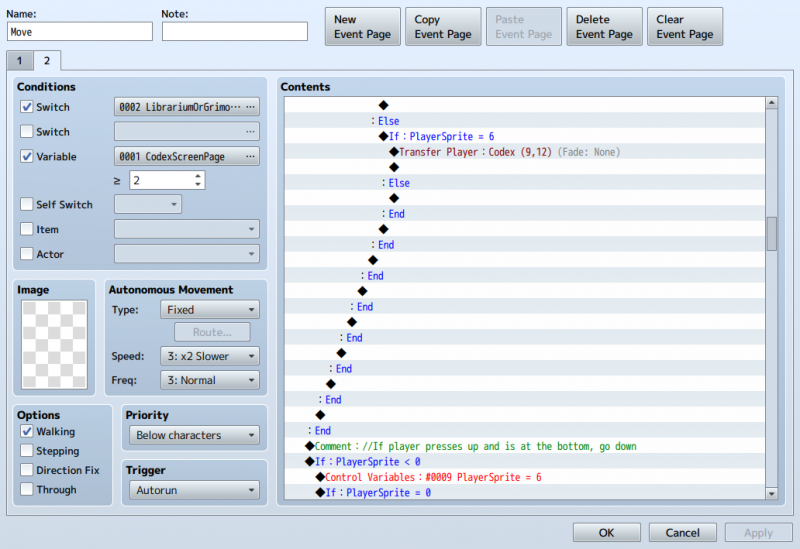
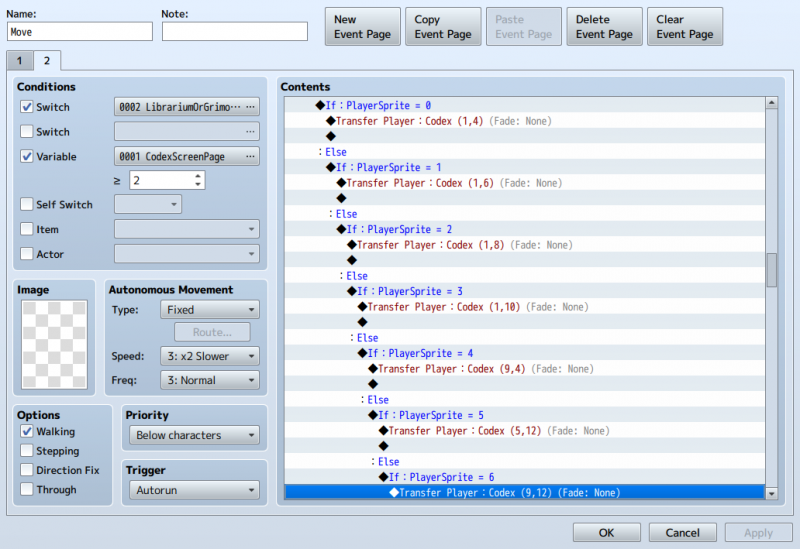
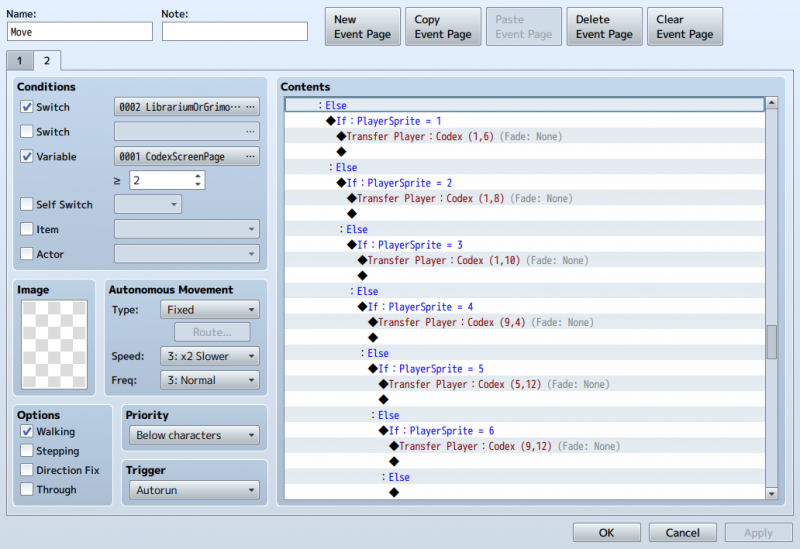
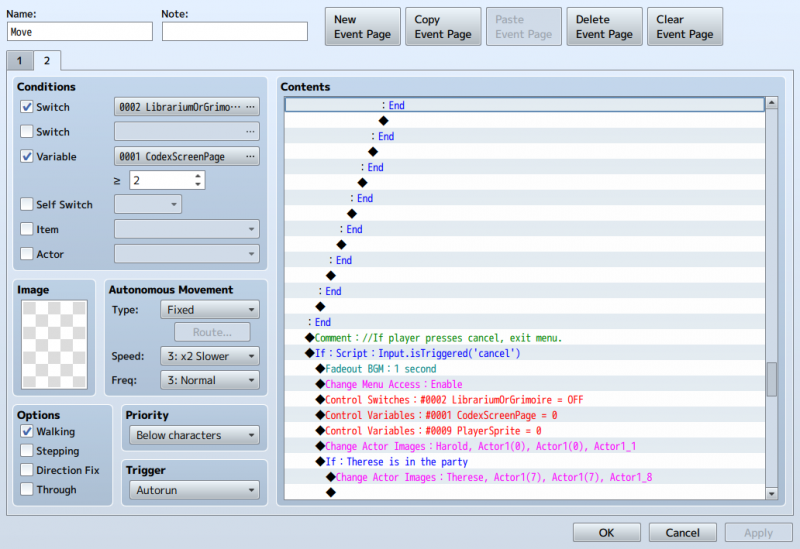
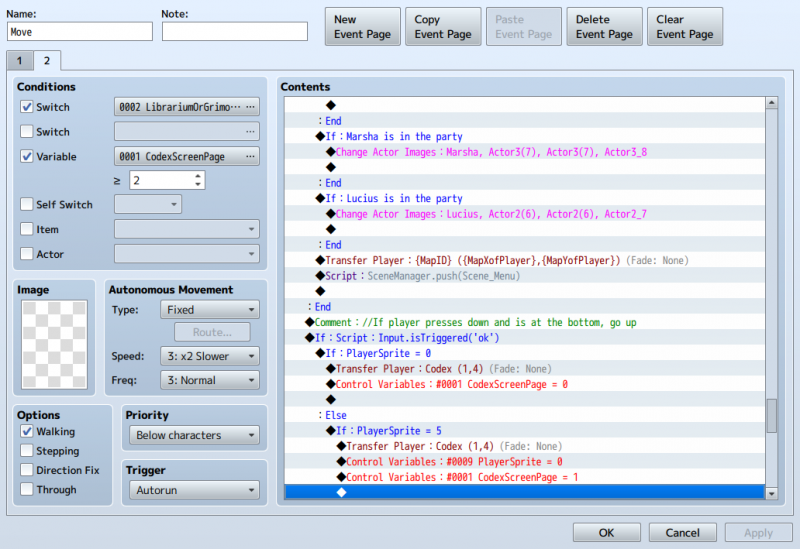
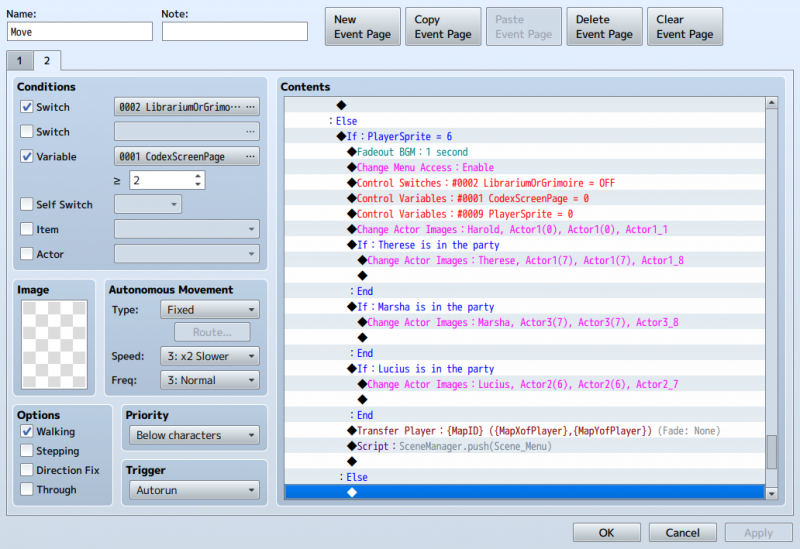
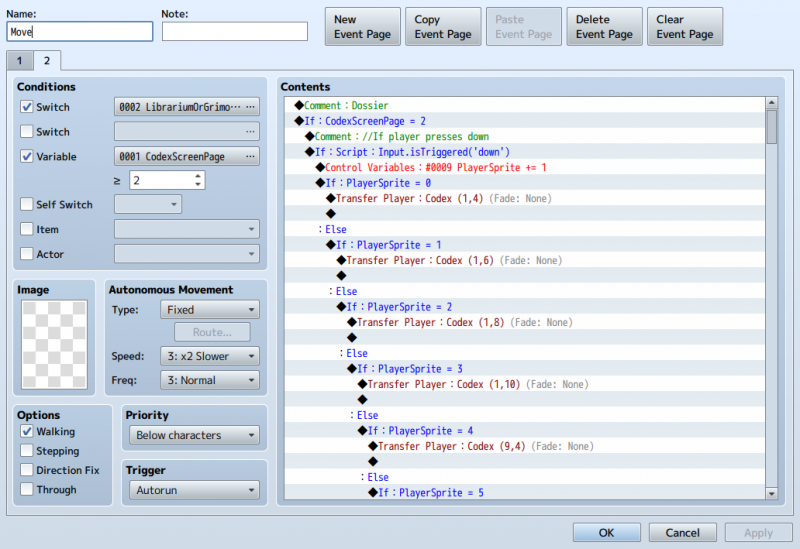
Go to your Move event, copy the page and past it. Follow below; deleting and modifying the numbers and locations as needed:
Did you do it? ok if you want test it. But I would wait until you got the images.
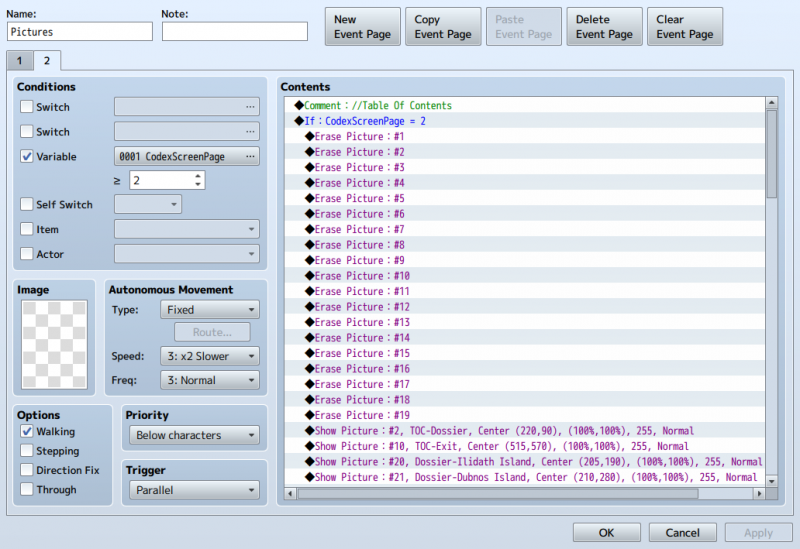
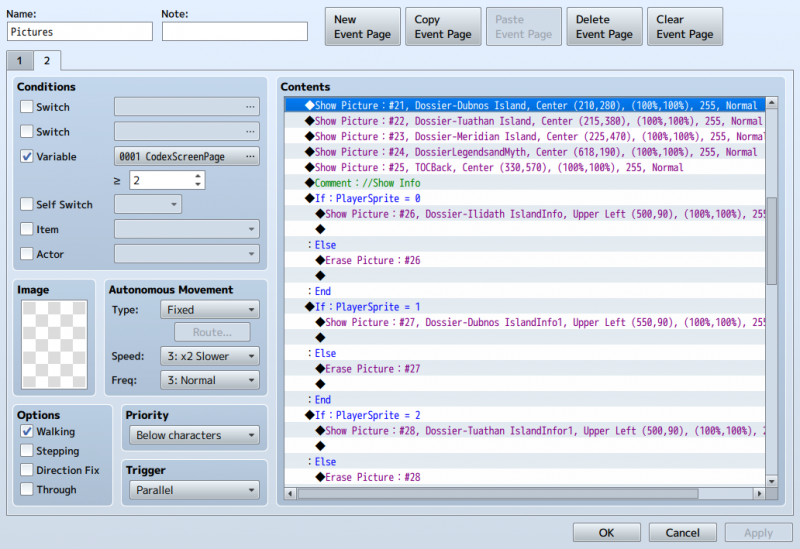
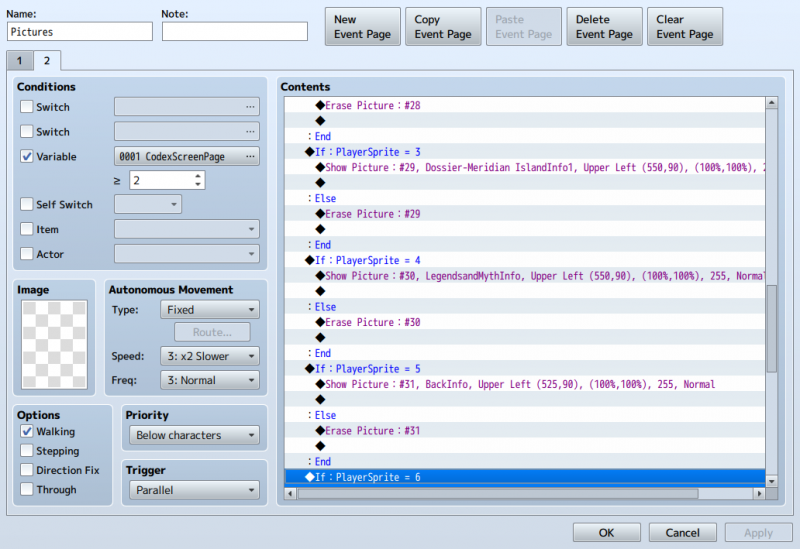
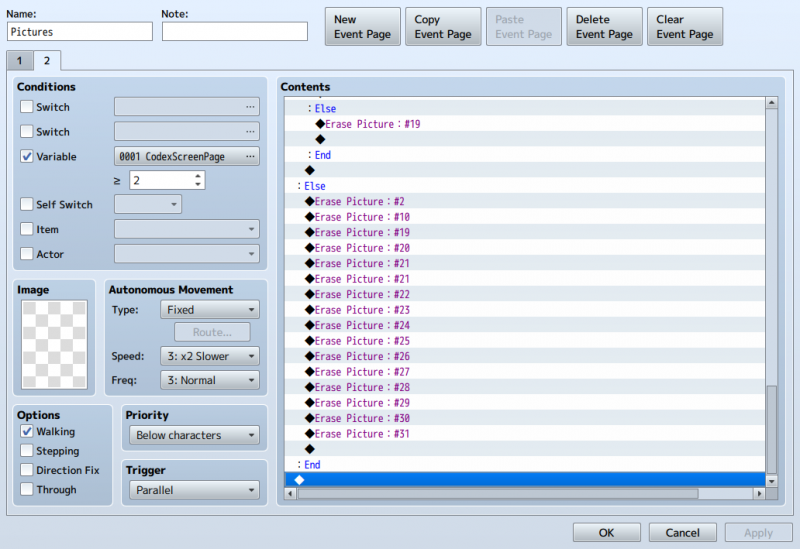
Now Go to your pictures event, copy and paste like with the move event. see below:
Pretty Simple Right? Now repeat this for your other menus as needed.
Here we will make the second Submenu page.
Here is a video of what we are making:
Requirements:
RPG Maker MV
Yanfly Core Engine
Yanfly Main Menu
Images
In Part 1 we made a Submenu to be triggered by an event. Now we will do the final part: Adding a second page:
Go to your Move event, copy the page and past it. Follow below; deleting and modifying the numbers and locations as needed:
Protected download
I deleted variables 6 and down here as I do not need them.
Protected download
Protected download
Protected download Protected download Protected download Protected download Protected download Protected download Protected download
I deleted variables 6 and down here as I do not need them.
Protected download
Protected download
Protected download Protected download Protected download Protected download Protected download Protected download Protected download
Did you do it? ok if you want test it. But I would wait until you got the images.
Now Go to your pictures event, copy and paste like with the move event. see below:
Protected downloadProtected download Protected download Protected download
Pretty Simple Right? Now repeat this for your other menus as needed.
Downloads / Referenced Files
Log in to download
Log in, then follow the RPG Maker Developers Group to see these download links.
Log in to downloadReferenced Images / Attachments
Creator Claims / Removal
If you are the original creator and want this listing reassigned, edited, or removed, join BMMPlay and contact the moderators with proof that matches the original RPG Maker Web profile, linked GitHub, itch.io page, or another public creator identity.
Replies (0)
No replies yet.
0
replies
1
view
Topic Summary
Loading summary...