Preserved forum archive. This topic stores the original first post and locally mirrored RPG Maker Web attachments when available. It is posted by the BMMPlay archive account, not by the original creator.
Original Source
- Original title: Evented Book Reading!
- Original author: GoodSelf
- Original date: August 8, 2016
- Source thread: https://forums.rpgmakerweb.com/threads/evented-book-reading.66504/
- Source forum path: Game Development Engines > RPG Maker Tutorials > RMMV Tutorials
Summary
[Tiny Tutorial] How to Event a Readable Book by GoodSelf Alright! I was messing around with this and decided that I want to share my event with you all here.
Archived First Post
[Tiny Tutorial] How to Event a Readable Book
by GoodSelf
Alright! I was messing around with this and decided that I want to share my event with you all here.
I'm sure there are plugins for this sort of thing, but if it's possible with the maker, I'll try to event it!
Let's go!
STEP 1
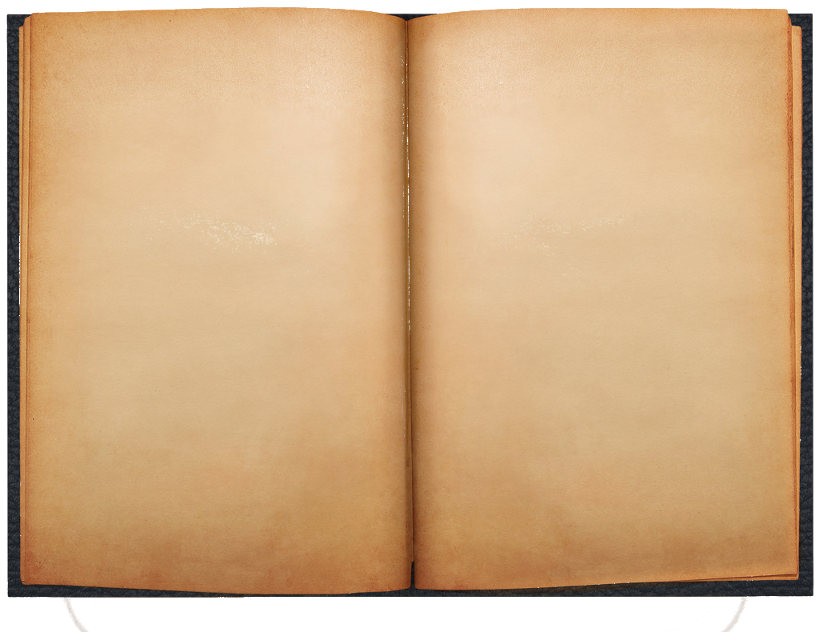
Download this file:
WAIT!
Before you download this, please, please, please check the information below.
Make sure you include all the proper credits when using this image!
Credits
Spoiler
Dougit Design Devinatart
http://dougitdesign.deviantart.com/art/open-book-template-PSD-198829525
Open Book Creative Commons License
https://creativecommons.org/licenses/by-nd/2.0/
Changes that were made:
Added an alpha channel, and removed the white background from the image.
Removed the shadow below the book from the image.
Scaled the image by 80%
Added custom text to the image.
Before you download this, please, please, please check the information below.
Make sure you include all the proper credits when using this image!
Credits
Spoiler
Dougit Design Devinatart
http://dougitdesign.deviantart.com/art/open-book-template-PSD-198829525
Open Book Creative Commons License
https://creativecommons.org/licenses/by-nd/2.0/
Changes that were made:
Added an alpha channel, and removed the white background from the image.
Removed the shadow below the book from the image.
Scaled the image by 80%
Added custom text to the image.
Image
Protected download
STEP 2
Now its time to add text! I simply used Paint, but you can use whatever program you see fit.
Make sure the image is saved as a PNG file, then import it into your imgs/pictures folder.
STEP 3
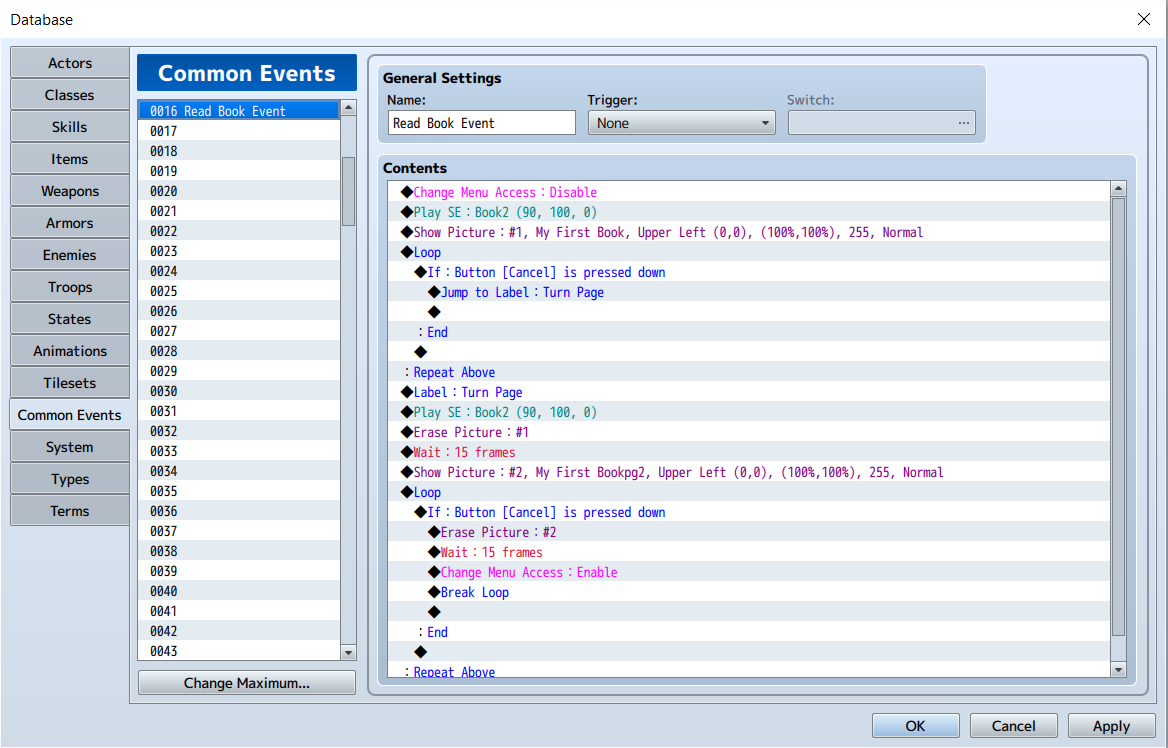
We're going to make a Common Event to show our book - and we will call it with an Item.
Basically, you'll be able to find a journal in a chest, when you use it, the common event will trigger.
Protected download
SImply copy the Common Event, make an item that calls it, and you're golden!
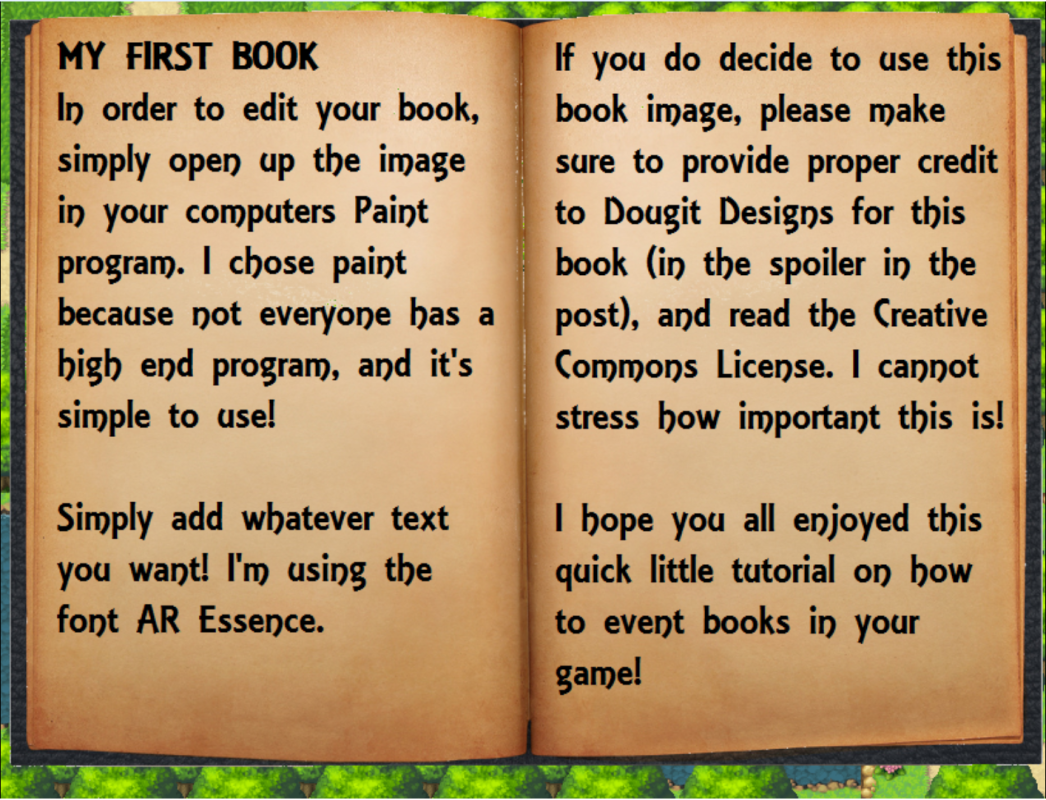
Refer to the picture below to see how this looks in game =]
Take care, and happy game making!
Protected download
Downloads / Referenced Files
Log in to download
Log in, then follow the RPG Maker Developers Group to see these download links.
Log in to downloadLicense / Terms Note
Make sure you include all the proper credits when using this image! Credits Spoiler Dougit Design Devinatart

Referenced Images / Attachments
Creator Claims / Removal
If you are the original creator and want this listing reassigned, edited, or removed, join BMMPlay and contact the moderators with proof that matches the original RPG Maker Web profile, linked GitHub, itch.io page, or another public creator identity.
Replies (0)
No replies yet.
0
replies
1
view
Topic Summary
Loading summary...