

Easy way to make land vehicle with eventing
BMM_Archive · July 16, 2026

Original Source
- Original title: Easy way to make land vehicle with eventing
- Original author: PussiCat
- Original date: October 12, 2015
- Source thread: https://forums.rpgmakerweb.com/threads/easy-way-to-make-land-vehicle-with-eventing.45793/
- Source forum path: Game Development Engines > RPG Maker Tutorials > Non-Maker Specific Tutorials
Summary
Hi everyone i am not sure where to put this could you let me know thank you. Anyway here is what i wanted to share with everyone, seeing as i have noticed that many people have asked how to make land vehicles and i have only found two which i could not get to work. So using eventing i made one. I hope it is helpful. Here are some screen shots of it working, the one on the left is not on a mount.
Archived First Post
Anyway here is what i wanted to share with everyone, seeing as i have noticed that many people have asked how to make land vehicles and i have only found two which i could not get to work.
So using eventing i made one. I hope it is helpful.
Here are some screen shots of it working, the one on the left is not on a mount.
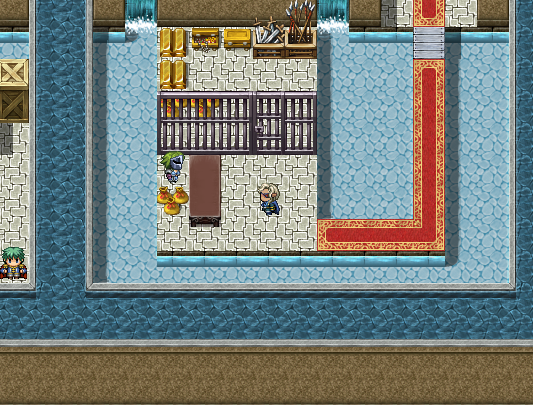
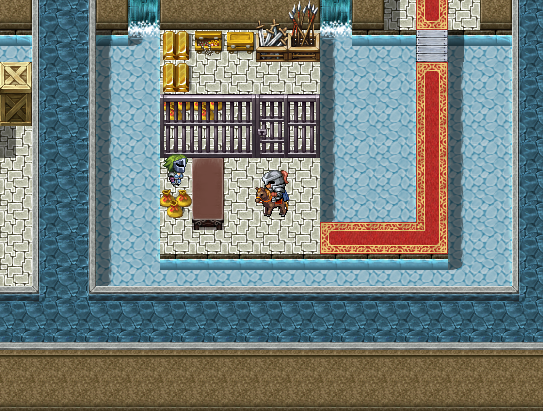
Then you create a "common event" called "Mount".
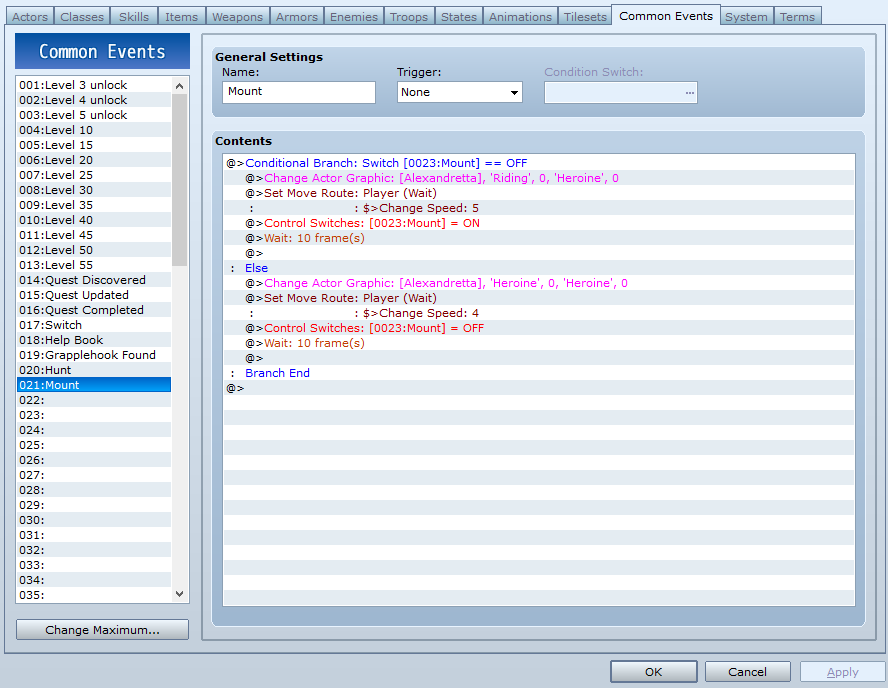
Now under the "Else" of the conditional branch add a Change actor graphic. (change only the sprite back to the original image.) under that add in a command to set the players movement speed to normal. Under that add in a command to turn the global switch - Mount off. and under that add in a command to wait 10 frames.
Lastly you want to create an event and on page one Make it a "Parallel Process", then make a conditional branch using "button is being pressed" Change the button to whatever you like. For this example i am using "Z". Directly under that add in a command to call the common event and your all done.
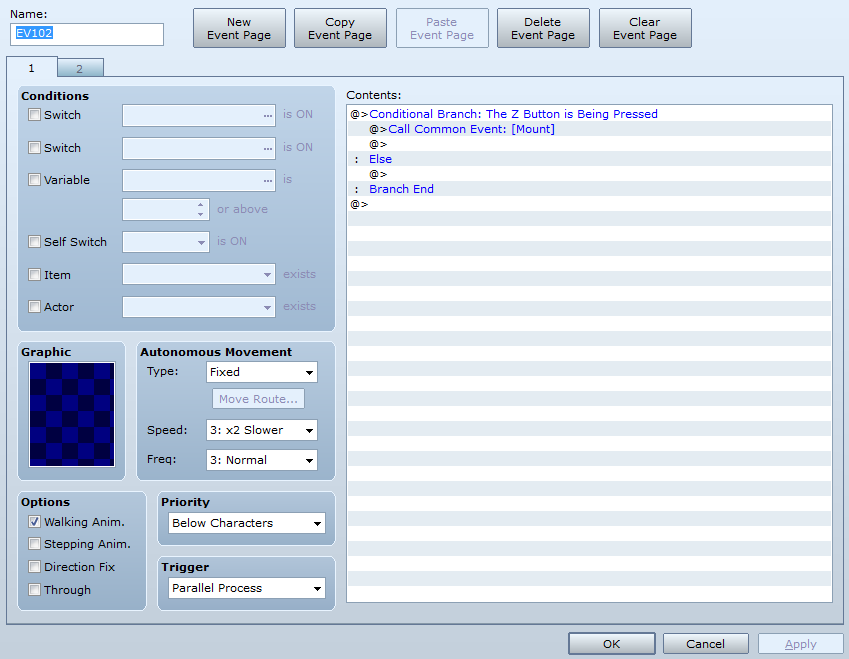
All you need to do is copy the "Parallel Process" event into any maps you want to use it in.
Downloads / Referenced Files
RPG Maker Web attachments are mirrored locally when available. Other external links remain hosted by their original creator or third-party service.
- Local mirror: 13283-0136e28ae4900c8f18b360bbbee9b845.png
SHA-256:9f4667f2646ecd5806113f2f3d40afc48118f67fdd7946b779d0dd466ca3581f
Original attachment URL: https://forums.rpgmakerweb.com/attachments/mount-png.24145/ - Local mirror: 13282-78e73e70e96edd6f840d22587a9963d4.png
SHA-256:21d28dc1529447d4ffecc7ca6bee1822e19fe8fbd165a239c47d3b0bff153daf
Original attachment URL: https://forums.rpgmakerweb.com/attachments/mount-png.24144/ - Local mirror: 13284-6b49c6c50094b80255aacd93ed147875.png
SHA-256:50bf5bf77ac309e8fe05d20034a2d0a5ed16c8c48c61542e4ab6455e3cd6caca
Original attachment URL: https://forums.rpgmakerweb.com/attachments/common-event-png.24146/ - Local mirror: 13285-16d010cf421fbc8a219ba407e3ef9397.png
SHA-256:bc0bf7c10ea3e64a08c6aac6101c54e3fd59b343ced016df207e84fbdde29c0d
Original attachment URL: https://forums.rpgmakerweb.com/attachments/event-png.24147/
Referenced Images / Attachments
Creator Claims / Removal
If you are the original creator and want this listing reassigned, edited, or removed, join BMMPlay and contact the moderators with proof that matches the original RPG Maker Web profile, linked GitHub, itch.io page, or another public creator identity.
Replies (0)
No replies yet.
Topic Summary
Loading summary...