

Unscattered file format?
BMM_Archive · July 16, 2026

Original Source
- Original title: Unscattered file format?
- Original author: Pepito123
- Original date: June 2, 2018
- Source thread: https://forums.rpgmakerweb.com/threads/unscattered-file-format.96059/
- Source forum path: Game Development Engines > RPG Maker Tutorials > RMXP Tutorials
Summary
Hello! Well, first of all, I do not know if someone else had or had this problem, but, if by chance it happens to you, it's better to be ready! sometimes (at least for me) when I try to open my game to continue working on it, there is an error called "unscattered file format" which does not allow to continue with the progress. No matter how many times you try to open, you can not. {
Archived First Post
Well, first of all, I do not know if someone else had or had this problem, but, if by chance it happens to you, it's better to be ready!
sometimes (at least for me) when I try to open my game to continue working on it, there is an error called "unscattered file format" which does not allow to continue with the progress. No matter how many times you try to open, you can not.
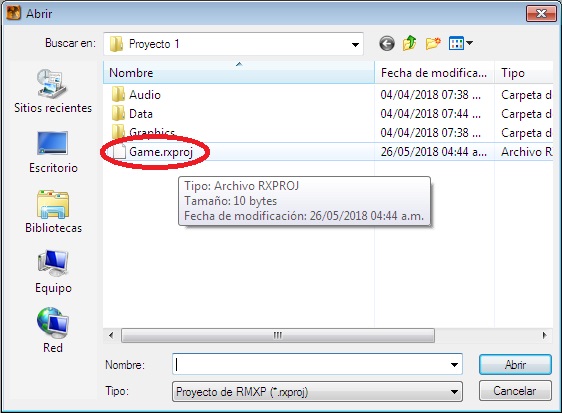
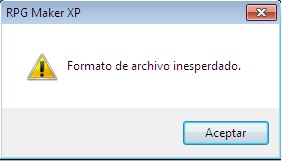
I just found a way to solve it, quite easy the truth.
1) First, create a new project. (An old project also works)
2) Cut or copy the file "Game.rxproj" from the folder of the new or old file
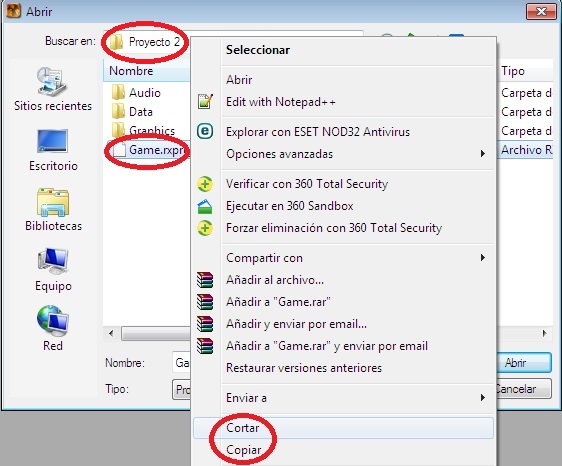
3) Remove the old "Game.rxproj" from the folder of your game
4) Then paste the file into the folder of the game you're working on and that's it!
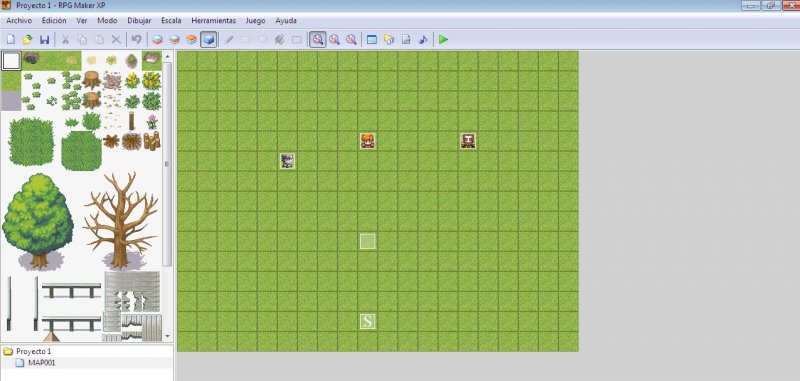
yEEEA
Another little thing, this happens to me regularly every so often. I do not know how to avoid it or how to predict it accurately.
Repeat. I had never seen anyone with this problem before, but hey, I still wanted to share this. :3
(Text written with google translate. Sorry for the spanish pics.)
Bye!
Downloads / Referenced Files
RPG Maker Web attachments are mirrored locally when available. Other external links remain hosted by their original creator or third-party service.
- Local mirror: 69843-506c2c5a7c15b0cfae7042e0cc28d462.jpg
SHA-256:505d990e864831ecb75aa9f9d7ba07e569dde3ce99f704f165fecbaabc90a8ec
Original attachment URL: https://forums.rpgmakerweb.com/attachments/archivos-xd-jpg.91344/ - Local mirror: 69844-37f8f10e33254badbbda62dcaf3188a7.jpg
SHA-256:e7ccba197f9845aba46550eba2a1bc1d5308f63215a58a30414921c3056e90ce
Original attachment URL: https://forums.rpgmakerweb.com/attachments/archivo-inesperdado-jpg.91345/ - Local mirror: 69845-ed8f9715e7d95aca9f316ec5456b5a02.jpg
SHA-256:0b8bcf7a052f94accca0447460cd6848dd29b43349f9690b765ead58d81e8a78
Original attachment URL: https://forums.rpgmakerweb.com/attachments/copypaste-jpg.91346/ - Local mirror: 69846-901478c6e0a078a3733e26091f05d84c.jpg
SHA-256:36867fb3194caad40a861a1545e4caccd00ba6b4062a571d4b3d741605b131ec
Original attachment URL: https://forums.rpgmakerweb.com/attachments/tutorial-jpg.91347/
Referenced Images / Attachments
Creator Claims / Removal
If you are the original creator and want this listing reassigned, edited, or removed, join BMMPlay and contact the moderators with proof that matches the original RPG Maker Web profile, linked GitHub, itch.io page, or another public creator identity.
Replies (0)
No replies yet.
Topic Summary
Loading summary...