

How to build .apk in Visual Novel Maker Engine
BMM_Archive · July 16, 2026

Original Source
- Original title: How to build .apk in Visual Novel Maker Engine
- Original author: Udong
- Original date: November 16, 2022
- Source thread: https://forums.rpgmakerweb.com/threads/how-to-build-apk-in-visual-novel-maker-engine.152709/
- Source forum path: Game Development Engines > Visual Novel Maker Directory > Visual Novel Maker Tutorials
Summary
First I’m sorry for my broken english but I hope who read this topic will get the result that you want Click to expand... This is my first tutorial if anything I had mistake please do not hesitate to comment to ask or notice me at https://www.facebook.com/ONonKunGO/ that I’m mistake Click to expand...
Archived First Post
First I’m sorry for my broken english but I hope who read this topic will get the result that you want
This is my first tutorial if anything I had mistake please do not hesitate to comment to ask or notice me at https://www.facebook.com/ONonKunGO/ that I’m mistake
This tutorial is base on official tutorial https://asset.visualnovelmaker.com/help/index.htm#t=For_Android.htm&rhsearch=android&rhhlterm=android&rhsyns= https://asset.visualnovelmaker.com/help/index.htm#t=For_Android.htm&rhsearch=android&rhhlterm=android&rhsyns=
If you confused at my instruction you can follow official instruction too
OK let’s start
Brief description:
this tutorial we will go to build an .apk and .aab for our game from Visual Novel Maker Engine (aka VNMaker/VNM)
Requirements:
- An Android Device with Android 5+ (You can also use an Emulator, This is just for test your .apk build)
- JDK 11 (Java Development Kit)
- Android Studio + SDK
- Node.js
- Cordova
- Gradle (latest version)
- Visual Studio Code (or other ide)
Installation Guide
I will show you how to install JDK , Android Studio + SDK , Node.js , Cordova , GradleJDK 11
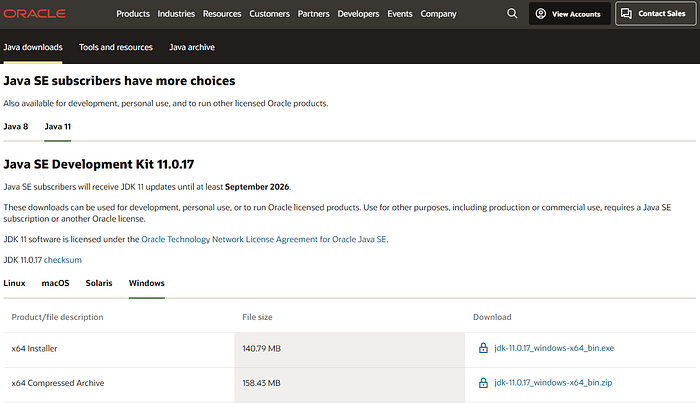
you will see a page like this
2. for me is windows OS click on jdk-11.0.17_windows-x64bin.exe
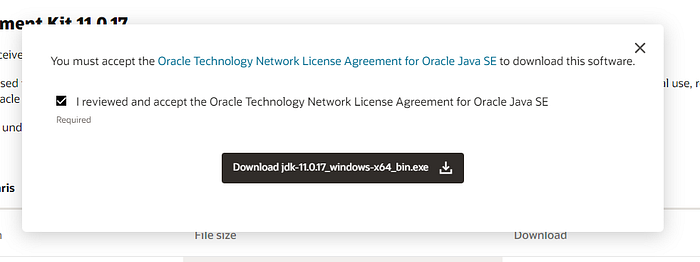
website will pop-up this click on download
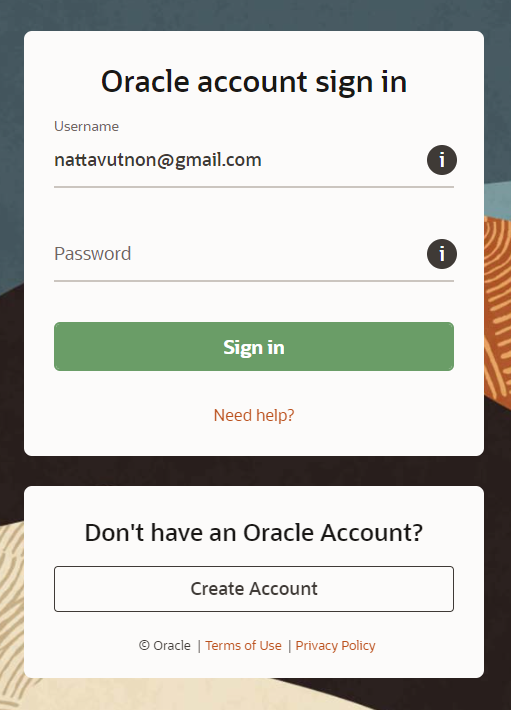
3. if you not have oracle account it will redirect you to create or login just register and it will continue download
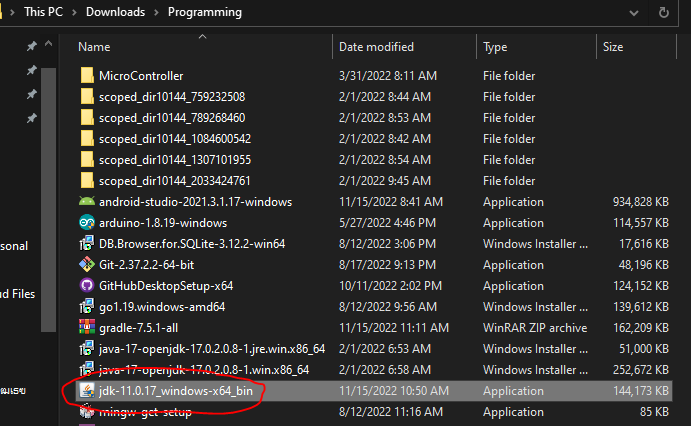
4. open file that you dowload and install it
5. open command prompt and type
java --version
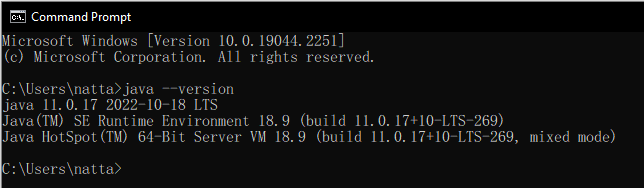
if you get message like this all is correct
6. set JAVA_HOME path
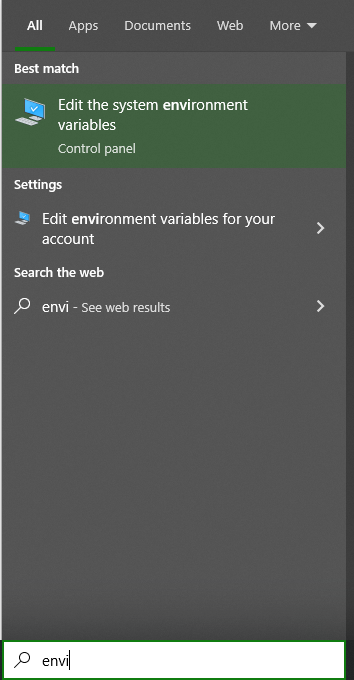
type environment in search bar and click on edit the system environment variables
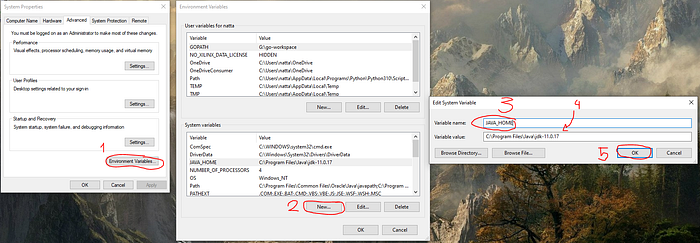
click & fill follow step 1- 5
6.1 for step 4 is the path of your JDK install location if you not change anything while install it should be like me
Android Studio + SDK
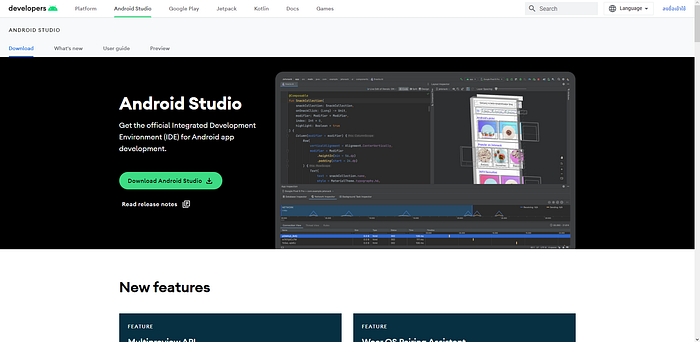
2. click on green button “Download Android Studio”
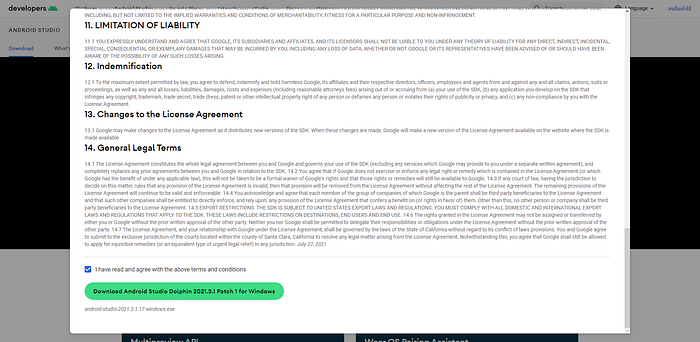
it will popup like this
3. read term of use and scroll down and click download on green button
4. install by double click it
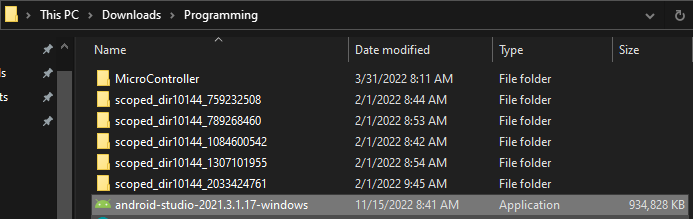
5. also you can follow this installation guide https://www.c-sharpcorner.com/article/how-to-download-and-install-android-studio-in-windows-10/
5.1 if you use AMD processor like me and get message “Android Emulator Hypervisor Driver for AMD processors installation failed” please follow this tutorial
5.2 it will not install after that but just continue follow this instruction , you will see how to install Android Emulator Hypervisor Driver for AMD processors again
6. open android studio and click on 3 dot button (in red circle)
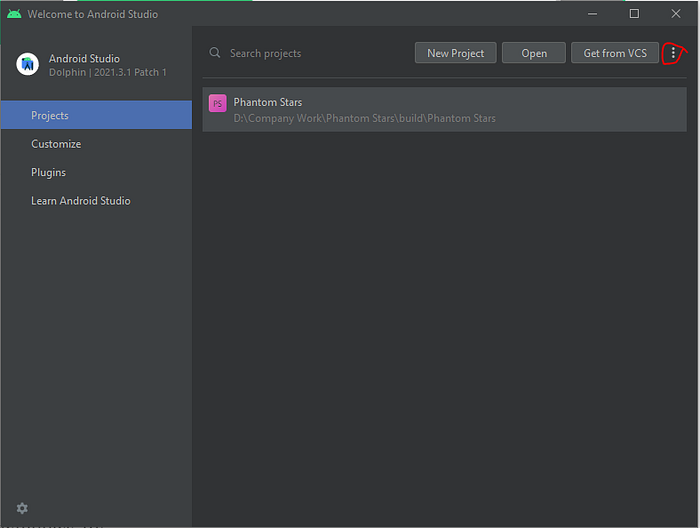
7. click on sdk manager
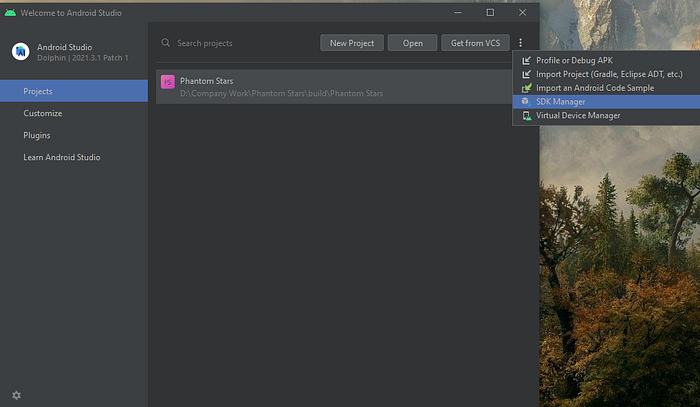
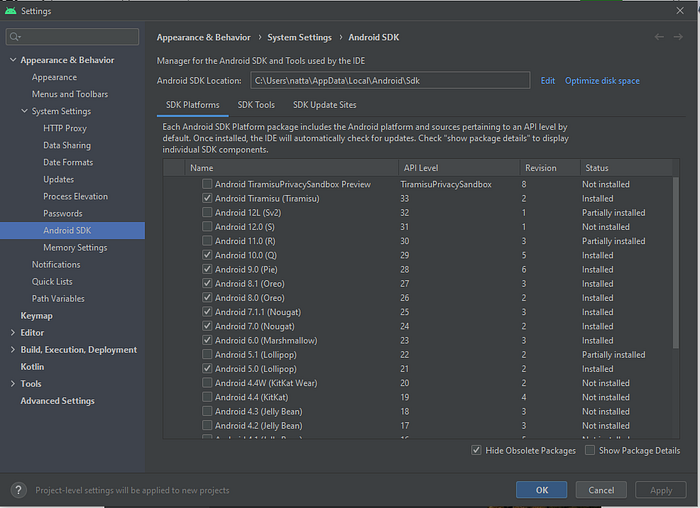
8. “SDK Platforms” tab is platform you want freely check just you want
9. “SDK Tools” tab just check like me
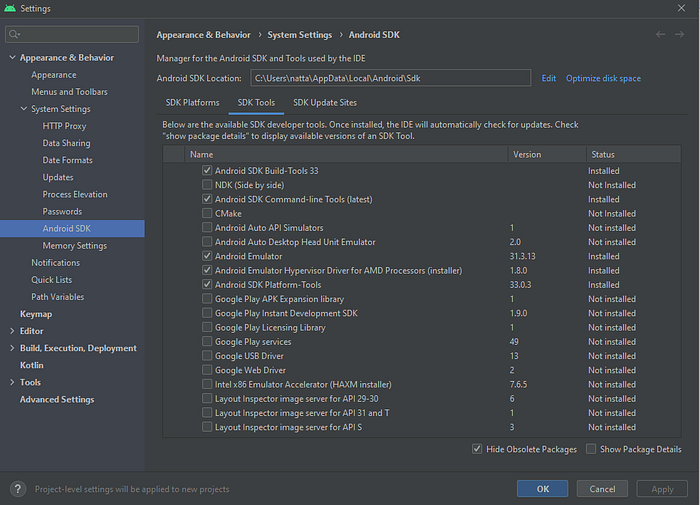
for AMD processors check on Android Emulator Hypervisor Driver for AMD Processors too
10. then click ok or apply it will take a few minutes to install
Node.js
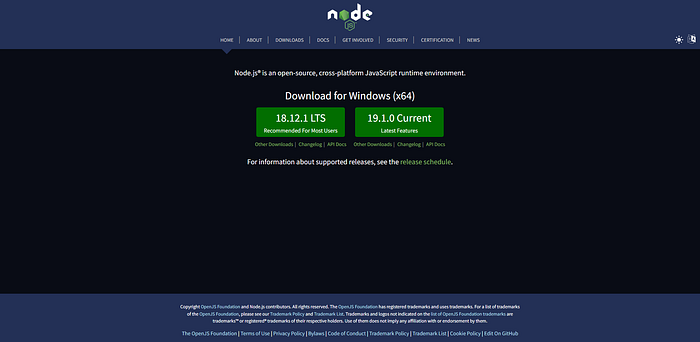
- go to https://nodejs.org/en/
- click on LTS version (any version is ok just download latest LTS version)
3. install it
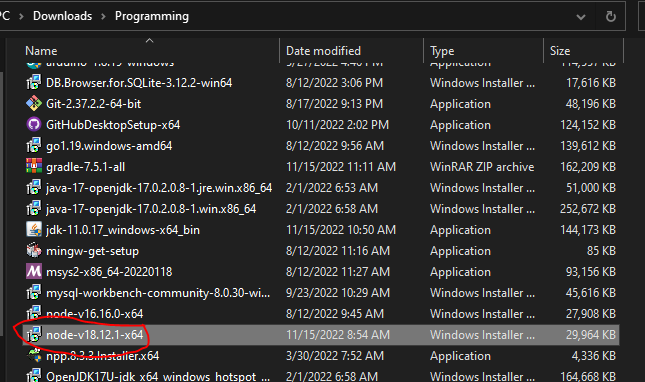
4. follow setup wizard (I think node.js is easy to install I will skip setup step)
Cordova
- open command prompt and type
2. wait for it , after finish type
cordova --version
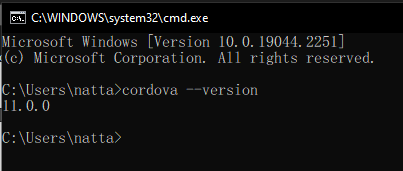
if your install is correct it will show you a cordova version
Gradle
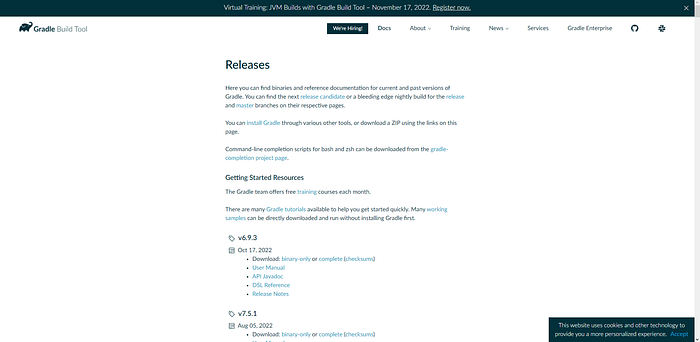
2. scroll down and find a version you want (latest version is recommend)
3. click on complete at download line
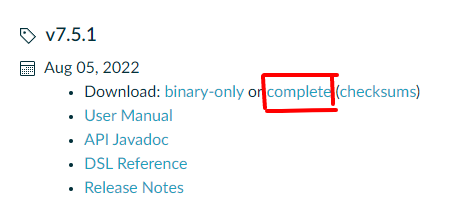
for me is v7.5.1 because it latest at 16/11/2022
4. open .zip file that you download at (3) step
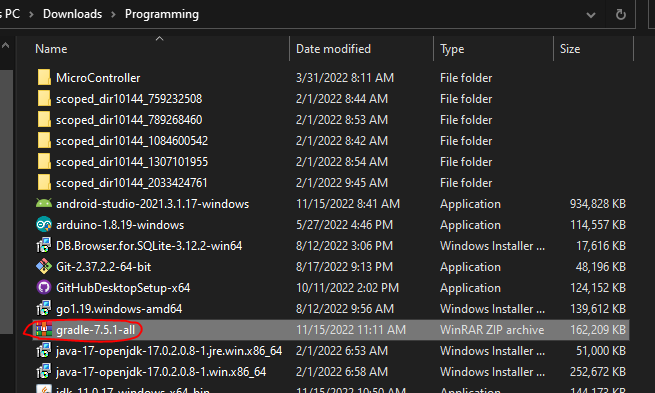
5. go to C Drive or other drive that you install your windows on it (other drive is ok but I’m not sure will it work)
and create folder and rename to Gradle
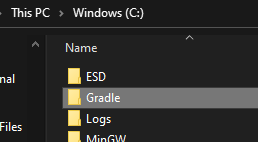
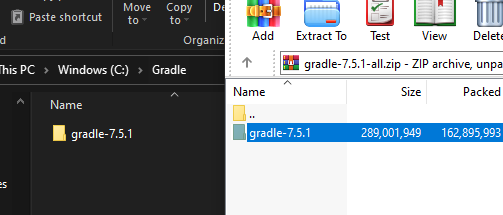
6. open Gradle folder and drag Gradle-7.5.1 folder in zip file into it
7. edit The system environment like JDK step 6
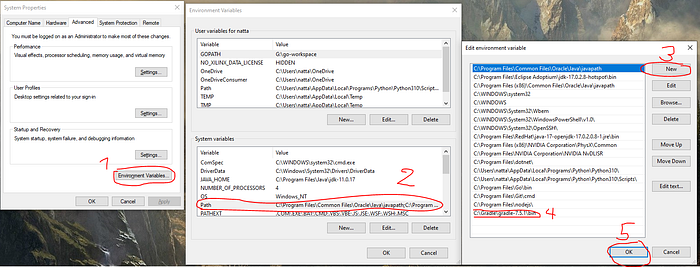
8. but it a little different,
at step 2 double click on “Path”
at step 4 is the location that you install Gradle , If you follow my step same exactly same to me, just use location same to me
Visual Studio Code
sorry but I will not teach you this step but if you never use Visual Studio Code before (VScode) please follow this instructionBuild Guide
I will show you how to build .apk or .aab file , and how to change your game iconVisual Novel Maker (.apk Build)
- open your VNMaker and open your project
- open debug console
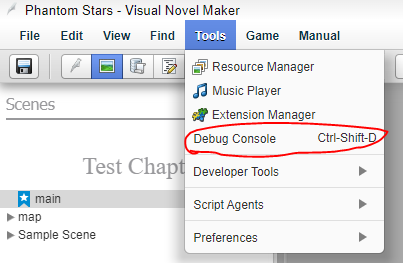
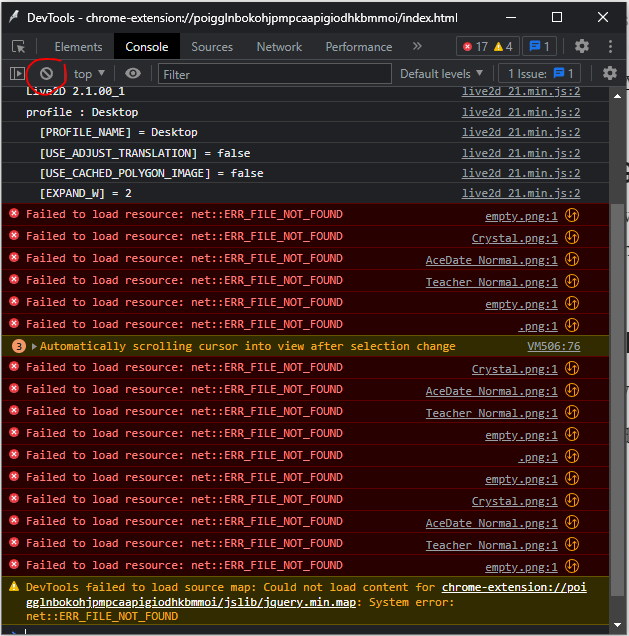
if you got any error don’t mind it
3. clear console (optional)
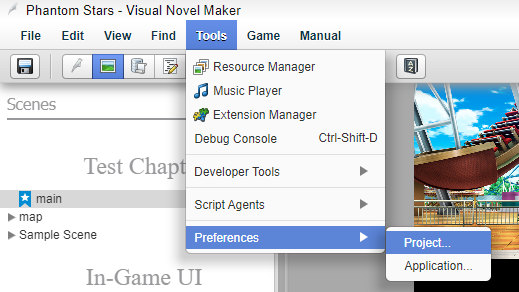
4. go to tools -> preference -> project -> general
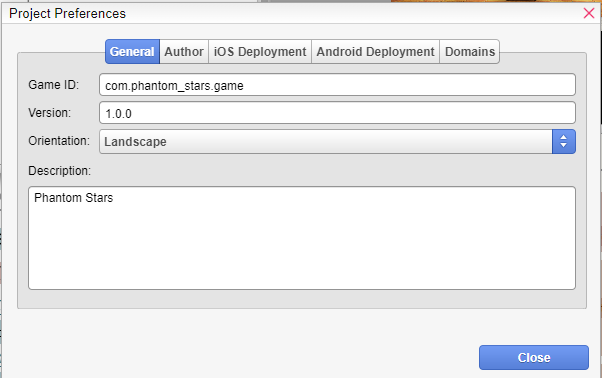
5. fill any information you want
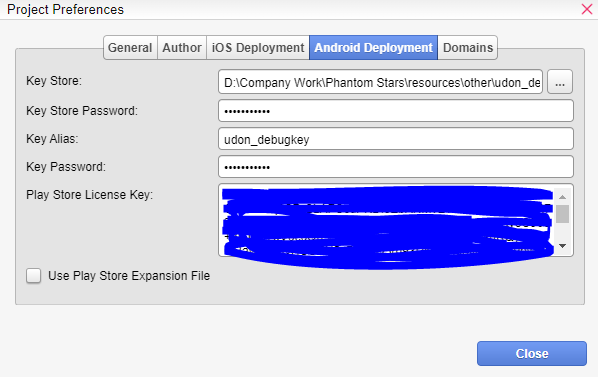
6. go to Android Development tab
you can ignore this tab if you just want .apk but if you want .aab to publish to google play store you must fill all section
I will not show you how to get key store/ key alias/ license key because it will be a long tutorial , but you can google it , it not hard
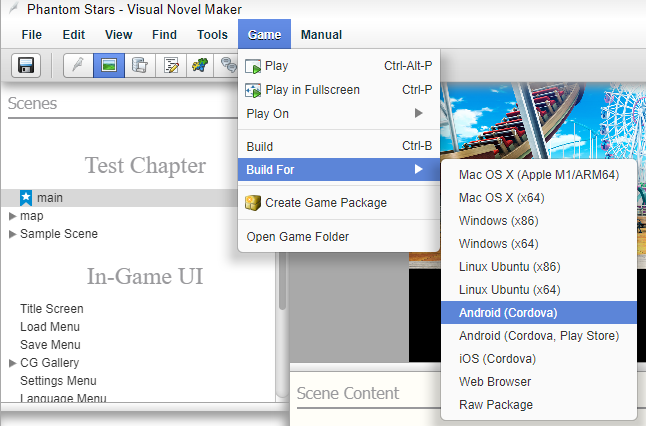
7.go to game -> build for -> android (cordova)
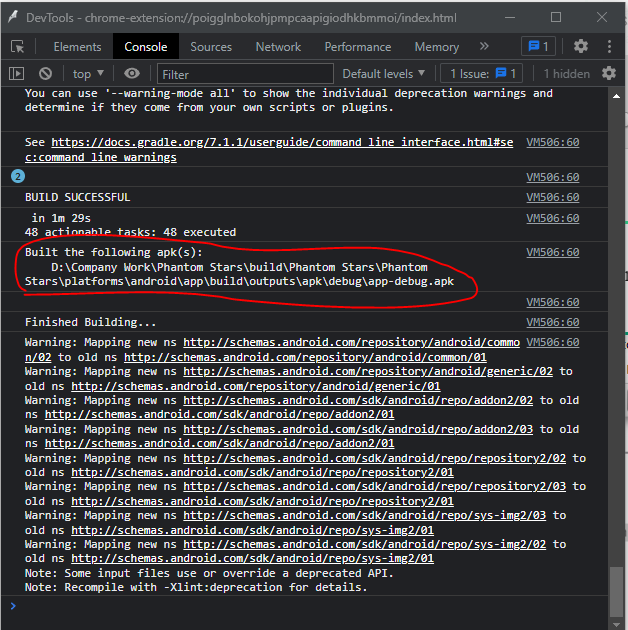
8. if no anything wrong you will get message that tell you where is your .apk file
9. test it! (for me use blueStack)

default icon is cordova icon
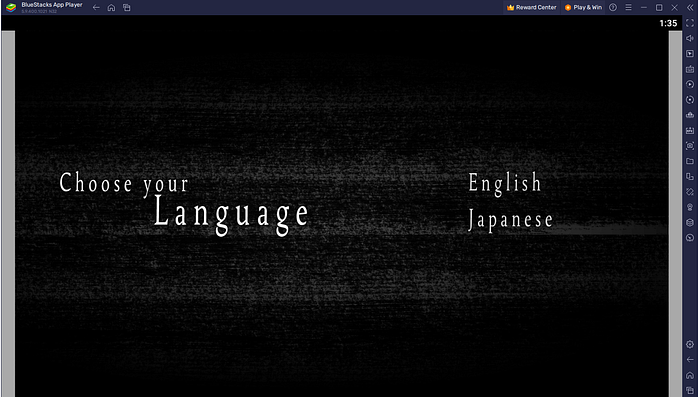
it work!
Visual Novel Maker (change game icon)
after this we will use VScode- open build project in VScode (not your VNM project but a project that has build on step 1–8 on .apk build instruction)
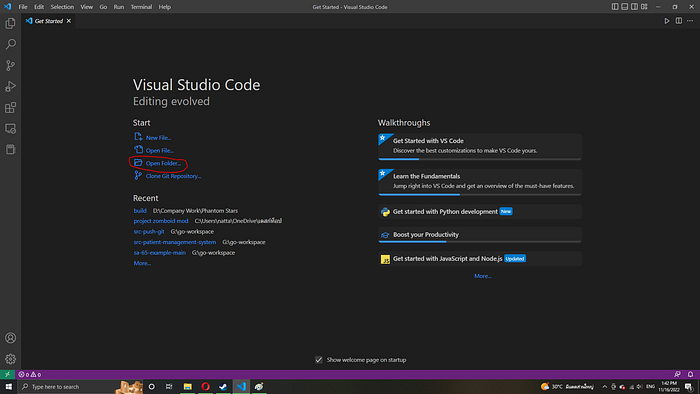
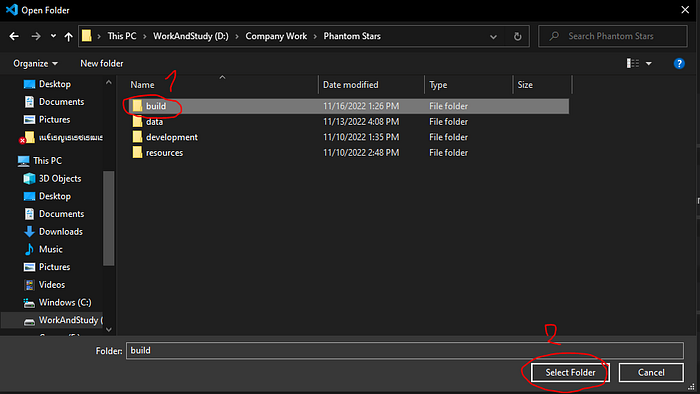
the build location is show at debug console at step 8 of “Visual Novel Maker (.apk Build)”
2. open new terminal
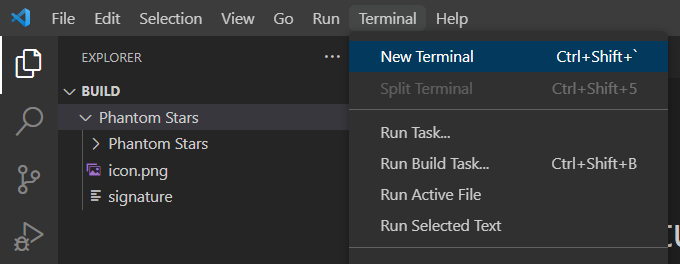
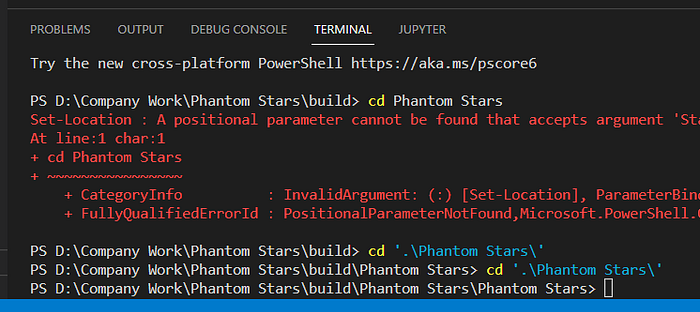
3. cd to your project name two times
4. at left tab open folder like me (Phantom Stars is a Project name)
Project name -> Project name -> platforms -> android -> src -> main -> res
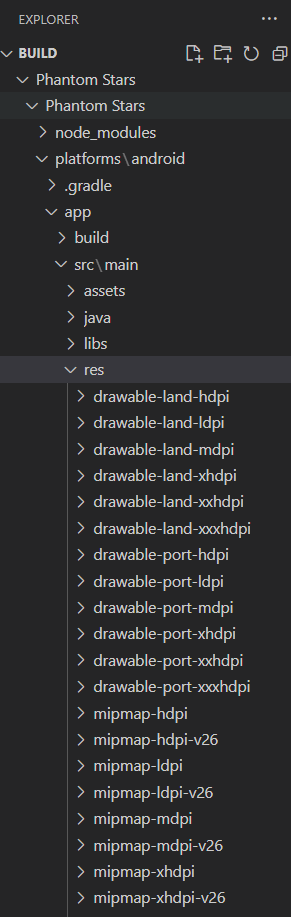
5. open all mipmap folder
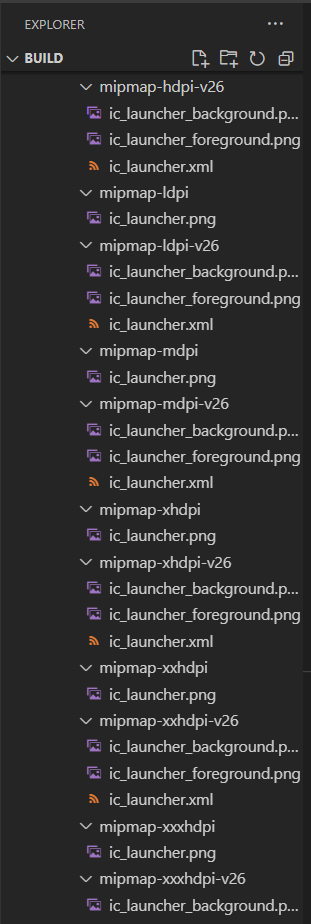
6. replace your icon to all ic_launcher.png and ic_launcher_foreground.png
****please be careful with a picture resolution or you will get wrong icon resolution on installed .apk
you can check picture resolution by right click -> properties -> details -> dimensions
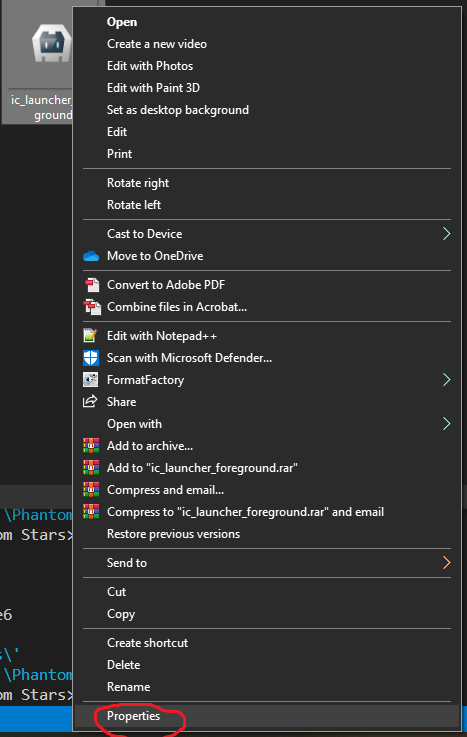
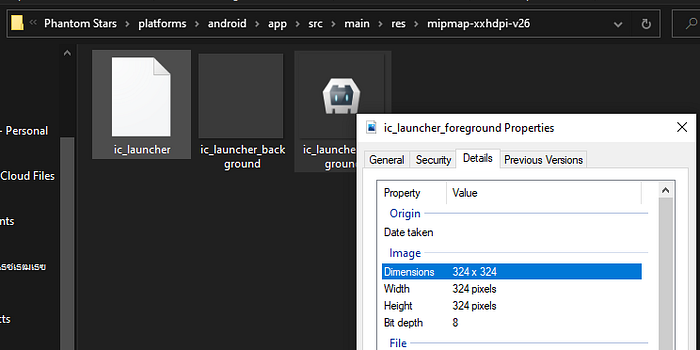
7.build it again but with command line / terminal in vscode
cordova run android
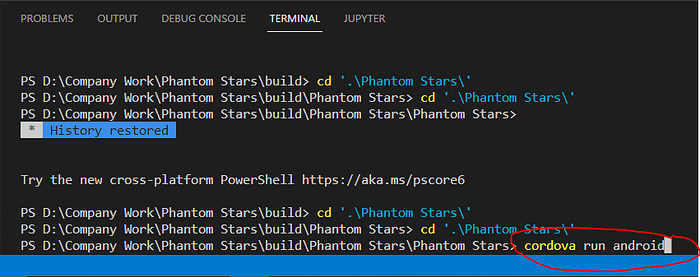
and then press return button on keyboard
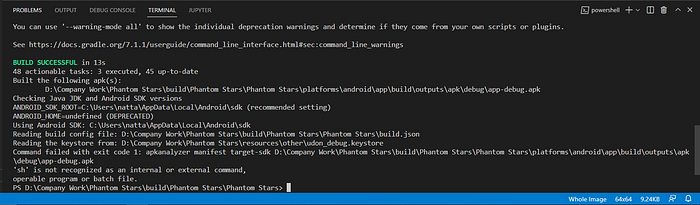
if green text appear , everything is ok
8. you will got a new app-debug.apk file then test it!
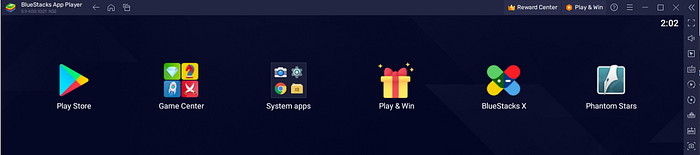
YES! it work!
Visual Novel Maker (build .aab)
- type
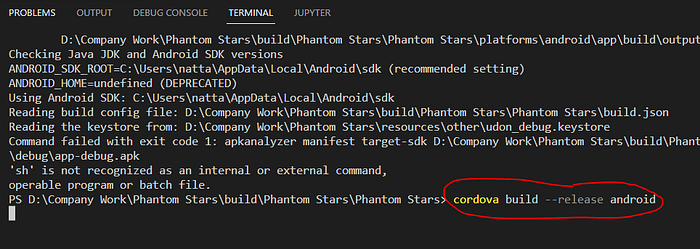
then press return button on keyboard
2. if everything ok you will see green text and location of .aab
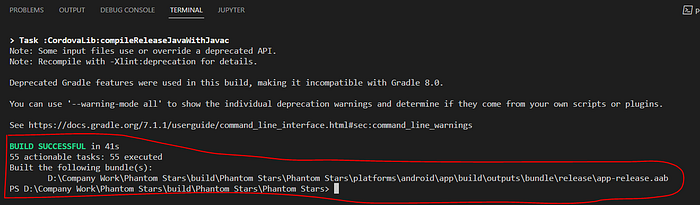
WARNING FOR .AAB BUILD
- if you scroll up terminal little bit you will see this message
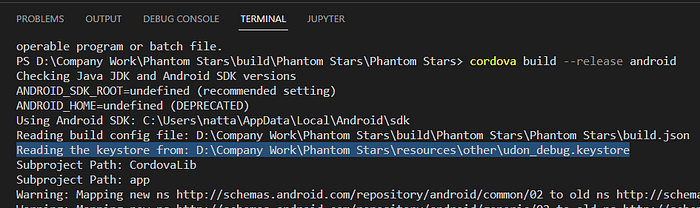
yes the keystore is already read BUT I dont know it work or not, If anyone follow my instruction and can publish a game on google play store please comment or contact me at facebook link at top of this page , and I will edit this topic
2. .aab cant test (cant install) on any phone or emu .aab is a file for google play store only
but I heard that before the .aab file can convert to .apk
Lastly
thank you all of you to interest in my topicyou can read this topic at too
Downloads / Referenced Files
RPG Maker Web attachments are mirrored locally when available. Other external links remain hosted by their original creator or third-party service.
- Download: https://www.oracle.com/java/technologies/downloads/#java11-windows
- Download: https://developer.android.com/studio#downloads
- Download: https://www.c-sharpcorner.com/article/how-to-download-and-install-android-studio-in-windows-10/
License / Terms Note
I will not show you how to get key store/ key alias/ license key because it will be a long tutorial , but you can google it , it not hard 7.go to game -> build for -> android (cordova) 8. if no anything wrong you will get message that tell you where is your .apk file 9. test it! (for me use blueStack)
Referenced Images / Attachments
Creator Claims / Removal
If you are the original creator and want this listing reassigned, edited, or removed, join BMMPlay and contact the moderators with proof that matches the original RPG Maker Web profile, linked GitHub, itch.io page, or another public creator identity.
Replies (0)
No replies yet.
Topic Summary
Loading summary...