

Javascript 【Foxy's】Side-scrolling Support
BMM_Archive · July 16, 2026

Original Source
- Original title: Javascript 【Foxy's】Side-scrolling Support
- Original author: FoxySeta
- Original date: August 9, 2018
- Source thread: https://forums.rpgmakerweb.com/threads/foxys-side-scrolling-support.98736/
- Source forum path: Game Development Engines > Visual Novel Maker Directory > Visual Novel Maker Plugins and Extensions
Summary
.1.0 Fixed animations' frame range problem #1.0.0 Official release
Archived First Post

Even if you stuff your visual novel with minigames and branching paths, the player can still consider it kinda "static", if you know what I mean. Letting them move around a bit can solve things, though.
Description
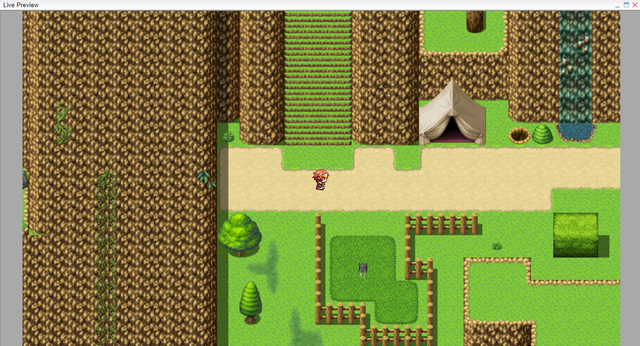
An extension providing support for a basic side-scrolling view.
Download
Google Drive
Installation
Check the Official Visual Novel Maker Guide.
How to use
- I prepared an example scene which uses Harold from RPG Maker MV as character: give them a look to understand how to use the extension's common events.
- I had to use RMMV's resources because VNM's StAR does not provide traditional walking sprites. Still, don't worry: due to Degica's partnership with KADOKAWA, this is perfectly fine.
- Actually, RMMV uses a top-down POV: real side-scrolling POV is a bit different.
- Even if this extension has not many uses on its own, once the devs add a viewport selection to the "Show Image Map" scene command you'll be able to use it for point'n'click stuff, such us investigations etc.
- Alternatively, you can script a new version of "Show Image Map" on your own.
@Kentou was the one who answered to all of my questions in the Support section.
License
This extension follows MIT License: you can use it (in both commercial and non-commercial games), copy it, modify it, merge it, publish it, distribute it, sublicense it and/or sell it, but insert
Copyright (c) 2018 FoxySeta
in your credits.
Screenshots
- #1.1.0
- Fixed animations' frame range problem
- #1.0.0
- Official release
Downloads / Referenced Files
RPG Maker Web attachments are mirrored locally when available. Other external links remain hosted by their original creator or third-party service.
- Download: Google Drive
License / Terms Note
License This extension follows MIT License: you can use it (in both commercial and non-commercial games), copy it, modify it, merge it, publish it, distribute it, sublicense it and/or sell it, but insert Copyright (c) 2018 FoxySeta in your credits.
Referenced Images / Attachments
Creator Claims / Removal
If you are the original creator and want this listing reassigned, edited, or removed, join BMMPlay and contact the moderators with proof that matches the original RPG Maker Web profile, linked GitHub, itch.io page, or another public creator identity.
Replies (0)
No replies yet.
Topic Summary
Loading summary...