

MVcellicom's Rarity Item Color System
BMM_Archive · July 15, 2026

Original Source
- Original title: cellicom's Rarity Item Color System
- Original author: cellicom
- Original date: November 5, 2015
- Source thread: https://forums.rpgmakerweb.com/threads/cellicoms-rarity-item-color-system.49515/
- Source forum path: Game Development Engines > RPG Maker Javascript Plugins > JS Plugin Releases (RMMV)
Summary
Hi to all, this is my first script for RPG Maker MV. I don't talk very well english, but i try. Apologize for this cellicom Rarity Item Color System
Archived First Post
this is my first script for RPG Maker MV. I don't talk very well english, but i try. Apologize for this
RPG Maker MV Plugin
cellicom
It allows you to enter a level of rarity (from 0 to 5) and color name.
I start it to a personal use to create the rarity level like Diablo.
Features
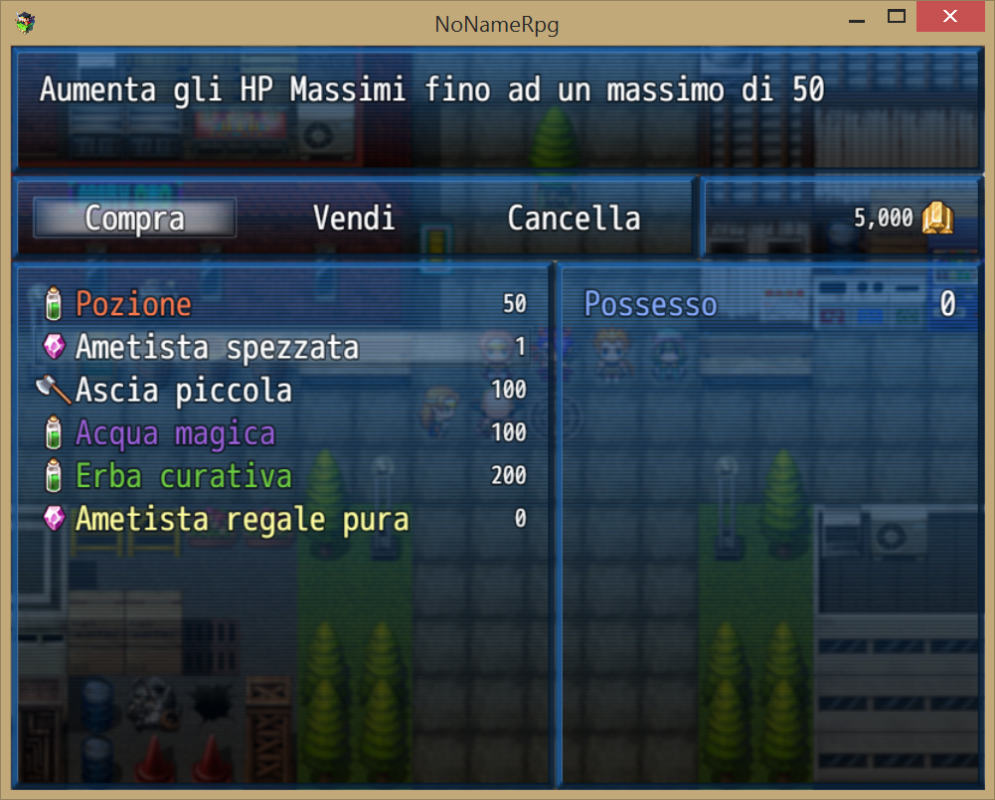
- Customizable color for all 5 rarity level
- Compatible with "YEP_X_ItemUpgradeSlots.js" of Yanfly (activable by params)
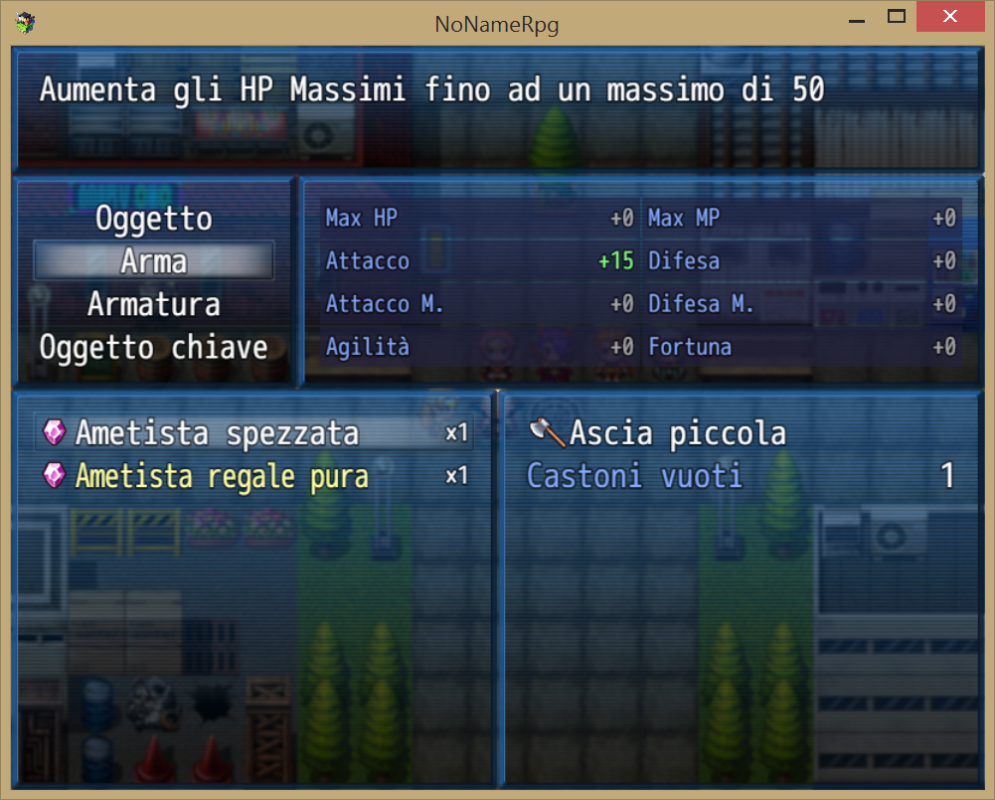
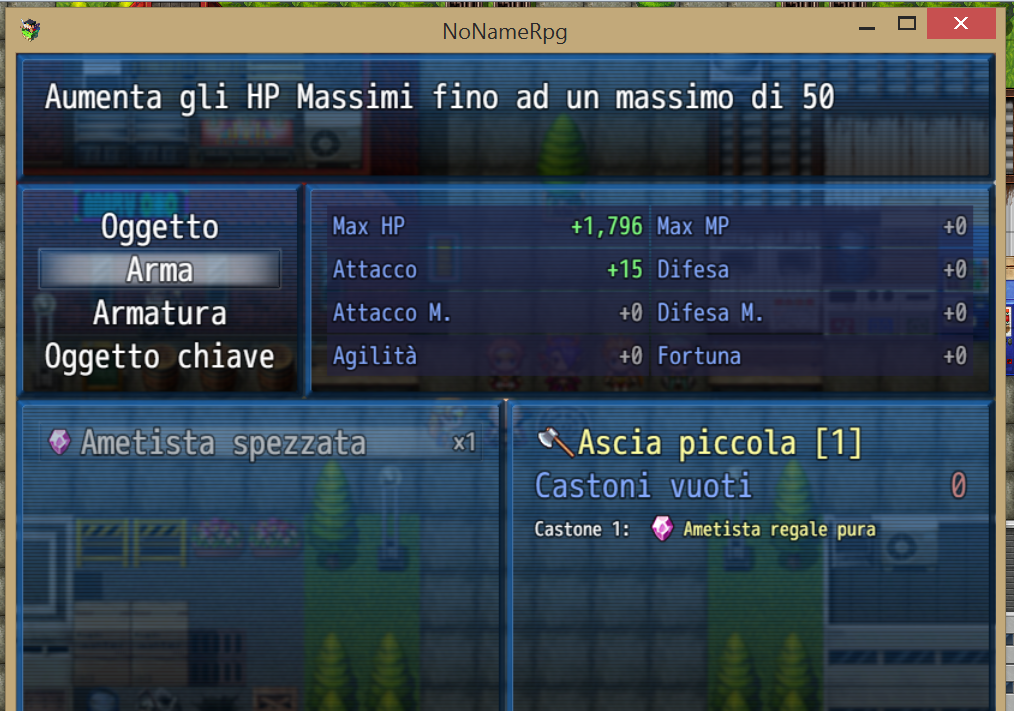
If you use "YEP_X_ItemUpgradeSlots.js", after insert item into slot, keeps item color in list. (see screenshots)
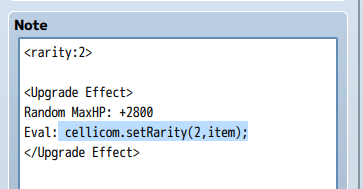
- You can change rarity of your weapon using the Eval notetag of Yanfly Item Upgrade Slots (see screenshots)
- Added escape code to Message \CR[x] where x is rarity
How to Use
insert <rarity: x> in notetag of your items or weapons (case-sensitive)
x = Level of rarity
Examples of rarity grade
0 = Common
1 = Uncommon
2 = Rare
3 = Legendary
4 = Sets
5 = Special
For default i choose a Diablo2-like colours, but you can change all colors from the params of plugin.
cellicom.setRarity(value,item); to set a new rarity level of your weapon (lower is ignored)
In message, you can use \CR[x] escape code to color some text
Example: \CR[2]Rare Item
How to Install
<span style="color: #282828">- Copy the script file into your project's /js/plugins/ folder.
<span style="color: #282828">- DO NOT RENAME THE FILE (Original name: cellicom_RarityItemColor.js)
<span style="color: #282828">- Activate it using the 'Plugin Manager'
- Read the 'HELP' documentation (also found in plugin manager) to view all params.
Screenshot
Get it here
Credit and Thanks
<span style="color: #282828">- cellicom
Terms
<span style="color: #282828">Free to use in any RPG Maker MV project including commercial. Credit is are appreciated but not required<span style="color: #282828">.
Features Mentioned
- Customizable color for all 5 rarity level
- Compatible with "YEP_X_ItemUpgradeSlots.js" of Yanfly (activable by params)
- If you use "YEP_X_ItemUpgradeSlots.js", after insert item into slot, keeps item color in list. (see screenshots)
- You can change rarity of your weapon using the Eval notetag of Yanfly Item Upgrade Slots (see screenshots)
- Added escape code to Message \CR[x] where x is rarity
Downloads / Referenced Files
RPG Maker Web attachments are mirrored locally when available. Other external links remain hosted by their original creator or third-party service.
- Local mirror: 14340-14c7b527fc134f6e5adfc62d045859d7.png
SHA-256:6d2bacbacb7ae8cba652d69b768eee9a5459079a1bd1884e6566d367e2500cf7
Original attachment URL: https://forums.rpgmakerweb.com/attachments/cellicom_rarityitemcolor_01-png.25613/ - Local mirror: 14341-2184621c21879afa88fec5679778ea2c.png
SHA-256:11c6b5a251742ad2ef7bb5aef3e2435d98da55c66c35c24914b8be253cb63641
Original attachment URL: https://forums.rpgmakerweb.com/attachments/cellicom_rarityitemcolor_02-png.25614/ - Local mirror: 14342-78b2b60422b72674bf3b29e675e69cb7.png
SHA-256:f9e5e794be227084cb8786a8e81034f5f242078de98252261cf5775e193364c5
Original attachment URL: https://forums.rpgmakerweb.com/attachments/cellicom_rarityitemcolor_03-png.25615/ - Local mirror: 14343-ae1492527a00ce7bb6103244888beb1e.png
SHA-256:f777dfced74aa757b0dc13fa97d333cc24bc0d023379146f13a2b02ed2e4901d
Original attachment URL: https://forums.rpgmakerweb.com/attachments/cellicom_rarityitemcolor_04-png.25616/ - Download: Get it here
License / Terms Note
Credit and Thanks - cellicom Terms Free to use in any RPG Maker MV project including commercial. Credit is are appreciated but not required.
Referenced Images / Attachments
Creator Claims / Removal
If you are the original creator and want this listing reassigned, edited, or removed, join BMMPlay and contact the moderators with proof that matches the original RPG Maker Web profile, linked GitHub, itch.io page, or another public creator identity.
Replies (0)
No replies yet.
Topic Summary
Loading summary...