Forums Rpg Maker Developers Group Forum How to make A Timer (As Item/Escape Sequence Rather Than Enemy Timer)

How to make A Timer (As Item/Escape Sequence Rather Than Enemy Timer)

by BMM Archive on 2026-07-16 15:38:51

Preserved forum archive. This topic stores the original first post and locally mirrored RPG Maker Web attachments when available. It is posted by the BMMPlay archive account, not by the original creator.

Original Source

  • Original title: How to make A Timer (As Item/Escape Sequence Rather Than Enemy Timer)
  • Original author: Carillon Nightmares
  • Original date: July 14, 2012
  • Source thread: https://forums.rpgmakerweb.com/threads/how-to-make-a-timer-as-item-escape-sequence-rather-than-enemy-timer.3204/
  • Source forum path: Game Development Engines > RPG Maker Tutorials > RMVX Tutorials

Summary

Next: { "lightbox_close": "Close", "lightbox_next": "Next",

Archived First Post

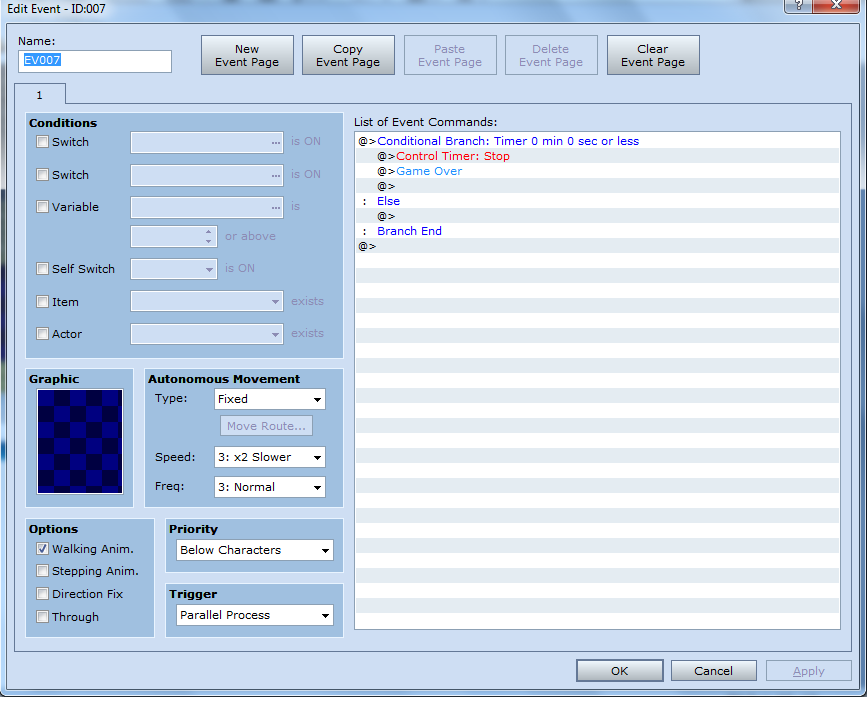
<---- Instructional Video HereFirst off, make an event in the bottom corner of the screen (make the event parallel process).

Next:

Protected download

*Note, you can always put something else after the timer stops, I'm just using Game Over as an example

___________________________________________________________________________________________________________________________________

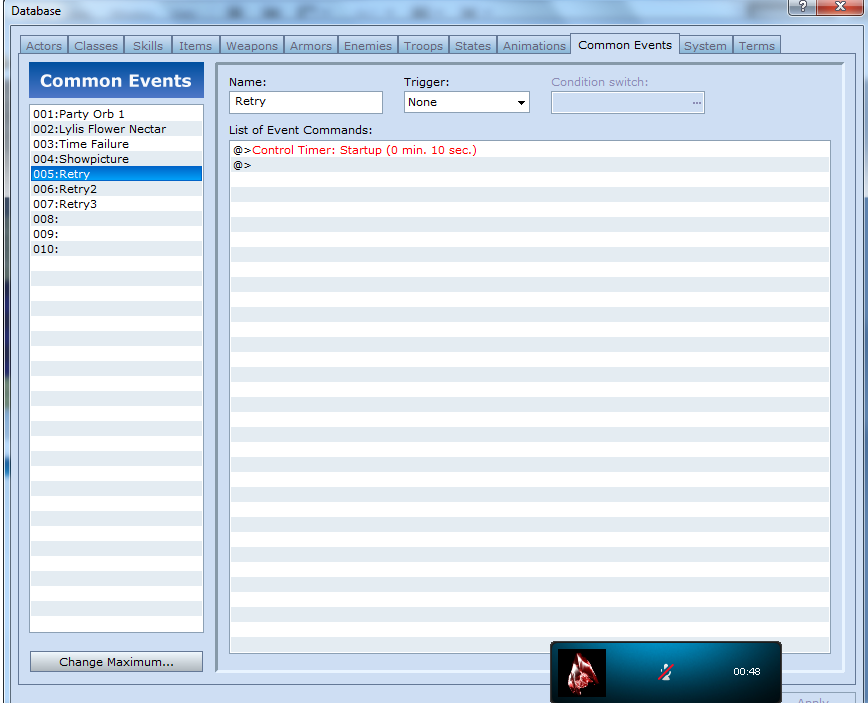
Next, go to Tools -- Database --- And Click on the common events Tab. Make a common event, set the trigger to none, and set the timer to whatever time you want it at. (Make sure to name the common event)

(I doubt you need an image for that, but I'll put one up anyways)

Protected download

____________________________________________________________________________________________________________________________________

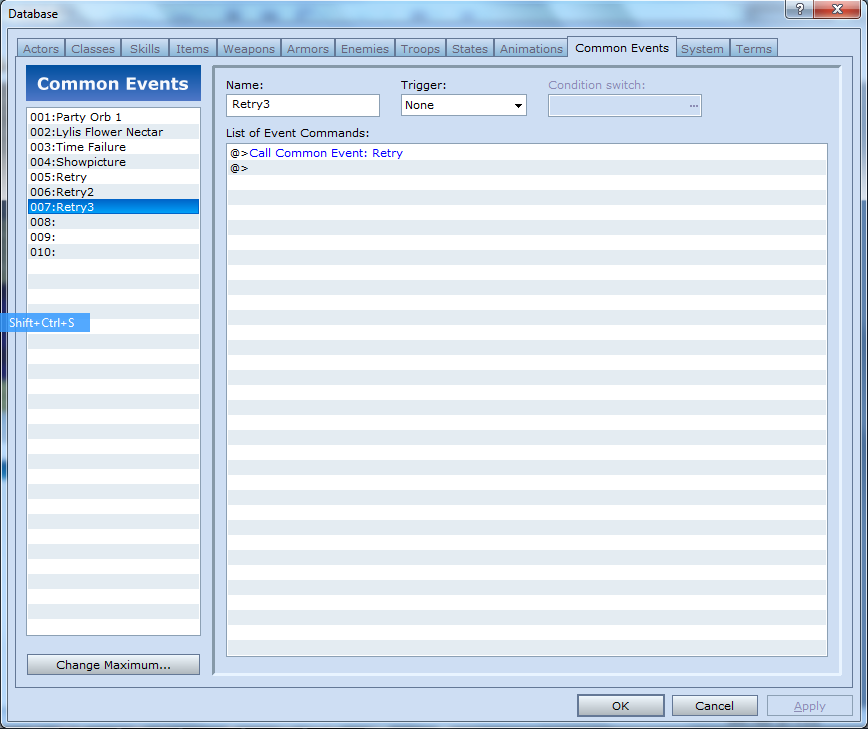
Then, make another common event, also set it's trigger to none and set it so that it calls up the common event that we just created.

Protected download

______________________________________________________________________________________________________________________________________

If you were doing this for an escape event than you're all done, otherwise continue reading tutorial for how to apply this to an item

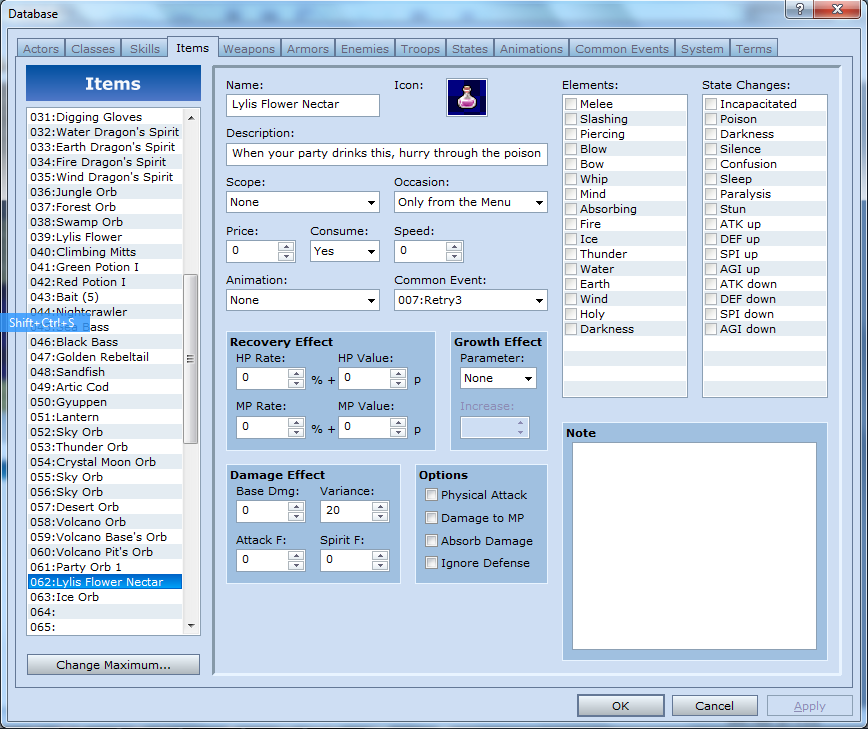
If you want to do this for an item, simply go to the items tab and make a new item (consumable {Unless you're planning on doing something else with it}). Go to common event and select the event used to call up the timer. Now if the item runs out, you'll get a game over. (or whatever else you chose to do with it)

Protected download

And there you have it! A timer that allows you to use it outside of battle! You can also view the instructional video to see this in action.

*Note: This was done in RPG VX. It may not be compatible in VX ACE.

Downloads / Referenced Files

Log in to download

Log in, then follow the RPG Maker Developers Group to see these download links.

Log in to download

Referenced Images / Attachments

Image1.png
Image1.png
Image2.png
Image2.png
Image3.png
Image3.png
Image4.png
Image4.png
Creator Claims / Removal

If you are the original creator and want this listing reassigned, edited, or removed, join BMMPlay and contact the moderators with proof that matches the original RPG Maker Web profile, linked GitHub, itch.io page, or another public creator identity.


#rpg-maker-archive#vx-tutorials

Replies (0)

No replies yet.

0 replies 3 views

Log in to reply to this topic.

User Avatar