

MVSumRndmDde's Timed Attack Core
BMM_Archive · July 3, 2026

BMM_Archive
Preserved forum archive. This topic stores the original first post and locally mirrored RPG Maker Web attachments when available. It is posted by the BMMPlay archive account, not by the original creator.
Original Source
- Original title: SumRndmDde's Timed Attack Core
- Original author: SumRndmDde
- Original date: July 20, 2016
- Source thread: https://forums.rpgmakerweb.com/threads/sumrndmddes-timed-attack-core.65627/
- Source forum path: Game Development Engines > RPG Maker Javascript Plugins > JS Plugin Releases (RMMV)
Summary
Timed Attack Core by SumRndmDde Version 1.21
Archived First Post
Timed Attack Core
by SumRndmDde
Version 1.21
Version 1.10 Update Video:
What This Plugin Does:
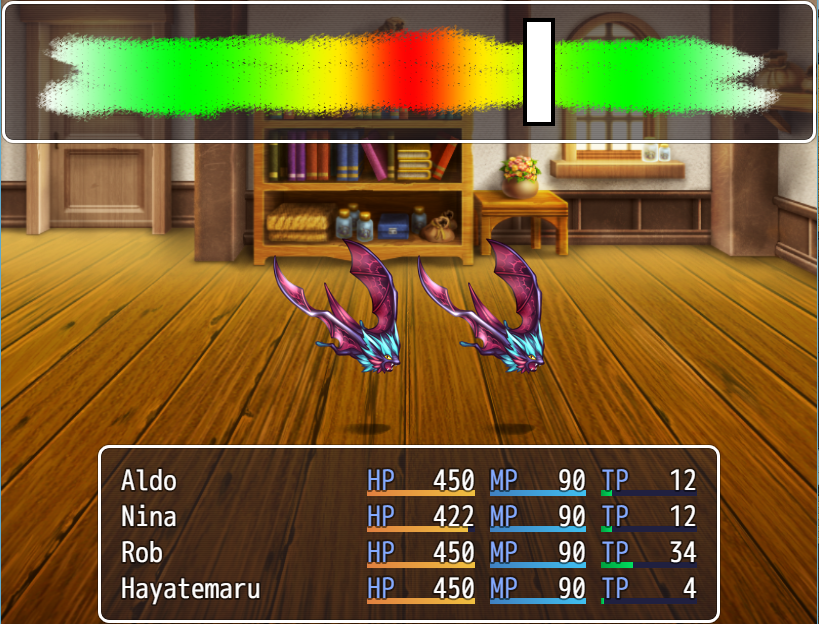
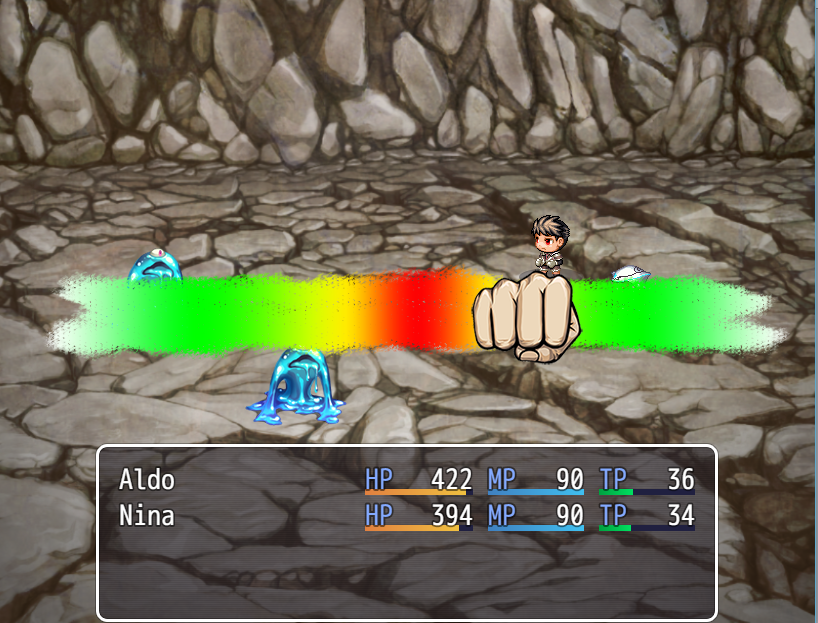
In the game, Undertale, whenever the Player chooses to attack, they must preform a quick, mini-game in which a small bar moves across a window that is detailed with a gradient of color. The goal of the game is to press the "ENTER" button when the bar is in the middle to preform the maximum amount of damage. However, one could stop the bar near the edges to do less damage if they choose to do so. This Plugin replicates that system and also allows the capability to add more forms of "Timed Attacks" in the future.
Basic Setup:
First, install the Plugin.
Next, use the following Notetags inside the Skill you wish to use the "Timed Attack System":
Code:
<Timed Attack: default>
<End Timed Attack>Finally, place a background image named "DefaultBackground" within:
Code:
/img/SumRndmDde/tas/The one shown in the video can be downloaded here:
https://dl.dropboxusercontent.com/s/asx8g493dzrbdsq/DefaultBackground.png?dl=0
Advanced Setup:
Once you can set up all of the basic stuff and have it working, you can start to use "attributes".
You can assign attributes to a Skill's Timed Attack by placing things in between the two Notetags:
Code:
<Timed Attack: default>
Speed: 5
<End Timed Attack>
This would make it so this Skill's Timed Attack will move at a Speed of 5.
All of the available attributes are listed in the Parameters and in the "Help" section of the Plugin.
Furthermore, you can set up all the default values for every "Timed Attack" in the Parameters.
Using "attributes", one can make it so Skills are all slightly different from one or another.
Actor, Class, Weapon Setup:
Furthermore, you can also set up attributes based on the Actor, Class, or Weapon.
For example, let's say you have this Notetag in Harold's Notebox:
Code:
<Timed Attack: default>
Speed: 4
Width: 28
Main Color: Blue
<End Timed Attack>
Now, when Harold uses a Skill that has this Notetag:
Code:
<Timed Attack: actor>That Skill will use the Timed Attack in Harold's Notebox.
You can also use:
Code:
<Timed Attack: class>
<Timed Attack: weapon>
to have it based on the Actor's Class or Weapon.
Screenshots:
Download:
You can download the Plugin here:
http://sumrndm.site/timed-attack-core/
Terms of Use:
Terms of Use for my Plugins can be found here:
http://sumrndm.site/terms-of-use/
Posted Extension Plugins:
Change Log:
Version: 1.21:
Updated for 1.3.1
Recoded to be more efficient and faster.
Version: 1.10:
Timed Attack can be based off of Actor, Class, or Weapon
Window can now be resized and positioned.
"Image" attribute added
"Target Location" attribute added
Version: 1.00:
Sublime Text birthed this Plugin. I helped.
Downloads / Referenced Files
RPG Maker Web attachments are mirrored locally when available. Other external links remain hosted by their original creator or third-party service.
- Download: https://dl.dropboxusercontent.com/s/asx8g493dzrbdsq/DefaultBackground.png?dl=0
- Local mirror: 26147-8cfcd8e17da057ca1ff6dd188d47339a.png
SHA-256:185815b2f8ba652b0f5f5c27dc09ab1283fd4d01ac6801322ce78b09c7384f0c
Original attachment URL: https://forums.rpgmakerweb.com/attachments/timedattack-png.43281/ - Local mirror: 26146-526140e77c6a270d7518ca5463edba53.png
SHA-256:bce71db44597bdb2af417fda7b6caddf81b1eea370f9a10893adc7bceacc1c1b
Original attachment URL: https://forums.rpgmakerweb.com/attachments/sshot-png.43280/

License / Terms Note
Terms of Use: Terms of Use for my Plugins can be found here: http://sumrndm.site/terms-of-use/ Posted Extension Plugins:
Referenced Images / Attachments
Creator Claims / Removal
If you are the original creator and want this listing reassigned, edited, or removed, join BMMPlay and contact the moderators with proof that matches the original RPG Maker Web profile, linked GitHub, itch.io page, or another public creator identity.
Replies (0)
No replies yet.
0
replies
25
views
Topic Summary
Loading summary...