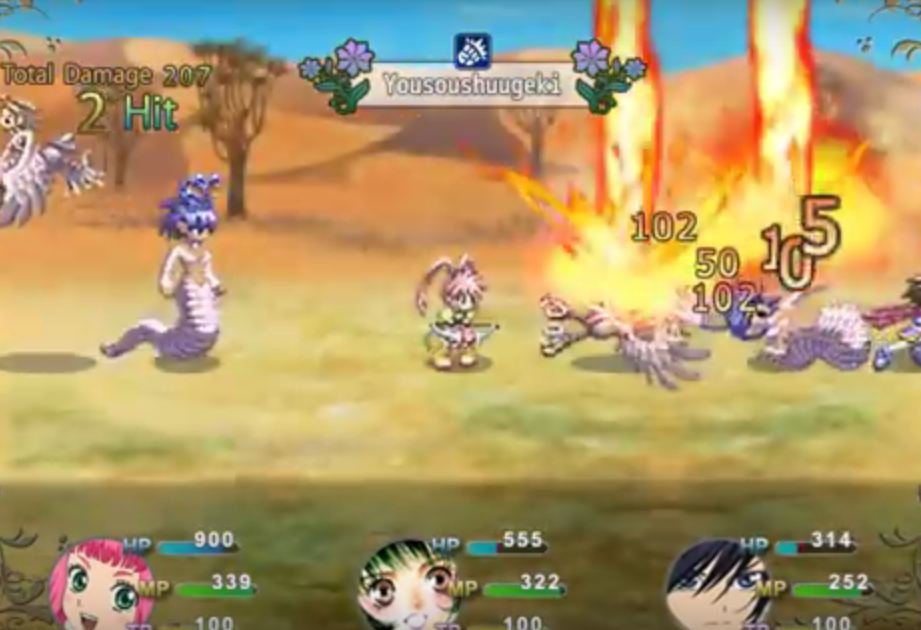
Hi guys! So i,m trying to use MOG,s lmbs battle system.View attachment MOG_LMBS.js It,s pretty cool to work with, but the code doesn,t allow me to do SOME stuff... For instance i cant evolve my actor in-battle...
Hi guys!
So i,m trying to use MOG,s lmbs battle system.
View attachment MOG_LMBS.js
It,s pretty cool to work with, but the code doesn,t allow me to do SOME stuff...
For instance i cant evolve my actor in-battle...
If you didn,t know mog,s plugin uses external spritesheets for actors and allows the player to move, jump, attack, use skills etc.
Protected download
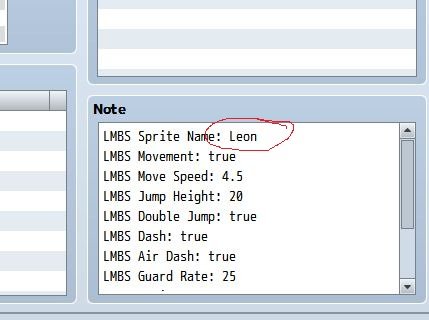
Mog,s plugin states the battler sprite sheet name in the note section.
Protected download
It shows what is the name of the sprite in the folder.
Protected download
So to make Leon EVOLVE EVOLVE SUPER EVOLVE trough a skill i have to change his spritesheet.
How?
I though by changing the sprite name.
But then the user
@Andar suggested this :
no - the notebox is static for a lot of reasons, and trying to change those contents ingame will cause a lot more problems and confusion.
The only way to achieve what you want is to modify Mog's plugin so that it will look for a different structure.
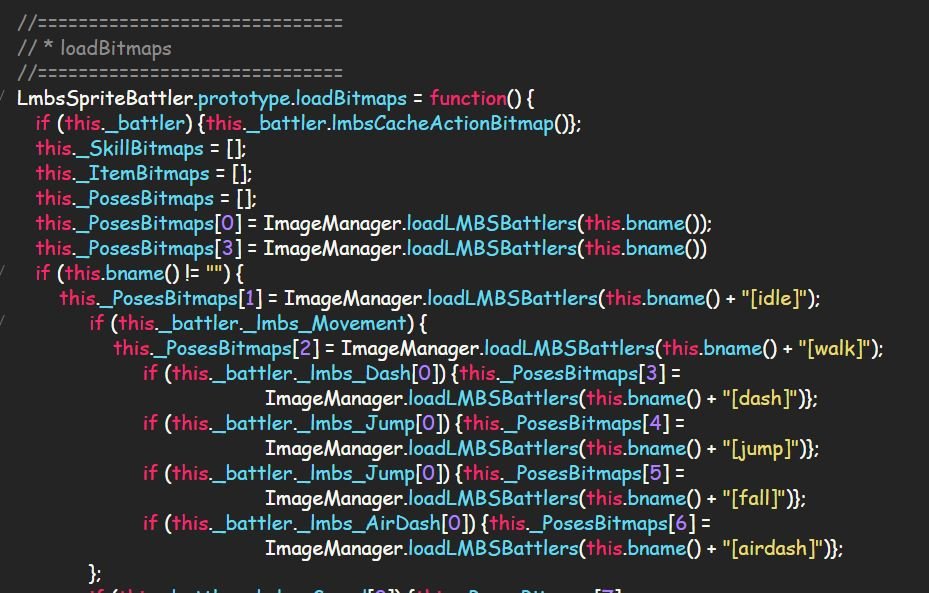
Currently it is looking for filenames that are constructed from "Basename"+"Pattern", with the basename read from the notetag and the pattern set by whatever part of the plugin needs the picture.
I would suggest a modification that changes this to "Basename"+"Variablenumber"+"Pattern", with the variable number read from a game variable you set for each actor.
Then changing the game variable by skill would change the final picture name from (for example) Leon00[Action2] to Leon02[Action2].
There are a few other ways, but such a modification should be the easiest to make - but "easiest" here does not mean that it is simple, you'll have to find and change every use of that filename in the entire plugin.
And here is how i tried doing...
from this...
Protected download
To this....
Protected download
But i failed...
HELP please!






 UGREEN Nexode Air 45W USB-C Charger Block
Compact foldable GaN charger for phones, tablets, and light laptop charging.
View on Amazon
UGREEN Nexode Air 45W USB-C Charger Block
Compact foldable GaN charger for phones, tablets, and light laptop charging.
View on Amazon