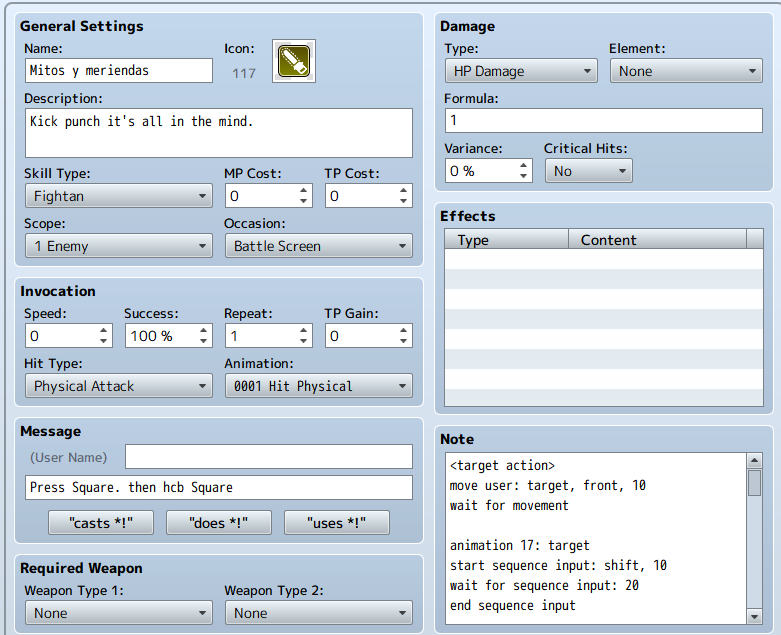
Howdy. I'm having a lil' problem with my attack's script.
The intended behavior: First a timed hit occurs by pressing Shift (this works fine), then, have the game check if the character has more than 0 MP. If so, allow for additional input (in this case a qcb plus Shift) for a chance to allow for an additional hit and then deduct MP.
HERE'S MY REAL PROBLEM: For some reason this move works perfectly as intended if I make the game check the user's
TP. If the TP is 0 it doesn't allow for a second input and the character falls on her face, but if there's TP it allows for more inputs and I get my second hit. If I change the line to check for MP instead it bypasses the check altogether, allowing for inputs when there is no MP available and allowing additional hits for free (which is awesome but not the intended behavior).
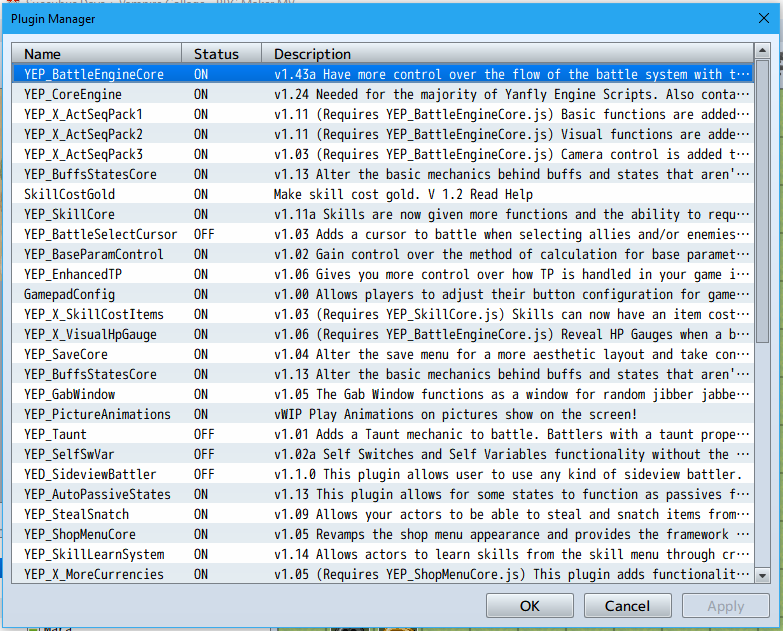
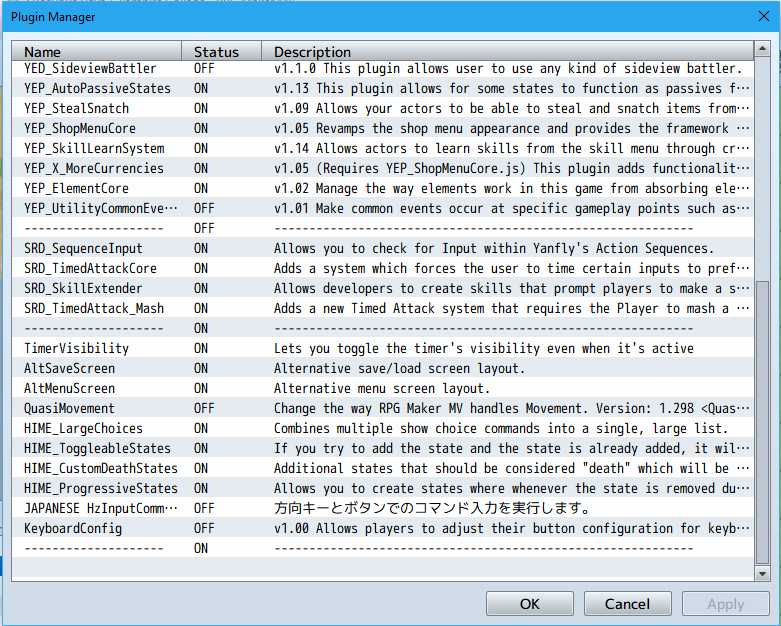
Here's the code in the spoilers. I'll also provide screenshots with the Plugins I have.
<target action>
move user: target, front, 10
wait for movement
animation 17: target
start sequence input: shift, 10
wait for sequence input: 20
end sequence input
if $gameVariables.value(10) > 0
action animation: target
action effect: target
else
motion dead: user
wait 20
end
if $gameActors.actor(7).mp > 0
change variable 9 = 1
else
change variable 9 = 0
animation 1: user
end
if $gameVariables.value(9) > 0
start sequence input: left, 1
wait for sequence input: 25
end sequence input
else
motion victory: user
wait 20
end
if $gameVariables.value(1) > 0
start sequence input: down, 2
wait for sequence input: 25
end sequence input
else
motion damage: user
end
if $gameVariables.value(2) > 0
start sequence input: right, 3
wait for sequence input: 25
end sequence input
if $gameVariables.value(3) > 0
start sequence input: shift, 4
wait for sequence input: 25
end sequence input
if $gameVariables.value(4) > 0
action effect: target
mp -1: user
else
motion dead: user
end
end
death break
wait: 8
</target action>
Protected download
Protected download
Protected download
Worth a mention, I'm using version 1.6. I at first thought that was an issue, but the attack kept misbehaving even after I went back to the previous version.
Again, this works just fine when I check TP, but I wanna use TP for something entirely different, so I need to change it to MP. Any help, suggestions, tips and or workarounds will be appreciated.
(Also, I tried searching for this topic before, but the search tends to omit MP by virtue of being a short word, and I kept stumbling upon things that check TP instead).




 Keychron K2 QMK Wireless Mechanical Gaming Keyboard
Compact wireless mechanical keyboard for office work, gaming, and desk upgrades.
View on Amazon
Keychron K2 QMK Wireless Mechanical Gaming Keyboard
Compact wireless mechanical keyboard for office work, gaming, and desk upgrades.
View on Amazon