

Extra help window advice
BMM_Archive · July 15, 2026

Original Source
- Original title: Extra help window advice
- Original author: koster
- Original date: May 22, 2016
- Source thread: https://forums.rpgmakerweb.com/threads/extra-help-window-advice.62241/
- Source forum path: Game Development Engines > RPG Maker Javascript Plugins > Javascript/Plugin Support
Summary
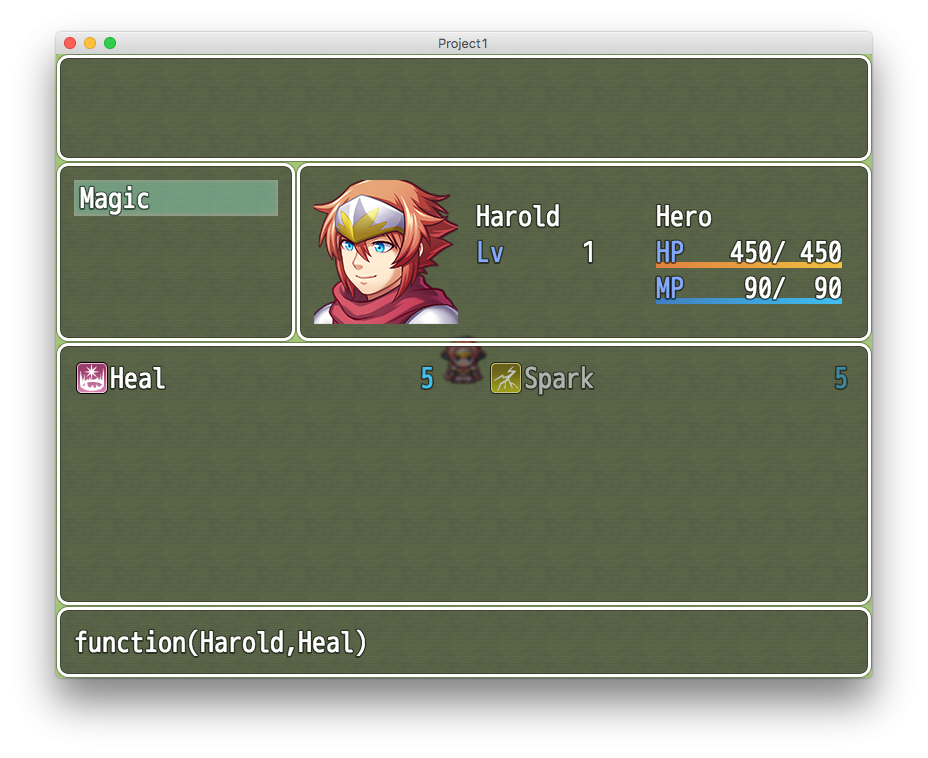
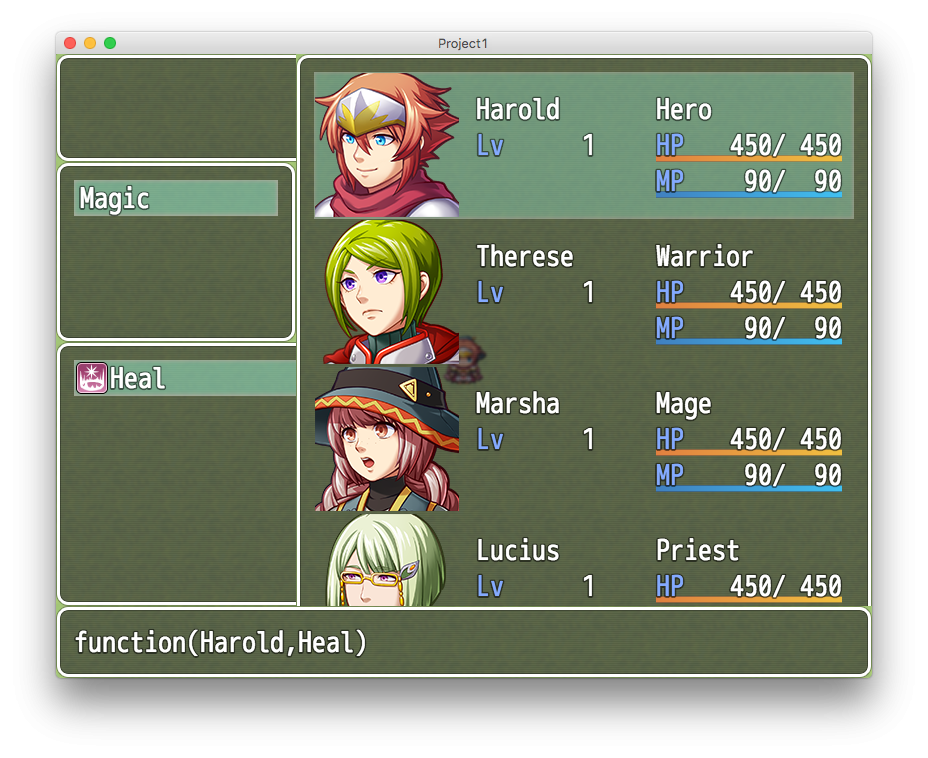
Hi, I am new to this js/RMMV world and I am trying to make a script. Up to this point everything but the visuals work fine in my plugin . It involves adding a window to skill scene, the window should work like a help window, changing the info as the cursor moves above the skills, but showing info related to both: the skill and the actor. and not just info related to the skill, as in the regular help window. So far I have this working, but there are...
Archived First Post
* The info wont dissappear when no skill is selected
* The window shows above the actor selection window, when healing from the menu for example
I hope someone could help me. My goal is to make this plugin higly compatible, so I am trying to avoid rewriting methods. A sample of my plugin showing the issue is attached. Of course I will share the plugin when it is done. .
Regards!
View attachment skillw.js
Downloads / Referenced Files
RPG Maker Web attachments are mirrored locally when available. Other external links remain hosted by their original creator or third-party service.
- Local mirror: 22969-5ee733d54a3502c58ad1904bec9244ed.png
SHA-256:f3441e8844df4ac6843ea17dfd5dc370b6d05c8a7d53520a84034c9b53aee669
Original attachment URL: https://forums.rpgmakerweb.com/attachments/1-png.38575/ - Local mirror: 22970-fa3339d13a10a1cd537dfd689136ac7c.png
SHA-256:78dd2e66811804fad19250e08893b4da0c90a79a941bec7a020b6b30f550ffb0
Original attachment URL: https://forums.rpgmakerweb.com/attachments/2-png.38576/ - Local mirror: skillw.js
SHA-256:347acd23b3b87055945ffae3ad85d066fa09a4eb462ac443d94828d655593e83
Original attachment URL: https://forums.rpgmakerweb.com/attachments/skillw-js.38577/
Referenced Images / Attachments
Creator Claims / Removal
If you are the original creator and want this listing reassigned, edited, or removed, join BMMPlay and contact the moderators with proof that matches the original RPG Maker Web profile, linked GitHub, itch.io page, or another public creator identity.
Replies (0)
No replies yet.
Topic Summary
Loading summary...