

YEP_MessageCore Second Font Issues
BMM_Archive · July 15, 2026

Original Source
- Original title: YEP_MessageCore Second Font Issues
- Original author: Sarena
- Original date: March 3, 2016
- Source thread: https://forums.rpgmakerweb.com/threads/yep_messagecore-second-font-issues.57855/
- Source forum path: Game Development Engines > RPG Maker Javascript Plugins > Javascript/Plugin Support
Summary
Hi, I am currently working on a game where the player has the ability to name the main character. I want the characters' names to all appear in all CAPS in the name box. My current solution has been to change the font in the name box so that it is a font that is all CAPS (since that would be easier than ensuring that the player only uses CAPS when naming the player). My current issue is that the \fn is not working correctly. I have the YEP_MessageCore Plug-in...
Archived First Post
I am currently working on a game where the player has the ability to name the main character. I want the characters' names to all appear in all CAPS in the name box. My current solution has been to change the font in the name box so that it is a font that is all CAPS (since that would be easier than ensuring that the player only uses CAPS when naming the player).
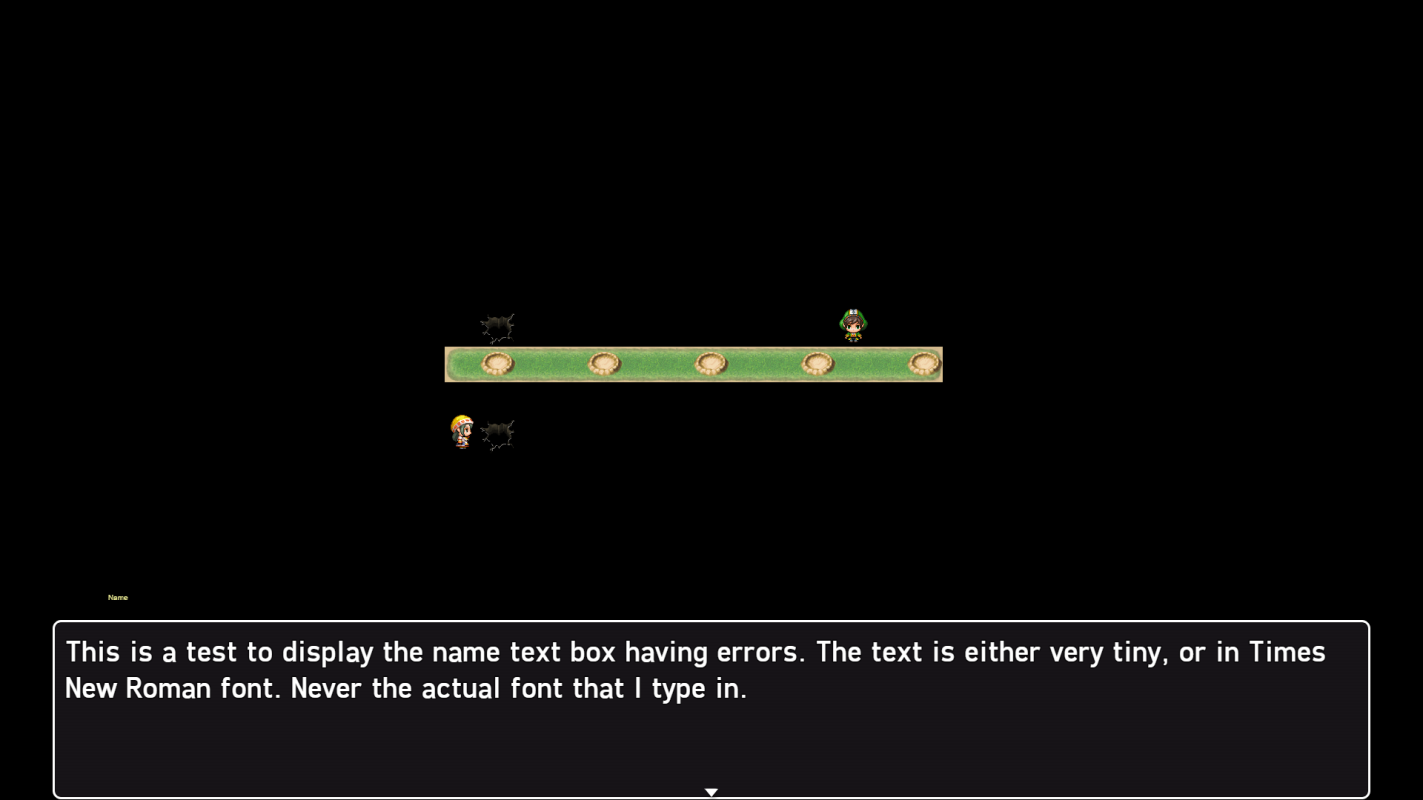
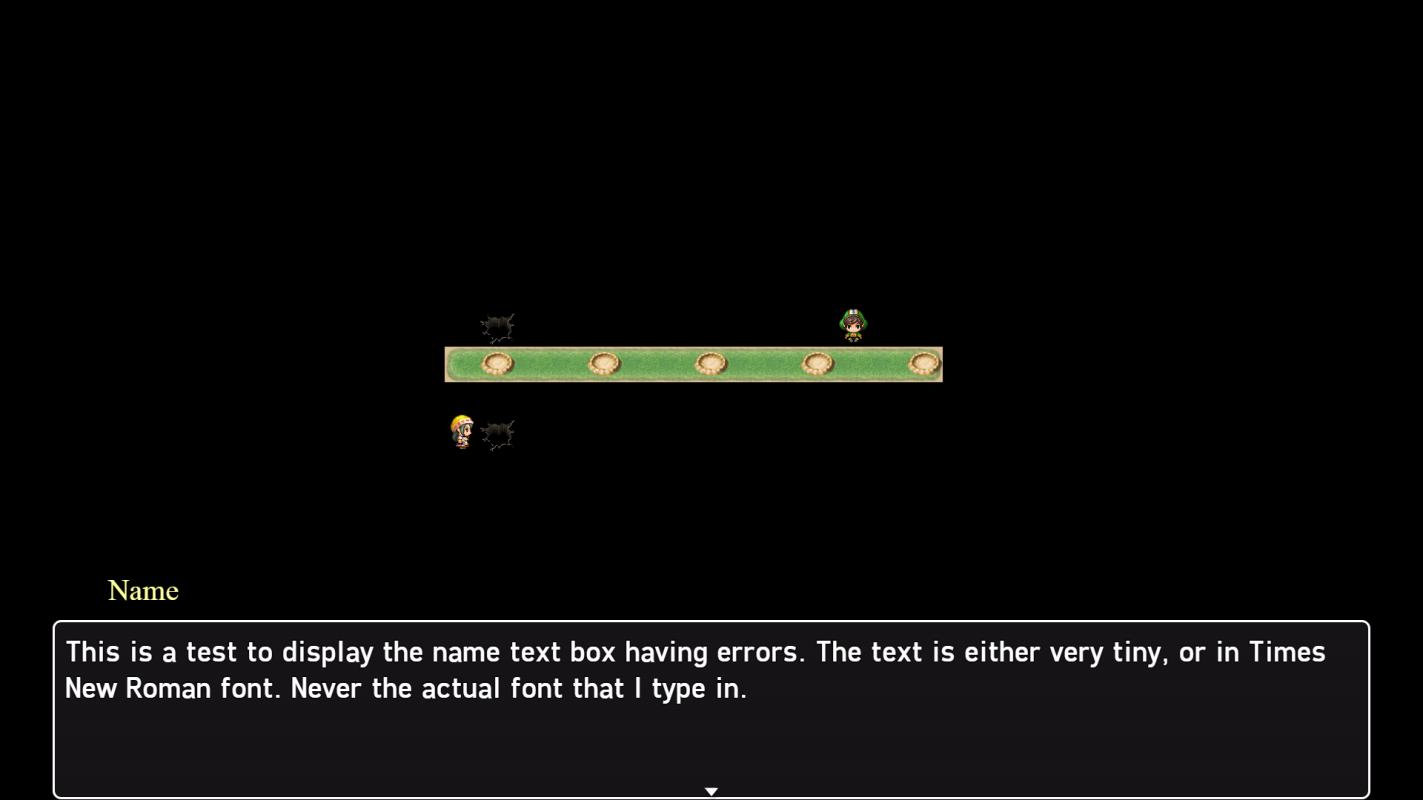
My current issue is that the \fn<fontname> is not working correctly. I have the YEP_MessageCore Plug-in installed, as well as YEP_CoreEngine, and a few others. Attached at the bottom of this post are the two outcomes of the text.
The first image is when my Name Box Added Text looks like this:
\fn<mclarenregular.tff>
The second image is when my Name Box Added Text looks like this:
\fn<mclarenregular>
I have tried all of these methods for my gamefont.css file:
@font-face {
font-family: GameFont;
src: url("Freeroad Regular.ttf");
}
@font-face {
font-family: NameFont;
src: url("mclarenregular.ttf");
}
and
@font-face {
font-family: GameFont;
src: url("Freeroad Regular.ttf");
}
and
@font-face {
font-family: GameFont;
src: url("Freeroad Regular.ttf");
font-family: NameFont;
src: url("mclarenregular.ttf");
}
I have tried changing the font names in both the YEP_CoreEngine as well as YEP_MessageCore, but neither have given me any luck. Both of the fonts listed above are named exactly as is in my Project/fonts folder.
Any ideas on what I could be doing wrong?
Thank you in advance!
Downloads / Referenced Files
RPG Maker Web attachments are mirrored locally when available. Other external links remain hosted by their original creator or third-party service.
- Local mirror: 19107-112c597542c2148ecde27b40a4bf0e5b.png
SHA-256:1a58b4d2589306216f1ed8a1a1b2f177f06cb82fbc947ed828ee2f36f3a70536
Original attachment URL: https://forums.rpgmakerweb.com/attachments/fonterror2-png.32846/ - Local mirror: 19106-7e9dd3d3698580a692396c21307302de.png
SHA-256:a7715a75bfeaf35149dab5203cc8fd58e112ca5074a95b7d454d168795464d77
Original attachment URL: https://forums.rpgmakerweb.com/attachments/fonterror1-png.32845/
Referenced Images / Attachments
Creator Claims / Removal
If you are the original creator and want this listing reassigned, edited, or removed, join BMMPlay and contact the moderators with proof that matches the original RPG Maker Web profile, linked GitHub, itch.io page, or another public creator identity.
Replies (0)
No replies yet.
Topic Summary
Loading summary...