

[Solved] Problem with Galenmereth's "Bind Pictures To Map" JS Plugin.
BMM_Archive · July 15, 2026

Original Source
- Original title: [Solved] Problem with Galenmereth's "Bind Pictures To Map" JS Plugin.
- Original author: Doc.
- Original date: January 25, 2016
- Source thread: https://forums.rpgmakerweb.com/threads/solved-problem-with-galenmereths-bind-pictures-to-map-js-plugin.55683/
- Source forum path: Game Development Engines > RPG Maker Javascript Plugins > Javascript/Plugin Support
Summary
Spoiler So first of all, let me apologize for anything wrong with this post (as I am fairly new here and don't speak english that well). Since I can't find another post about this (and I'm sorry if there is), I'll leave here. I'm currently having a problem with Galenmereth's Bind Pictures To Map JS Plugin. When I start up the game, everything is fine. No worries, and I think everything is working properly.
Archived First Post
I'm currently having a problem with Galenmereth's Bind Pictures To Map JS Plugin.
When I start up the game, everything is fine. No worries, and I think everything is working properly.
Spoiler
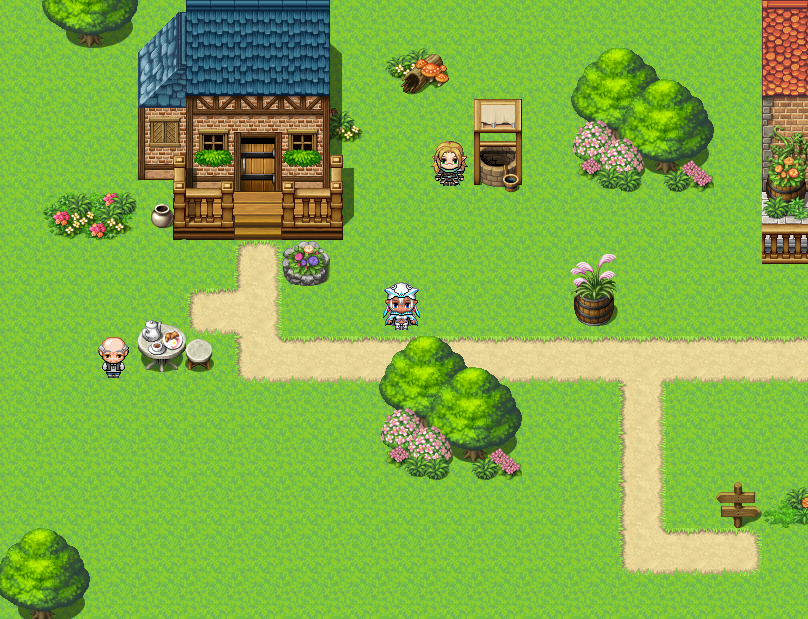
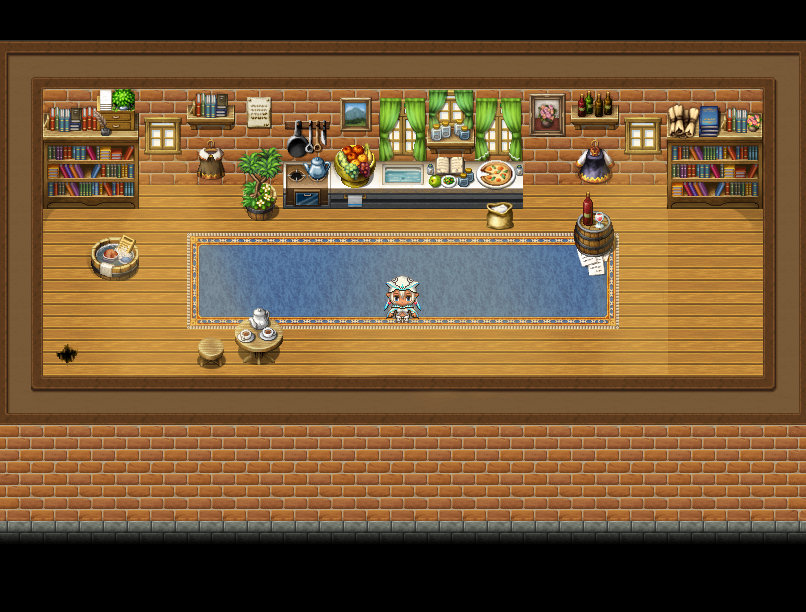
Then, I enter my test house. The plugin seems to be working properly with the minimalist picture I have. Great.
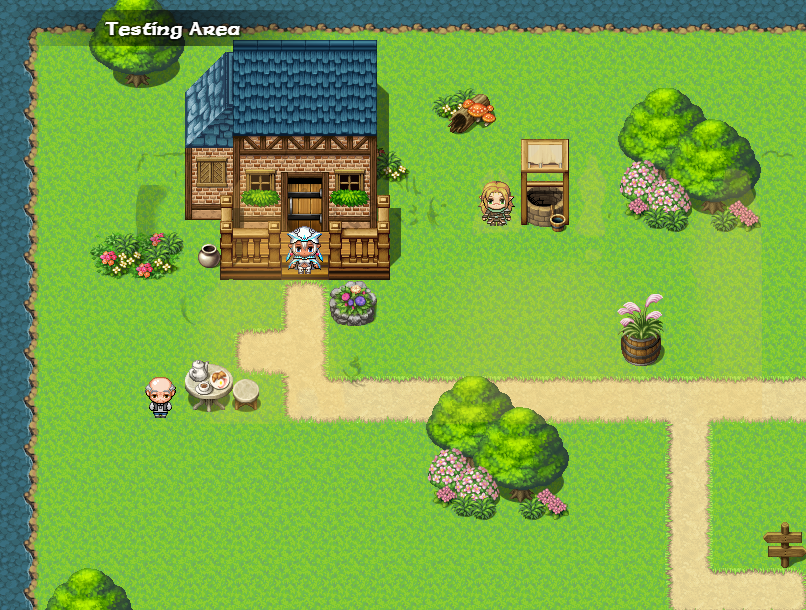
But when I leave, things get strange. The Picture seems to follow me from map to map.
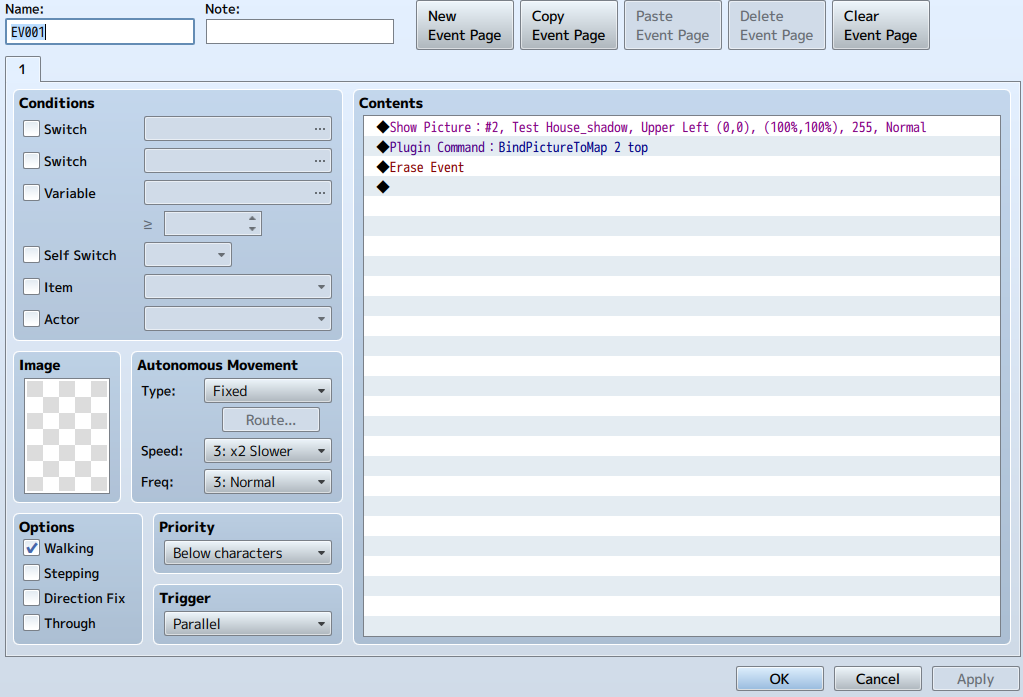
Has anyone else experienced this problem? I have followed the instructions to the letter, but I don't know what is going wrong.
Any help would be greatly appreciated.
Downloads / Referenced Files
RPG Maker Web attachments are mirrored locally when available. Other external links remain hosted by their original creator or third-party service.
- Local mirror: 17120-19e0484a6d59c7c3234ea1433fb57610.png
SHA-256:c863b9de779bddca8bce772d3ec22578dca83aab76786627e79eb3afd1f65b9a
Original attachment URL: https://forums.rpgmakerweb.com/attachments/game-exterior-png.29808/ - Local mirror: 17121-b9ed0e62bdf341f24d0cefb8a9dfe90a.png
SHA-256:f33602b0d5573ad0a9e774a4f564e5d9bf4ab510d950c31a35e3f891db590d03
Original attachment URL: https://forums.rpgmakerweb.com/attachments/house-interior-png.29809/ - Local mirror: 17122-b8016cbba454ece5bb12b39d0f821625.png
SHA-256:59d0824f55c15756df9c92b75bb0773a4ebc0f1895d9ba9024cf4ab5aad8c366
Original attachment URL: https://forums.rpgmakerweb.com/attachments/game-exterior-w-shadows-png.29810/ - Local mirror: 17123-16273f446f2a3a04b85f22b4aad99156.png
SHA-256:47aeec32fdef121e8c0cea27f82268f0a8438e4d665ba488c0f019bb4258b199
Original attachment URL: https://forums.rpgmakerweb.com/attachments/event-page-png.29811/
Referenced Images / Attachments
Creator Claims / Removal
If you are the original creator and want this listing reassigned, edited, or removed, join BMMPlay and contact the moderators with proof that matches the original RPG Maker Web profile, linked GitHub, itch.io page, or another public creator identity.
Replies (0)
No replies yet.
Topic Summary
Loading summary...