Hi, so this is my first time posting here, so I hope I've put this topic in the right forum, and I'm able to provide adequate information for assistance. Here is my problem:
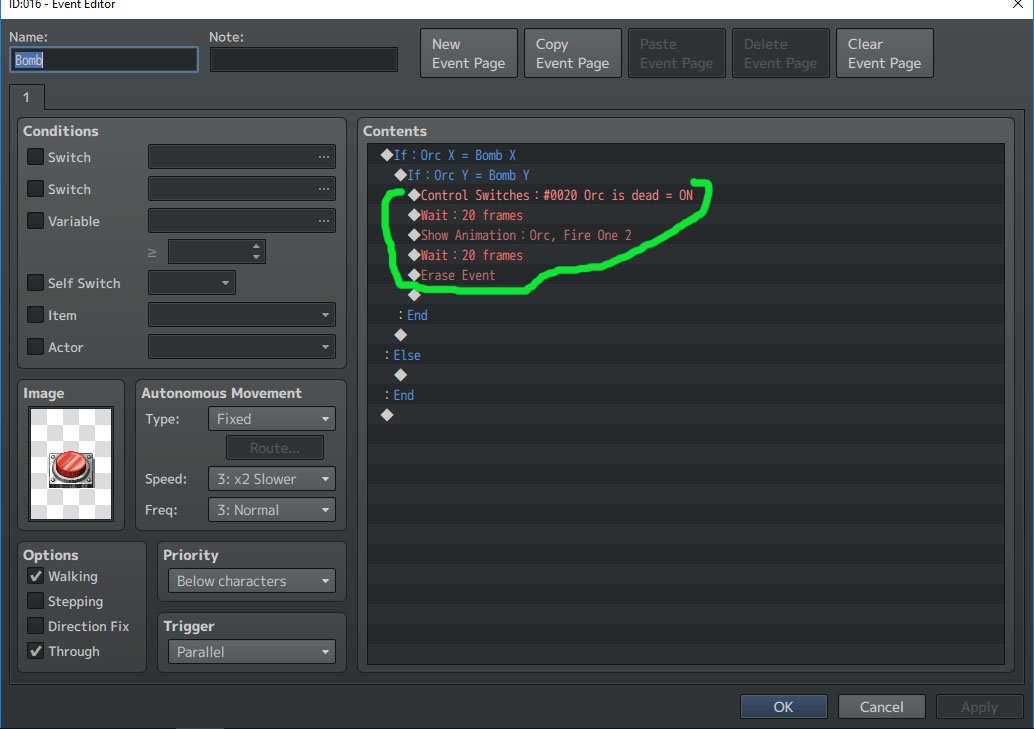
I am currently working on a project that will have a character running away from enemies on-screen, and be able to place traps or use items to hinder or defeat them. So far I've created a debug room of sorts to test out mechanics of having a bomb laid out that when the enemy sprites walk over them, they will explode and die. The trouble I'm having is with a conditional branch that is behaving oddly. The scripts I have running are Yanfly's Region Restrictions, and Yanfly's Event Chase Player. Here are screenshots to illustrate my problem:
Protected download
Protected download
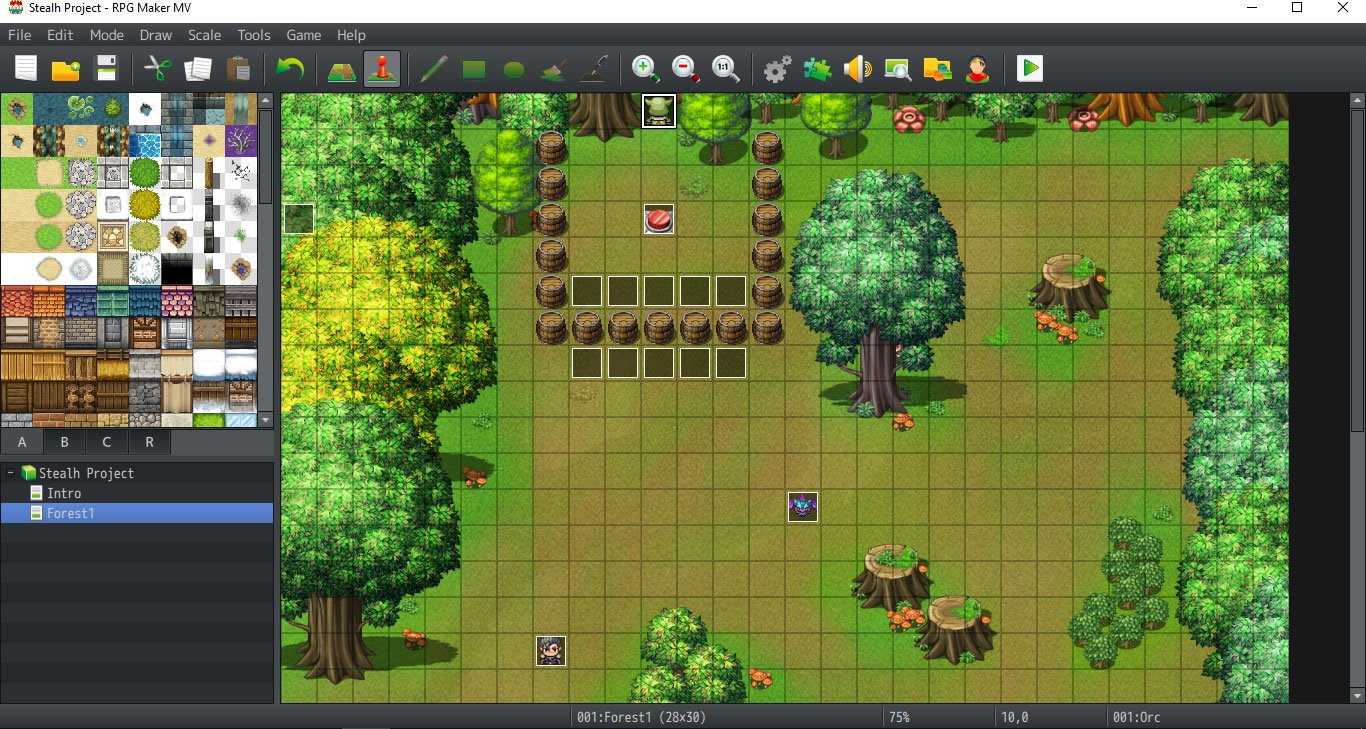
Just here to show that the orc's starting position is 10, 0.
Protected download
Protected download
Protected download
Protected download
Protected download
I think that should be everything, but please let me know if there's any additional information I can provide. I have been stuck on how else to fix this problem... Thank you in advance to helping!
P.S. I completely realize the title has a typo spelling stealth. I just haven't gone in to fix the project title, haha.
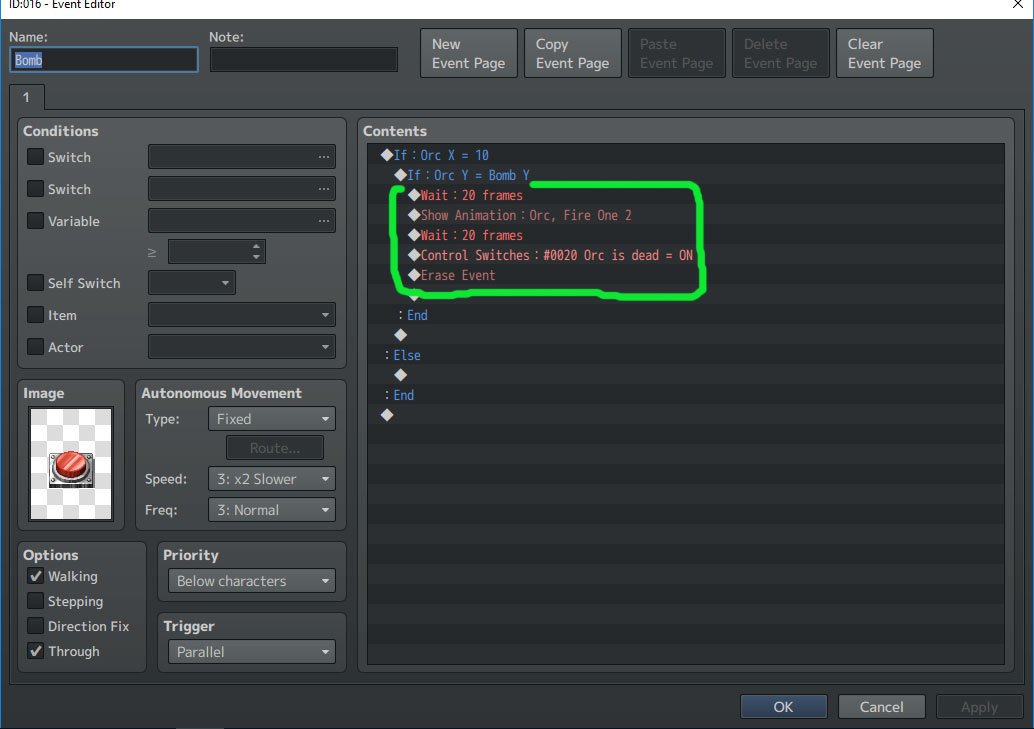
Lastly, I decided to check by changing the variable values of the orc against a constant value of a non-moving bomb. In this case, the behavior code triggers as intended, with the bomb only going off when the orc reaches the bomb's position. Confusingly, the codes works as intended if I use a constant for just the x value, a constant for just the y value, and both as constants. The trouble comes up only when the game checks for both values as variables. I have also switched the order of the checks to see if that helped at all, but it does not. To my understanding, the nested conditional branch here should be syntactically the same as a coded "AND" check. I would like to be able to use variables since I would like the player to be able to set these "bombs" (likely to change to another trap to fit the tone of the game) in non-fixed locations.
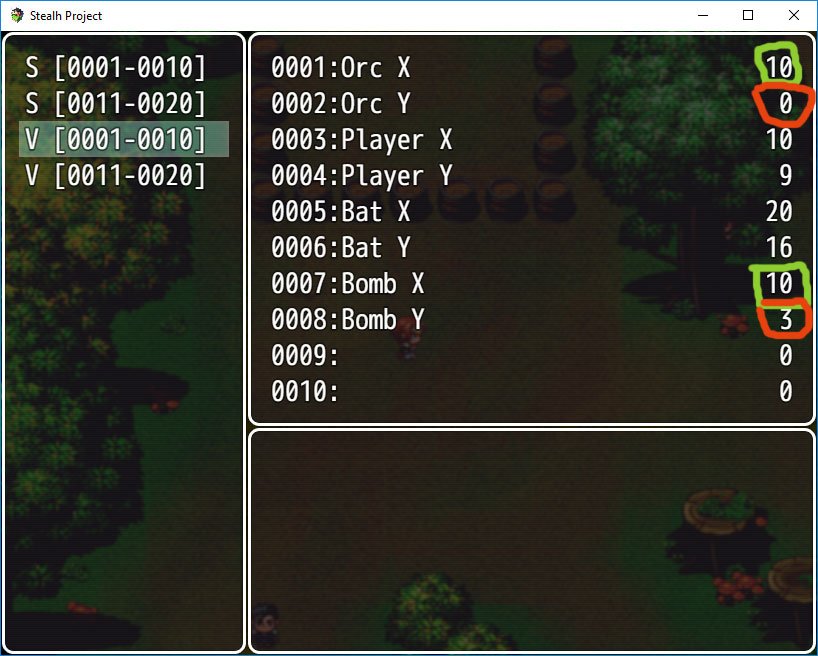
When I start the game, the events highlighted in green immediately trigger, and here are the debug variable values in a game test. As you can see, while the x coordinates match, the y coordinates do not.
To the best of my logic, this should work, as the bomb coordinates are checked against the orc's coordinates continuously, and should only activate once both conditional branches are met. However...
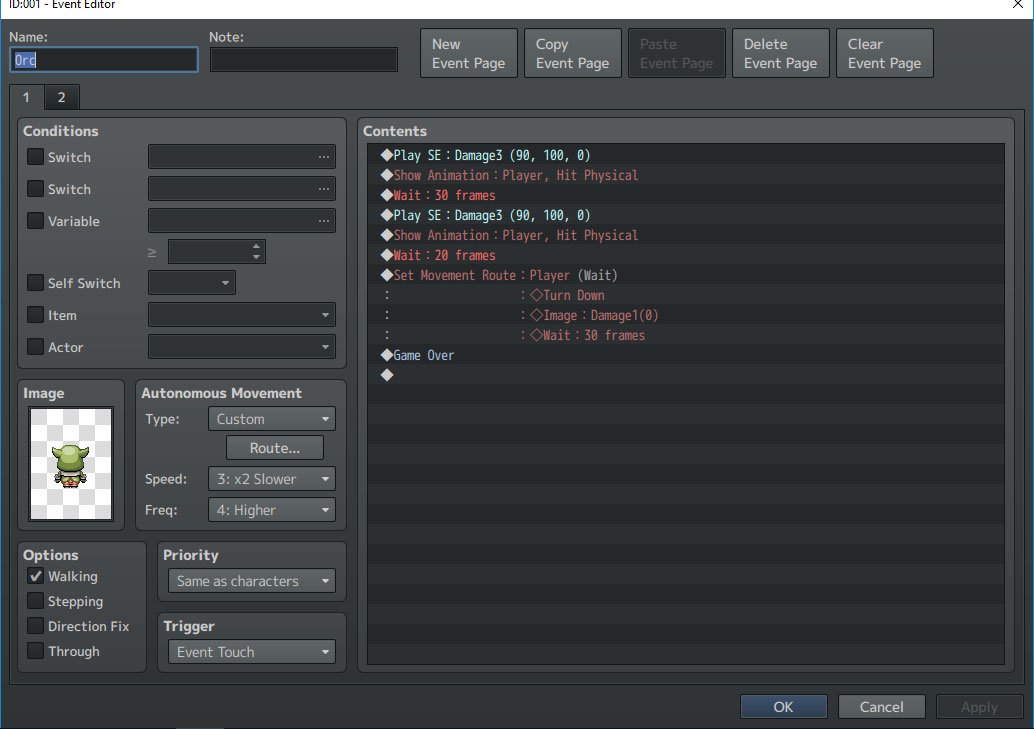
Here is the orc's event page. The contents are just behavior that shows an animation of the enemy killing the player, with event touch as its trigger. The second page's only difference is showing a condition where the orc has been killed via a switch that goes off in the bomb's event, which I will show next.
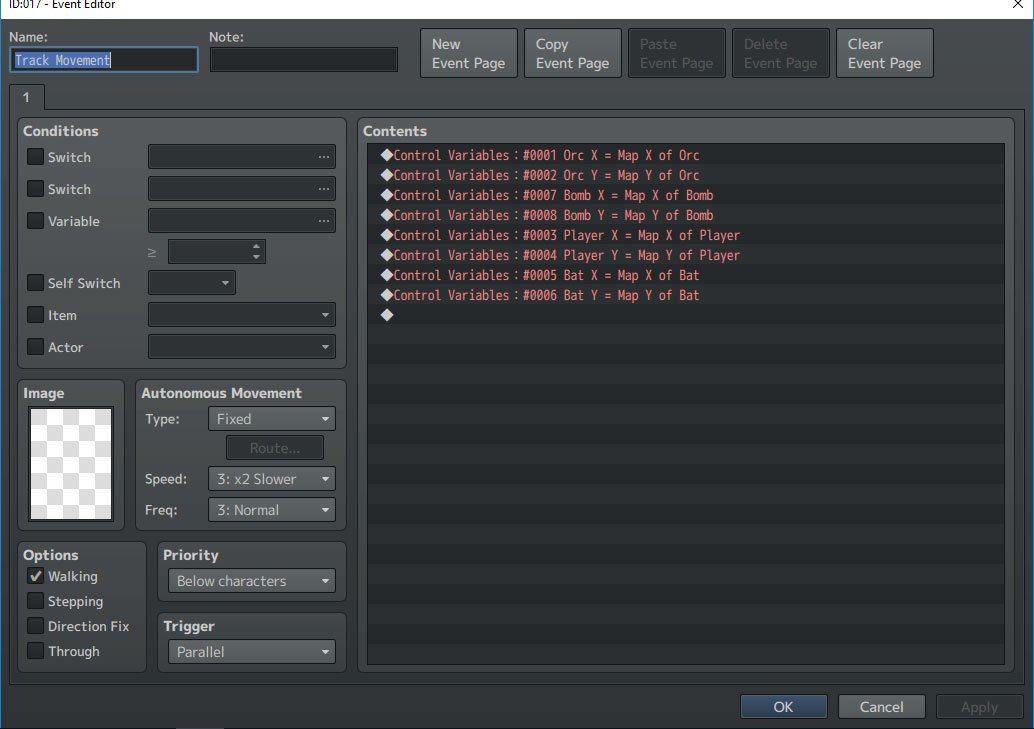
Here is the empty event on the far left. It is used to continuously track the coordinates of various events, in this case the orc position and bomb position are relevant.
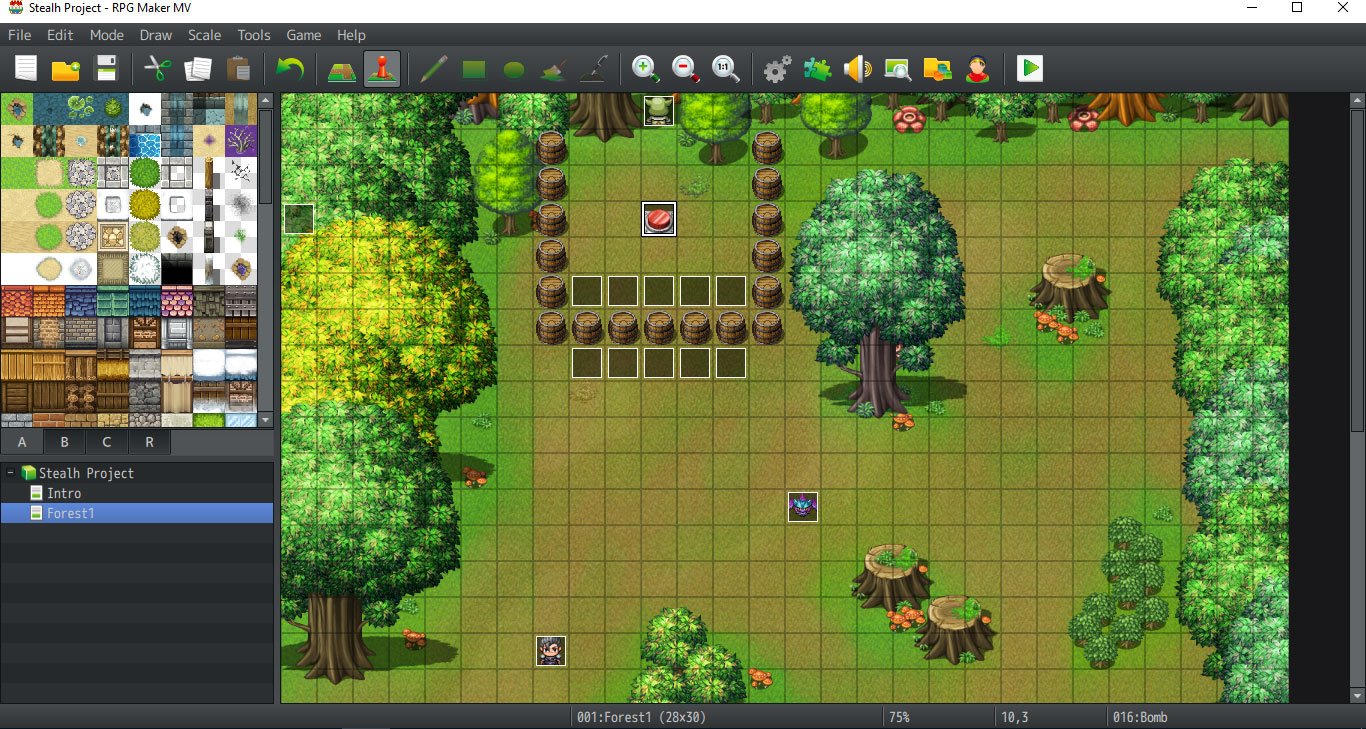
The relevant events here are the orc in back, the button that triggers the bomb, and the empty event on the far left. I also put this up so you can see the bomb's current position is 10, 3.
Edit: Really sorry but I seem to have nested spoiler tags on accident... Kind of difficult to edit back properly while typing this on an iPad. The question has been resolved, so please ignore this question.




 FIFINE Gaming USB Microphone Kit with Boom Arm
USB microphone setup for streams, party chat, podcasts, and creator clips.
View on Amazon
FIFINE Gaming USB Microphone Kit with Boom Arm
USB microphone setup for streams, party chat, podcasts, and creator clips.
View on Amazon
