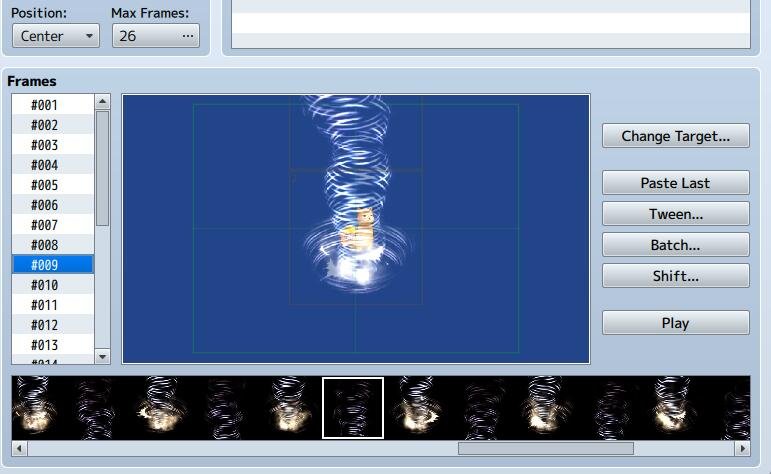
It looks like when editing animation, each cell can only go between x -408~+408 and y -312~+312 It is definitely an issue for games with larger resolution. For example in the screenshot, I have a tall animation, and I cannot move the top cell any further up because of the screen size restriction. I would really like the animation to start at the bottom of the enemy sprite and it is not possible to do that with the restrictions in the editor window.
It looks like when editing animation, each cell can only go between x -408~+408 and y -312~+312
It is definitely an issue for games with larger resolution.
For example in the screenshot, I have a tall animation, and I cannot move the top cell any further up because of the screen size restriction.
I would really like the animation to start at the bottom of the enemy sprite and it is not possible to do that with the restrictions in the editor window.
Is it possible to override the restriction or is there a plan to remove the restrictions in future updates?
RPG Maker Web attachments are mirrored locally when available. Other external links remain hosted by their original creator or third-party service.


