

Modifcation to Galv's Actor Equip Items
BMM_Archive · July 15, 2026

Original Source
- Original title: Modifcation to Galv's Actor Equip Items
- Original author: Yoraee
- Original date: October 10, 2016
- Source thread: https://forums.rpgmakerweb.com/threads/modifcation-to-galvs-actor-equip-items.69471/
- Source forum path: Game Development Engines > RPG Maker Javascript Plugins > JS Plugin Requests
Summary
Hi, I was wondering if anyone could help me by modifying Galv's Actor Equip Items plugin (found here). What the plugin does as it is, is allow each actor a limited number of item slots for use in battle, with a limited number of stacked items in each slot. So, when used, the player interacts with 3 windows
Archived First Post
I was wondering if anyone could help me by modifying Galv's Actor Equip Items plugin (found here).
What the plugin does as it is, is allow each actor a limited number of item slots for use in battle, with a limited number of stacked items in each slot.
So, when used, the player interacts with 3 windows
1) the items window (below window)
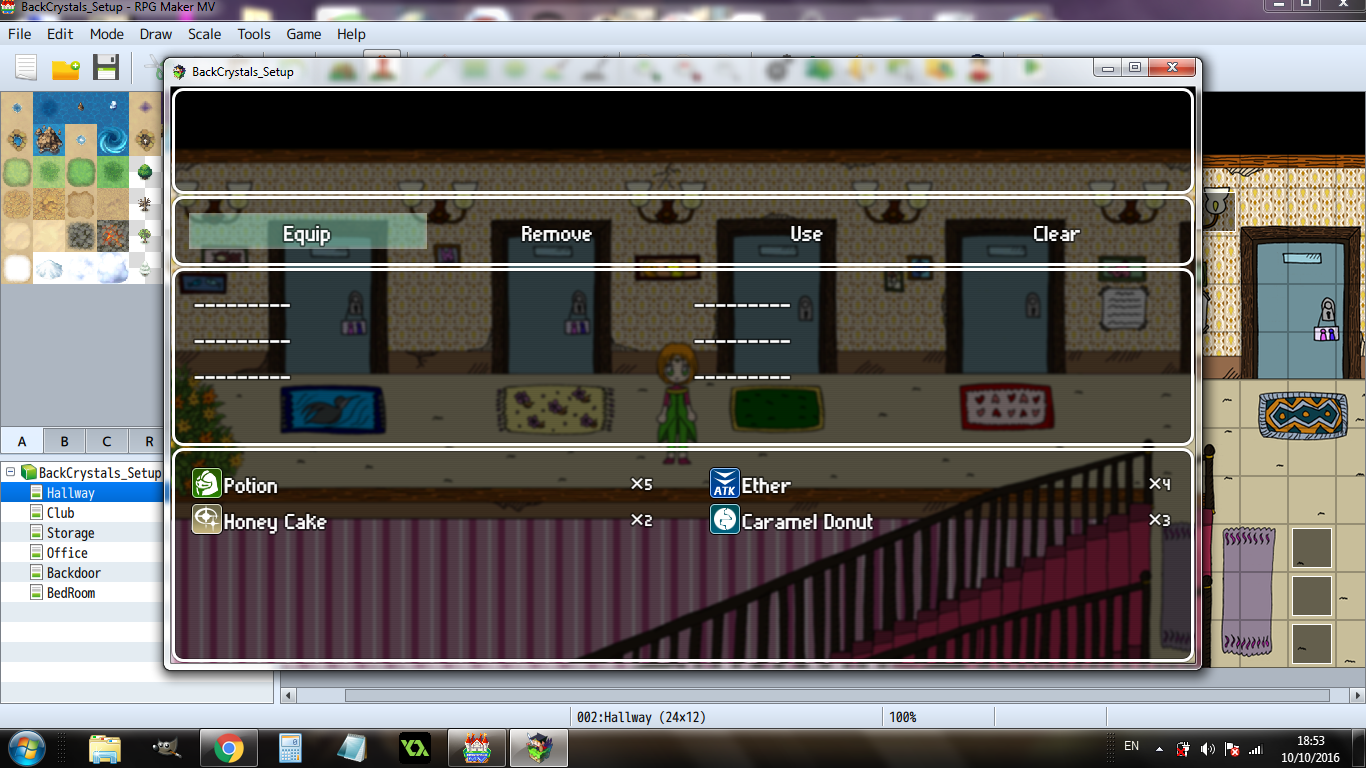
2) the number window (middle), where you determine how many items you want to stack in that slot
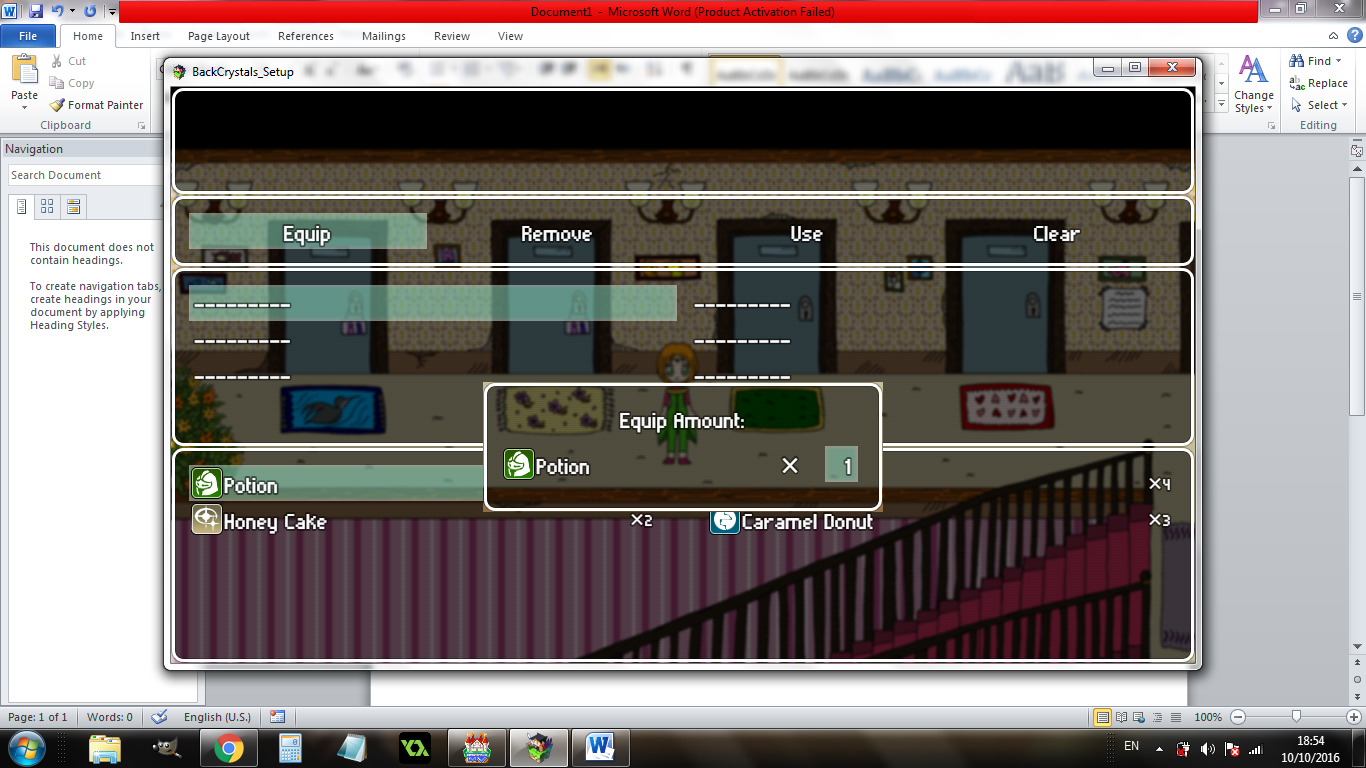
and
3) the slots window
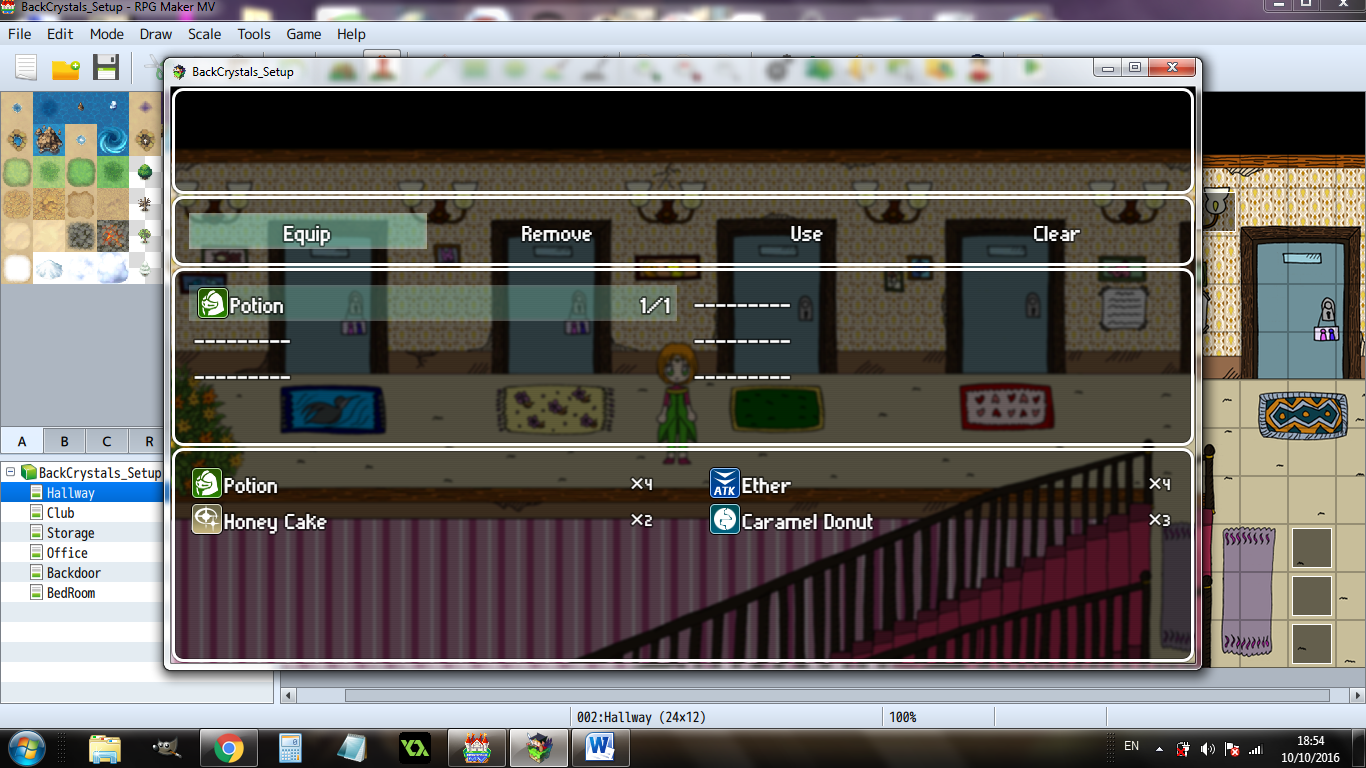
In my game, each slot has a stack size of 1, so the middle window is not needed, and creates useless additional step.
My request: to modify the plugin such that once an item is selected in the items menu, it directly transfers to the slots window (ie: go from step 1 to step 3 immediately without the intermediate number setting step)
I tried to modify the plugin but could only get as far as removing the text indicating the item numbers, so help on this is really appreciated!
Downloads / Referenced Files
RPG Maker Web attachments are mirrored locally when available. Other external links remain hosted by their original creator or third-party service.
- Local mirror: 30267-649f4f679650459019a8431404769a7f.png
SHA-256:e6cb3e89783ceddab269e38f6d6d5b8622aa80f9e9bf23499eca451027963f09
Original attachment URL: https://forums.rpgmakerweb.com/attachments/1-png.49549/ - Local mirror: 30266-ad7e39291207e44e787d6b489983af85.png
SHA-256:af0e6177042f96b89dd1addfc4385d25f640d50e9665a91057b038550290b9b9
Original attachment URL: https://forums.rpgmakerweb.com/attachments/2-png.49548/ - Local mirror: 30265-00e36336a380c348a6e0a826f4c079c7.png
SHA-256:1f2f68e0279e3578ae2effa7d8ad7791d6a6062fe644f78bed2f0869e884edef
Original attachment URL: https://forums.rpgmakerweb.com/attachments/3-png.49547/
Referenced Images / Attachments
Creator Claims / Removal
If you are the original creator and want this listing reassigned, edited, or removed, join BMMPlay and contact the moderators with proof that matches the original RPG Maker Web profile, linked GitHub, itch.io page, or another public creator identity.
Replies (0)
No replies yet.
Topic Summary
Loading summary...