

My player won't move after a cutscene
BMM_Archive · July 15, 2026

BMM_Archive
Preserved forum archive. This topic stores the original first post and locally mirrored RPG Maker Web attachments when available. It is posted by the BMMPlay archive account, not by the original creator.
Original Source
- Original title: My player won't move after a cutscene
- Original author: marukyu
- Original date: August 9, 2013
- Source thread: https://forums.rpgmakerweb.com/threads/my-player-wont-move-after-a-cutscene.16678/
- Source forum path: Game Development Engines > Legacy Engine Support > RPG Maker VXAce Support
Summary
Hai guise I'm having trouble getting control of my character after my event runs through. I tried exit event process but it doesnt even make a difference. Also all my tiles are passable. Ive been able to move my character by inputting the move route, but i cant manually move it freely.
Archived First Post
Hai guise
I'm having trouble getting control of my character after my event runs through.
I tried exit event process but it doesnt even make a difference.
Also all my tiles are passable. Ive been able to move my character by inputting the move route, but i cant manually move it freely.
Im not even able to open the menu.
I also have a lot of events that are connected to this one via switches.
I hope that isnt what's causing it.
I attached some screenshots to see if it helps anyone understand it better.
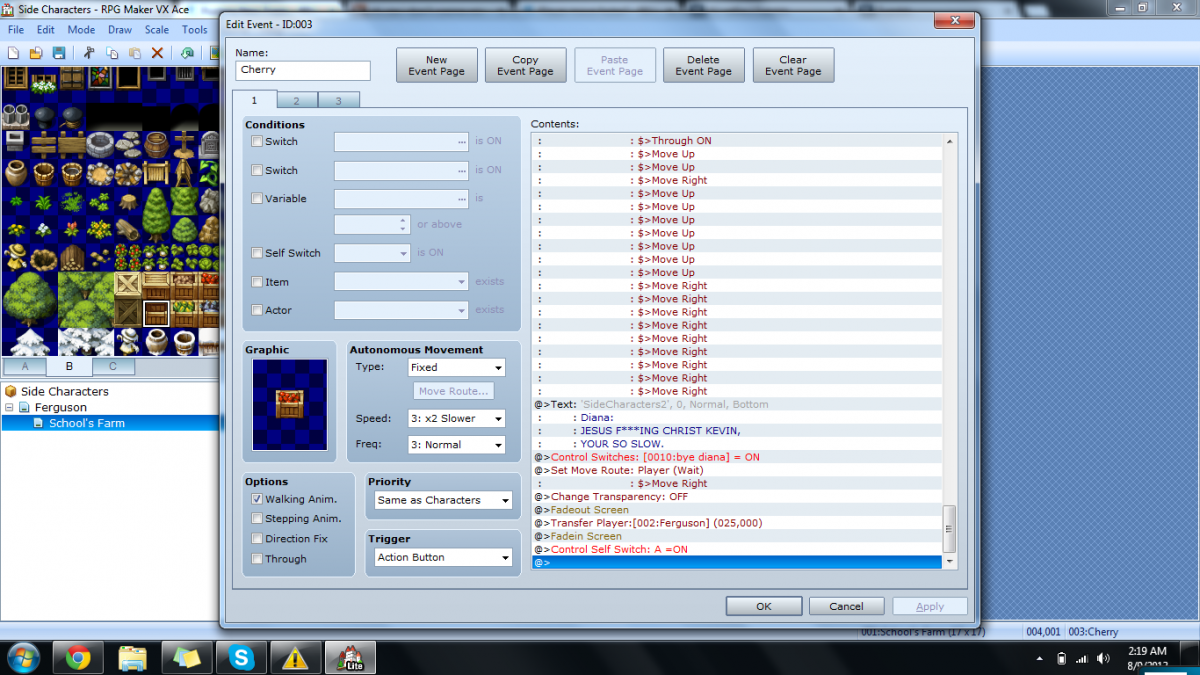
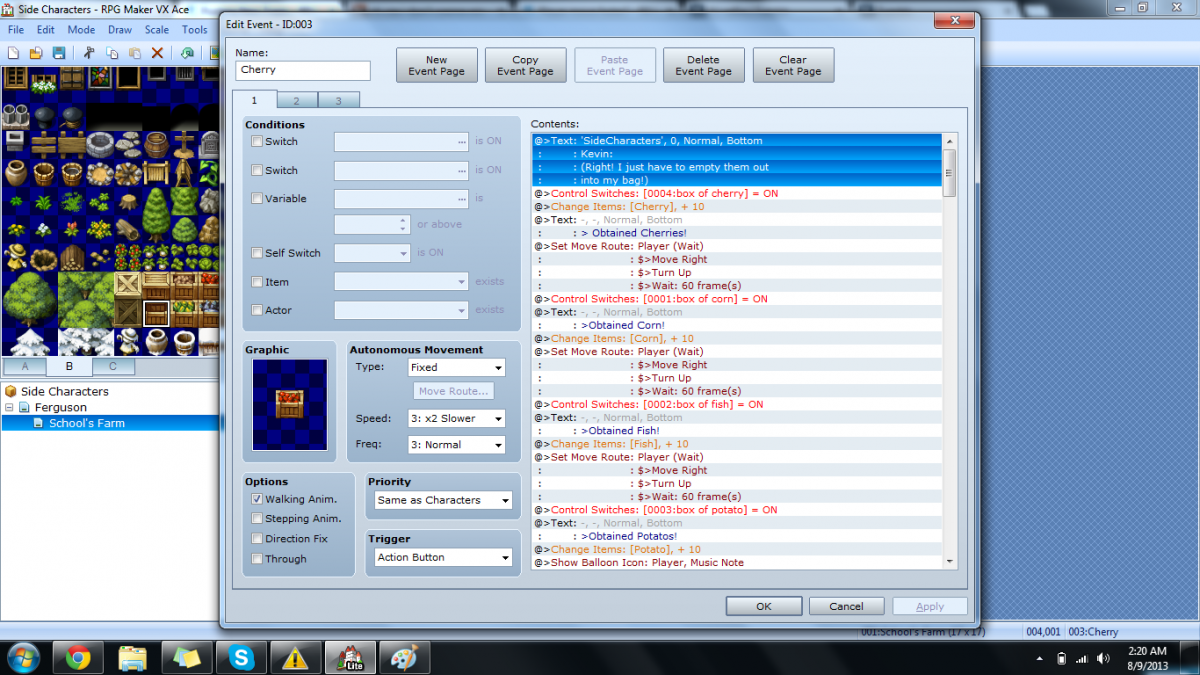
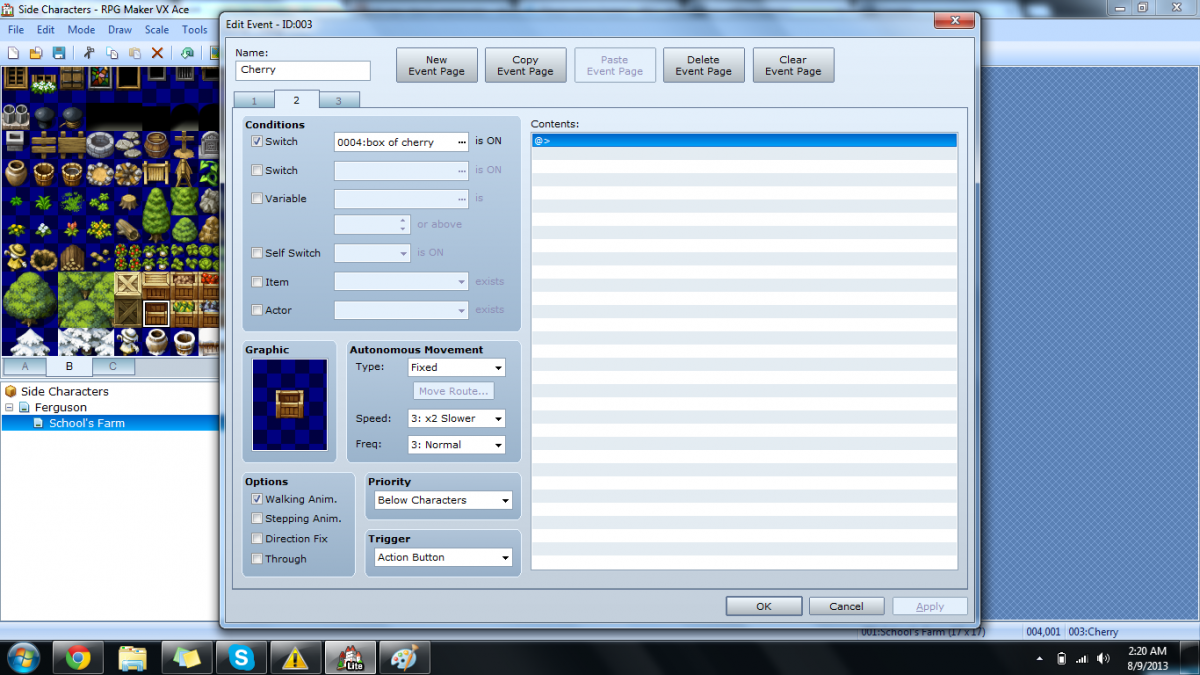
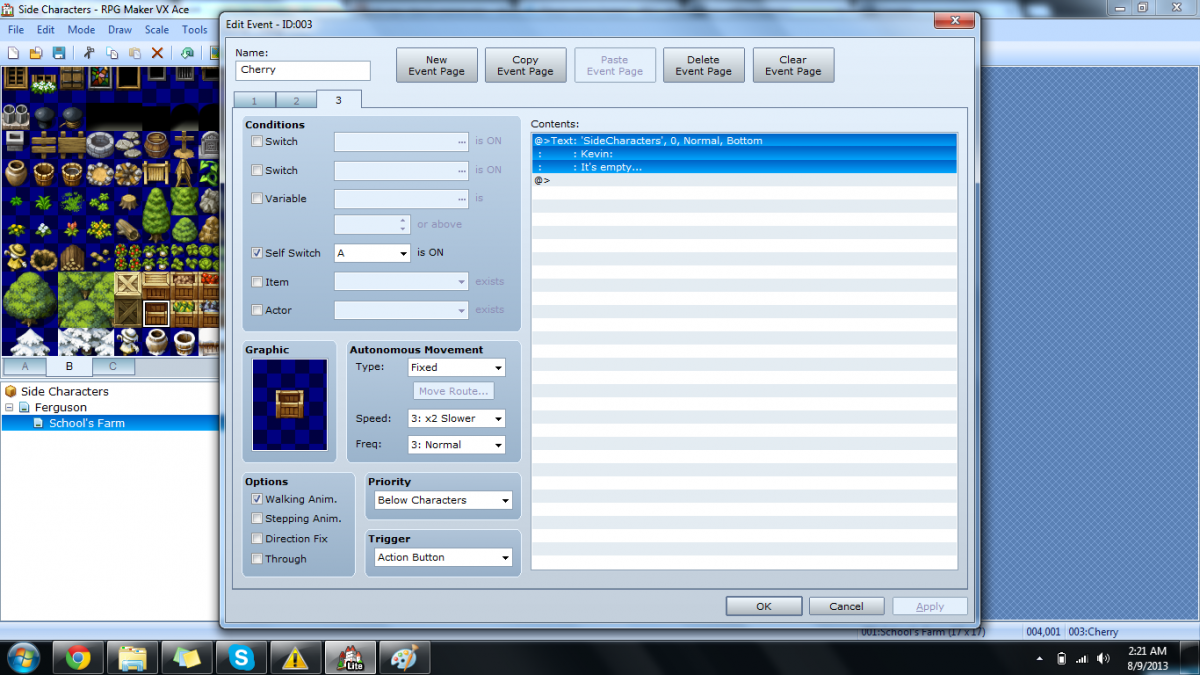
I'm having trouble getting control of my character after my event runs through.
I tried exit event process but it doesnt even make a difference.
Also all my tiles are passable. Ive been able to move my character by inputting the move route, but i cant manually move it freely.
Im not even able to open the menu.
I also have a lot of events that are connected to this one via switches.
I hope that isnt what's causing it.
I attached some screenshots to see if it helps anyone understand it better.
Downloads / Referenced Files
RPG Maker Web attachments are mirrored locally when available. Other external links remain hosted by their original creator or third-party service.
- Local mirror: 1745-baf96c1b24dbf72e0abd48e452b5903f.png
SHA-256:99534a16beb3a1707d534c0386d8a725a98450ef975782a0b1f3abdea66dca34
Original attachment URL: https://forums.rpgmakerweb.com/attachments/halp-me-pls1-png.7528/ - Local mirror: 1746-1f3dcdeb800eaef872a77518452ac40e.png
SHA-256:ce831d2965b25c54af49c377db2fef019be81d849164a0facf2e30e1b85771c5
Original attachment URL: https://forums.rpgmakerweb.com/attachments/halp-me-pls2-png.7529/ - Local mirror: 1747-ce5ee26ff7e5eddc952bf75fca74c442.png
SHA-256:a11452bcf7f959a55188676b1e53c1db64c71e3f28ae15bb98d07011768895c7
Original attachment URL: https://forums.rpgmakerweb.com/attachments/halp-me-pls3-png.7530/ - Local mirror: 1748-c53e00739053c9f27a2bb9999b78e151.png
SHA-256:7b8364a502ec048cdecb4939df54b46d8a110fe607afff78351d25120cf00731
Original attachment URL: https://forums.rpgmakerweb.com/attachments/halp-me-pls4-png.7531/
Referenced Images / Attachments
Creator Claims / Removal
If you are the original creator and want this listing reassigned, edited, or removed, join BMMPlay and contact the moderators with proof that matches the original RPG Maker Web profile, linked GitHub, itch.io page, or another public creator identity.
Replies (0)
No replies yet.
0
replies
16
views
Topic Summary
Loading summary...